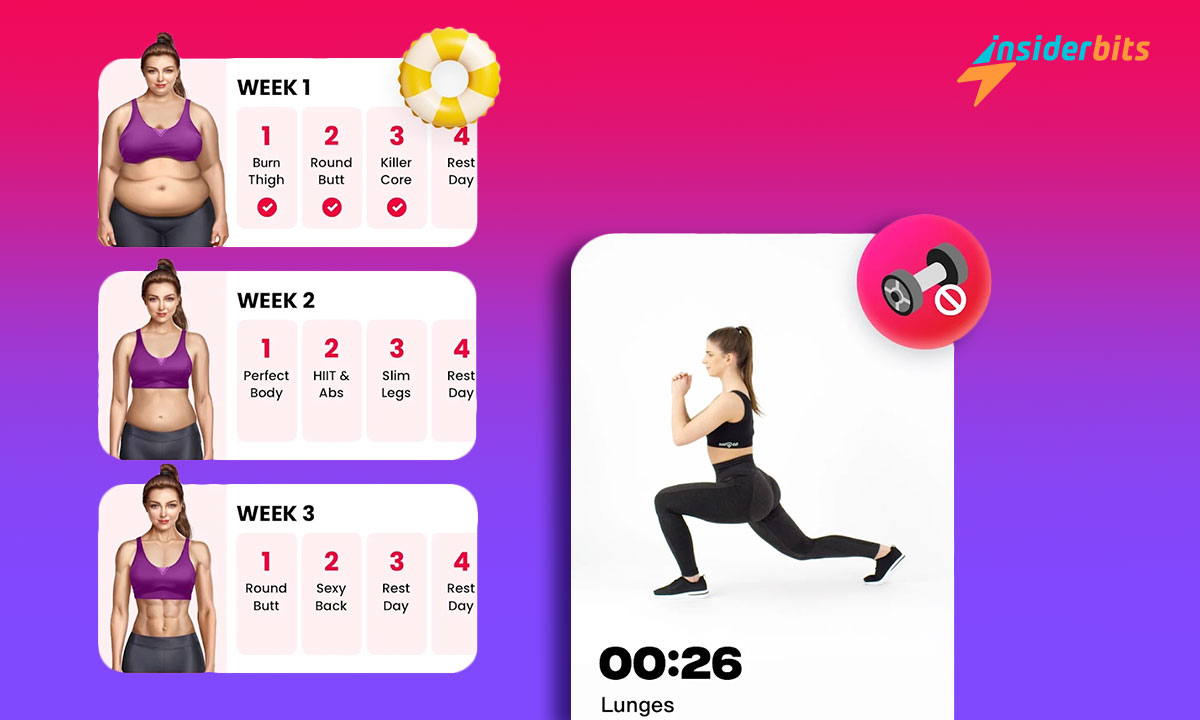
JustFit brings a fresh perspective to fitness, making workouts accessible and effective. It’s designed for those who look for practicality without compromising on quality or results.
This review by Insiderbits shines a light on how JustFit motivates exercising. Workout with your phone, no equipment needed, proving convenience doesn’t mean sacrificing intensity.
Curious about transforming your routine with innovation at your disposal? Read on to discover how JustFit makes fitness not just a goal, but an essential part of your daily life.
Related: Apps to do exercises at home with your phone
An in-depth JustFit app examination
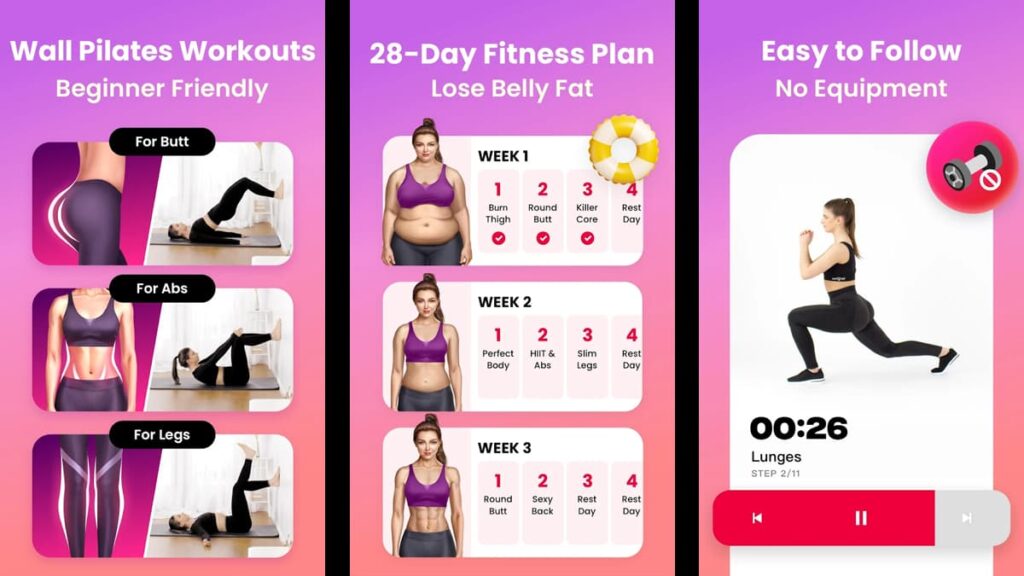
JustFit turns any space into your personal gym. With your phone as your guide, achieving fitness goals is now easier than ever, with tailored plans and without needing equipment.
Picture making your living room a workout haven. That’s the promise of JustFit. It offers routines that cater to all levels, providing a comprehensive fitness routine for everyone.
Keeping fit shouldn’t be a chore, and JustFit makes it exciting with varied exercises that require no more than your will. Every session feels new, pushing you closer to your goals.
The beauty of JustFit lies in its simplicity. You can squeeze a workout anytime in just a few minutes per day. This app proves that true fitness is about consistency, not complexity.
With JustFit, every day is an opportunity to improve. The app’s thoughtful design encourages you to do the workout with just your phone, seamlessly integrating health into your daily routine.
| Pricing: | The app offers plenty of free, tailor-made workouts. However, there is a premium subscription available. The yearly plan is $69.99 for iOS and $79.99 for Android users. |
| Available For: | Android and iOS. |
JustFit app features
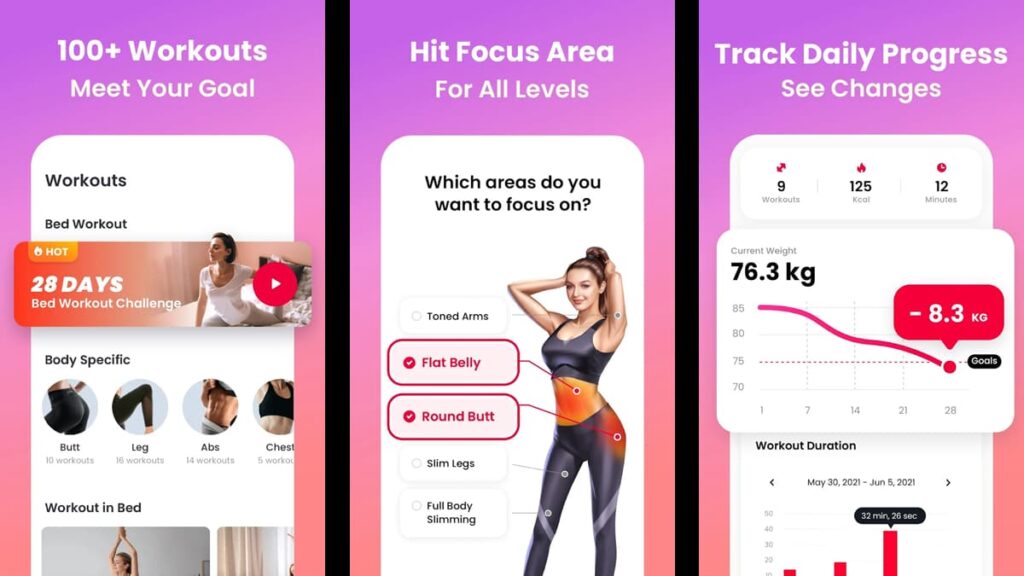
JustFit is not just another app; it’s your pocket-sized gym, making the dream of a flexible, equipment-free fitness routine a reality by transforming your phone into a personal trainer.
Whether you’re at home, traveling, or pressed for time, this app ensures your fitness goals are always within reach. Learn some of its best features below.
- Personalized Workout Plans: Tailored to meet your specific fitness goals, these plans adapt over time. JustFit uses your progress and feedback to refine routines.
- Wall Pilates Workouts: Discover the innovative approach to pilates that requires only a wall. These exercises strengthen and tone, providing a full-body workout.
- Belly Exercise: Specially designed routines focus on the core, targeting belly fat. These exercises are effective yet gentle, ideal for achieving a toned abdomen.
- Progress Tracker: Monitor your fitness progress with JustFit’s tracking. It records your daily achievements, offering insights and motivation to push you forward.
- Health & Fitness Tips: Beyond workouts, JustFit provides valuable advice on living a healthier lifestyle. From nutrition to rest, it’s a complete approach to fitness.
JustFit reimagines the workout experience, proving that all you need is the right tool—a smartphone—to lead a healthier, more active lifestyle.
As you turn your living space into a personal studio, JustFit remains by your side, cheering you on and adapting to your evolving needs.
Related: Your Yoga Instructor – Yoga Apps for Beginners
JustFit app limitations
JustFit brings easy and quick workouts to you, providing the opportunity to change how you approach no-equipment fitness using just your phone and your willpower.
However, the app also has its own set of challenges. This review aims to navigate through JustFit’s limitations, offering an honest look at where it excels and where it might fall short.
- Limited Personal Interaction: While JustFit offers personalized plans, the absence of real-time feedback from a live trainer may impact motivation and form correction.
- Dependence on Self-Motivation: It relies heavily on the user’s ability to stay motivated. Without encouragement, some may find it hard to keep consistency.
- Varied Exercise Needs: JustFit excels in no-equipment workouts, but those looking to incorporate specialized equipment into their routine might find the app lacking.
- Tech Reliance: Dependence on technology means workouts can be interrupted by phone issues or lack of access to the app, potentially curbing the fitness routine.
- Space Requirements: Despite being designed for convenience, some JustFit exercises require a modest amount of space, which might not always be available.
JustFit opens doors for users to maintain an active lifestyle, but even the best tools have their limits. It’s all about knowing what to expect and finding smart ways around the bumps.
There might be a few downsides along the way, but it’s part of the journey. JustFit isn’t just about working out; it’s about learning how to make fitness work for you, downsides included.
How to download the JustFit app
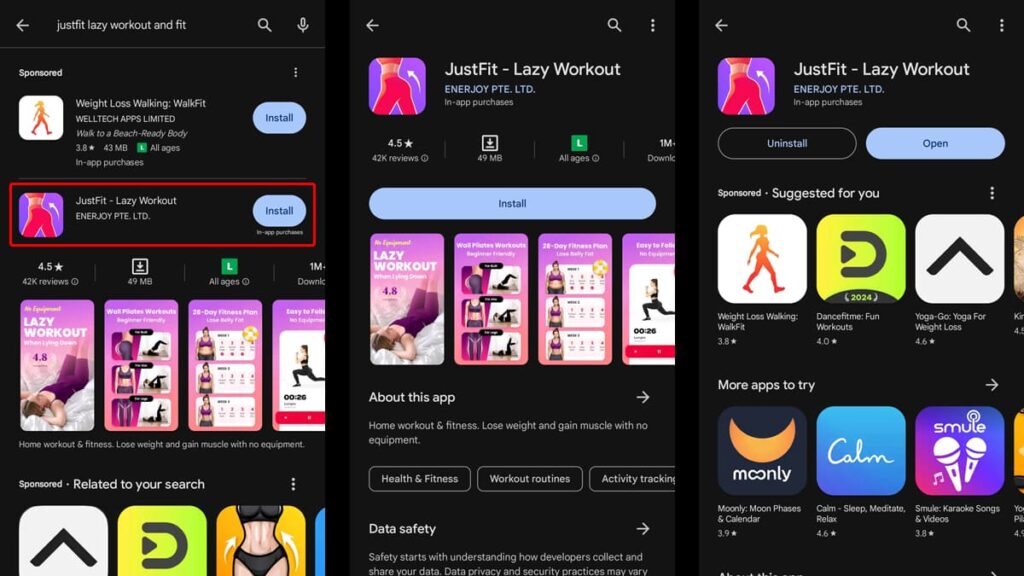
Starting with JustFit brings bite-sized fitness lessons directly into your hands, making every location your personal gym without the need for bulky equipment.
With this app, you unlock the power to transform any moment into a workout opportunity, all through your phone. Here’s how to download JustFit on both Android and iOS devices.
Android devices:
- Unlock your device and locate the Google Play Store icon on your home screen or app drawer; tap to open it.
- Use the search function at the top of the screen; enter “JustFit” and press the search icon to find the app.
- Identify the the app by its logo among the search results; ensure it’s the correct one by verifying the developer, ENERJOY PTE. LTD.
- Tap on the “Install” button next to the app’s listing to begin downloading it to your Android device immediately.
- Wait for the installation process to complete; you’ll see an “Open” button replace the “Install” button when it’s ready.
- Click “Open” to launch JustFit for the first time, then follow the prompts to sign up for an account or log in.
iOS devices:
- Find and open the App Store from your iOS device’s home screen by tapping on the blue App Store icon.
- Tap on the search tab at the bottom right of the screen; use the search bar to type in “JustFit”.
- Scroll through the search results to find the JustFit app, recognizable by its logo; confirm it’s the right app.
- Press “Get” next to the the app, then “Install” if prompted, to start downloading the app onto your iOS device.
- Once the download and installation are complete, the “Get” button will change to “Open” on the app’s App Store page.
- Tap “Open” to start the app, then either sign up for a new account or enter your login details if you’re returning.
With JustFit now on your device, you’re ready to embrace fitness that fits into your lifestyle. Enjoy exploring workouts tailored to help you achieve your health goals.
Related: Top 5 apps for exercising at home
How to navigate the JustFit app
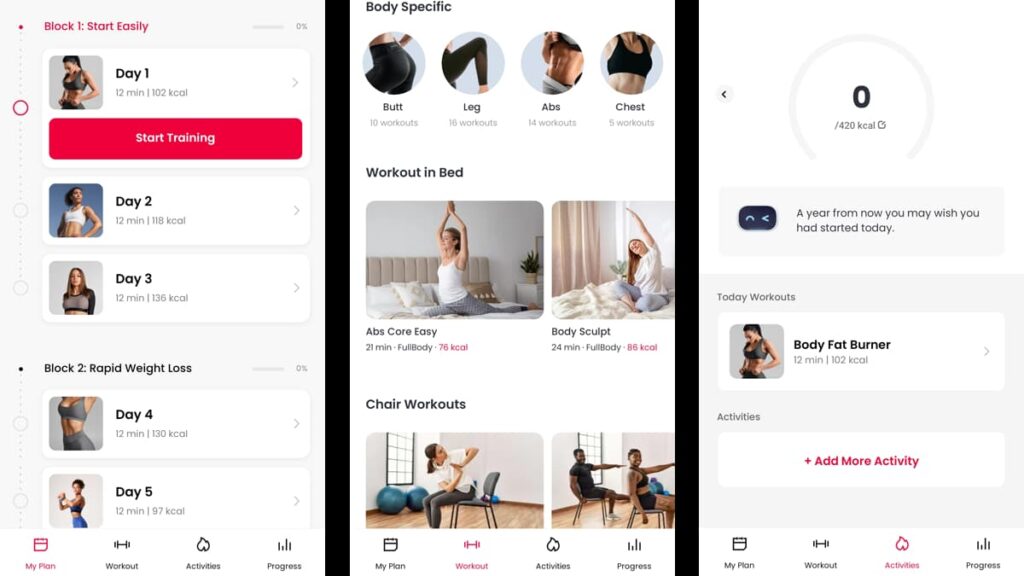
JustFit empowers you to achieve your health goals with workouts tailored just for you, requiring no equipment and allowing you to work with just your phone.
It’s designed to be intuitive, guiding you through each step of the process to ensure your fitness experience is both effective and enjoyable. Here’s how to begin:
Launching the JustFit app
JustFit greets you with a series of questions to customize your experience. These cover your physical attributes and fitness goals so the workouts will suit your needs and capabilities.
In the beginning, this app asks about your weight, height, and age. This information helps in crafting exercises that are safe and effective for you, minimizing the risk of injury.
Next, it assesses your fitness level and goals. Whether you’re a beginner looking to get in shape or more advanced aiming to refine your physique, it adapts to your journey.
Finally, based on your input, it proposes a personalized workout plan. This plan is your starting point towards a fitter, healthier you, crafted to your specifications.
The “My Plan” tab
The “My Plan” tab is where your fitness journey takes shape. Here, JustFit stores your weekly workout routine, meticulously organized and ready to start with a simple tap.
Tapping on a lesson brings up “Start Training”. Here, you’re guided with video instructions for each exercise, ensuring you perform each movement correctly and effectively.
This feature is essential for keeping on track. It acts as both your schedule and coach, providing clarity and structure to your workouts.
The “Workout” tab
In the “Workout” tab, you’ll discover exercises tailored to different needs. Whether targeting specific body parts or fitting a workout into a busy schedule, there’s something for everyone.
Each workout is designed with no equipment in mind. This way, you can engage in effective fitness activities anywhere using just your phone to guide you.
Exploring this tab is like having a fitness library at your disposal. Feel free to experiment with different workouts to keep your routine fresh and exciting.
The “Activity” tab
The “Activity” tab serves as a log for your exercises within JustFit, and it also allows you to add everyday activities like walking your dog or playing with your kids.
Adding these routine activities helps it give you a more comprehensive view of your fitness, integrating your structured workouts with your daily physical activities.
This approach ensures that every bit of effort you put into staying active is recognized, contributing to a more accurate reflection of your overall fitness.
The “Progress” tab
Tracking your progress is crucial, and the “Progress” tab is where JustFit shines in this regard. It meticulously records your achievements, pushing you closer to your fitness goals.
As you complete workouts and activities, it updates your progress. This tab offers motivation by showing how each effort brings you a step closer to your aspirations.
By reviewing your progress regularly, you’re not just seeing numbers change. You’re witnessing your own transformation, a powerful motivator in your journey with JustFit!
JustFit wrap-up: A Healthier tomorrow
JustFit redefines convenience in fitness, offering workouts with just a phone, and no equipment needed. It’s perfectly suited for busy lives, offering custom routines for personal health goals.
The app excels in making exercise accessible and engaging, providing a variety of workouts for any level. It’s so everyone can find joy in staying active, promoting long-term wellness.
This analysis by Insiderbits highlights JustFit’s impact on fitness through technology. We’ve explored its capabilities to show how effective it can be in enhancing your overall health.
Keep exploring Insiderbits for insights like this one. Our articles aim to guide you through the tech landscape with valuable perspectives on apps that can improve your well-being!