
Deploying a secure VPN app creates an encrypted tunnel between your device and a remote server, safeguarding your personal data from network snooping.
Whether you are accessing online banking, checking personal email, or streaming media, a virtual private network ensures your internet activity remains private on any connection. Read on Insiderbits.

4.6/5
Which is the best app for private browsing and public Wi-Fi protection?
Public Wi-Fi at coffee shops, airports, and hotels is convenient, but unsecured networks can expose your online activity to potential threats.
A secure VPN app encrypts your internet traffic and helps protect your data from people monitoring the network, although it cannot prevent every type of cyberattack.
Proton VPN (iOS | Android) is one option to consider. Developed by the team behind Proton Mail, it offers a free plan with unlimited data, no ads, and a no-logs policy.
Its apps are open source and undergo independent security audits, while paid plans add features such as access to more server locations and NetShield ad and malware blocking.
You can download Proton VPN for free from the Apple App Store or Google Play Store.
Features within Proton VPN
The Proton VPN app (iOS | Android) offers privacy and security tools for mobile devices and computers, helping protect your internet connection and reduce online tracking.
Based in Switzerland, the platform follows a no-logs policy that has been independently audited, and its apps are open source for added transparency:
- Swiss privacy and no-logs policy: the app says it does not record users’ browsing activity, IP addresses, or session lengths. Its Swiss headquarters also means the service operates under Swiss data protection laws;
- NetShield ad and malware blocker: this DNS-filtering feature can block connections to domains associated with ads, trackers, and malware before unwanted content loads.
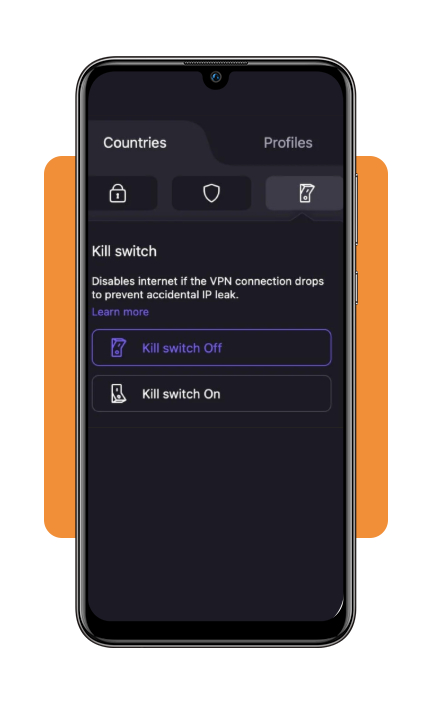
- Kill switch and Always-on VPN: the kill switch blocks internet traffic if the VPN connection drops, helping prevent your real IP address from being exposed. Always-on VPN can automatically reconnect your device.
- Secure Core architecture: available with a paid plan, Secure Core routes traffic through specially protected servers in Switzerland, Iceland, or Sweden before connecting to a second VPN server, adding another layer of protection against certain network attacks.
Step-by-step: how to encrypt your internet traffic
Securing your mobile internet connection with a secure VPN app takes only a few simple steps. Follow this guide to encrypt your web traffic before connecting to public networks:
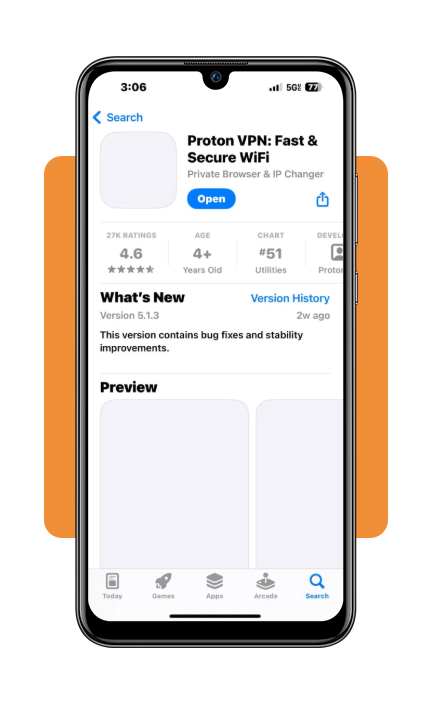
Step 1: download and install the application
Download the official Proton VPN app onto your iOS or Android smartphone, tablet, or laptop. Create a free user account or log into your existing profile.
Step 2: configure core security features
Navigate to the app settings tab. Enable the ‘Kill Switch’ to prevent IP leaks during connection drops, and toggle on ‘NetShield’ to block ads, trackers, and malware automatically.
Step 3: choose your preferred protocol
Select your desired VPN protocol within the settings menu. Choosing ‘Smart Protocol’ allows the app to automatically bypass local firewall restrictions and network blocks.
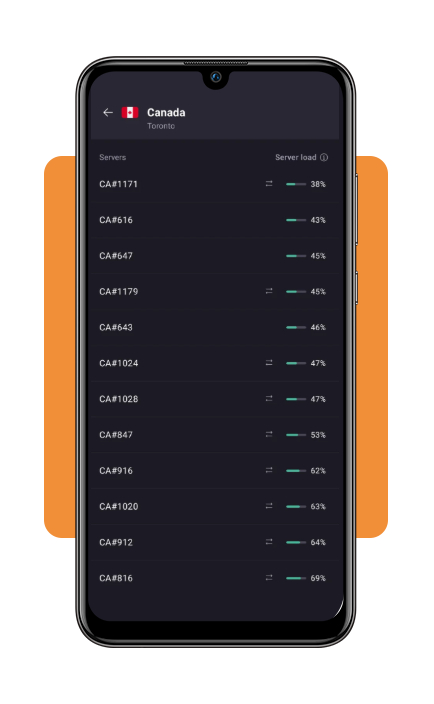
Step 4: connect to a secure VPN server
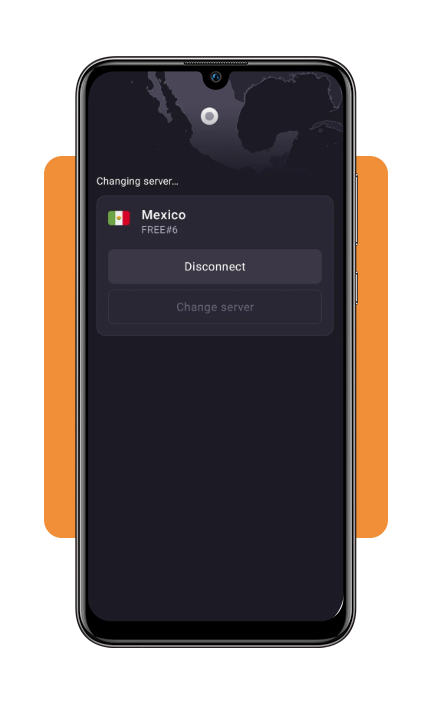
Tap the prominent ‘Quick Connect’ button on the main screen. The app will automatically connect you to the fastest server nearby, encrypting all incoming and outgoing data.
Top identity theft protection services
While a secure VPN app encrypts active internet traffic, protecting your overall identity requires monitoring dark web breaches, public record leaks, and credit report changes.
Leading identity theft protection suites pair well with VPN privacy:
- Aura: an all-in-one digital security suite that monitors your Social Security Number, bank accounts, and credit reports while scanning dark web forums for compromised credentials;
- Norton LifeLock: provides identity theft monitoring alongside device antivirus protection, credit bureau alerts, and financial restoration coverage in the event of identity theft;
- Identity Guard: uses artificial intelligence to monitor dark web marketplaces and public records, alerting you instantly to unauthorized credit inquiries or financial account openings.
A secure VPN app can help encrypt your internet connection and protect your data, especially when using public Wi-Fi.
However, VPNs don’t guarantee complete anonymity or bypass every network restriction, and streaming access may depend on the platform’s terms and licensing rules.
To learn more, explore our guide to VPNs for watching TV for tips on streaming regional content, or read Fortinet’s explanation of how a VPN works for an overview of tunneling and encryption protocols.
Best options for choosing VPN protocols
VPN protocols determine the rules and mathematical algorithms used to transmit encrypted data between your device and the VPN server.
Selecting the right protocol balances connection speed with cryptographic strength:
- WireGuard: a modern, lightweight open-source protocol engineered for high-speed performance and strong cryptographic security. It connects almost instantly on mobile devices while minimizing battery consumption;
- OpenVPN (UDP/TCP): the long-standing gold standard for VPN security. OpenVPN (UDP) delivers optimal speeds for streaming and gaming, while OpenVPN (TCP) bypasses restrictive network firewalls by mimicking standard HTTPS web traffic;
- IKEv2/IPsec: excellent for mobile devices that frequently transition between cellular data networks and public Wi-Fi, maintaining stable re-connection speeds without dropping your session;
- Proton Stealth: a specialized obfuscated protocol designed to bypass advanced censorship, DPI (Deep Packet Inspection), and network firewalls by hiding VPN traffic as ordinary HTTPS web browsing.
4.6/5
Essential privacy for public connections
A secure VPN app can add a layer of protection when you connect to public Wi-Fi at cafés, airports, or hotels by encrypting traffic between your device and the VPN server.
Proton VPN (iOS | Android) is one option, with open-source apps, independent security audits, and support for the WireGuard protocol.
For added protection, enable features such as the VPN kill switch, which can block internet traffic if the VPN connection drops.
A VPN does not guarantee complete anonymity or protect against every scam, so use HTTPS websites, enable multifactor authentication, and avoid sharing sensitive information with unverified services.