
A late mark for a bill you paid on time or an account opened by a stranger in your name can inflate your interest rates, and that’s enough reason to dispute credit errors you spot.
This guide by Insiderbits shows how Experian’s Dispute Center helps you spot mistakes on your credit report, back them up with documents, and hand lenders a story that earns a yes.

4.8/5
Which is the app to check your credit report and dispute credit errors directly?
Experian (Android | iOS) is a credit bureau that collects the account details lenders review, and a free membership lets you open that credit file to read it, question it, and correct it.
Your personal login opens your credit report next to the form you need to dispute credit errors, and entries that look wrong, outdated, or unfamiliar move from detection to correction.
Checking your report before you apply for a mortgage, a car lease, or an apartment gives you room to challenge a mistake ahead of any lender or landlord review.
Key features within Experian
- Experian Boost: link cell phone, utility, streaming, and eligible rent payments you make, and your FICO Score may climb as those payments count toward your history;
- Credit monitoring: push notifications flag new inquiries and score movement, prompting you to open your report and review the change before a lender asks about it;
- Marketplace: card, loan, and car insurance offers match your credit profile, and cards labeled ‘No Ding Decline’ won’t lower your score if the issuer declines you;
- Financial health assessment: A short survey turns your answers into suggested actions for improving your financial health, with recommendations on how to act.
See your free credit report and FICO Score
Your credit report groups your file into accounts, public records, personal information, and inquiries, with a FICO Score 8 beside it, and checking either one counts as a soft inquiry.
Comparing balances with your statements shows you where to dispute credit errors, and the FICO Score gives you a baseline for judging what changes after a correction.
Dispute errors directly in Experian’s Dispute Center
Late payments, duplicate accounts, wrong credit limits, and loans marked open after you closed them all qualify for a dispute, and you choose the matching reason from a dropdown menu.
Some items, including names and addresses, need a phone call to the bureau, while valid inquiries, your credit score, and correct personal details fall outside the dispute process.
Step-by-step: how to file a credit report dispute and track resolution
An Experian (Android | iOS) request sets off an investigation, and when you dispute credit errors, the bureau asks the lender, card issuer, or collector that reported the entry to verify it.
Most investigations wrap up within 30 days, though the clock can stretch to 45 when you send additional documents after the review begins, and updates arrive as the work progresses.
Filing a dispute leaves your credit score untouched, though a correction can move it in either direction when removing an account shortens your credit history or raises your utilization ratio.
Step 1: download the app or go online
On your phone, open the App Store or Google Play and search for ‘Experian’. Install the app, wait a couple of minutes for the download to finish, and open it to create your account.
If you’d rather skip the download, open a browser on your phone or computer, search for ‘Experian dispute’, and pick the Dispute Center result to reach the sign-up page.
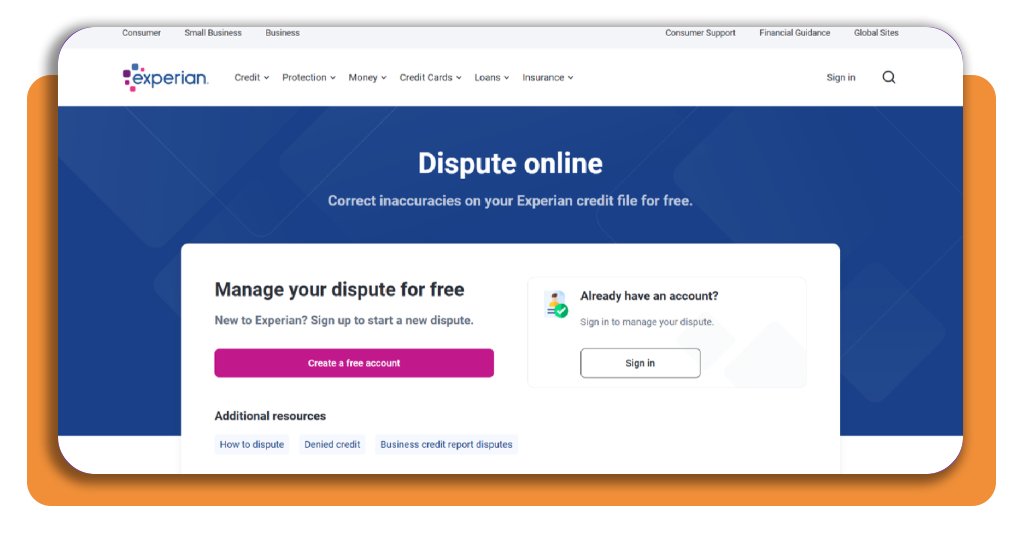
Step 2: create your free Experian account
Choose ‘Create a free account’ if you’re a new user, type the last four digits of your Social Security number and your phone number, and pick text or call for verification.
Open the link or enter the code with six digits that reaches your phone, and once the account goes live, you can dispute credit errors you spotted in your file.
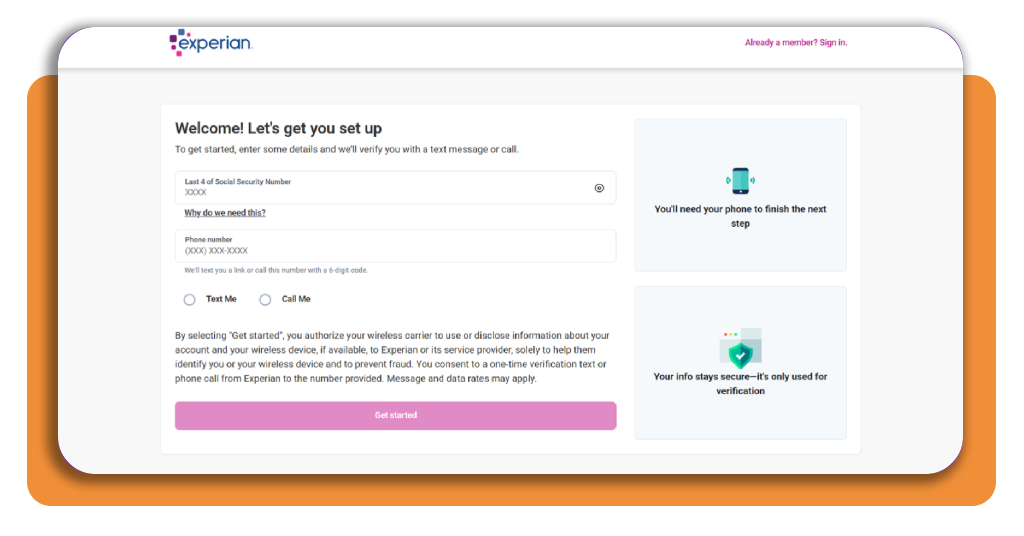
Step 3: select the error and upload documents
Open the entry that looks off, pick the reason that matches the problem, and add a short comment when the form offers a text box to explain what went wrong.
Back your claim with documents like bank statements, utility bills, creditor letters, or a police or FTC report, saved as pdf, jpg, png, gif, or tif files before you upload.
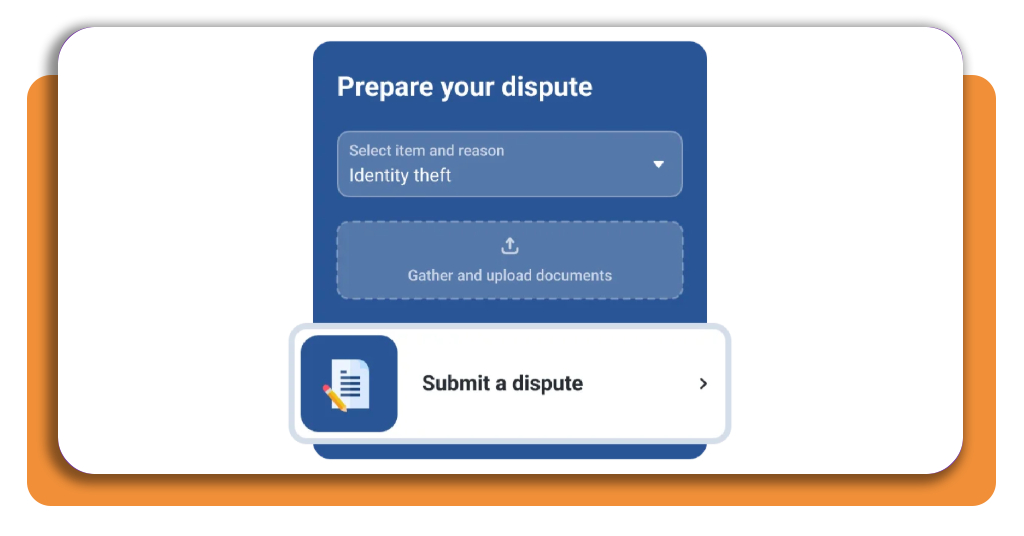
Step 4: submit your dispute and track the results
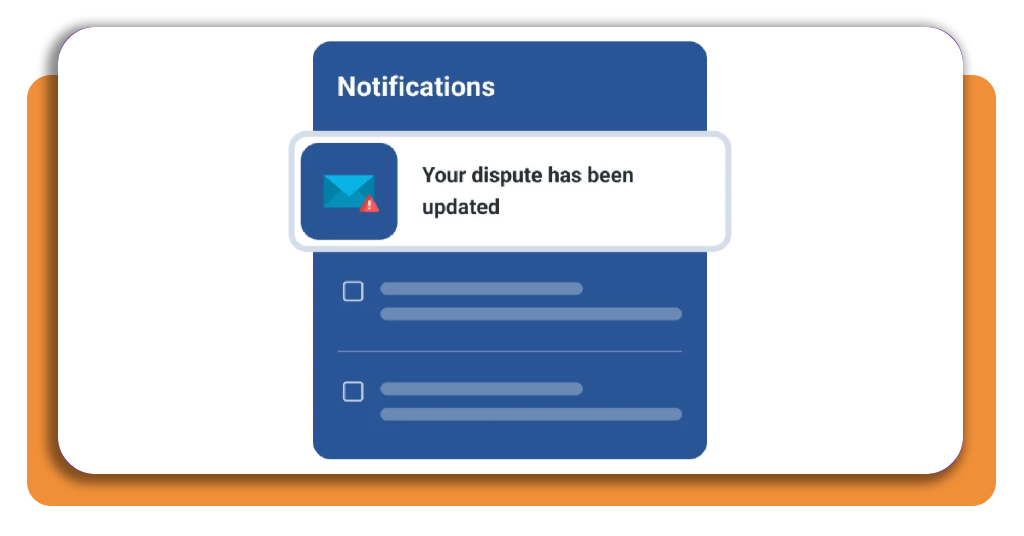
Review the form, fix anything that reads wrong, and press submit for a confirmation page, then check your ‘Alerts’ section or email for ‘Open’, ‘Update’, and ‘Dispute’ results ready labels.
‘Deleted’ and ‘Updated’ results change your report, while ‘Remains’ means the lender confirmed the entry. Contact them, add a statement, or refile with fresh documents.
Top credit bureaus in the US
Experian (Android | iOS), Equifax, and TransUnion keep separate versions of your history, and when a mistake shows in all of them, you need to dispute credit errors separately.
You can request a free report from all three bureaus every week through the official site, and comparing the results shows you where the entries disagree before a lender notices.
Lenders pick the bureau they pull and the scoring model they apply, and the numbers you see can shift with those choices even when your payment habits stay the same.
Experian
Lenders, collectors, and public sources send Experian (Android | iOS) updates on a routine schedule rather than instantly, and new payments may take time to appear in your report.
Positive accounts can stay on your report indefinitely, paid closed accounts usually remain for 10 years, and hard inquiries expire after 25 months, though they affect scores for one year.
Equifax
Equifax gathers payment histories from banks and retailers, plus phone and utility accounts, then compiles everything into the reports businesses review before they extend credit.
Federal law, through the Fair Credit Reporting Act, gives you the right to dispute credit errors in an Equifax report, and it limits who may pull that report and why.
TransUnion
TransUnion holds about 200 million credit files covering nearly every American with an active credit history, and more than 65,000 businesses use its data in their lending decisions.
Its free account refreshes your credit report daily and shows a VantageScore 3.0, a scoring formula that differs from a FICO Score and explains why your numbers vary between bureaus.
Best options for removing incorrect late payments
Payment history carries heavy weight in credit scoring, and the damage from a late payment depends on your overall profile and the scoring model a lender uses on your application.
Removal depends on whether the entry is accurate, and a wrong one gives you grounds to dispute credit errors while a correct one calls for patience or a polite request.
Most creditors report a late payment once an account is 30 days past due, and paying within that window can keep it off your report, though late fees may apply.
Dispute errors with your creditor and the bureaus
Call or write the lender or servicer that reported the late payment, share your bank transactions and confirmation emails, and request a correction if they show you paid on time.
A creditor that agrees must correct the entry and notify the bureaus it reports to, and you should keep your correspondence and recheck your reports to confirm the change posted.
Send a goodwill letter for one-time slips
Keep a goodwill letter brief and factual by explaining what happened, mentioning your on-time payment history, confirming the account is current, and asking the creditor for an adjustment.
Creditors may still say no, and goodwill letters fit accurate slips only, while a mistaken late payment calls for you to dispute credit errors instead of asking for a favor.
Let accurate late payments fade with time
An accurate late payment can stay on your reports for up to seven years from the first missed payment, and it remains visible to lenders after you close the account.
Steady, on-time payments, and manageable balances soften the impact of an old late payment over the years, and bureaus may decline pay for delete deals on accurate collection accounts.
4.8/5
Fix your credit file before it costs you
Your credit report is a list of your accounts and payment habits, and Experian (Android | iOS) lets you read yours and ask for a fix whenever an entry looks off.
In this guide, Insiderbits explained how to spot a mistake early, back it up with proof, and dispute credit errors with the bureau and the creditor involved.
Keep reading Insiderbits and read more articles on how to read, interpret, and correct your credit file so you’ll know what lenders see before you apply for anything new.