While gaming hardware enthusiasts often wonder whether native handheld ports are possible, playing GTA VI on mobile at launch requires remote streaming technology.
Leveraging console hardware alongside high-speed internet connections, mobile gamers can stream the game directly to smartphones and tablets without requiring a mobile port. Read on Insiderbits.

3.1/5
Is GTA VI available for mobile devices?
If you’re searching for GTA VI on mobile, there’s one important detail to know: Rockstar Games has not announced a native version for Android or iOS.
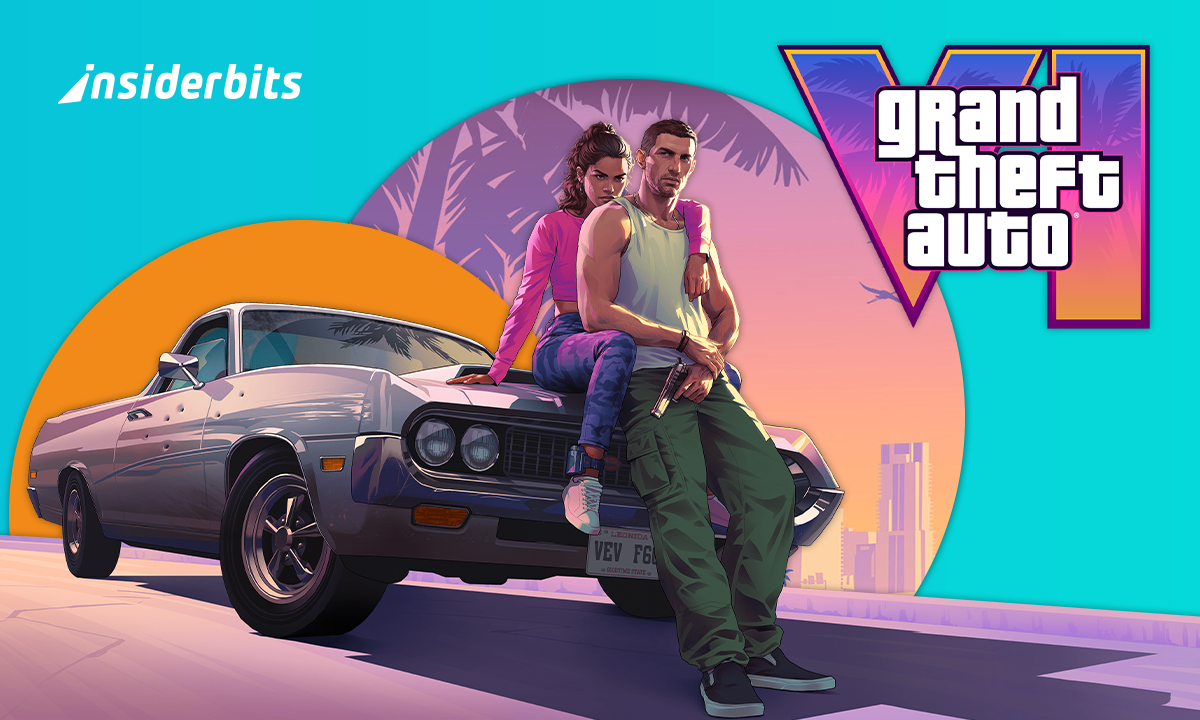
The game is currently scheduled to launch on November 19, 2026, for PlayStation 5 and Xbox Series X|S.
Although smartphones can run increasingly advanced games, there is no official GTA VI mobile version to download.
Be cautious of websites, APK files, and social media posts advertising a ‘GTA VI on mobile Beta’ or promising early access, as these offers are not supported by Rockstar Games and may expose your device to malware or phishing scams.
But does that mean you can’t play GTA VI on your phone? Not necessarily. If you own a PlayStation 5, PS Remote Play (iOS | Android) streams compatible games from your console to a supported mobile device.
Instead of installing GTA VI directly on your phone, you can use the app to access your console remotely.
You’ll need a compatible smartphone or tablet, a PlayStation account, and a reliable internet connection. Sony recommends at least 5 Mbps for Remote Play, with 15 Mbps or more for a better experience.
Grand Theft Auto VI release date
As said, Rockstar Games has scheduled Grand Theft Auto VI for November 19, 2026, on PlayStation 5 and Xbox Series X|S.
The company has not announced an Android or iOS release, so players should rely on official announcements for any future platform updates.
For PlayStation owners, the platform may offer a way to enjoy compatible games on a mobile screen without installing them directly on the device.
However, streaming quality depends on your network, and you’ll need a PS5 to use the app with GTA VI.
You can download PS Remote Play for free through the iOS App Store or Google Play Store.
And if you’re interested in playing an older entry in the series on your phone, check out our guide on how to play GTA V on mobile.
Steps to play the new GTA via PS Remote Play
To play GTA VI on mobile, you can use Sony’s free PS Remote Play (iOS | Android) app to stream the game from your PlayStation 5 to a compatible smartphone or tablet.
This lets you play remotely without installing the full game on your mobile device, but you’ll need a PS5 with access to the game, a PlayStation Network account, and a reliable internet connection.
Step 1: download the app and prepare your PS5
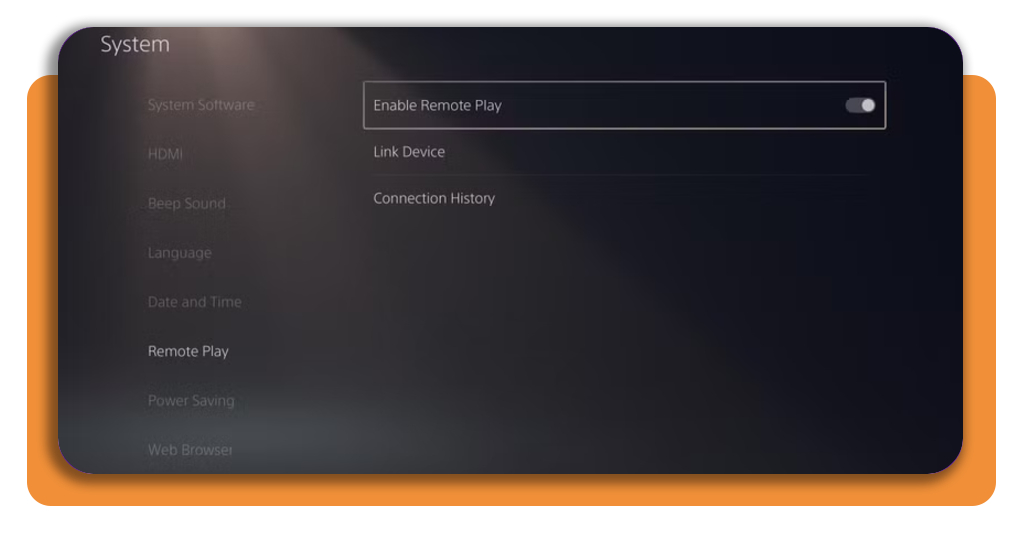
Install the official app from the Google Play Store or Apple App Store, depending on your device. On your console, go to ‘Settings’ > ‘System’ > ‘Remote Play’ and turn on ‘Enable Remote Play’.
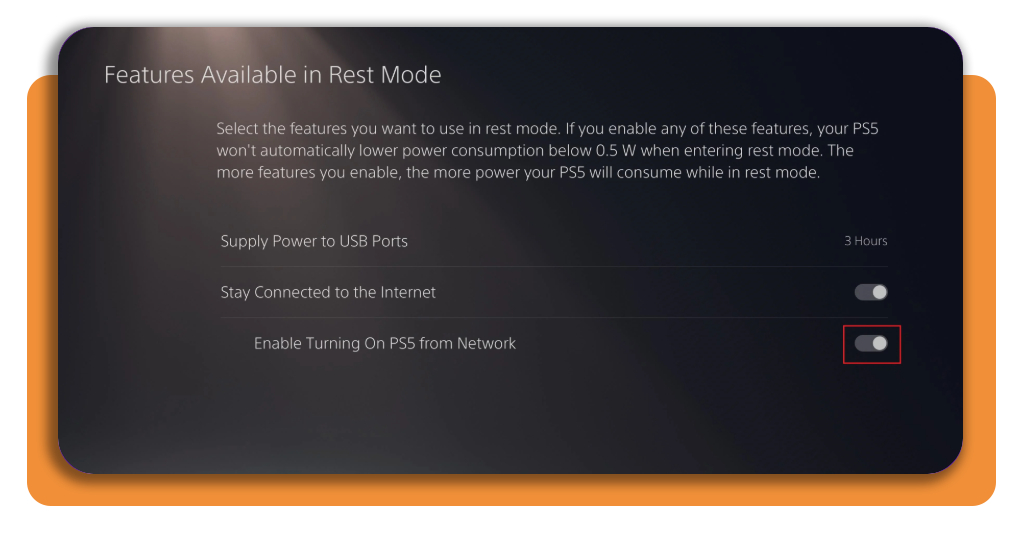
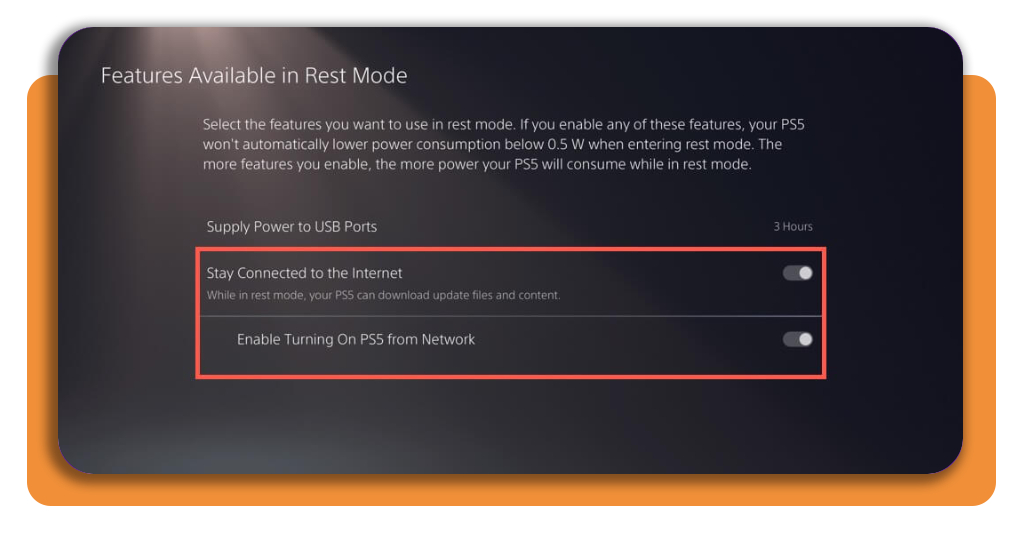
If you want to connect while your console is in Rest Mode, enable ‘Stay Connected to the Internet’ and ‘Enable Turning On PS5 from Network’ under ‘Settings’ > ‘System’ > ‘Power Saving’ > ‘Features Available in Rest Mode’.
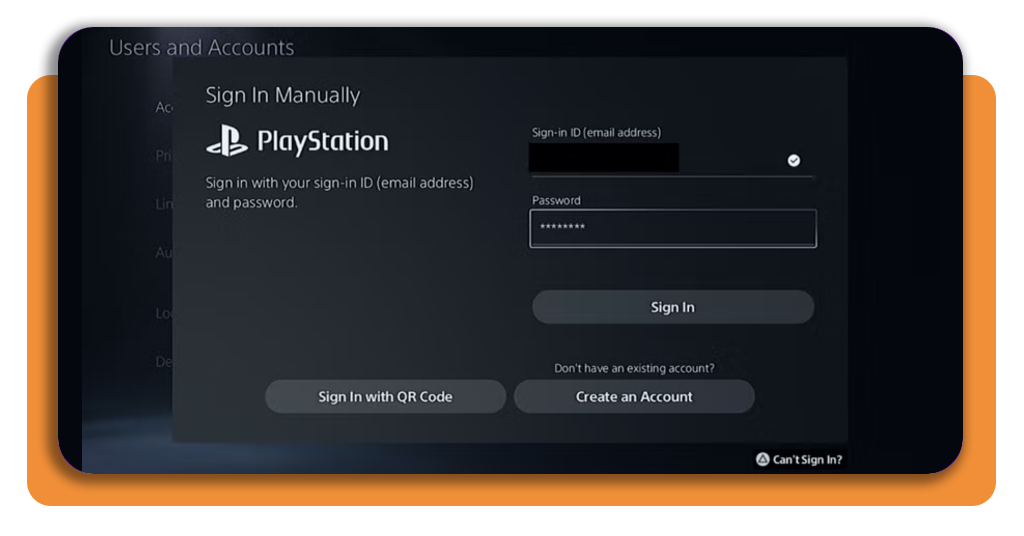
Step 2: sign in to your PlayStation account
Open the app on your phone or tablet and sign in using the same account linked to your PS5. Keep your console updated and make sure your mobile device meets the app’s system requirements.
Step 3: connect to your PS5
Select ‘PS5’ in the app. Once the connection is established, your console’s screen will appear on your mobile device, allowing you to navigate menus and launch compatible games.
You can use compatible on-screen controls or connect a supported wireless controller, such as the DualSense, through Bluetooth. A controller may make gameplay more comfortable, especially during action-heavy sequences.
Step 4: check your internet connection
Sony recommends a minimum connection speed of 5 Mbps, with at least 15 Mbps recommended for a better experience.
A stable Wi-Fi connection can help reduce lag, while mobile data may use a significant portion of your data allowance.
Keep in mind: PS Remote Play (iOS | Android) streams gameplay from your console rather than running GTA VI directly on your phone.
Rockstar currently lists GTA VI for PlayStation 5 and Xbox Series X|S, not as a native Android or iOS game. You’ll need access to the game on your PS5 to play it this way.
Games in the GTA franchise that officially run on mobile
While GTA VI requires remote console streaming, Rockstar Games has officially ported several iconic Grand Theft Auto titles to mobile platforms, featuring adapted touch controls and physical controller support:
- GTA: The Trilogy – The Definitive Edition (Grand Theft Auto III, Vice City, and San Andreas): upgraded mobile remasters featuring enhanced lighting, high-resolution textures, and modern control layouts (available stand-alone or via Netflix Games subscriptions);
- Grand Theft Auto: Liberty City Stories: built specifically for mobile handheld play, offering streamlined missions and full controller mapping;
- Grand Theft Auto: Chinatown Wars: designed around touch-screen mini-games and a top-down camera angle optimized for mobile screens.
For system requirements and setup guidelines, visit the PlayStation Remote Play portal.
Games similar to GTA V to play on mobile
If you are looking for open-world action, driving, and crime-drama experiences natively built for smartphones, consider these top mobile titles:
- Payback 2 – The Battle Sandbox: features open-world vehicular combat, tank battles, helicopter chases, and gang matches across varied sandbox maps;
- Gangstar Vegas & Gangstar New Orleans (Gameloft): feature expansive open-world cities, driving mechanics, storyline missions, and extensive weapon customization tailored for mobile play;
- MadOut2 BigCityOnline: combines large open-world maps, realistic vehicle physics, custom car tuning, and online multiplayer sessions supporting up to 100 players per room.
3.1/5
Stream your open-world adventure
Although GTA VI on mobile isn’t officially available as a native Android or iOS game, you may be able to play it on your phone through remote streaming.
You’ll need the console, the official app, a compatible device, and a reliable internet connection. Keep in mind that remote play streams the game running on your console rather than installing GTA VI directly on your phone.
Once the game launches, check official Rockstar and PlayStation updates for compatibility details, and avoid unofficial APKs claiming to offer a mobile version.