
Your home is likely your most significant financial investment, a sanctuary of wood and brick meant to last a lifetime. Yet, beneath the floorboards and behind the drywall, an invisible army could be silently dismantling your equity one bite at a time. Termites are master-level saboteurs, responsible for more than $5 billion in property damage every year in the United States alone.
To make matters worse, most standard homeowners’ insurance policies won’t cover a single dime of the structural repairs required after an infestation. That is why scheduling a free termite inspection more than a preventative maintenance, is a financial reality check. Catching early signs of activity can mean the difference between a minor treatment and a major structural repair.
- Workplace Safety: Best App for Free Checklists and Inspection
- Apps that make your home safer while you’re away
- Best DIY Home Repair Apps
Why protecting your home from termites is important
When we talk about home maintenance, we usually think of peeling paint, leaky faucets, or a roof that’s seen better days. These are visible problems.
Termites, however, operate in the shadows. They are the “invisible enemy” of the real estate world.
By the time you actually see a termite, or notice the hollow sound of a support beam, the damage is often already measured in the thousands of dollars.
Protecting your home isn’t just about aesthetics; but asset preservation.
According to research published in Forests (MDPI), termite activity is heavily influenced by environmental factors, meaning that as climates shift, even regions previously thought “safe” are becoming breeding grounds for subterranean and drywood species.
A single colony can house millions of individuals. They don’t sleep, they don’t take vacations, and they don’t stop until the cellulose—the very structural integrity of your house—is gone.
If you aren’t proactive, you aren’t just a homeowner; you’re a landlord for a tenant that pays rent in sawdust and destruction.
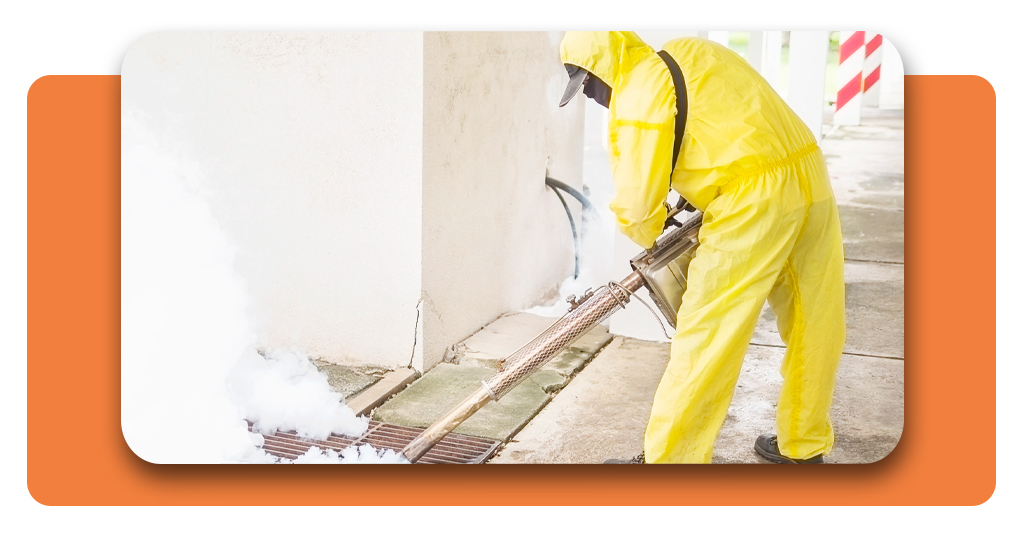
Why you should control pests in your home
Beyond the terrifying prospect of structural collapse, living with pests is a psychological and health-related burden.
Pests like termites, ants, and rodents aren’t just “nuisances”. They are indicators of moisture issues, entry points in your foundation, and overall vulnerability.
Effective pest control is about reclaiming your peace of mind. There is a specific kind of “paralyzing doubt” that comes with hearing a faint clicking in the walls at 2:00 AM.
Is it the house settling? Or is it the sound of $10,000 in repairs being “chewed” away? Controlling these pests through professional intervention transforms that anxiety into expert certainty.
When you take control of your environment, you ensure that your home remains a safe, healthy, and high-value asset for your family.
Where to find a free termite inspection
The most frustrating part of the termite dilemma is the barrier to entry. Many homeowners suspect they have a problem but hesitate to call a professional because they fear a massive bill just for someone to show up.
This is where the free termite inspection becomes a game-changer.
Major industry leaders like Terminix offer professional assessments at no cost to the homeowner.
This is not just a cursory walk-around; it is a specialized search conducted by certified experts who know exactly where the “invisible enemy” hides.
You can find these services by:
- Searching local directories: many regional pest control companies offer seasonal free checks.
- National providers: companies with massive infrastructure, like Terminix, offer 24-hour response times across all 50 states.
- Real estate partnerships: if you are buying or selling, many inspection services are bundled, but a standalone “free inspection” is your best bet for routine maintenance.
By leveraging a free inspection, you remove the financial risk of “finding out”. You get the diagnosis for $0, allowing you to make an informed decision based on facts rather than fear.
Step-by-step guide to scheduling your inspection
If you’re ready to stop the “chewing” and start the “protecting”, scheduling an inspection is surprisingly simple. You don’t need to be a construction expert to get this started. Here is the blueprint for securing your home:
Step 1: identify the red flags
Before you even pick up the phone, do a quick lap of your property. Look for:
- Mud tubes: pencil-sized tunnels running up your foundation.
- Swarmers: discarded wings near windowsills or doors.
- Hollow wood: tap your baseboards; do they sound like a drum?
- Frass: tiny, wood-colored droppings (common with drywood termites).
Step 2: visit the professional portal
Navigate to a trusted provider. For example, the Terminix Termite Control page allows you to enter your zip code to see availability in your area.
Step 3: fill out the request form
You’ll typically need to provide your address and contact information. This is where the “Champion Pattern” kicks in—you are moving from a state of “I don’t know” to “A professional is coming to tell me”.
Step 4: prepare for the visit
When the inspector arrives, ensure they have access to your crawl space, attic, and the perimeter of your home. A thorough inspection usually takes about 30 to 45 minutes.
They aren’t just looking for termites; they are looking for moisture levels and conducive conditions that might invite future colonies.
Step 5: review the custom protection plan
Once the inspection is complete, the expert will provide a report. If your home is clear, congratulations—you have documented proof for future resale.
If they find activity, they will outline a treatment plan (like baiting systems or liquid barriers) to stop the damage immediately.
The verdict: over 1 million homeowners trust professional inspections to save them from the $10,000 average cost of structural repairs. In the battle of Man vs. Termite, information is your strongest weapon.

The financial reality of the “invisible enemy”
Let’s talk numbers. The average cost of a termite treatment plan is a fraction of the cost of replacing a load-bearing wall.
When you consider that termites cause more damage annually than fires, floods, and storms combined—yet are the least covered by insurance—the math becomes clear.
A free termite inspection is essentially a free insurance audit for your home’s skeleton. In the Southern and Coastal states, where “Swarm Season” hits with a vengeance every spring, being proactive isn’t just a suggestion; it’s a necessity for survival in the real estate market.
Final thoughts: don’t wait until the floor sags
The tragedy of termite damage is that it is almost entirely preventable. You don’t have to wait for the “invisible enemy” to make itself known by ruining your furniture or compromising your foundation.
By the time you see the signs, the bill is already mounting.
Take the “paralyzing doubt” and turn it into “expert certainty”. Use the resources available to you.
Start with a professional look under the hood of your home, and ensure that your biggest investment remains standing strong for years to come.