

Learning how to block spam calls, silence automated robocalls, and file official consumer fraud reports helps you reclaim your personal phone line.
mobile call-blocking apps alongside federal consumer protection registries allows you to screen incoming calls automatically and safeguard your digital privacy.

4.7/5
How to block spam calls and stop repeat numbers with YouMail
Unwanted telephone solicitations, aggressive telemarketing, and dangerous phone scams have become a daily disturbance for smartphone owners worldwide.
Fraudulent call centers frequently use illegal neighbor spoofing tactics—masking their caller ID to mirror local area codes—to trick recipients into answering high-risk calls.
Seeking a mobile security app to stop repeat telemarketing calls and persistent scammers? YouMail (Android | iOS) is a communication defense platform worth checking out.
Operating beyond standard number blacklists, YouMail combines visual voicemail management with enterprise-grade robocall blocking.
When a flagged spammer attempts to dial your smartphone, YouMail intercepts the call before it rings and plays an official ‘number disconnected’ audio tone.
This tricks automated dialing systems into believing your line is inactive, causing call centers to remove your phone number from their active dialing lists over time.
You can learn more about their security features on the YouMail website.
The rise of spam calls in the US: over 50 billion robocalls hitting Americans annually
Despite regulatory enforcement from the Federal Communications Commission (FCC) and Federal Trade Commission (FTC), automated spam and robocalls remain a persistent challenge:
- Tens of billions of calls received: according to industry metrics, Americans receive over 50 billion automated robocalls each year, translating to an average of over 100 unsolicited calls per resident annually;
- Millions of official complaints: the FTC’s National Do Not Call Registry receives over 2.6 million consumer complaints per fiscal year, with robocalls accounting for more than 60% of all reported telemarketing violations;
- Evolution of AI-generated scams: modern scammers leverage artificial intelligence voice cloning, agentic AI bots, and caller ID spoofing to impersonate local businesses, utility providers, or family members, making unwanted calls increasingly convincing and difficult to detect.
Where to download YouMail for Android and iPhone
YouMail is available for free across major mobile operating systems, offering optional premium tiers for advanced business features and expanded call logging:
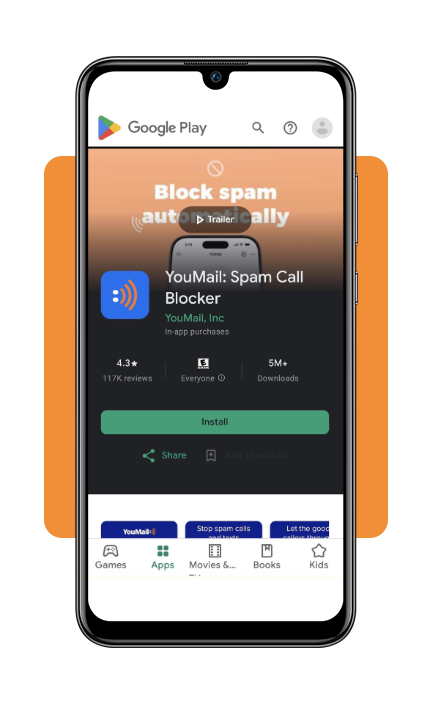
- Download YouMail for Android on the Google Play Store;
- Download YouMail for iOS on the Apple App Store.
Step-by-step: how to block and report unwanted calls
Want to block spam calls and cut down on persistent scam attempts?
A few simple changes to your phone settings, a reliable call-blocking app, and registering your number with the appropriate government or national do-not-call service can help you reduce unwanted calls.
Here’s how to get started.
Step 1: download and configure YouMail
Download the YouMail app from your iOS or Android. Open the app or access the website and grant necessary phone, call log, and contacts permissions to enable automated call identification.
Step 2: enable automated robocall blocking
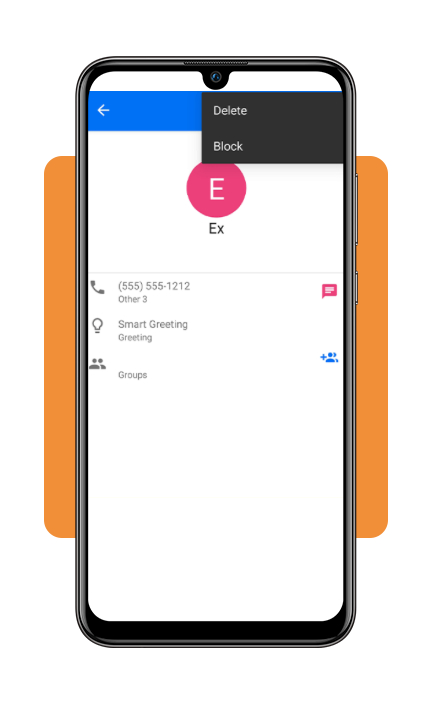
Head to the app settings and switch on Smart Blocking. Select ‘Number Disconnected’ as your default response for flagged spam numbers to purge your phone from call lists.
Step 3: configure smartphone built-in spam controls
Open your smartphone’s system settings. Enable ‘Silence Unknown Callers’ on iOS or turn on ‘Filter Spam Calls’ in the native Android Phone app to send unsaved numbers straight to voicemail.
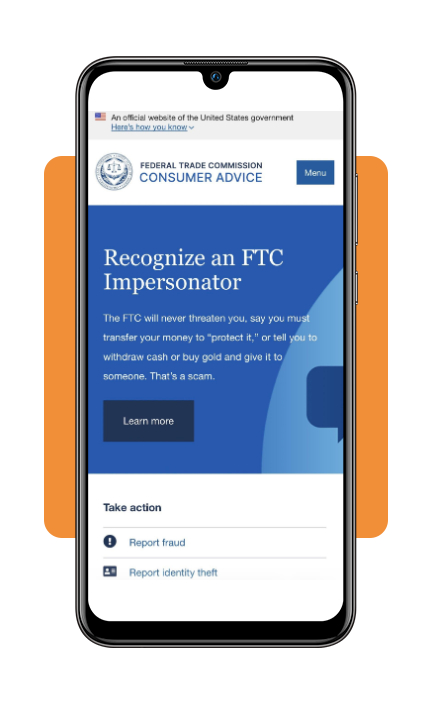
Step 4: file consumer complaints with the FTC and FCC
File formal fraud reports for persistent unwanted calls directly on the FTC Consumer Portal or submit complaint records to the FCC Consumer Help Center.
YouMail features for spam detection, caller ID, and voicemail
YouMail (Android | iOS) makes it easier to manage incoming calls and keep your voicemail organized, with tools to screen unwanted callers, block spam calls, and help you focus on the conversations that matter:
- Smart robocall blocking: automatically screens incoming calls against a database of millions of known spam numbers, blocking scam attempts before your device vibrates;
- Visual voicemail and transcriptions: converts audio voicemails into clean text transcriptions sent directly to your email or app inbox, allowing you to scan messages safely without returning suspicious calls;
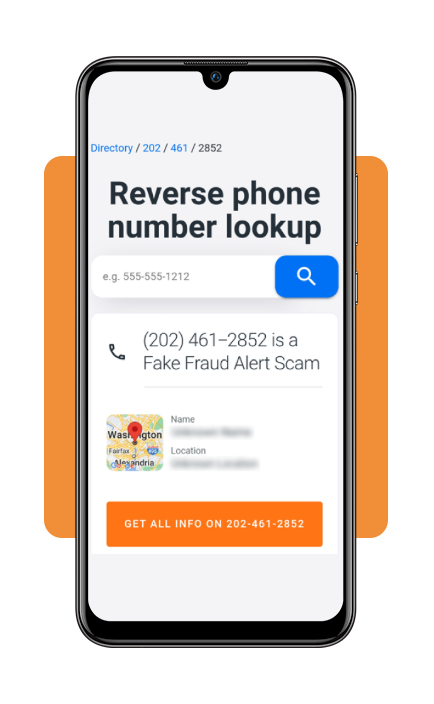
- Reverse phone lookup: perform instant number searches on unknown callers to verify their identity or business affiliation before returning a missed call;
- Personalized call greetings: assign unique voicemail greetings for family, friends, or verified business contacts while sending unknown callers to automated screening.
Looking for more ways to block spam calls and protect your privacy? Check out our guide to spam-blocking techniques for tips, useful software, and network filtering options that can help you stay safer online.
Take control of unwanted calls and explore more protection tools
While YouMail (Android | iOS) provides robust robocall defense and management, combining or comparing it with other call protection platforms gives you complete control over your mobile communications:
- Hiya: operates advanced network-level threat detection to identify spoofed calls, provide real-time caller ID context, and block fraudulent telemarketers automatically across global carrier networks;
- RoboKiller: uses patented Answer Bots to intercept blocked spam calls and play pre-recorded humorous audio scripts, wasting scammers’ time and removing your phone number from active dialing databases;
- Truecaller: features a massive community-driven spam database with real-time caller identification, auto-blocking for top spam numbers, and integrated SMS spam filtering for both Android and iPhone;
- Nomorobo: provides cloud-based robocall filtering for both mobile smartphones and traditional VoIP home landlines, screening out automated robocalls while allowing legitimate emergency alerts through.
4.7/5
Build a multi-layered call defense
Finding effective ways to block spam calls can help you cut down on unwanted interruptions and reduce your exposure to phone scams.
For better coverage, combine your carrier’s call-blocking features with apps and enable your smartphone’s built-in tools for filtering unknown callers.
You can also report unwanted calls to the Federal Trade Commission (FTC), helping authorities track potential scams and identify patterns in fraudulent activity.