

Learning how to block spam texts effectively involves combining native smartphone filtering features with dedicated third-party spam blocking applications.
By deploying automated filtering engines on your device, you can screen suspicious messages, silence unknown senders, and safeguard your mobile privacy. Read on Insiderbits.

What is the best app to block spam texts instantly?
Unwanted text messages are more than a minor annoyance.
Between endless promotional offers, suspicious delivery notifications, and links promising prizes that somehow always seem too good to be true, spam texts can clutter your inbox and expose you to phishing attempts.
Some are designed to trick recipients into sharing personal information, financial details, or account credentials, so knowing how to block spam texts is also an important part of protecting your digital privacy.
Your phone may already include basic spam-filtering features, but dedicated security apps offer additional tools for identifying suspicious calls and messages.
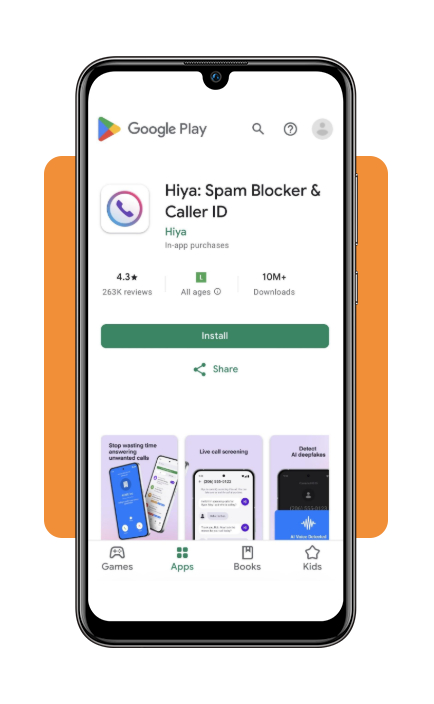
Hiya: Spam Blocker (iOS | Android) is a caller-identification and spam-protection app designed to help users recognize unwanted communications.
Its features focus on identifying suspicious numbers and screening spam, although the protection available for text messages can vary by device, operating system, and app permissions.
In other words, it can be another layer in your mobile security setup, but it isn’t a magic shield against every scam message.
Key features within the Hiya app
- Real-time spam text filtering: automatically categorizes suspected spam messages, phishing texts, and marketing blasts into a separate junk folder;
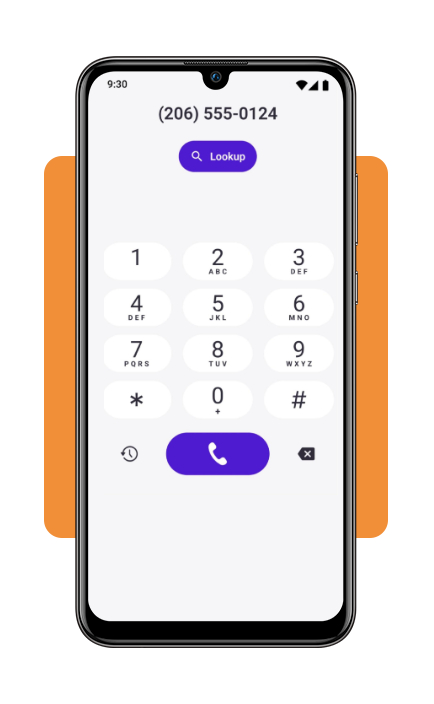
- Caller ID & Reverse Phone Lookup: identifies unknown numbers sending text messages or calling your phone, matching incoming data against Hiya’s global database;
- Custom block lists: create personalized block lists based on specific phone numbers, area codes, or key phrases commonly found in scam messages;
- Scam Protection alerts: receives real-time updates as new scam campaigns, spoofed numbers, and phishing trends emerge across cellular networks.
Step-by-step: how to filter unwanted text messages on your phone
Setting up automated spam filters on your smartphone is easier than you might think. With just a few adjustments, you can block spam texts, reduce inbox clutter, and make suspicious messages easier to spot.
Step 1: download Hiya and launch setup
Download the app for iOS or Android. Grant the required permissions for call and message screening during initial setup.
On iOS, navigate to ‘Settings’, ‘Messages’, ‘Unknown & Spam’ and select ‘Hiya’. On Android, set Hiya or your native Messages app as your primary spam protection provider.
Step 2: configure protection and blocking rules
Adjust your security sensitivity inside the app dashboard. Choose to automatically block high-risk scam texts or route unverified messages into your device’s junk folder.
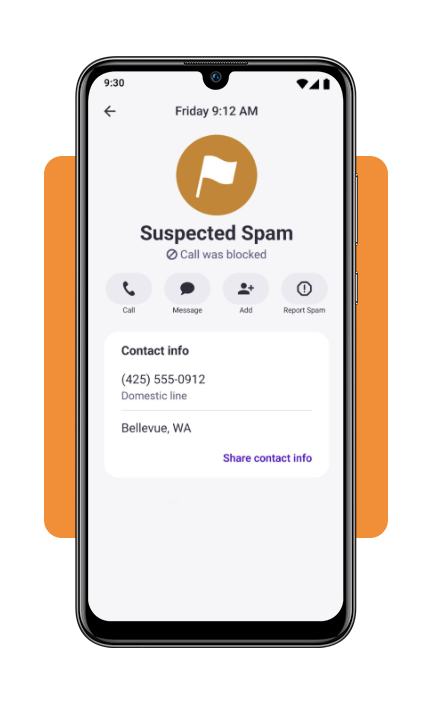
Step 3: report new spam numbers as they arrive
When an unblocked spam text gets through, report it within the app or forward the message text to 7726 (SPAM) to help your mobile carrier block the sender nationwide.
Top digital fraud protection software
For stronger protection beyond your messaging inbox, you can pair tools that block spam texts with mobile security apps designed to help detect other online threats.
Each service offers a different mix of features, so it’s worth checking which protections are included in its current plan and whether they work on your device.
- Malwarebytes Mobile Security: mobile security features such as protection against malicious websites and tools to help identify potential threats. Available features vary by operating system and subscription;
- Bitdefender Mobile Security: web protection and security features designed to help detect online threats. Some Bitdefender plans also offer VPN access, although features and usage limits depend on the subscription;
- Norton 360 Mobile: mobile security tools, including protection against malicious websites and Wi-Fi security features. Identity monitoring and other services may be available through specific Norton plans;
- Aura Digital Security: identity theft protection and digital security services in eligible plans. The exact mix of features, including device protection and monitoring, depends on the subscription selected.
No single app can stop every scam, but combining sensible messaging settings with reliable security tools can add useful layers of protection.
To compare more options, explore our guide to identity protection apps.
You can also consult the FCC Guide to Stopping Unwanted Calls and Texts for official advice on reducing unwanted messages and reporting them.
Common text message scams and tips to protect yourself
Scam texts often impersonate trusted organizations or use friendly conversations to gain your trust. Their goal? Get you to click a malicious link, share personal information, or send money. Watch out for these common examples:
- Fake delivery alerts: messages claiming a package is delayed and asking you to confirm your address or pay an extra fee;
- Banking security warnings: urgent notices saying your account is frozen and requesting passwords or verification codes;
- Fake prizes and financial aid: unexpected offers promising gift cards or assistance in exchange for personal or banking details;
- Wrong-number messages: casual conversations that gradually turn into suspicious investment pitches, often involving cryptocurrency.
Simple ways to stay safe
- Avoid unfamiliar links: check delivery updates and account alerts through official websites or apps;
- Don’t engage with suspicious senders: report and block suspected scam numbers. Use STOP only for legitimate marketing messages from trusted senders;
- Verify urgent claims: contact banks and government agencies through their official channels, not the numbers or links in unexpected texts;
- Know the limits of the Do Not Call Registry: registering at donotcall.gov can reduce legitimate telemarketing calls, but it won’t block spam texts or stop scammers.
Reclaim a spam-free inbox
Knowing how to block spam texts can make your phone safer.
Use your smartphone’s built-in filters, consider trusted security apps, and stay alert to suspicious links or unexpected requests.
A few simple habits can help keep unwanted messages at bay and your personal information better protected.