Downloading a dedicated identity protection app puts real-time dark web monitoring, credit freeze alerts, and breach recovery directly into your hands.
We live in times pretty much dominated by corporate data breaches and sophisticated phishing schemes, so hoping your information stays private is no longer a viable strategy. Read on Insiderbits.

4.8/5
Which is the best identity protection app?
For working-class individuals, immigrants establishing U.S. financial roots, and adults planning for retirement, identity theft can derail decades of hard work in a matter of hours.
Rather than waiting for suspicious charges to appear on your bank statements, deploying an identity protection app provides continuous automated surveillance over your identity.
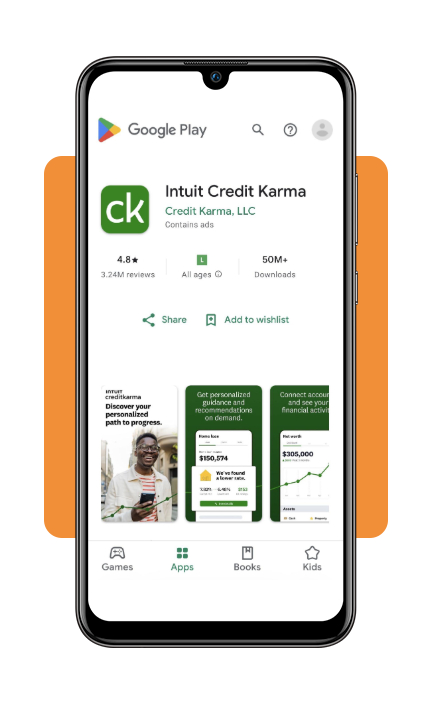
While premium paid services exist, Intuit Credit Karma (iOS | Android) is a premier free identity protection app for everyday consumers.
By combining credit monitoring with automated dark web scanning, Credit Karma provides privacy features without requiring a paid monthly subscription.
Instead of forcing users to navigate dense technical portals, Credit Karma translates complex breach data into clear, actionable notifications.
You can download the app from the iOS App Store or the Google Play Store.
Key features within Credit Karma
- Dark web breach scanning: searches known criminal marketplaces for your registered email addresses, alerting you when passwords or credentials are compromised;
- TransUnion and Equifax credit monitoring: delivers real-time push notifications whenever a new credit inquiry, account, or address change is registered under your name;
- Direct credit lock integration: allows you to lock or freeze your TransUnion credit report directly through the app to prevent unauthorized hard inquiries;
- Identity restoration guidance: offers step-by-step remediation protocols if you fall victim to identity theft, guiding you through fraud alerts and dispute filings.
Step-by-step: how to set up identity breach monitoring and scan your personal data
Configuring your identity protection app to audit your digital footprint takes only a few minutes. Follow this step-by-step to scan your credentials and activate real-time alerts:
Step 1: download and install the application
Install Credit Karma from the official app store links (iOS | Android).
Register using your legal name, current address, and Social Security number. The app utilizes soft inquiries to verify your identity, leaving your credit score completely untouched.
Step 2: enable dark web monitoring and push alerts
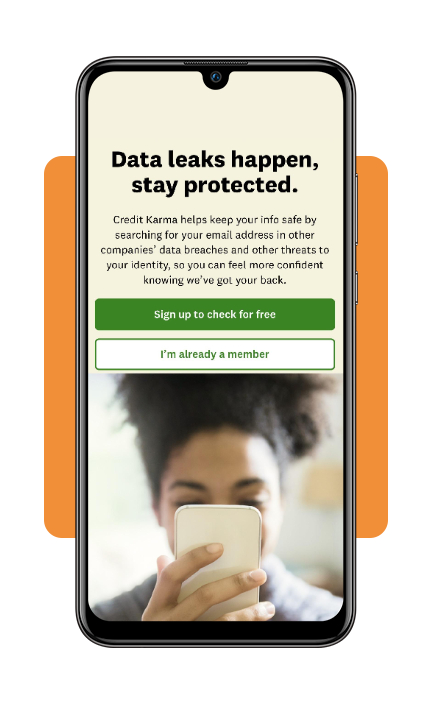
Navigate to the identity monitoring section and register your primary email addresses. Grant permission for push notifications so the app can alert you the moment a leak is detected.
Step 3: run an immediate security scan
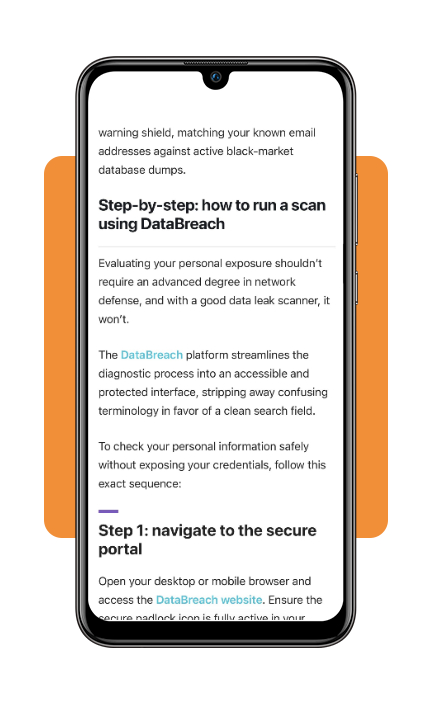
Initiate a baseline scan to see if your email or SSN appears in historical database leaks. If you discover compromised accounts, run a free data leak scanner to audit specific breach dates and exposed records.
Why continuous dark web surveillance is essential
Corporate data breaches have scaled drastically in recent years, affecting millions of consumer records from healthcare providers, telecom giants, and financial institutions.
When a company suffers a security breach, stolen data—including full legal names, home addresses, phone numbers, and Social Security numbers—is frequently packaged into databases and sold on illicit forums.
Using an identity protection app addresses this systemic vulnerability.
Cybercriminals rarely exploit stolen credentials immediately; instead, they hold or trade information for months before launching targeted identity takeover attempts.
An identity protection app provides an early warning system, alerting you to exposed data weeks or months before a criminal attempts to open a fraudulent credit line or drain your bank account.
To evaluate broader privacy solutions, explore expert roundups on essential privacy protection software to build a multi-layered defense.
Top identity theft protection services
While a free mobile option serves as an excellent everyday tool, high-net-worth individuals or victims of active identity fraud may require paid tier services offering million-dollar insurance coverage and legal recovery teams.
Aura
Aura provides an all-in-one digital security suite that includes dark web monitoring, credit bureau locking, financial account monitoring, VPN protection, and anti-virus software.
Subscriptions include up to $1 million in identity theft insurance and 24/7 white-glove fraud restoration assistance.
IdentityGuard
Powered by IBM Watson artificial intelligence, IdentityGuard specializes in rapid threat detection.
It scans trillions of data points across the clear and dark web, providing real-time alerts for bank account takeovers, title fraud, and synthetic identity theft.
LifeLock by Norton
LifeLock combines Norton’s device security software with comprehensive identity restoration services.
It monitors credit files, court records, and payday loan applications, offering legal assistance and compensation coverage in the event of financial loss.
Best options for changing compromised passwords
When your identity protection app notifies you of a credential leak, changing your passwords immediately is critical.
However, using simple or recycled passwords across multiple sites leaves you vulnerable to credential stuffing attacks.
Dedicated password managers
Tools like 1Password, Bitwarden, and Dashlane generate unique passwords for every account you own.
By storing these credentials in an encrypted vault, you eliminate password reuse and protect your accounts if a single platform is breached.
Two-Factor Authentication (2FA) apps
Pairing your password security with a time-based two-factor authentication app ensures that even if a hacker obtains your password, they cannot access your account without your physical device.
4.8/5
Taking control with a proactive identity protection app
Is your Social Security number or personal email already circulating on the dark web?
Hackers steal an identity every 22 seconds, exposing bank accounts, credit scores, and sensitive credentials to cybercriminals.
In today’s interconnected world, protecting your digital identity is just as important as locking your front door.
Waiting for a financial institution to notify you of suspicious activity leaves you exposed to severe financial disruption and emotional stress.
Secure your hard-earned reputation today by activating automated monitoring and keeping your sensitive information out of criminal hands.