If you have ever avoided a yoga studio because you felt “too inflexible” or were intimidated by complex poses, you aren’t alone. No worries: now you can use a specialized yoga for beginners app and strip away the intimidation and start reaping the mental and physical rewards of the practice in as little as five minutes a day, right from your living room.
Most people view yoga as a practice reserved for the ultra-fit, but the reality is that yoga is a tool designed to create flexibility and peace, not a reward for already having them. In our fast-paced lives, finding a moment of calm shouldn’t feel like another stressful chore on your to-do list. The biggest hurdle for most novices is simply knowing where to start.

4.8/5
Yoga for beginners: start your journey with Yoga Fit
When it comes to finding an entry point that feels welcoming rather than overwhelming, Yoga Fit: Yoga for Beginners is the premier choice for newcomers.
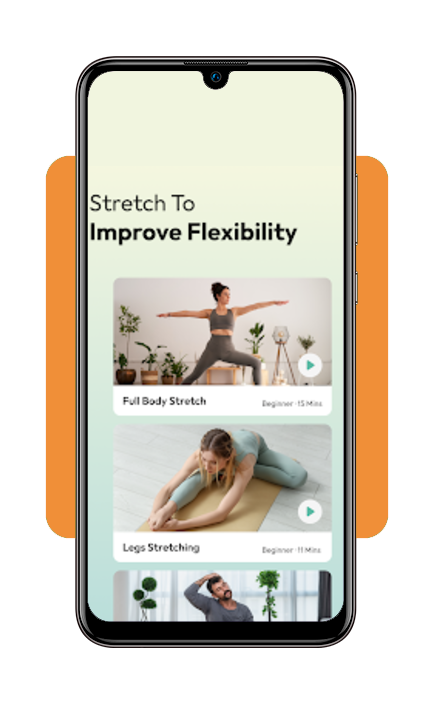
Available on both iOS and Android, the app is engineered for those with zero prior experience—while many fitness apps treat beginners as an afterthought, Yoga Fit places them at the center of the experience.
With over 500,000 downloads and a highly intuitive interface, it serves as your personal at-home instructor.
The app focuses on “micro-sessions” that fit into busy schedules, proving that you don’t need to change your entire life to improve your well-being—you just need a few minutes of intentional movement.
Step-by-step guide on how to train using the app
Starting a new fitness habit is 90% about reducing friction. Here is how to navigate the app to ensure your first session is a success:
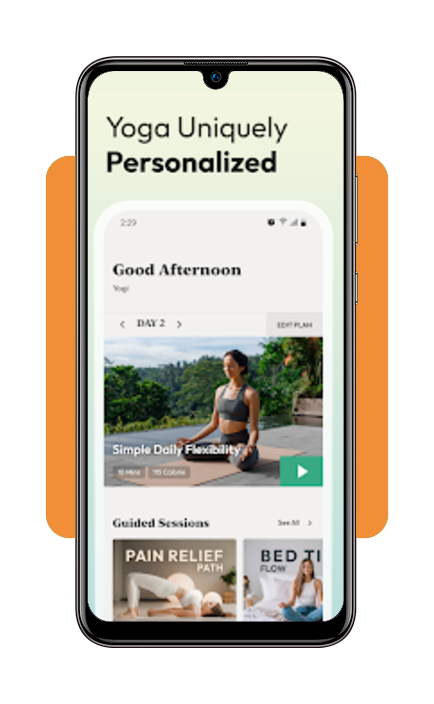
Step 1: define your goal
Upon opening the app on your iOS or Android, you’ll be prompted to choose your focus—be it flexibility, stress relief, or strength.
Step 2: select your duration
Whether you have a full hour or just a 10-minute coffee break, you can filter routines by time.
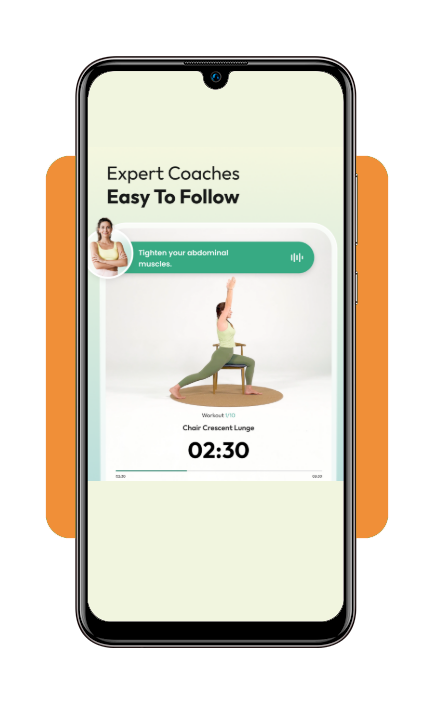
Step 3: watch the guidance
Each pose comes with detailed video instructions. Before you move, watch the instructor to understand the alignment.
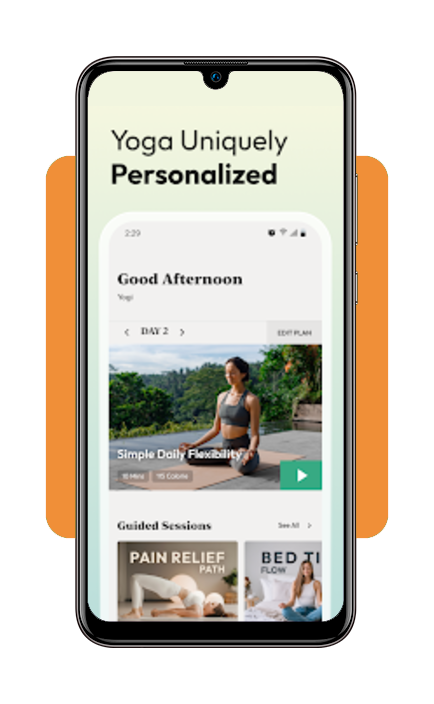
Step 4: sync your breath
Yoga is as much about the lungs as it is the limbs. Follow the audio cues for “inhale” and “exhale” to maximize the mindfulness benefits.
Step 5: track your progress
Use the built-in calendar to mark your daily practice. Consistency is the secret sauce to seeing real results in your flexibility and mood.
Do I need to pay to use Yoga Fit?
One of the most frequent questions from new users is about the cost. The good news is that the app is free to download and offers a substantial library of routines at no cost.
This “freemium” model lets you test the waters and build a habit before deciding if you want to invest in deeper features. For those who want to take their practice to the next level, there is a premium subscription option.
It unlocks specialized “Daily Yoga Challenges,” advanced mindfulness exercises, and a deeper archive of philosophy resources. However, for a total beginner, the free version gives more than enough content to get started.
Resources available to users
- Customized programs: tailored routines that evolve as you get stronger;
- Meditation library: guided sessions to help reduce anxiety and improve sleep;
- Educational articles: access tutorials on yoga philosophy and wellness tips to deepen your understanding;
- Wearable integration: track your heart rate and calories burned if you use compatible fitness trackers.
Best routines for beginners
If you’re staring at the menu wondering which routine to tap first, look for these beginner-friendly staples. These are designed to open up the body without requiring extreme balance or strength:
- The morning wake-up: a 5-10 minute flow designed to energize the body and shake off “sleep stiffness”;
- Desk worker’s relief: focuses on the neck, shoulders, and lower back—perfect for those who spend all day at a computer;
- Bedtime melt: a slow, restorative routine that uses gravity to stretch the muscles and prepare the brain for deep sleep;
- Sun salutation A: a classic sequence that helps build fundamental strength and introduces you to the rhythm of yoga.
Common mistakes for beginners to avoid
Even with a great app, it’s easy to fall into “rookie” traps that can lead to frustration or minor injury. Keep these tips in mind as you start:
- Holding your breath: in the land of yoga for beginners, many hold their breath when they are concentrating. If you stop breathing, your muscles will tense up, making the pose harder. Keep the air moving!
- Comparing yourself to the screen: the instructor on the app is a pro. Your “Down Dog” doesn’t need to look like theirs. Focus on how it feels in your body, not how it looks in the mirror;
- Pushing into pain: there is a difference between a “good stretch” and sharp pain. If it hurts, back off. Yoga for beginners or not should never be painful;
- Skipping the Savasana: most routines end with a minute of lying still (Savasana). It might feel like “doing nothing,” but this is when your nervous system integrates the work you just did. Don’t skip it!
4.8/5
Your practice, your pace
Yoga is a journey, not a destination and by using a dedicated yoga for beginners app, you’re giving yourself permission to be a learner in a judgment-free zone.
Whether you’re looking for a free yoga app to supplement your gym routine or you’re starting from scratch, the goal is simply to show up on the mat.
You don’t need expensive gear or a dedicated hour of silence; you just need a guide that understands the “beginner” struggle—and if you’re looking for other tech help for your daily struggles, check more on Insiderbits.
Check out these essential yoga poses to get a head start, and then download Yoga Fit to begin. Remember: every expert was once a beginner who decided to try one pose. Namaste!