
Learning how to play music offline gives you more freedom to enjoy your favorite tracks without relying on a constant internet connection.
With the right player and audio files stored on your device, you can listen during commutes, flights, or anywhere with spotty coverage, without worrying about buffering or mobile data. Read on Insiderbits.

4.5/5
What is the best free app to play your music offline?
Streaming services make it easy to enjoy music, until your signal drops, your data runs out, or another subscription fee hits your account.
If you want to play music offline without depending on a streaming plan, a dedicated audio player can be a practical alternative.
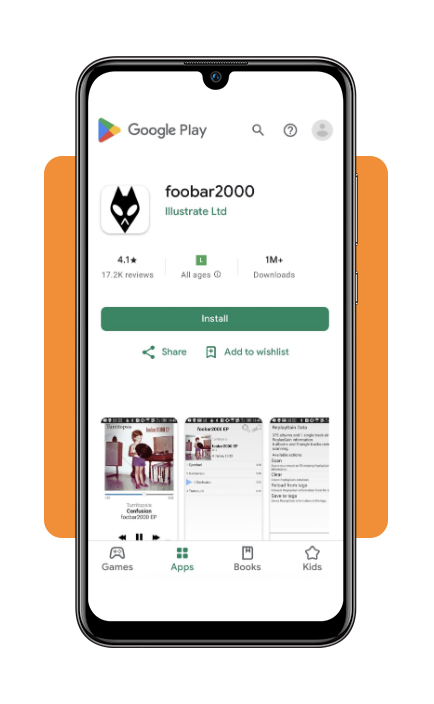
One option worth exploring is foobar2000, a free music player for iOS and Android.
Originally developed as a desktop audio player, it brings several of its signature features to mobile, including support for multiple audio formats, gapless playback, and customizable playback settings.
It also lets you browse and organize your local music library without the clutter of a streaming service.
Key features within the foobar2000 audio player
foobar2000 (iOS | Android) keeps things focused on your music library, but its feature set goes well beyond basic playback.
Here are some of the tools that make it a useful option for anyone who wants to play music offline:
- Wide audio format support: plays a range of formats, including MP3, MP4, AAC, Vorbis, FLAC, WAV, AIFF, WavPack, and Musepack. You won’t need to convert every file just to get your library playing;
- Gapless playback: moves from one track to the next without an intentional pause, which is especially useful for live albums, classical recordings, and concept albums designed to flow as one continuous piece;
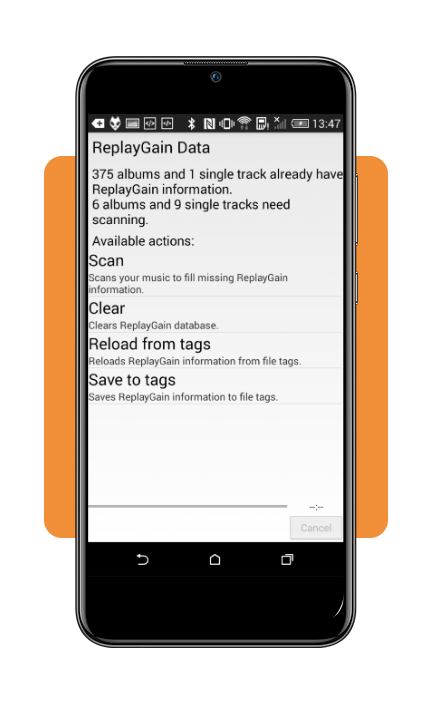
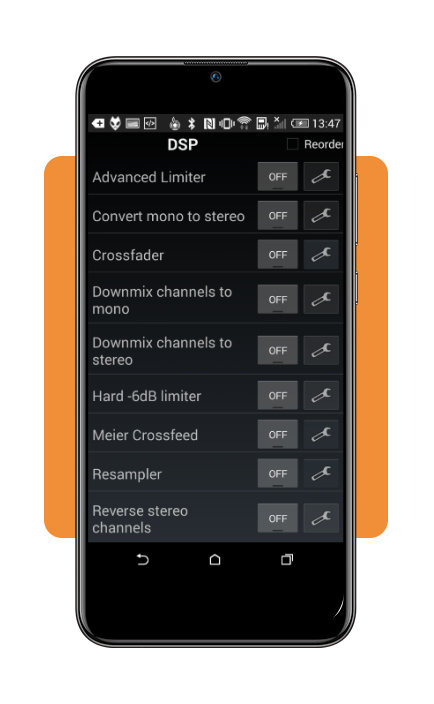
- DSP and equalizer options: offers audio-processing tools such as graphic equalization, ReplayGain, and resampling, giving listeners more control over playback and volume consistency;
- UPnP and DLNA support: can access compatible media libraries and devices over a local network, including music stored on a computer or network-attached storage (NAS). This makes it easier to bring a larger music collection to your phone without manually transferring every file.
Step-by-step: how to import MP3 and lossless audio files
Setting up the app to play music offline is straightforward: add your audio files to your phone, point the app to their location, and let it organize your collection.
Here’s how to get started:
Step 1: download and open foobar2000
Install foobar2000 from your device’s official app store (iOS | Android).
Open it and follow the initial setup instructions, granting access to the files or folders where your music is stored when prompted.
Step 2: transfer your music to your phone
Copy your MP3, FLAC, or other supported audio files to your phone’s internal storage or an accessible SD card folder.
You can use a USB connection to transfer files from a computer or download them from cloud storage. Just make sure the files are saved locally, not simply stored online.
Step 3: add your music folder to the library
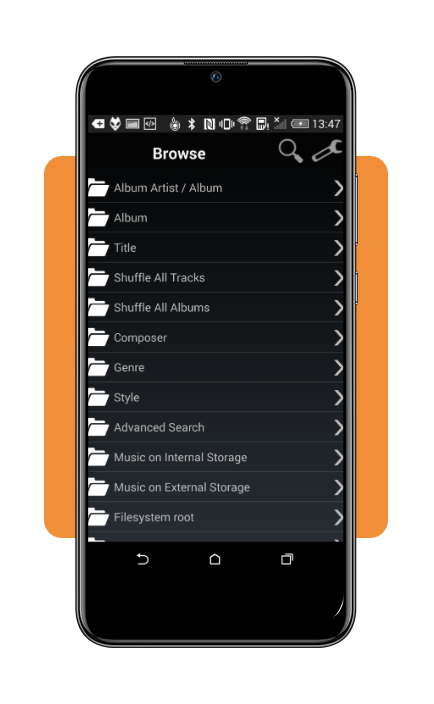
Open the app’s Tools menu (the wrench icon) and go to Media Library. Select Add Location or the folder configuration option available in your app version, then choose the directory containing your music.
Step 4: browse your collection and create playlists
Once foobar2000 (iOS | Android) indexes the files, browse your collection by artist, album, or folder and create playlists for different moods or occasions.
The app reads available track metadata to organize your library, so properly tagged files make browsing easier.
That’s it! With your audio files stored locally, you can enjoy your collection without relying on a mobile data connection.
How to download MP3 files to your phone
Building an offline music library starts with getting audio files from legitimate sources and saving them directly to your device.
Whether you prefer buying individual albums, digitizing your CD collection, or discovering independent artists, here are a few ways to get your tracks ready for offline listening:
- Digital music stores: purchase downloadable tracks from platforms such as Bandcamp and Qobuz. Bandcamp offers DRM-free downloads in MP3, FLAC, and other formats, while Qobuz provides DRM-free purchased files in several audio qualities. Always check the available formats before buying;
- CD ripping: turn your physical CD collection into digital files using desktop software such as Exact Audio Copy (EAC) or Apple Music. You can save tracks as MP3 for broader compatibility or FLAC for lossless audio, then transfer them to your phone. Keep in mind that ripping a CD does not automatically grant permission to distribute or share its contents;
- Free and openly licensed music: explore platforms such as the Internet Archive and Free Music Archive for downloadable recordings. Check each track’s copyright status and license before using it. Creative Commons music may come with conditions such as attribution or non-commercial use, while public domain and CC0 works have different restrictions;
- Cloud storage: keep your personal music collection in Google Drive, Dropbox, or OneDrive, then download the files to your phone’s local storage. Simply leaving tracks in the cloud won’t make them available offline through every music player, so confirm that the files are actually saved on your device.
Once your files are downloaded, you can organize them in a compatible music player and enjoy your collection without depending on a streaming subscription or mobile data.
For device-specific instructions, check out our complete tutorial on how to play local MP3 files on iPhone.
4.5/5
Reclaim control of your music library
Learning how to play music offline for free gives you more control over what you listen to and when.
With the right app and a collection of MP3 or FLAC files saved on your phone, you can enjoy your favorite albums without relying on an internet connection or a streaming subscription.
Just remember that the player may be free, but you’ll still need legitimate audio files to build your library.