

Virtual home design tools have revolutionized the way people plan and visualize their living spaces. With user-friendly interfaces and powerful features, these tools allow anyone to create detailed 3D layouts, experiment with different furniture styles, and preview renovations—all from the comfort of home.
Best of all, many of these tools are available for free, making interior design accessible to everyone. By visualizing your ideas digitally, you can test colors, furniture placement, and layouts before making any purchases. In this guide, you’ll find the top free virtual home design tools that combine ease of use with professional-level capabilities.

4.6/5
Virtual Home Design Tools That Are Actually Free to Use
You don’t need expensive software or design experience to plan your dream home. These free virtual home design tools let you experiment with layouts, furniture arrangements, and decor in 2D and 3D—no subscription required.
Planner 5D
- Best for: beginners & advanced users
- Features:
- Drag-and-drop furniture & decor;
- Realistic 3D rendering;
- Works on mobile & desktop.
- Limitations: some premium items locked
Planner 5D is a versatile virtual home design tool that allows users to create detailed 2D and 3D floor plans with ease.
Available on Android, iOS, and web platforms, Planner 5D offers a wide range of furniture and decor items to customize your space virtually.
The app supports high-quality rendering and user-friendly drag-and-drop features, making it perfect for both beginners and experienced designers.
With millions of downloads and a strong user rating, Planner 5D is a top choice for anyone looking to visualize their home renovation ideas without professional software.
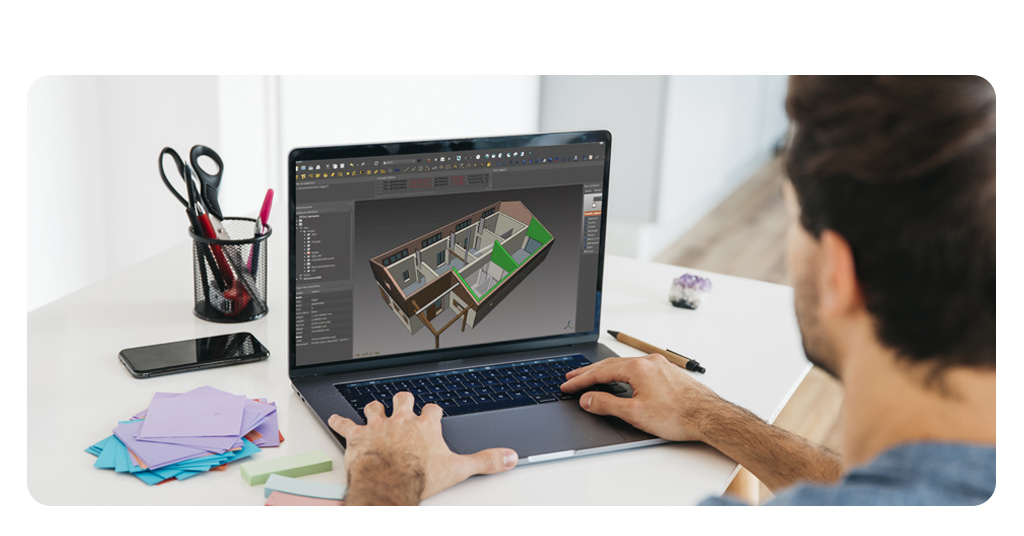
- 3D Home Painting: Visualize Your New Wall Colors Before You Paint
- Design Your Dream Space With These 3 Home Decor Apps
- Top 3 Best 3D Printing Design Apps: Crafting Your Creations at Home
HomeByMe
- Best for: realistic room visualization;
- Features:
- Photorealistic renders;
- Brand-name furniture (IKEA, Wayfair);
- VR walkthroughs.
- Limitations: only 3 free projects
- Platforms: Web
Roomstyler 3D Home Planner
- Best for: quick mockups
- Features:
- No registration required;
- Huge catalog of real products;
- Share designs via link.
- Limitations: less detailed than paid tools
- Platforms: Web
For more advanced planning, see our guide on creating house plans.
What Each Tool Offers: 3D Layouts, Furniture, Textures, and More
| Tool | 3D View | Furniture Library | Real Brands | VR Mode |
| Planner 5D | ✅ | Large | ❌ | ❌ |
| HomeByMe | ✅ | Medium | ✅ | ✅ |
| Roomstyler | ✅ | Small | ✅ | ❌ |
Key Features Across All Tools:
- Floor plan creation (draw walls, add doors/windows);
- Furniture arrangement (sofas, beds, tables);
- Material & color customization (floors, walls, textures).
How to Import a Floor Plan or Start from Scratch
Option 1: Upload an Existing Floor Plan
- Scan or photograph your blueprint/sketch;
- Use Planner 5D’s “Trace Image” tool to overlay walls;
- Adjust dimensions manually.
Option 2: Build from Scratch
- Select room shape & size;
- Add doors, windows, and stairs;
- Drag-and-drop furniture from the catalog.
Pro tip: measure your real space first for accurate scaling.
Tools That Work Best on Mobile, Desktop, or Browser
The best virtual home design tool for you depends largely on where and how you plan to use it. Each platform offers unique advantages depending on whether you’re working from a smartphone, computer, or web browser.
Here’s a detailed breakdown to help you select the perfect option for your needs:
Best for Mobile: Planner 5D
Why It Shines on Mobile:
- Touchscreen optimization: pinch-to-zoom and drag gestures make designing feel natural;
- Augmented Reality (AR) mode: preview furniture in your actual space using your phone’s camera;
- Offline functionality: continue designing without internet access.
Mobile-Specific Features:
- One-tap wall drawing;
- Finger-drawn custom furniture shapes;
- Instant 3D view switching.
Perfect For:
- Quick design sessions while furniture shopping;
- Showing contractors ideas on-site;
- Spontaneous inspiration when away from your computer.
Best for Desktop
Why It’s Superior on Computers:
- Higher rendering quality: More detailed shadows and textures;
- Multi-monitor support: Spread tools across screens for complex projects;
- Precision controls: Keyboard shortcuts and mouse-wheel zooming.
Desktop-Only Advantages:
- 4K resolution exports;
- Advanced measurement tools;
- Smoother camera navigation in 3D mode.
System Requirements:
- Windows 10+ or macOS 10.15+;
- Dedicated graphics card recommended for best performance.
Perfect For:
- Detailed renovation planning;
- Creating presentation-worthy renders;
- Professional-looking designs for real estate listings.
Try It: HomeByMe Desktop Version
Best for Browser (No Download):
Why Browser-Based Wins:
- Zero installation: Accessible from any device with internet;
- Instant sharing: Generate links to show designs to others;
- Always up-to-date: No manual updates needed.
Browser-Specific Benefits:
- Works on Chromebooks and low-power devices;
- No storage space used on your device;
- Cross-platform consistency (same experience everywhere).
Technical Notes:
- Uses WebGL for 3D rendering;
- Autosaves to cloud automatically;
- Compatible with Chrome, Firefox, Edge, and Safari.
Perfect For:
- Quick concept testing;
- Collaborative decorating with roommates/family;
- Students learning interior design basics.
Start Designing: Roomstyler Web.
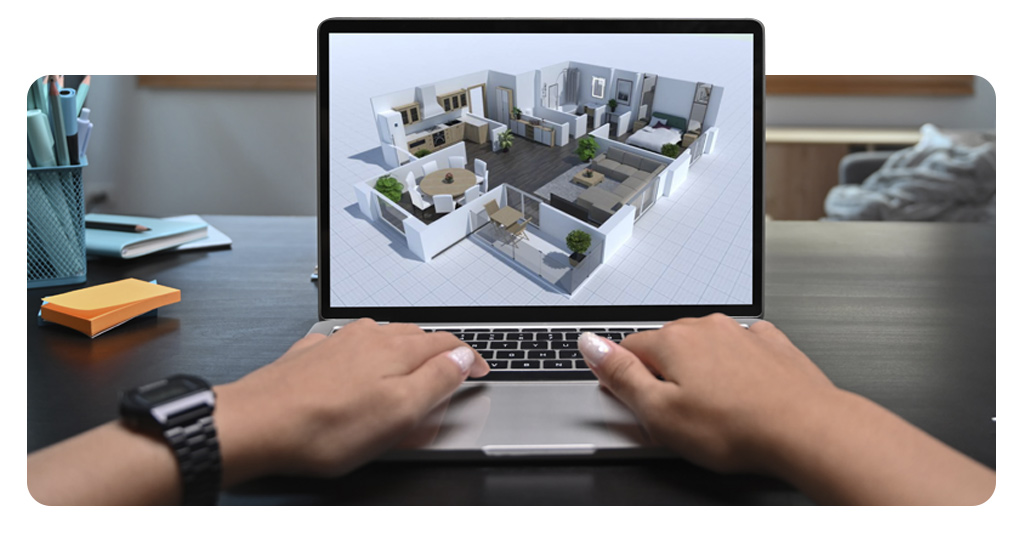
When Free Tools Are Enough — And When to Upgrade
Knowing when to stick with free virtual home design tools and when it’s time to upgrade can save you both money and frustration.
Free tools often provide all the basics needed for simple layouts and quick visualizations, perfect for casual projects or initial ideas.
However, more complex renovations or professional-level designs may require advanced features found in paid versions.
Stick with Free If You Need:
- Basic room layouts;
- Furniture arrangement experiments;
- Quick visualizations before buying decor.
Consider Paid Tools If You Need:
- Photorealistic renders (e.g., for contractors);
- Advanced lighting/textures;
- Unlimited projects.
4.6/5
Start Designing Today
These free tools make it easy to visualize renovations, test paint colors, or plan furniture layouts before spending money.
Try them now:
- Planner 5D (Beginner-friendly)
- HomeByMe (High-quality renders)
- Roomstyler (No registration)
For more inspiration, browse Reddit’s interior design community.