
Using a dedicated caller ID app helps you figure out who’s behind a missed call before deciding whether to call back. This means no more playing phone detective.
With reverse phone lookups and call screening, they show community labels, flag numbers reported as spam, and more context before you hit that call button. Read on Insiderbits.

4.4/5
Caller ID app: check unknown numbers with Truecaller
Answering calls from unknown numbers can mean dealing with persistent telemarketers, automated robocalls, or even scammers pretending to represent your bank.
But ignoring every unfamiliar number isn’t exactly a great strategy either.
A doctor’s office, delivery driver, or local business might be trying to reach you, and you probably don’t want to miss that call.
That’s where a caller ID app like Truecaller (iOS | Android) comes in. It uses a large community-powered database to identify callers and flag numbers reported as spam.
Instead of calling back and hoping for the best, you can search an unfamiliar number in the app to check its available caller information, business details, and spam reports.
Just remember that caller names and labels rely partly on user contributions, so they’re useful clues, not a guarantee that a number is safe.
Step-by-step: search a number and review its label
Got a missed call from a number you don’t recognize?
Before calling back out of curiosity, take a moment to look it up. With a caller ID app, you can search a phone number and review the information available about it.
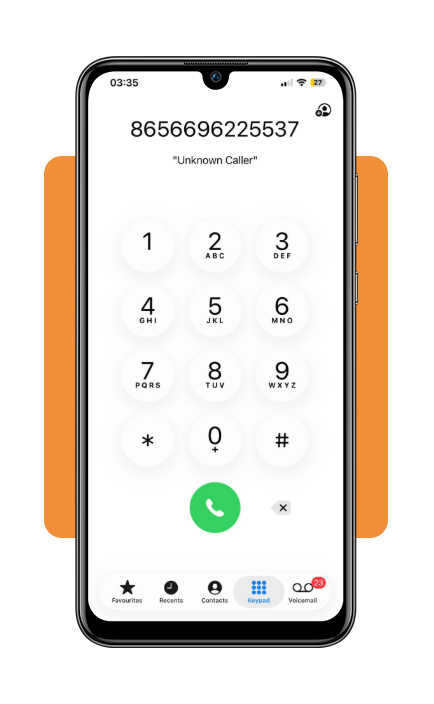
Step 1: copy the unknown phone number
Open your phone’s default Phone app and find the unfamiliar number in your recent calls. Press and hold the number to copy it.
Step 2: open Truecaller
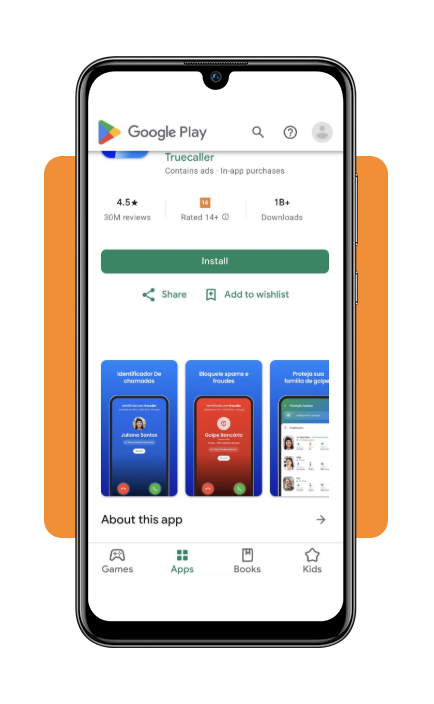
Launch the Truecaller app on your iPhone or Android device, or visit its online number lookup page. Choose whichever option is more convenient for you.
Step 3: run a reverse phone lookup
Paste the copied number into the search bar and select the correct country code, if prompted. Then start the search to see whether the platform has information associated with that number.
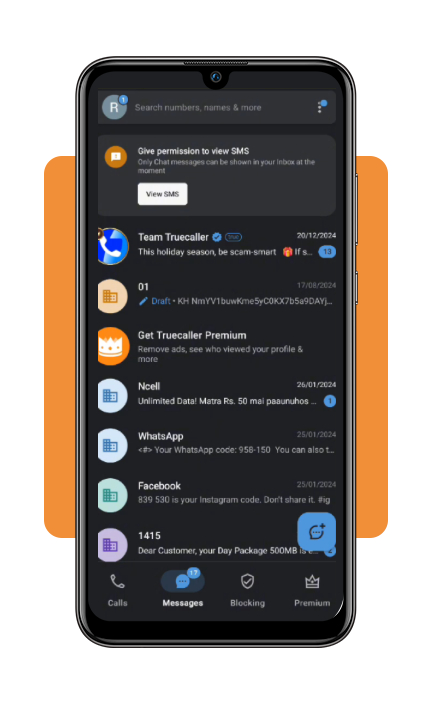
Step 4: review the caller information
Check the name or caller label displayed, along with any spam warnings and community reports. If the number is associated with a business, see whether the app provides a verified profile or badge.
Treat these details as clues, not proof: caller labels can be inaccurate or outdated, and a familiar-looking number doesn’t guarantee that a call is legitimate.
If anything seems suspicious, don’t share personal information or call back using contact details provided by the caller.
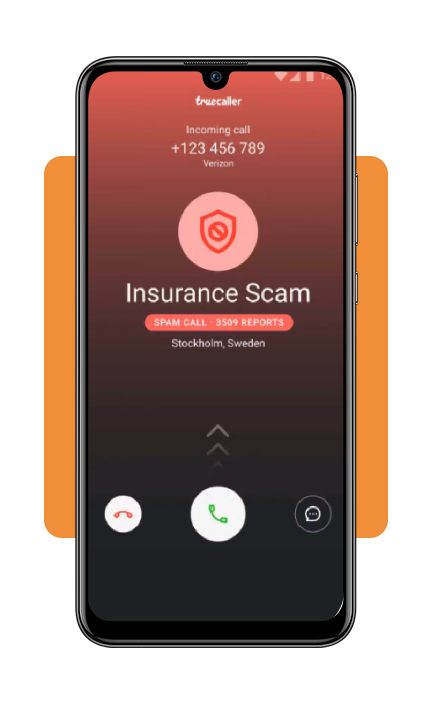
Understand caller information, spoofing, and Premium limits
A caller ID app can give you useful clues about an incoming call, but don’t fool yourself—it isn’t a digital lie detector. Knowing what its labels mean and where its technology has limits can help you make safer decisions.
- Caller ID spoofing: scammers can manipulate the name or phone number displayed on your screen, making a call appear to come from a local number, your bank, or even a government agency. The Federal Trade Commission (FTC) warns that caller ID alone is not proof of who’s calling. If someone unexpectedly asks for money or sensitive information, hang up and contact the organization through an official number;
- Community spam reports vs. verified businesses: In Truecaller (iOS | Android), spam labels are based on reports and the app’s detection systems. A green checkmark identifies a business that has completed Truecaller’s verification process. These labels offer helpful context, but they shouldn’t replace your own checks, especially when a call involves financial or personal information;
- Free vs. Premium features and prices: Truecaller (iOS | Android) offers a free version, while paid plans add features such as advanced spam blocking, an ad-free experience, and other tools depending on your device and region. On its US pricing page, the annual Premium plan costs $74.99, the Family plan costs $99.99 per year, and the Gold plan costs $249 per year. The US App Store also lists a monthly Premium option for $9.99. Prices and available features may differ by country, platform, and subscription channel, so check the Truecaller Premium page or your app store before subscribing.
Want more ways to cut down on unwanted messages and automated calls? Take a look at our guide to spam-blocking tools and tips. You can also try a reverse lookup on your desktop through the Truecaller Web Lookup Portal.
Where to download Truecaller for Android and iPhone
Truecaller is available for free across major mobile operating systems:
- Android Devices: download directly from the Google Play Store. Android permissions allow full live caller ID overlays on your incoming call screen;
- iOS / iPhone: download directly from the Apple App Store. iPhone setup requires enabling Truecaller under ‘Settings’, ‘Phone’, ‘Call Blocking & Identification’.
Verify callers and explore communication protection tools
A caller ID app can help you spot suspicious numbers, but a few simple habits make your phone routine safer, too. Keep these tips in mind before returning an unfamiliar call:
Be cautious with one-ring calls
Some scammers use a tactic known as wangiri, calling briefly from international numbers in the hope that you’ll call back.
That return call may connect to a premium-rate service and lead to unexpected charges. If you don’t recognize the number, check it before dialing.
Block and report suspicious numbers
If a number is identified as spam, you can block it through your phone’s settings or the app’s available tools.
Reporting it may also help other users recognize the same number, depending on how the service handles community reports.
Verify financial calls independently
If someone claims to represent your bank or credit card company, don’t rely on the incoming caller ID. Hang up and contact the institution using the official number on your card, statement, or website.
It’s a small extra step that can save you a much bigger headache.
4.4/5
Check who’s calling before you call back
Just remember that these tools aren’t foolproof: caller information can be inaccurate, and scammers may spoof legitimate numbers.
Use the app as one layer of protection, report suspicious calls when possible, and verify unexpected requests with the organization involved. Your phone doesn’t need to become a hotline for strangers.