

A sobbing caller who sounds like your little sister begs for bail money, and your heart outruns your logic, but an AI voice scam detector can test that plea before you do anything drastic.
Hiya AI Phone watches your calls and warns you when software is behind the voice. With this Insiderbits guide, you’ll be ready to catch a fake relative before the guilt trip hits your bank.

4/5
Why AI voice scams are getting harder to spot
If you’ve wondered whether these scams are hype, the FBI settled it when its 2025 crime report added an AI section tallying $893 million lost across 22,364 complaints from Americans.
The software behind these calls is cheap, and chatbots now write their scripts, meaning the broken grammar and awkward pauses that used to tip you off have vanished.
Trusting your ears won’t cut it during a tense call, and that’s where an AI voice scam detector earns a spot on your phone as a second opinion worth having.
Cloned voices sound just like your loved ones
Voice cloning tools can copy your mom or your best friend from a clip as short as three seconds, lifted from a TikTok video or the greeting on their voicemail.
The clone picks up their accent and the rhythm of their speech, and scammers can add crying or panic on demand to push you past the point of asking questions.
Fake calls can show a familiar number
Caller ID spoofing lets a scammer display your brother’s saved number on your screen, and seeing his name pop up makes you drop your guard before the voice says a word.
The trick follows you to work too, with the FBI reporting that crooks place cloned calls posing as a CEO or CFO to back up fake wire transfer requests by email.
Scammers mine your social media for personal details
Posts about your upcoming trip or your kid’s school give scammers the details they need to build an emergency story that sounds like it came from someone in your circle.
Locking down your profiles helps, but pairing tighter privacy settings with an AI voice scam detector gives you backup when a scammer knows enough about you to sound convincing.
AI voice scam detector: how it works during a call?
Hiya (Android | iOS) scans more than 28 billion calls a month for spam and fraud, and Hiya AI Phone puts that experience to work as a call assistant that guards your line.
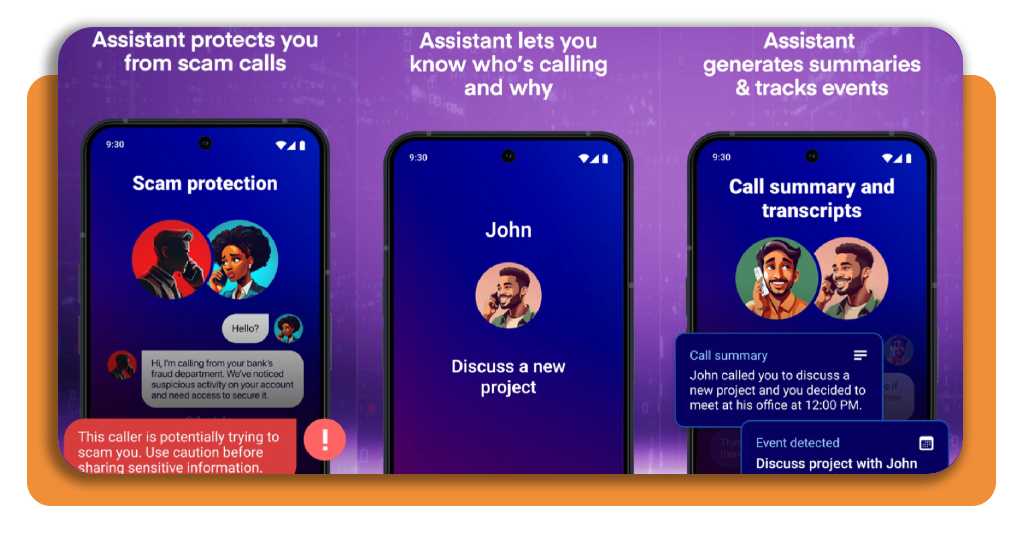
Beyond the usual caller ID, the app works as an AI voice scam detector that tests whether a human is talking, and it transcribes and summarizes conversations you want to keep.
Carrier checks confirm a call comes from a legit number, while Hiya’s models study the voice and, according to the company, spot synthetic audio in a fraction of a second.
Real-time alerts that pop up mid-call
Once the app suspects a scam, a red banner drops onto your call screen and warns you to hold back sensitive info, giving you a nudge while the caller keeps talking.
Your voicemail inbox has the same protection, with the app flagging any message recorded by a synthetic voice to keep you from calling back a scammer who left a fake request.
Checking the voice and the words together
Hiya (Android | iOS) hunts for two kinds of red flags, with one model studying patterns that reveal a generated voice and another tracking language like pressure to share account access.
A human scammer reading a script still trips the alarm with this pairing, and your AI voice scam detector catches cloned audio when the caller keeps the conversation calm.
Screening unknown callers before you pick up
An unknown number never rings you cold, and the app’s AI screener answers first to ask who’s calling and why, then shows you the name and reason on your screen.
If the screener hears spam, the call never reaches you, and you can pick a different screener voice in the settings to make that greeting sound the way you like.
Step-by-step: how to set up Hiya AI Phone
Getting Hiya (Android | iOS) running on your device takes a visit to the company’s website and an install, and the process won’t ask you for any tech skills beyond following prompts.
Your current number stays the same throughout setup, and once the app takes over your calls, the AI voice scam detector starts checking voices from the first conversation you have.
Once you finish setup, the app takes over from your default dialer, so the outgoing calls you place enjoy the same scam protection and transcripts your incoming conversations receive.
Step 1: access the Hiya website
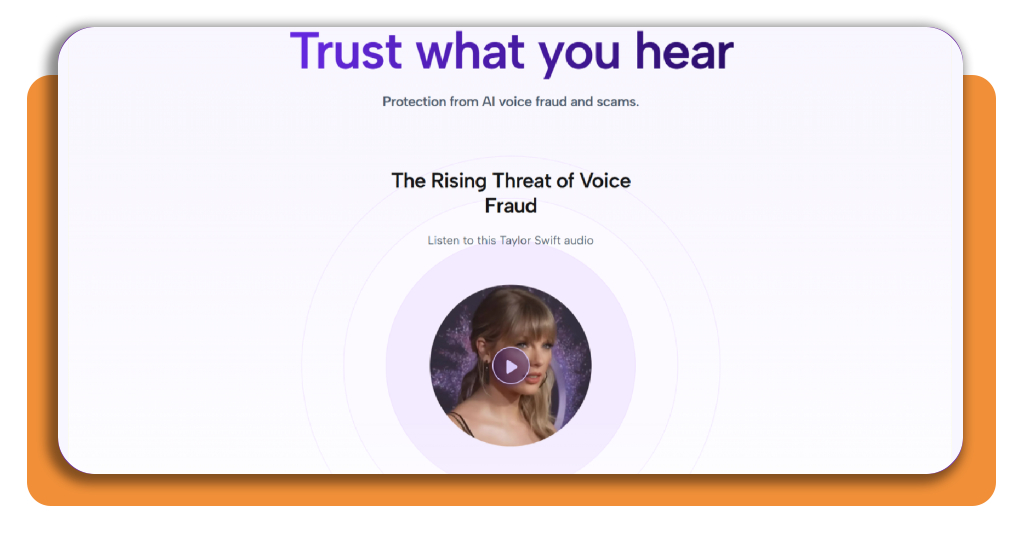
Open your browser on a phone or computer and go to Hiya’s official website, where you’ll find Hiya AI Phone listed among the apps for Android and iOS.
Typing the address yourself beats clicking a link from a text or email, and that habit protects you from lookalike pages that copy security brands to trick visitors.
Step 2: choose the type of service you need
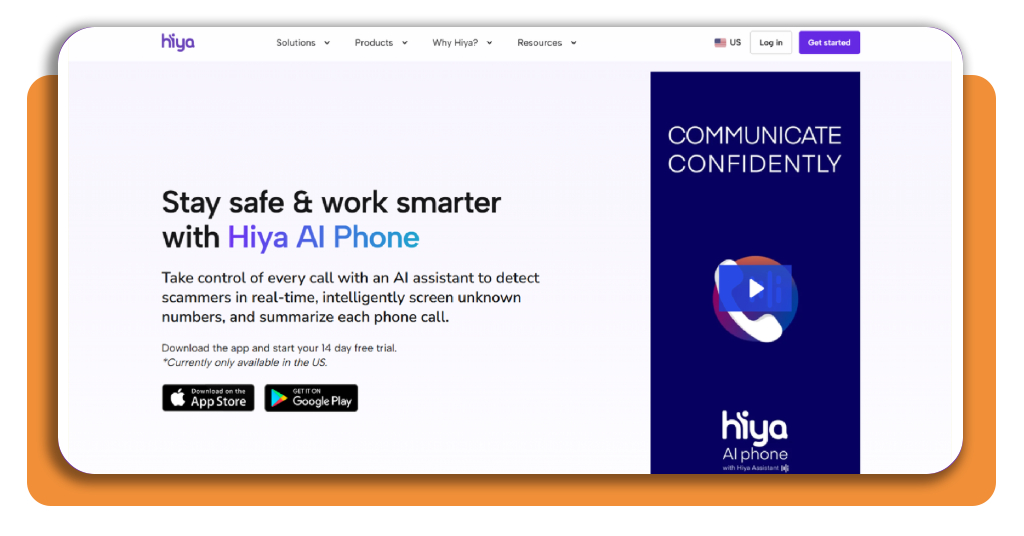
Hiya (Android | iOS) serves mobile carriers and businesses as well as regular callers, so skip the network and branding options aimed at companies and look for the consumer apps.
Open the “Products” menu and pick “Hiya AI Phone” under “Apps”, skipping Hiya Spam Blocker if you want call transcripts and summaries alongside the AI voice scam detector.
Step 3: download the app on your device
Tap the store button for the type of OS you have on the Hiya AI Phone page, install the app, then open it and create your account to start the onboarding screens.
Grant the permissions the app requests for your calls and contacts, and let the onboarding switch on call forwarding so incoming calls pass through Hiya (Android | iOS) first.
What the app costs and what it cannot catch
Downloading Hiya (Android | iOS) is free, but unlocking the AI voice scam detector and other features requires a subscription, and the tool has blind spots you should know about.
Your privacy holds up well, with the app encrypting data and keeping recordings and transcripts on your phone after processing, and the company says it won’t train its models on them.
Hiya’s claim of more than 99% accuracy comes from its own testing with no independent audit behind it, so you’re better off treating the app as backup for your instincts.
Monthly and yearly plans after the free trial
You’ll start with a 14-day free trial, and after that the app charges $9.99 a month or $99.99 a year, with the annual plan saving you about $20.
Cancel through your app store’s subscription settings before the trial ends if the app doesn’t win you over, and Hiya’s help center takes refund requests for charges you dispute.
Saved contacts slip past the screener
The screener lets calls from your saved contacts ring through untouched, which means a scammer spoofing your sister’s number skips the screening that unknown callers have to pass.
Keep that gap in mind when a relative calls in a panic about money, and treat the AI voice scam detector as one layer you back up with your own verification.
False alarms and call forwarding hiccups
Hiya (Android | iOS) admits its voice detection can flag a real person by mistake, so a warning during a call with your dentist’s office deserves a double check before you hang up.
Turn off call forwarding in the app settings before you delete the app, or your carrier may keep routing incoming calls to a line that no longer answers.
What to do if you think the caller is a fake voice
Whether or not your AI voice scam detector raises a flag, a caller demanding secrecy and payment in gift cards or crypto is using moves the FTC warns about.
Keep your answers short and skip birthdays or account details while you size up the call, as every extra sentence you speak hands a scammer more audio to clone.
Real danger changes the plan, and if the call hints at an injury or a threat to someone’s safety, dialing 911 comes before any attempt to verify the story.
Hang up and call back on a known number
End the call and dial your loved one from the number saved in your phone, ignoring any callback number the caller offers and the one that showed up on your screen.
If they don’t pick up, text another relative or a close friend who can confirm where that person is, and hold off on any payment until someone you trust answers.
Agree on a family safe word
Pick a random word or phrase your family would never post online, then agree as a group that nobody sends a cent until the caller says it out loud.
Add a backup question for the day someone forgets the word, and pair that habit with your AI voice scam detector to cover the calls that sound convincing to your ears.
Report the scam and alert your bank
File a report with the FTC and the FBI’s crime center even if you didn’t lose a dime, and those complaints help investigators track the numbers and scripts crooks reuse.
Call your bank the moment you suspect you’ve sent money or shared card details, and a fast report can freeze or reverse a transfer before the scammer moves the amount.
4/5
Answer every call knowing who’s really there
Hiya (Android | iOS) turns your phone into a calm second opinion when a familiar voice starts begging for money, giving you a warning and a moment to think before the panic wins.
With this guide, you learned what an AI voice scam detector listens for on a call, and now you also know which family habits stop a cloned voice from winning you over.
Stay with Insiderbits and keep reading our scam protection articles, where you’ll pick up fresh warning signs and tools that help you shield the people you love.