
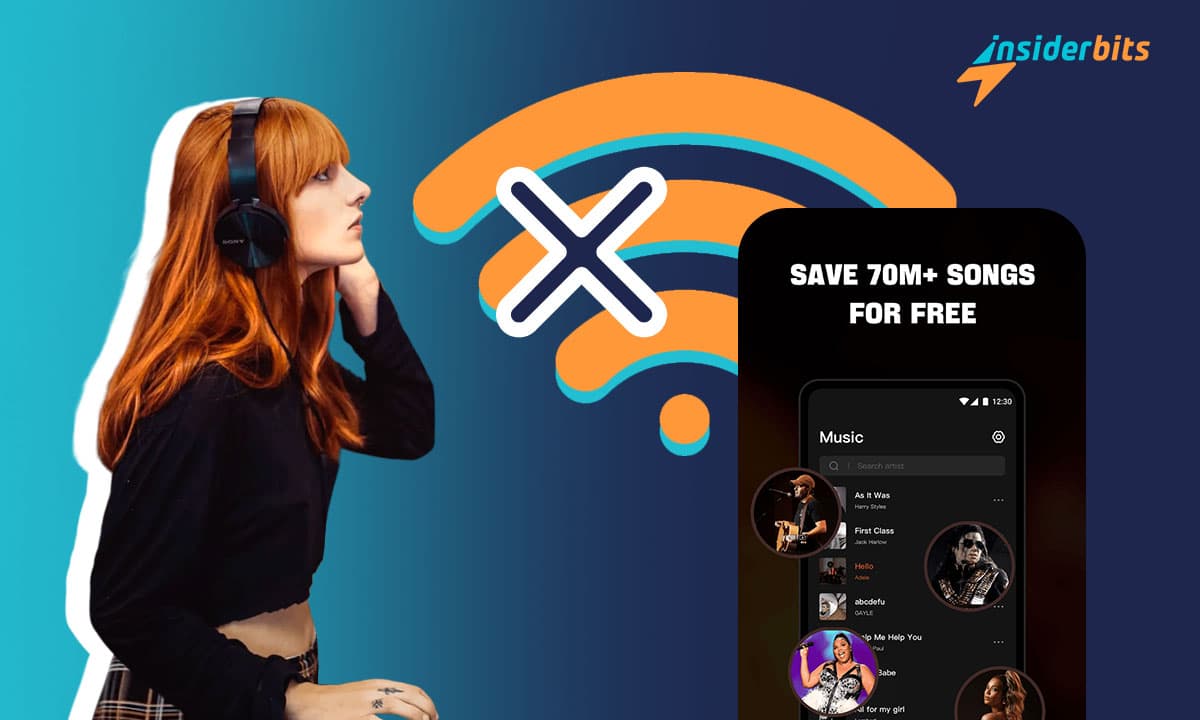
Are you feeling tired of always depending on an Internet connection to listen to your favorite bands? Are you looking for a good music without Internet app? Look no further than the Offline Music Player MixTube.
This free app allows you to easily manage all your offline music in one place, without the need for an Internet connection. With MixTube, you can browse and play music by albums, artists, playlists, and folders without being online.
The app supports a wide variety of audio formats, including MP3, WAV, FLAC, AAC, APE, OGG, MID, CUE, and more. MixTube also has a built-in equalizer that takes your sound listening experience to the next level.
In this article Insiderbits has prepared for you, we will review the Offline Music Player MixTube and explore its features in more detail.

4.3/5
Mixtube Music without Internet app – Features
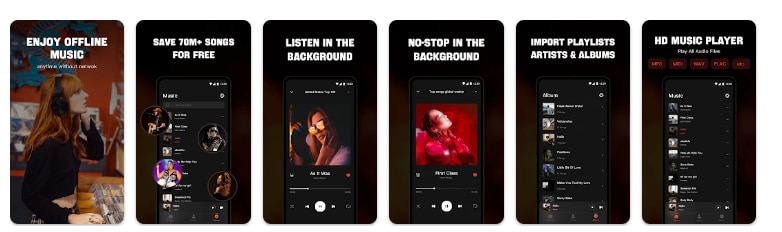
Now, let’s dive into our review of Offline Music Player MixTube. As mentioned earlier, MixTube is a free offline music without Internet app and player that allows users to import all their music and audio files quickly and play them in high quality.
Below are some of its features:
Supports a wide variety of audio formats:
Including MP3, WAV, FLAC, AAC, APE, OGG, MID, CUE, and more: MixTube supports a wide range of audio formats, making it easy for users to import and play their music files without worrying about compatibility issues.
A built-in equalizer that takes your sound listening experience to the next level:
MixTube has a built-in equalizer that allows users to customize their sound listening experience and enhance the quality of their music, making it a great choice of music without Internet app.
Browse and play music by albums, artists, playlists, and folders:
MixTube, music without Internet app, allows users to organize their music files by albums, artists, playlists, and folders, making it easy to find and play their favorite songs.
Supports lock screen controls and plays in the notification bar:
MixTube supports lock screen controls, allowing users to control their music playback without unlocking their phone. It also plays in the notification bar, making it easy to access and control the app from anywhere on your device.
Keeps the music playing in the background even if you are using other apps
MixTube allows users to keep their music playing in the background even if they are using other apps, making it easy to multitask while using this music without Internet app.
Completely free and very easy to use
Mixtube is a free music without internet app that is very easy to use, making it accessible to anyone who wants to enjoy their music without an internet connection.
How to download Offline Player Mixtube music without Internet app?
Everyone wants to listen to their favorite songs everywhere, even in places where it is not possible to be online. That’s why we prepared this article.
If you’re worried about how to download the music without Internet app, you can rest assured. Insiderbits will guide you below:
How to Download Offline Music Player MixTube on the App Store
- Open the App Store on your iPhone or iPad.
- Search for “Offline Music Player MixTube” in the search bar.
- Tap on the app icon with the title “Offline Music Player ‣ MixTube 4+.”
- Tap the “Get” button to download the app.
- Once the app is downloaded, tap the “Open” button to launch the app.
- You can now import all your music and audio files and listen to music without Internet.
How to Download Offline Music Player MixTube on Google Play Store
- Open the Google Play Store on your Android device.
- Search for “Offline Music Player MixTube” in the search bar.
- Tap on the app icon with the title “Offline Music Player – Mixtube.”
- Tap the “Install” button to download the app.
- Once the app is downloaded, tap the “Open” button to launch the app.
- You can now import all your music and audio files and play them offline with MixTube.
4.3/5
Music Without Internet app Mixtube: Pros and Cons
Pros
- It is a no-cost app that allows users to import all their music and audio files quickly and listen to them without the Internet
- The app supports a wide variety of audio formats
- Has an equalizer that allows you to customize your audio preferences
- Users can browse and play music by albums, artists, playlists, and folders
- Supports lock screen controls and plays in the notification bar, making it easy to manage the app
- The app keeps the music playing in the background even if you are using other apps
- Some users review it as a perfect music without Internet app
Cons
- MixTube is only available for iOS and Android devices, limiting its accessibility to users of other operating systems
- The app may lack some of the extra features of other offline music apps
- MixTube’s online music library may be limited compared to the best streaming apps
Mixtube: Music without Internet app – Is it worth it?
Overall, Offline Music Player MixTube is an excellent app for anyone looking to enjoy a music without Internet app. It is free, easy to use, and supports a wide range of audio formats.
Although it may not have all the features of other offline music apps and its music library may be limited compared to the best streaming apps, it’s still a valid option, since you probably will be using your own audio files.