

Price tracker apps help you look beyond today’s price and see how much a product has cost over time. You can spot suspicious discounts and avoid getting swept up in a flashy sale.
Checking Amazon price history and setting up alerts, you keep an eye on products and wait for better deals. A discount is only a bargain if the price really is lower. Read on Insiderbits.

Price tracker app: check Amazon price history with Keepa
A price tracker app can help you see past price changes before getting swept up in a flashy Amazon sale.
After all, a big discount badge doesn’t always mean a big saving, and knowing a product’s usual price makes it easier to spot the difference between a genuine deal and clever marketing.
That’s where Keepa (Android | iOS) comes in. Available as a browser extension and mobile app, it tracks Amazon product prices across multiple marketplaces and displays their history in interactive charts.
You can explore price changes over different periods, from a single day to a product’s entire tracked history, and make more informed shopping decisions.
Want to compare more tools before your next shopping spree? Check out our guide to the top price comparison apps for smart shopping.
Step-by-step: find a product and set a price alert
A price tracker app like Keepa (Android | iOS) can do the watching for you while you get on with your day.
Once you find a product you want to buy, you can check its price history, choose a target price, and set up alerts to know when it drops. Here’s how to get started:
Step 1: find the product in Keepa
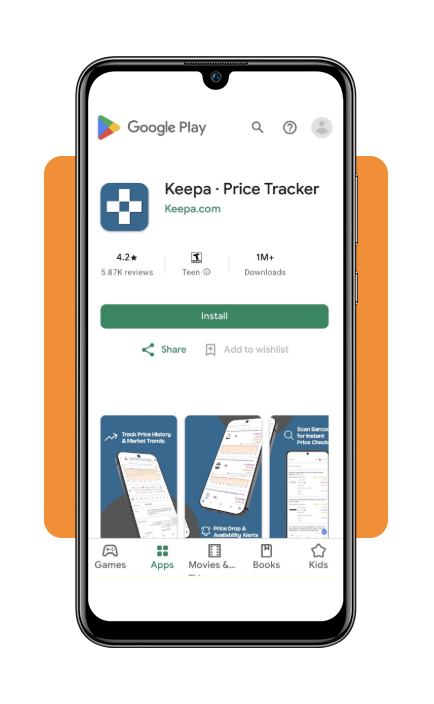
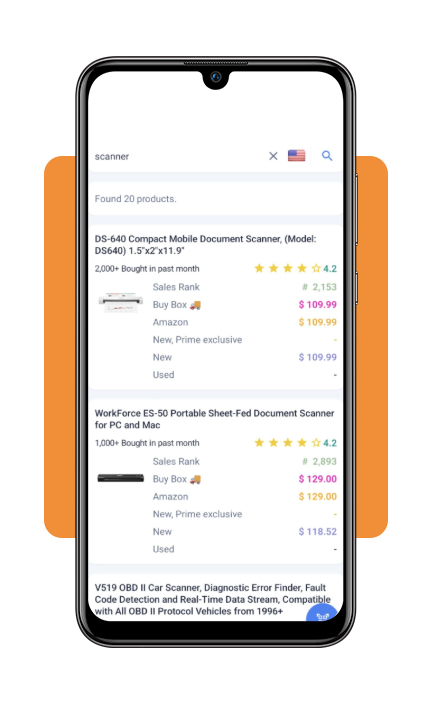
Open the Keepa app (Android | iOS) and search for the product by name. You can also share an Amazon product link with Keepa from your phone’s sharing menu, if that option is available on your device.
Step 2: check the price history chart
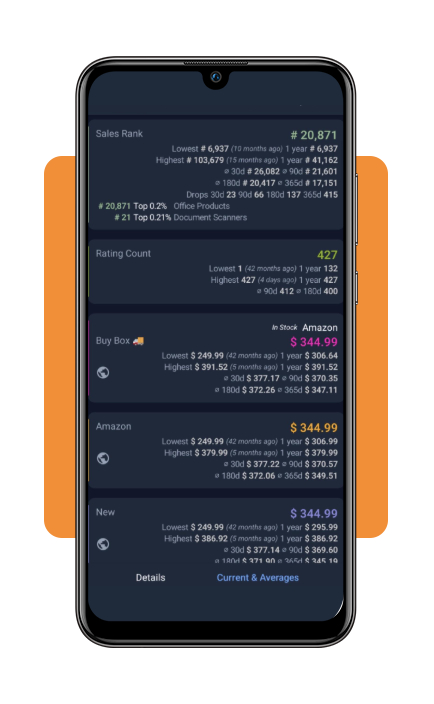
Take a closer look at Keepa’s color-coded graph to see how the product’s price has changed over time.
The chart can show Amazon’s prices, offers from third-party sellers, and used-item listings, helping you put today’s deal into perspective.
Step 3: choose your target price
Select ‘Track Product’ and set the price you would be happy to pay. For example, you might choose a target that’s 15% below the current price.
Depending on the tracking options available, you can also decide whether shipping costs should be included in the threshold.
Step 4: set up price notifications
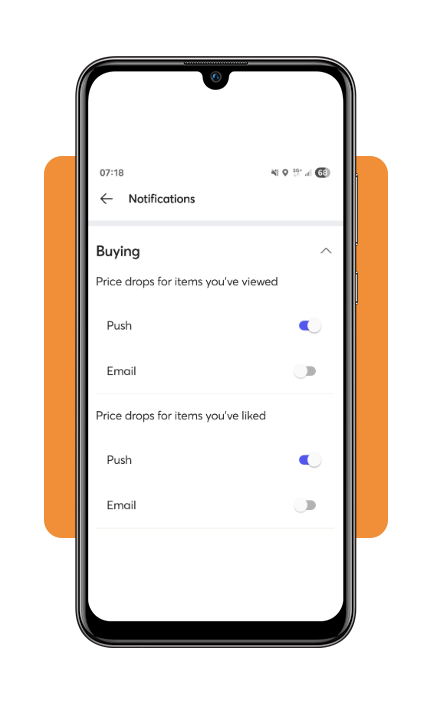
Choose your preferred alert method, such as push notifications or email, and save your tracking settings.
If the product reaches your target price under the conditions you’ve selected, Keepa (Android | iOS) can notify you so you can check the offer before buying.
Just remember that prices and stock can change quickly, so an alert is your cue to take a look, not a guarantee that the deal will still be available.
Read the charts and understand tracking limits
Keepa offers plenty of useful information without requiring a paid subscription, but some advanced data features are reserved for subscribers.
Here’s a quick look at what you can access before deciding whether the extra insights are worth paying for.
Keepa’s (Android | iOS) free tools cover the essentials for everyday shoppers: checking price history and setting price-drop alerts.
A paid subscription adds more detailed market data, including sales rank, Buy Box statistics, and offer information. Keep in mind that the exact features available can depend on your subscription and the platform you’re using.
Keepa Pro costs:
- Monthly: €29 per month;
- Annual: €290 per year (equivalent to about €24.17 per month).
For US users, Keepa Pro costs approximately:
- Monthly plan: $32/month;
- Annual plan: $324/year (about $27/month).
One important limitation: Keepa (Android | iOS) focuses on Amazon marketplaces rather than tracking prices across unrelated retailers such as Walmart or Best Buy.
If you’re comparing prices between different stores, you’ll need another shopping tool for that part of the job.
Where to download Keepa for Android and iPhone
Want to check prices while browsing from your couch or standing in a store aisle? Keepa offers mobile apps and browser-based tools, so you can explore product histories on different devices.
- Android: Get the official Keepa app from Google Play.
- iPhone and iPad: Download Keepa from the Apple App Store.
- Desktop and browser extensions: Visit the official Keepa website to access its web tools and supported browser extensions.
Use price history and explore more shopping tools
A price chart is useful, but knowing how to act on that information is what makes a price tracker app worth having. Keep these tips in mind before checking out:
- Look beyond flashy sale badges: compare the current price with its history over several months, especially during Prime Day, Black Friday, and other major shopping events. A discount label doesn’t tell you whether today’s price is unusually low;
- Compare new, used, and Warehouse deals: Keepa (Android | iOS) can display historical prices for different offer conditions, including Amazon Warehouse deals where available. Just check the item’s condition, seller, shipping costs, and return policy before buying. A lower price isn’t much of a bargain if the product doesn’t meet your expectations;
- Check cashback and rewards options: once you’ve found a price you’re happy with, see whether a cashback portal or eligible rewards card offers additional benefits. Check the terms first, since cashback rates, exclusions, and purchase requirements vary.
Stop guessing and start tracking prices
A price tracker app makes it easier to understand Amazon price changes instead of relying on whatever discount badge happens to appear on the screen.
Its historical charts and price alerts can help you recognize useful deals and decide when a purchase makes sense.
Just remember that a historical low doesn’t guarantee the same price will return, and an alert doesn’t guarantee the offer will still be available when you open it.
Do a quick check of the current listing, seller, and shipping costs before buying. Your wallet will appreciate the extra homework.