

Boost volume on quiet videos without investing in extra audio equipment. If your recordings sound faint even at maximum playback, a video editor app can help you increase their audio levels from your phone.
Some apps even let you push the volume beyond its original level, although going too far can introduce distortion. Here’s how to make your videos louder while keeping the sound clear, ahead, on Insiderbits.

4.8/5
What is the best app to boost volume on quiet videos?
Wind, large rooms, and recording from a distance can all make video audio difficult to hear. And turning your phone or computer speakers all the way up won’t necessarily help if the original recording is already too quiet.
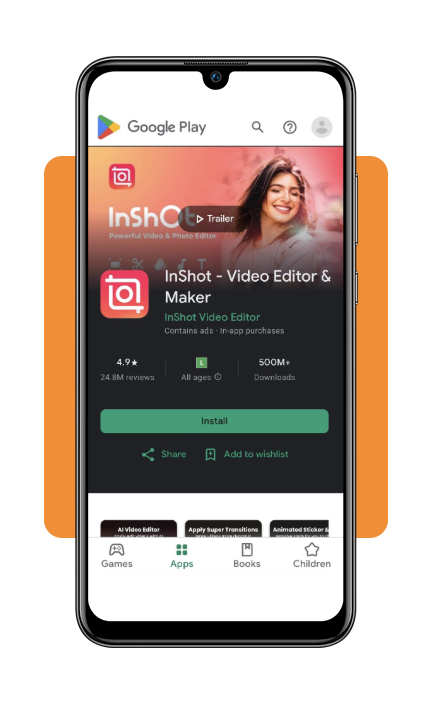
If you want a simple way to boost volume, InShot Video Editor (iOS | Android) offers an accessible option for adjusting audio levels directly from your phone.
Its volume controls let you increase the sound in a clip without changing your device’s speaker settings.
Just keep in mind that pushing the volume too high can introduce distortion, so it’s worth previewing the result before saving.
Key features within the InShot app
InShot offers several audio tools that can help you boost volume and fine-tune your video’s sound without needing a separate editing program:
- Volume adjustment: increase a clip’s audio level to make quiet recordings easier to hear. The available range may vary by app version;
- Extract Audio: separate a video’s audio from its visuals so you can edit the sound independently on the timeline;
- Noise reduction: reduce certain background sounds that compete with voices or other important audio. Results depend on the type and intensity of the noise;
- Fade In and Fade Out: gradually raise or lower audio at the beginning and end of a clip, creating smoother transitions instead of abrupt starts and stops.
Step-by-step: how to increase audio volume in a video on your phone
Boosting quiet audio using a mobile editing workflow takes only a few taps:
Step 1: import your video file
Launch the app on your iOS or Android phone, grant photo storage access, and select the quiet video clip from your device gallery.
Step 2: select the video track on the timeline
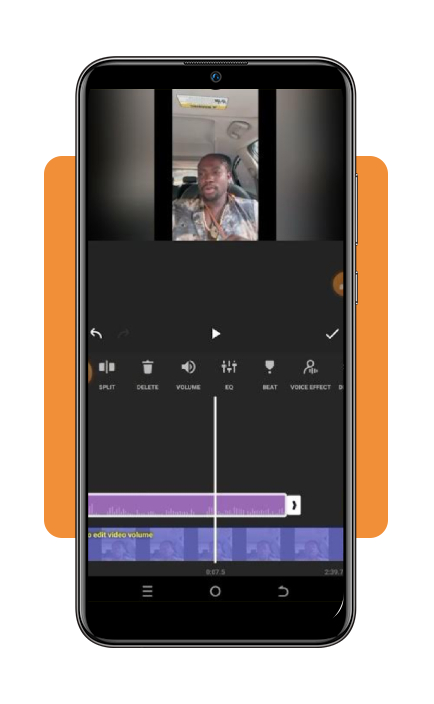
Highlight the video segment. Scroll through the bottom action bar until you locate the ‘Volume’ icon. Move the slider rightward to boost overall loudness.
If background noise increases, apply the built-in ‘Denoise’ filter to isolate dialogue.
Step 3: export and save the amplified video
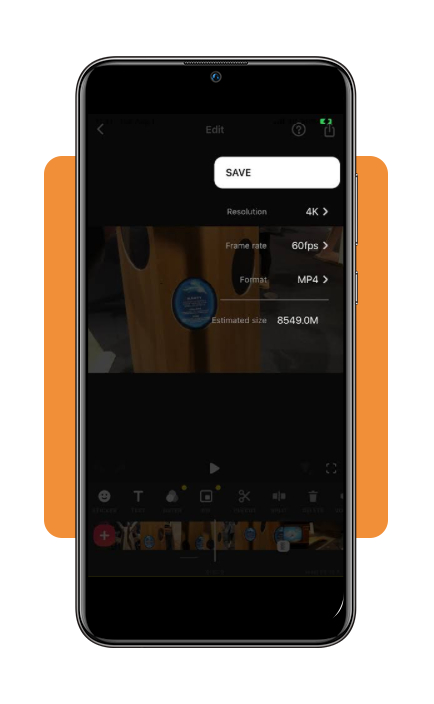
Tap the ‘Save’ button in the top-right corner. The app will render the new video with permanently amplified audio to your camera roll.
Top noise-canceling headphones for clear audio
When you’re trying to hear quiet dialogue or review a recording, background noise can get in the way.
Noise-canceling headphones help reduce distractions, making it easier to focus on the audio without constantly turning up the volume.
They won’t boost volume in the original video file, but they can make listening in noisy environments more comfortable.
Here are four popular models to consider:
- Sony WH-1000XM5: active noise cancellation and customizable EQ settings through the Sony Headphones Connect app, giving you control over how your audio sounds;
- Bose QuietComfort Ultra: combines active noise cancellation with Bose Immersive Audio, offering an option for focused listening and spatial sound;
- Apple AirPods Pro 2: includes Active Noise Cancellation, Transparency mode, and Adaptive Audio features, with convenient integration across Apple devices;
- Sennheiser Momentum 4 Wireless: customizable sound settings and up to 60 hours of battery life, making it suitable for extended listening sessions.
Looking for other ways to make audio easier to hear?
Check out our guide to phone volume boosters for seniors. If a video has missing or corrupted sound, our guide on how to fix videos with no audio may also help.
How to fix distorted video audio
Increasing the volume can make quiet voices easier to hear, but it can also make unwanted noise more noticeable.
If your recording starts crackling, popping, or sounding harsh, try these adjustments before exporting the final video:
- Reduce the gain if the audio clips: if the sound becomes distorted or the audio meter reaches its maximum, lower the volume until the peaks no longer clip. The right setting depends on the original recording, so don’t rely on a fixed percentage such as 150% or 200%;
- Filter out low-frequency noise: a high-pass filter can reduce low rumbles from sources such as wind or air conditioning. Use it carefully, since aggressive filtering may also remove some of the natural depth of a voice;
- Avoid simply duplicating the audio track: layering identical tracks does not automatically produce cleaner sound. It can increase the overall level, but it may also amplify existing noise and distortion. Adjust the original track first and listen to the result;
- Try an AI audio enhancement tool: services such as Adobe Podcast Enhance Speech can help reduce background noise and improve speech clarity. Process the audio separately, then import the enhanced version into your video editor if needed.
The goal isn’t just to boost volume as much as possible, but to make dialogue easier to understand without turning background noise into the main attraction.
4.8/5
Clear sound on any clip
A quiet video doesn’t have to end up in the digital forgotten pile. With an editing app like InShot, you can boost volume by adjusting the clip’s audio level directly on your phone.
Just remember that louder isn’t always clearer: excessive amplification can cause distortion, while background noise may require separate editing.
Preview the result before exporting, and give your video the sound quality it needs to be heard.