
Losing your job can create immediate financial pressure. Layoff benefits can vary based on your state, employer, and reason for job loss.
In this Insiderbits guide, we’ll explain how to check potential benefits, understand severance and COBRA, and use the Propel (Android | iOS) app to manage available assistance.

4.5/5
Which is the best app to check layoff benefits?
Propel (Android | iOS) is a mobile platform designed to help people manage government benefits and find resources that may be available to them.
The app focuses on programs such as SNAP and WIC, rather than functioning as a legal severance calculator. Therefore, it shouldn’t be treated as a tool that determines everything you’re legally owed after a layoff.
Still, Propel (Android | iOS) can be useful when you’re dealing with a sudden loss of income and need help navigating available benefit programs.
The type and amount of assistance available can depend on factors such as household income, state rules, and program requirements.
When researching layoff benefits, it’s important to separate government assistance from payments you may be entitled to receive from your former employer.
Key features within the Propel mobile platform
The Propel app (Android | iOS) is available for Android and iOS devices and is designed to help users manage benefits such as SNAP and WIC.
Users can access information about their benefits and manage certain aspects of their accounts through the platform.
The app can also provide resources and information intended to help people navigate public assistance programs.
Keep in mind that Propel (Android | iOS) doesn’t replace your state’s unemployment insurance system or an employment attorney.
If you’re trying to determine your layoff benefits, use official government sources to verify eligibility and payment rules.
You can also explore this InsiderBits guide to jobs for immigrants for additional employment resources.
Step-by-step: how to calculate severance and verify unemployment benefits
Propel (Android | iOS) can help you manage eligible government benefits from your phone. The platform connects securely to your state’s system and displays information such as your EBT balance and transaction history.
Step 1: visit the Propel website
Go to the official Propel website (Android | iOS) and select the option to get started with the platform.
Propel (Android | iOS) is available as a free service for people who receive government benefits.
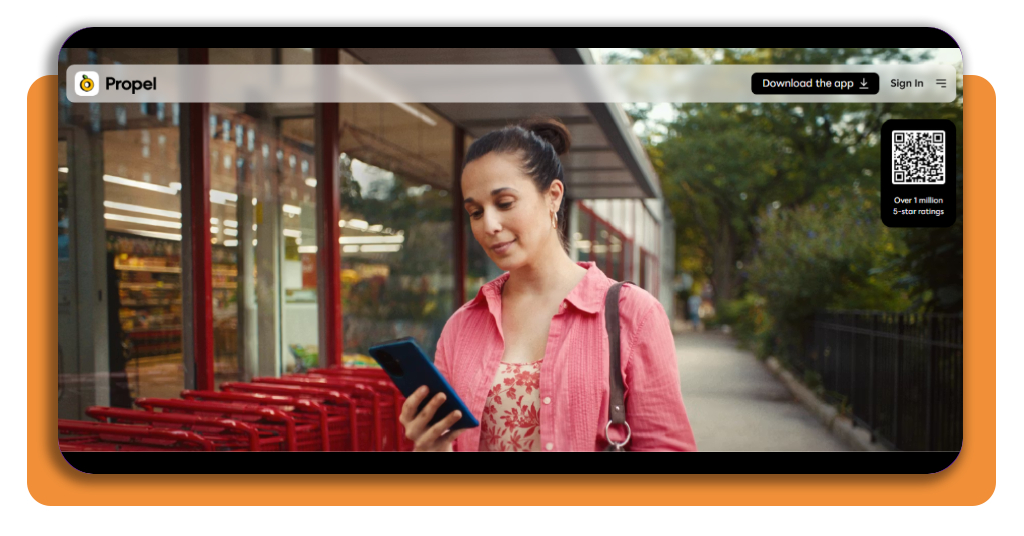
Step 2: create or access your account
Follow the instructions to create a Propel account or log in if you already have one.
The platform connects to your state’s benefits system with your permission.
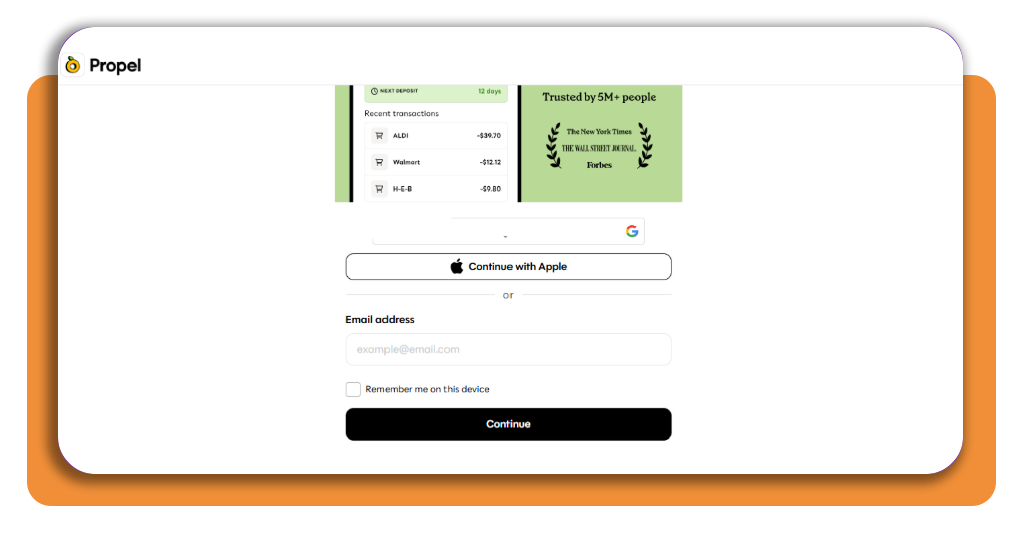
Step 3: connect your benefits account
Provide the information needed to securely connect Propel with your state’s system.
Propel says it does not store your PIN, full card number, or Social Security number, although some states may require an SSN to access their portal.
Step 4: check your EBT balance
Once your account is connected, you can view your EBT balance through the platform.
Propel says the balance can be displayed within seconds, making it easier to check your available benefits without calling a customer service number.
Step 5: review your transactions
Use the app to review recent transactions and see where your benefits were used.
Propel can display transaction details, including store names and online purchases.
Step 6: check for additional employer payments
Review whether you are owed unpaid wages, eligible PTO, commissions, bonuses, or other compensation.
The rules governing these payments can vary depending on your state and employment situation. For federal wage information, check the U.S. Department of Labor’s Wage and Hour Division resources.
Step 7: explore additional assistance
After a layoff, your household income may change, so check whether you could qualify for other programs.
Propel provides information about benefits and resources, while eligibility decisions are ultimately handled by the relevant government agency.
Step 8: protect your EBT benefits
If the card-locking feature is available in your state, you can use Propel (Android | iOS) to lock your EBT card when you’re not using it.
According to Propel (Android | iOS), locking the card can prevent transactions while keeping your benefits in the account.
Understanding severance packages and COBRA coverage
Severance and unemployment benefits aren’t the same thing.
A severance package is compensation or benefits provided by an employer when an employee leaves the company.
It may include a lump-sum payment, continued salary for a certain period, unused PTO, or continued benefits, depending on the employer’s policy and applicable rules.
Unemployment insurance, on the other hand, is generally administered through a state program.
Eligibility and payment amounts depend on state requirements. This distinction matters when calculating your overall layoff benefits.
You should also consider health insurance after losing employer-sponsored coverage.
Under COBRA, eligible employees and their families may be able to continue certain employer-sponsored group health coverage for a limited period.
However, COBRA coverage can be expensive because the individual may have to pay the full premium plus an administrative fee.
Compare the cost of COBRA with other available health insurance options before making a decision. If your employer provides a severance agreement, read it carefully before signing.
Some agreements can include conditions concerning the timing and amount of payments, benefits continuation, or other obligations.
If you’re unsure about your rights, consider consulting a qualified employment professional or attorney in your state.
Best emergency financial assistance tools
A layoff can affect more than your paycheck. You may suddenly need to cover rent, groceries, utilities, transportation, and healthcare while searching for another job.
That’s why it’s useful to create a short-term financial plan as soon as possible.
Start by listing essential monthly expenses and separating them from expenses that can temporarily be reduced or paused.
Next, check government assistance programs for which your household may qualify.
Depending on your circumstances, resources can include food assistance, unemployment insurance, healthcare programs, utility assistance, or local emergency aid.
Mobile tools can make it easier to keep track of some benefits and organize financial information. However, always verify eligibility and program details through official government sources.
A layoff benefits search should therefore include both employer-provided compensation and public assistance programs. You may also want to contact creditors before missing payments.
Some lenders, landlords, utility companies, and service providers have hardship programs that can temporarily reduce or delay payments.
Finally, keep your job search organized. Track applications, interviews, contacts, and deadlines while you work through your financial options.
4.5/5
What should you do after a layoff?
Losing a job can make it difficult to know where to start, but checking your available layoff benefits can help you understand your financial options.
Begin with your employer documents, then check your state’s unemployment program and any applicable government assistance.
Propel (Android | iOS) can be useful for managing certain benefits, particularly programs such as SNAP and WIC.
However, it should not be considered a replacement for official unemployment agencies or professional legal advice.
Severance, unpaid wages, PTO, unemployment insurance, and healthcare coverage all have different rules.
Take time to review each one separately and keep copies of your documentation.
Most importantly, don’t assume that losing your job means losing access to every form of financial support.
Research your options promptly, verify information with official sources, and use available resources to help manage your expenses while you plan your next career move.