
Finding your home address, phone number, or other details online can be unsettling. Remove personal data tools can help you find and request removal of exposed information.
In this Insiderbits guide, we’ll explain how Optery (Android | iOS) works, how to scan for exposed information, and other tools that can help protect your digital privacy.

3.6/5
Which is the best app to remove personal data from people-search sites?
Optery (Android | iOS) is a privacy platform designed to help users find personal information exposed on people-search websites.
Instead of manually searching dozens of sites, you can use the platform to identify potential data exposure.
The service focuses on removing personal information from data broker and people-search websites.
Depending on the plan and available features, Optery (Android | iOS) can automate parts of the removal process.
If you want to remove personal data, the first step is understanding where your information appears online. A scan can help reveal addresses, phone numbers, names, and other details associated with your identity.
Key features within the Optery platform
Optery (Android | iOS) provides tools for discovering personal information across people-search and data broker websites.
The platform can show users where their information has been found and help manage removal requests.
Its approach is useful for people who don’t want to search and submit opt-out requests manually on every individual website.
The platform also provides a dashboard where users can review exposure and track privacy-related activity. Available features can vary depending on the plan selected.
Another important point is that removing information from one website doesn’t necessarily prevent it from appearing elsewhere.
Data brokers may collect information from different sources, so privacy management can require ongoing monitoring.
If you’re looking for more ways to protect your identity online, you can also explore this Insiderbits guide to data leak scanners and identity protection.
Step-by-step: how to scan for exposed personal info and submit removal requests
Before requesting removals, you need to understand what information is publicly available. Optery (Android | iOS) can help identify potential exposures through its website, while its mobile app provides another way to access the service.
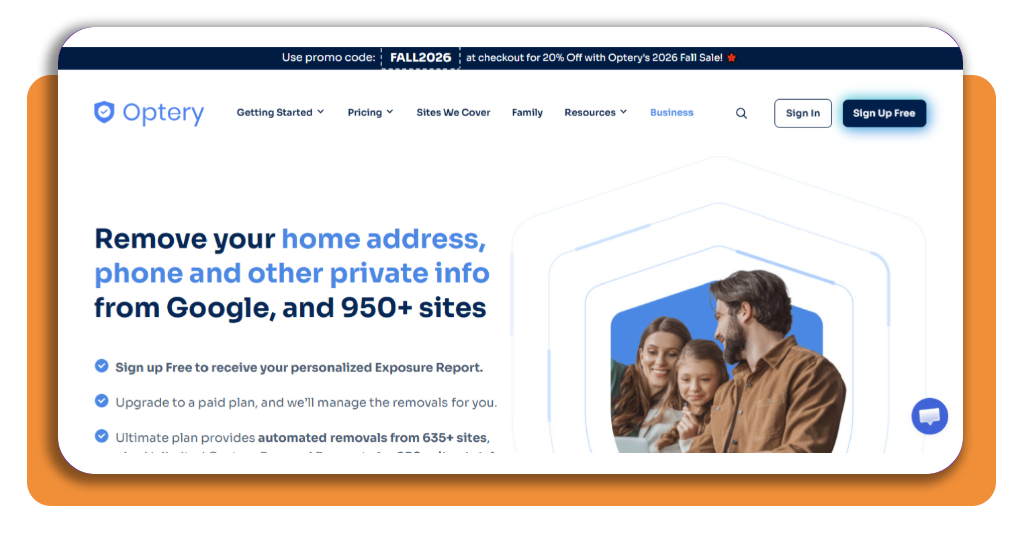
Step 1: visit the Optery website
Start by visiting the Optery website and looking for the option to scan your personal information. Although Optery also offers an app for Android and iOS, we’ll use the website for this guide.
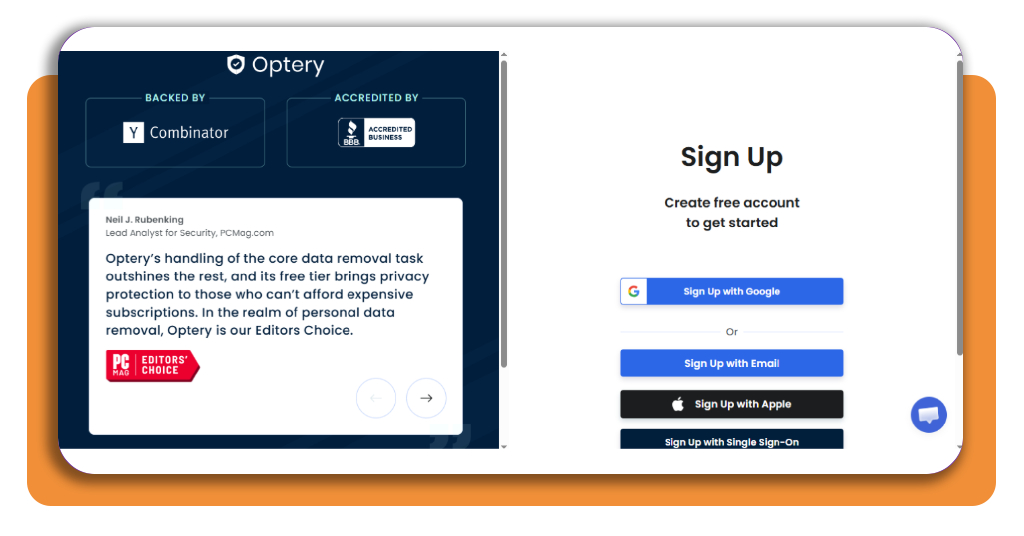
Step 2: create or access your account
Follow the instructions on the website to create an account or sign in if you already have one. Use accurate information so the platform can identify records that may be associated with you.
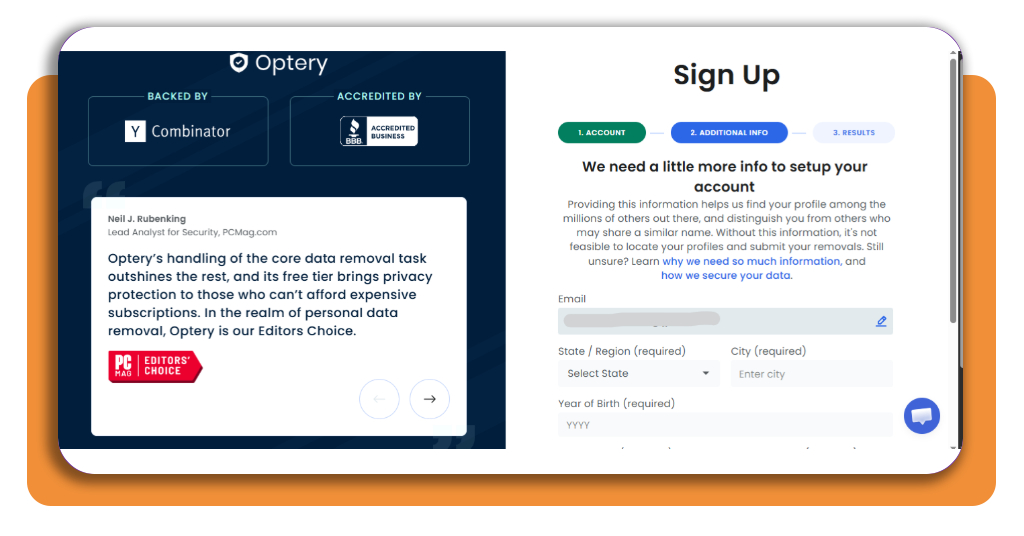
Step 3: provide the required information
Enter the personal details requested by Optery (Android | iOS) to begin the search. This information helps the platform look for matching records across people-search and data broker websites.
Only provide information through the official Optery (Android | iOS) website or app. Avoid entering sensitive personal details into unfamiliar privacy services.
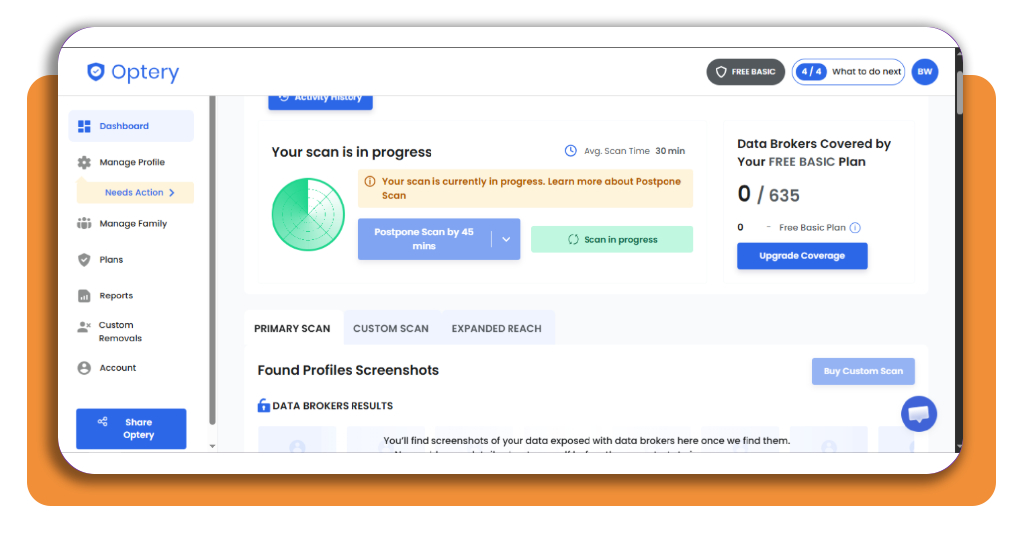
Step 4: review your exposure report
Once the scan is available, review the results carefully. Look for records containing information such as your name, phone number, address, or other identifying details.
Pay attention to whether the records actually belong to you. Similar names can sometimes produce results associated with another person.
Step 5: review available removal options
Check which records Optery (Android | iOS) can help you remove and what actions are available for your account. Some features may depend on the service plan you choose.
Before submitting anything, review the information shown for each record to make sure the request applies to your data.
Step 6: submit removal requests
Follow Optery’s instructions to request removal of eligible records. Depending on the service and plan, Optery (Android | iOS) may handle parts of the opt-out process on your behalf.
Keep in mind that removal from a people-search website doesn’t guarantee that the same information won’t appear on another site later.
Step 7: monitor your information
Privacy protection isn’t necessarily a one-time task. Data brokers can continue collecting information, which means previously removed records may eventually reappear.
Return to your Optery (Android | iOS) account periodically to check for new exposure and review the status of previous removal requests.
Top identity theft protection services
Removing your information from people-search websites is only one part of protecting your identity.
Identity theft protection services can provide additional monitoring for suspicious activity and potentially exposed personal information.
When comparing these services, look at the type of monitoring included, alerts, restoration assistance, insurance coverage, and monthly or annual costs.
These services can complement tools that remove personal data by helping you monitor what happens after your information is exposed.
Features can differ considerably between providers, so check exactly what each plan includes before subscribing.
You should also consider whether you need comprehensive identity monitoring or primarily want help with removing information from data broker websites.
For another option focused specifically on personal information removal, you can visit Incogni and compare how its service approaches data broker opt-outs.
Best privacy-focused password managers
A password manager can complement your efforts to remove personal data by protecting the accounts that contain sensitive information. Here are a few privacy-focused options worth considering:
- Bitwarden is an open-source password manager that supports unlimited passwords and devices on its free plan. It also offers self-hosting, giving technically experienced users more control over where their encrypted vault is stored;
- Proton Pass focuses on privacy and uses end-to-end encryption. It is also open source and integrates with other Proton privacy services, making it an option for users who already use the Proton ecosystem;
- 1Password offers encrypted password storage, passkey support, breach alerts through Watchtower, and features designed for individual, family, and business use. Unlike Bitwarden and Proton Pass, its source code is not fully open source.
When choosing a password manager, compare encryption, independent security audits, open-source availability, device compatibility, recovery options, and pricing.
The right choice depends on how much control and convenience you want from the service.
3.6/5
Take control of your online privacy
Your personal information can appear across multiple people-search and data broker websites without you realizing it.
Remove personal data services such as Optery (Android | iOS) can make the process of finding and requesting removals more manageable.
Start by scanning for exposed information, reviewing the results carefully, and submitting appropriate removal requests. Then continue monitoring your online presence because new records can appear over time.
Combining data removal with identity monitoring and strong password practices can give you a more comprehensive approach to protecting your personal information online.