Walking into the kitchen and forgetting what you came for feels frustrating, and a few minutes of gaming for seniors can sharpen your attention span and memory with playful challenges.
In this guide, Insiderbits introduces Train your Brain, an app with colorful exercises for concentration. Read on to find games that turn missed errands into tasks you finish with easily.

4.6/5
Which is the best gaming app for seniors?
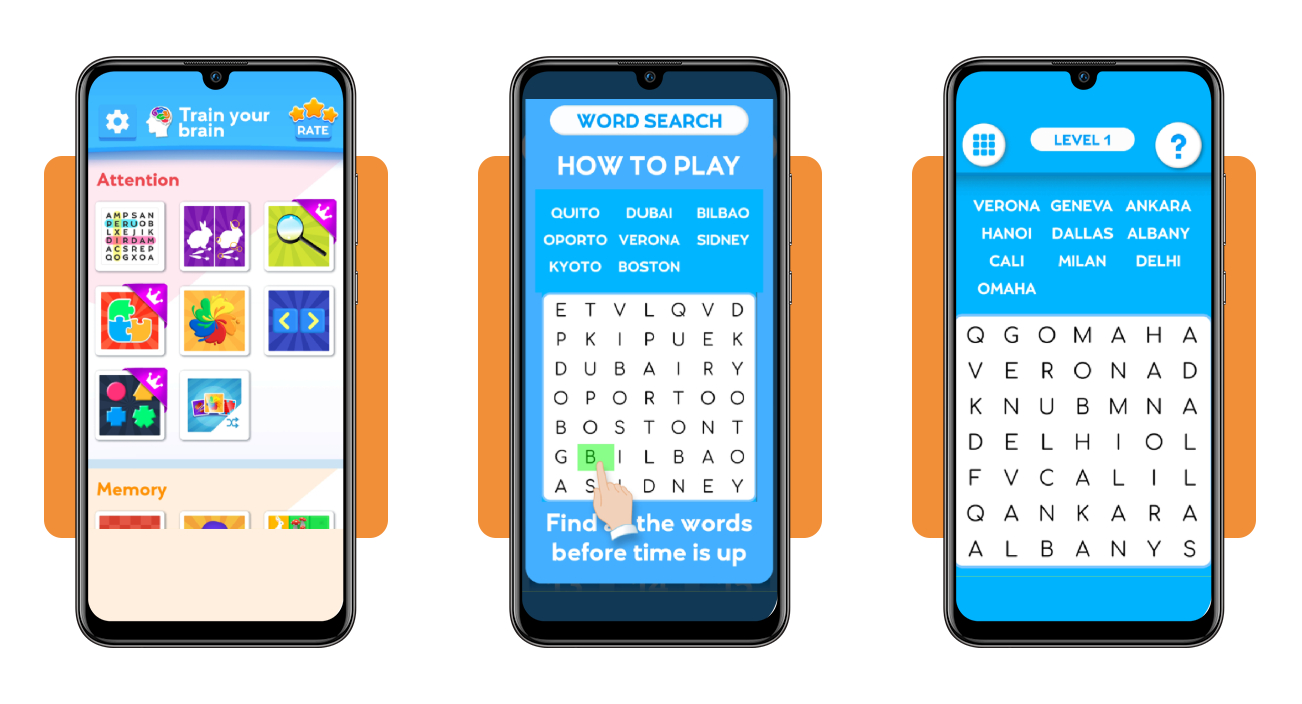
Train your Brain (Android | iOS) is a collection of activities sorted into five skill areas covering recall, focus, reasoning, coordination, and spatial awareness, from mazes to reaction tests.
It puts your eyes, hands, and judgment to work, mixing speedy reactions with calm thinking. Neuroscience experts helped design the games to complement health center treatments.
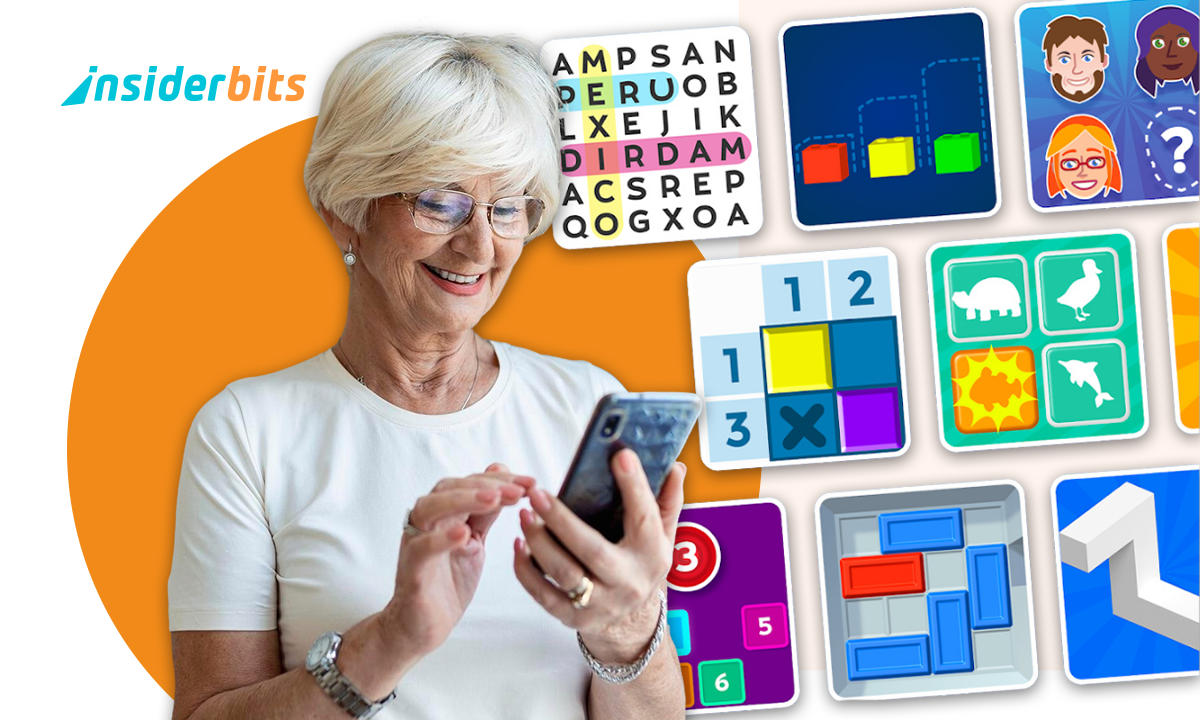
Jigsaws, card matching, and sliding blocks bring familiar formats to gaming for seniors, and big tiles with labeled sections point you to every category as you scroll the home screen.
Key features within Train your Brain
- Rule previews: an animated finger demonstrates the controls in a pop-up before play begins, and a close button in the corner lets you skip ahead;
- Adaptive difficulty: the challenge ramps up as your results improve, and the progression gives the work room to grow alongside the skills you develop with practice;
- Score screen: finishing a puzzle brings up your time and a score out of 100, beside an orange replay button and a green arrow to continue;
- Shuffle tile: the last tile in each skill area carries a small shuffle icon that mixes its games into a random lineup for you to play.
Short daily sessions that fit any routine
Word search puzzles can wrap up in about half a minute, leaving room for a round or two while dinner simmers, between phone calls or before a video chat starts.
Anchor a round or two to a habit you keep, such as your evening stretch. Steady practice across the week gives your mind regular workouts and builds a dependable rhythm.
Free to play with optional upgrades
Diving into gaming for seniors costs you nothing, though a banner ad runs along the bottom of the screen and a purple crown marks premium titles across the library.
Upgrades start at $2.99 a month, and the $24.99 annual plan trims that to $2.08. A $6.99 purchase removes the ads and unlocks every game, but prices may vary by region.
Step-by-step: how to download and set up games
An internet connection data handles the download, and Train your Brain (Android | iOS) supports offline play after installation, letting you open it on flights or road trips.
Raise your screen brightness and settle into a spot with good lighting before you begin. Glare washes out the puzzle tiles, and a phone stand frees both hands to tap.
Setting up the app alongside a friend or family member turns gaming for seniors into a shared activity, and you can trade tips on favorite puzzles as you play.
Step 1: download the app on your device
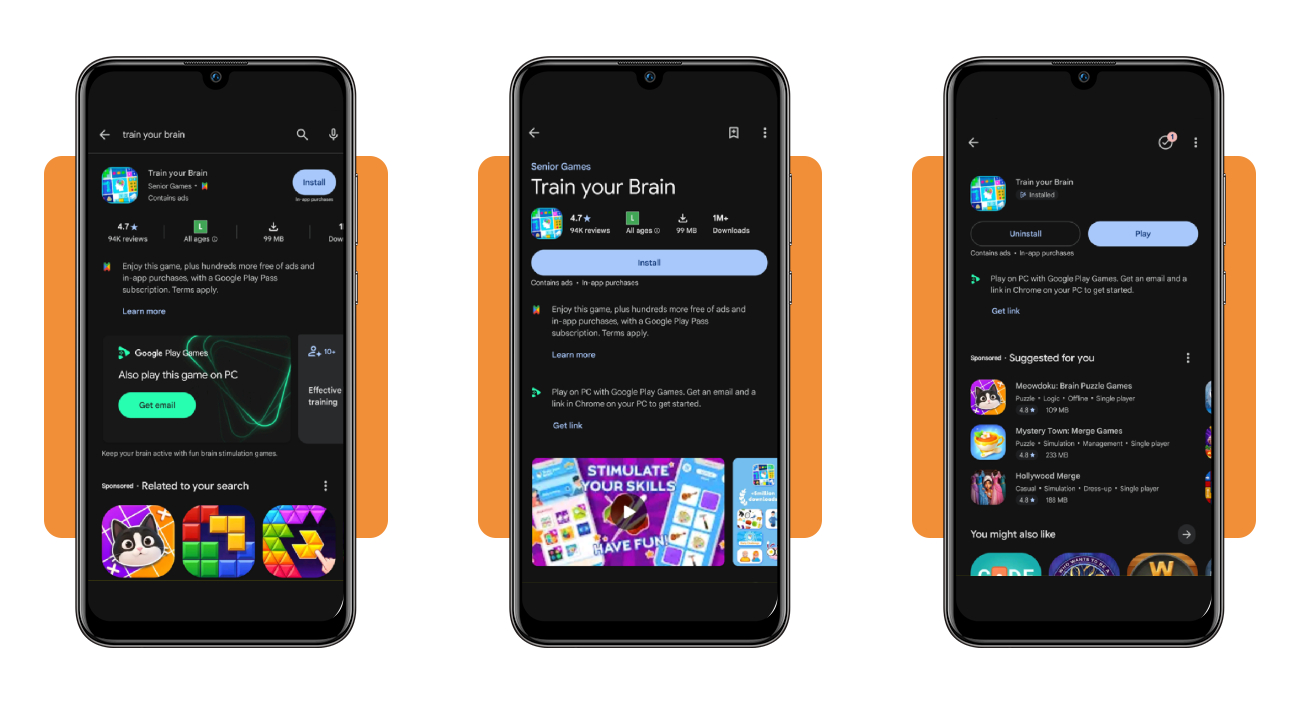
On Android, open the Google Play Store, search for ‘Train your Brain’ and tap ‘Install’ beside the matching result to start the download and installation on your phone or tablet.
On iOS, search for ‘Train your Brain – Skills’ in the App Store and tap ‘Get’. After installing on either platform, tap ‘Play’ or the new icon to launch the app.
Step 2: set up your exercises and age range
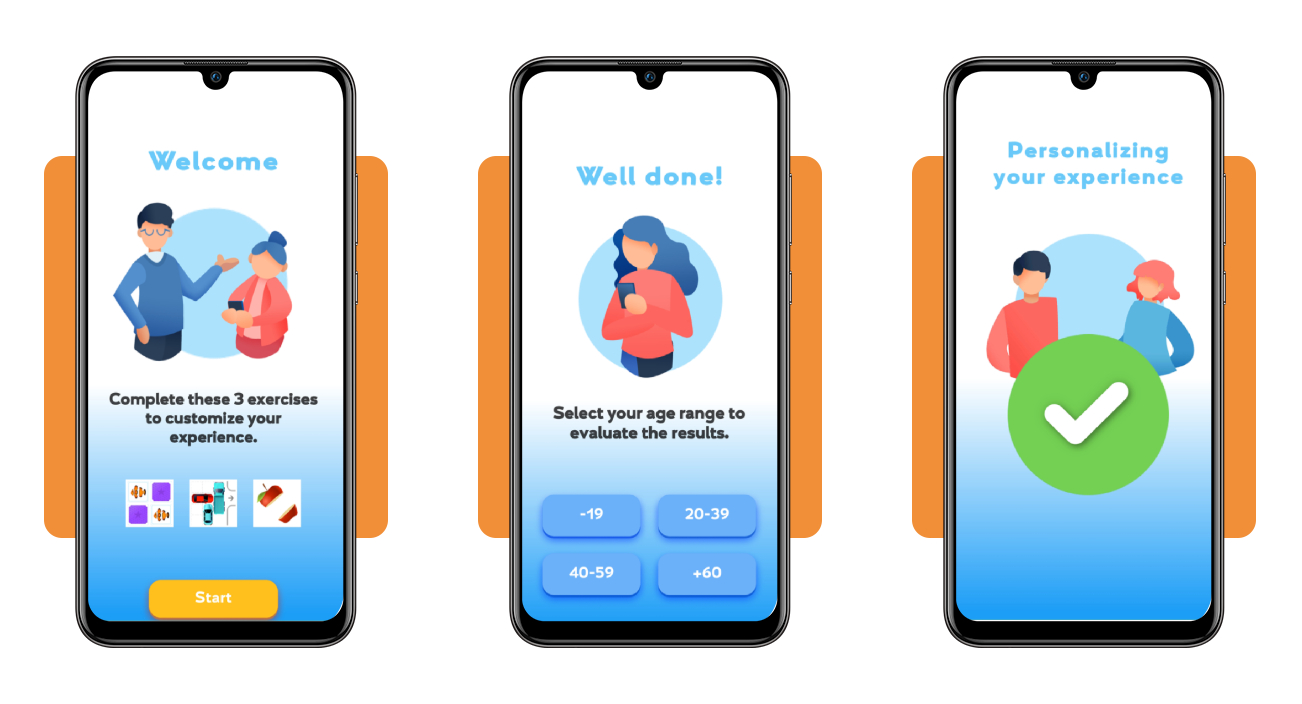
Tap ‘Start’ to work through the three opening exercises that customize your experience, or tap ‘Skip’ in the top corner if you’d like to explore the app on your own.
Pick your age range, such as +60, to set how the app evaluates your results. A short personalization screen follows, and the home screen opens as soon as it finishes.
Step 3: pick a game and start playing
Choose a skill area that matches your goal, tap any tile to open its game, and begin with a type you recognize to settle into the controls before branching out.
Rotating through the remaining skill areas keeps gaming for seniors varied, and a second attempt at a puzzle you’ve finished shows how your results change as you learn the layout.
Best smartphone apps for seniors
Your phone carries tools that handle medication reminders, tiny print, and reading sessions, turning a device you check into a practical companion for the routines that matter to you.
Free downloads and trial periods let you test every app at your own pace and decide whether a paid plan fits your monthly budget, your habits, and your daily routine.
Between rounds of gaming for seniors, your phone handles practical jobs like dosing, reading labels, and enjoying stories, and its privacy settings let you review what every app can access.
Medisafe keeps every pill on schedule
Medisafe (Android | iOS) is a medication manager that sends reminders, tracks doses, vitamins, and supplements, and organizes refills and doctor appointments in one tidy calendar.
Reminders adapt to complex schedules, and a Medfriend alert reaches a family member when you miss a dose, giving you confidence that nothing slips past you during a busy day.
Magnifying Glass + Flashlight rescues tiny print
Magnifying Glass + Flashlight (Android | iOS) turns your phone camera into a magnifier with autofocus and an LED light, and it saves captured photos to your library so you can revisit them.
Menus, prescriptions, and serial numbers stay readable without reading glasses, and the same phone that serves gaming for seniors handles small print without any extra gadgets.
Audible turns reading time into listening time
Audible (Android | iOS) is an audiobook and podcast library with more than a million titles, offline downloads, and narration you can speed up or slow down from your device.
Listening rests your eyes, bookmarks and a sleep timer keep your place, and hands-free playback lets you enjoy a story while cooking, gardening, folding laundry, or walking the dog.
Best options for offline mental exercise
Your phone isn’t the only route to a busy mind, and a pen, a deck of cards, or a box of puzzle pieces puts your attention and recall to work.
Pairing gaming for seniors with offline habits rests your eyes from the screen glow and gives your hands, your memory, and your attention a fresh, tangible task to share.
Pick the habit that matches your mood, keep the supplies within reach, and let your pace decide how long a session lasts, adding or dropping routines as your interests change.
Keep a jigsaw puzzle on the coffee table
A jigsaw puzzle asks you to sort colors, compare shapes, and test loose pieces until they click, and the unfinished picture waits on the table whenever you walk past it.
Family and friends can drop in to place a piece or two with you, turning a quiet corner of the living room into a spot for conversation and shared progress.
Write letters and journals by hand
A notebook beside your tablet lets you log puzzle scores after gaming for seniors, then jot down what worked and what felt tricky while the details stay fresh in memory.
A handwritten letter to a grandchild or an old friend asks you to recall shared stories and choose words with care, and it lands in a mailbox with real weight.
Host a game night without screens
Cards, dominoes, board games, and trivia rounds ask you to track rules, plan moves, read the table, and remember the score, with conversation and rivalry filling the space between turns.
Invite neighbors or family, set out snacks and a scoreboard, and let the group vote on the game, turning a regular weekday evening into an event you look forward to.
4.6/5
Put idle minutes to work for your mind
Train your Brain (Android | iOS) packs dozens of activities into your pocket, and every quick round puts your memory, focus, and reasoning to work in a way that feels like a friendly game.
In this guide, you saw how gaming for seniors, helpful phone tools, and offline hobbies can fit into your day and give your mind a steady workout you can enjoy.
Want to stay sharp while living your best life? Read other Insiderbits articles to find simple daily routines, handy tools, and ideas that keep your days comfortable, connected, and active.