
Preparing for the exams is demanding, but for the Project Management Professional, you can use the PMP prep test that makes you familiar with the reasoning expected on the test.
In this guide, Insiderbits will look at a PMP exam prep app, explain how to use it for regular practice, and explore project management software and other apps that can be useful for the exam.

4.7/5
Which is the best PMP prep test app?
If you want to get ready to be a Project Management Professional, you know that you must focus on studying hard.
However, not everyone has a lot of spare time to focus only on that. Most people are working, have children to take care of, or do any other kind of activity that keeps us busy.
For people looking for practice, a good PMP prep test should be enough.
And here, we are presenting the Pocket Prep PMP 2026 app (iOS/Android), which offers more than random questions.
This app is responsible for making you recognize weak areas, keep a study routine, practice under time pressure, and understand why an answer is correct or wrong.
Moreover, Pocket Prep (iOS/Android) content is built around the current Project Management Professional exam and can be used in short sessions throughout the day.
Still, the PMP certification is one path for developing skills, but there are also other forms of career training for people exploring ways to strengthen their qualifications.
For the 2026 exam, Pocket Prep says its PMP material has been updated for the July 9, 2026, Examination Content Outline and references the PMBOK Guide, 8th Edition.
And also, its PMP question bank currently includes 2,450 practice questions divided across Business Environment, People, and Process.
Features available in the Pocket Prep: PMP Exam Prep ecosystem
In order to make you pass the exam, the PMP prep test (iOS/Android) provides different ways to practice instead of relying on one long mock test.
The platform counts with different tests, for example:
Quick 10 quizzes, timed quizzes, Question of the Day, missed-question reviews, weakest-subject practice, customizable quizzes, Level Up sessions, and full mock exams.
Alongside, detailed explanations accompany the questions, while performance analytics show the subjects you could need more attention on.
Nevertheless, we must mention the free version gives access to a limited set of practice questions and basic quiz modes.
However, the Premium unlocks 2450 questions, full access to all 21 exams, all quizzes, and more.
In the end, project management experience still matters, and PMI provides guidance on ways to gain project management experience.
Including taking responsibility for projects at work, volunteering, and documenting relevant accomplishments.
Step-by-step: how to prepare for the PMP test on your phone
Studying on a phone works best when the app becomes part of a regular routine.
The PMP prep test offers short quizzes and performance tracking, so you can move from general practice toward the subjects that need the most attention.
Read this guide below and get prepared for the PMP test using your phone:
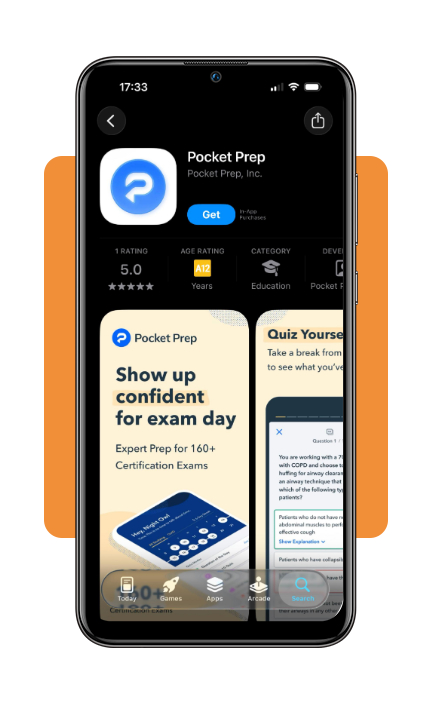
Step 1: select the PMP exam
First, download the PMP prep test on the App Store or Play Store. Now, open the app and create your account.
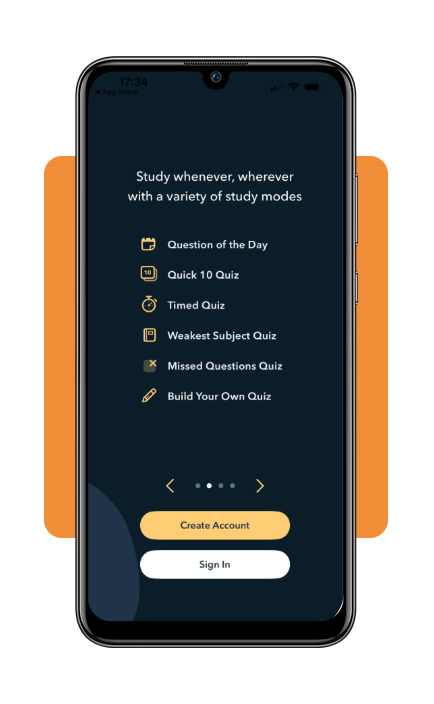
Step 2: create your account
On this screen, you can create your account or sign in if you already have one. Here, you can also check some of the available modes on the app.
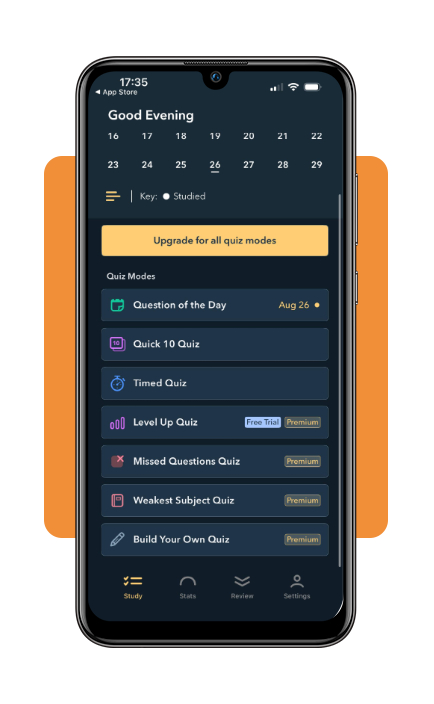
Step 3: choose a quiz
Once your account is created, you can select the type of quiz you wanna make and start it. Question of the day, Quick 10 Quiz, and Timed Quiz are all available on the free version.
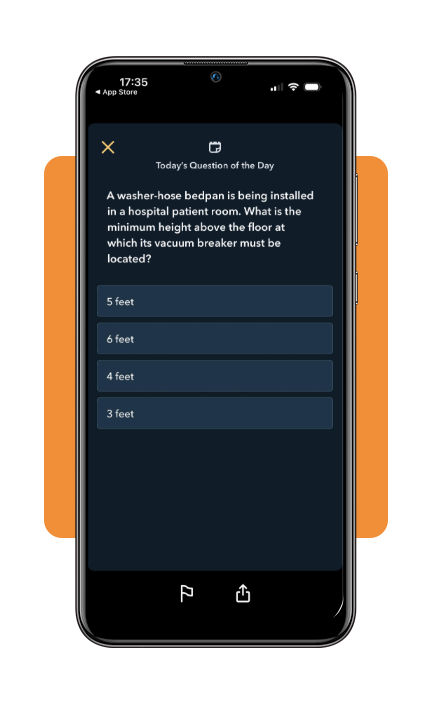
Step 4: today’s question of the day
Among the options, you can choose the ‘Today’s question of the day’. Each new day you will have a different question to answer, which creates a routine.
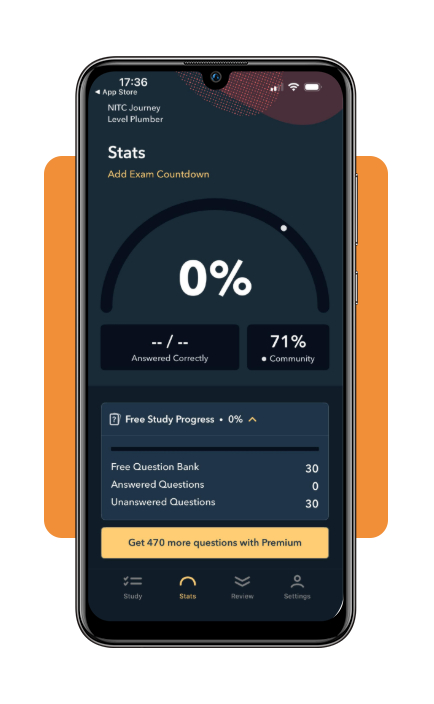
Step 5: check your stats
Once you finish some quizzes, you can check your stats.
Top project management software
Preparing for the PMP exam is one part of developing as a project manager, but the concepts behind planning, prioritization, collaboration, and progress get clearer when they are applied to real work.
For that, project management software gives teams a space to organize those responsibilities and follow projects from initial tasks through completion.
Still, there’s no right platform, and your choice will depend on how complex the work is and how much structure the team needs.
Trello
Firstly, Trello is a highly visual system that can be useful when the main goal is to understand where work stands without navigating through several menus.
This approach is perfect for smaller projects or teams that prefer to organize tasks by moving them through clear stages.
Trello uses Kanban-style boards built around lists and cards.
With that, tasks can be moved between columns as work progresses, while templates, filters, due dates, attachments, and automation rules add more structure when needed.
ClickUp
As project responsibilities expand, one platform may need to accommodate different ways of viewing the same workload.
A manager might want a board for daily execution, for example, while using a calendar or Gantt-style view to understand timing across a broader project.
ClickUp supports that flexibility through table, Gantt, calendar, list, and board views.
It also includes time tracking, checklists, collaboration features, attachments, and tools for creating project descriptions.
All these features can make ClickUp useful for project managers who want more functionality concentrated in a single workspace.
Best apps for project managers
Besides the management software, Insiderbits also prepared a list with apps for project managers.
Meetings, status checks, deadlines, and communication all continue while they move between teams or locations, and that’s why mobile access is useful.
Todoist
A project manager can easily accumulate dozens of small responsibilities that do not belong on a complex project board.
Consequently, some follow-ups after meetings, reminders to contact stakeholders, and personal deadlines still need a reliable place to live.
Todoist (iOS/Android) focuses on this simpler layer of task management.
With this app, users can organize work into projects, prioritize tasks, set deadlines, collaborate with others, and monitor progress.
It is also available across mobile and desktop platforms, making it particularly useful for capturing tasks quickly and keeping an individual workload synchronized throughout the day.
Notion
Well, fortunately, not every project-management problem is about deadlines, so we need apps that cover other topics besides that.
For example, teams also generate meeting notes, procedures, project documentation, decisions, and reference material that can be difficult to find when they are all scattered
But Notion (iOS/Android) brings those materials into a customizable workspace that combines documents with project organization.
It supports pages, wikis, tables, lists, and Kanban-style boards, allowing a project manager to maintain documentation while also tracking tasks and project information.
4.7/5
From exam practice to project work
A PMP prep test makes exam preparation organized by giving a way to practice questions, keep a study routine, identify weak areas, and build familiarity with the way scenarios are presented.
Then, that type of preparation will become even more useful when it connects with the tools project managers use in real situations.
Project management software and mobile apps reinforce habits around planning, communication, documentation, and progress tracking long after the exam is over.
The most important part is if PMP certification is part of a broader career move, consistent practice and practical experience should develop together.
Enjoyed this article? Save Insiderbits to your favorites and discover the most useful tech tips.