
Every parent knows how daycare is a major expense, and price is only part of the decision, but a daycare finder app also brings info about location, availability, age groups, schedule, and the type of care offered.
Winnie is built around that search. In this guide, Insiderbits will help parents explore nearby child care providers and narrow their options before contacting a center directly.

4.6/5
Which is the best daycare finder app for parents?
A daycare search is like when you’re planning a trip. All of a sudden, when you look, there are dozens of tabs open and repeated notes about price.
However, Winnie: Child Care (iOS) brings much of that initial research into just one platform, making it a useful daycare finder app to compare local options.
For this comparison, the platform lets you search by location and your child’s age, then compare nearby daycares, preschools, types of care offered, and other child care programs.
Once you have made your choice, the provider pages can include tuition information, photos, parent reviews, availability details, and current licensing status.
With all this information, parents can get more context than a basic list of centers near your ZIP code.
Another useful point is that Winnie (iOS) doesn’t stop at research and discovery.
Parents can contact providers through the platform and use the information available there to narrow the list before scheduling visits or asking questions about their programs.
Still, if you are looking to narrow your research, this article focuses on 28 must-ask questions when choosing a day care. Make sure you read it before making a decision.
Features available in the Winnie: Child Care platform
Once you open Winnie (iOS), you’ll see that it includes filters for location and age.
Also, there’s an interactive map, provider pricing, photos, licensing information, parent reviews, and details about individual programs.
If you prefer, there’s a Winnie website version that also shows licensing and inspection history for providers.
These features don’t replace visiting a daycare or speaking directly with the staff, but they can reduce a long list of possibilities to a smaller group worth investigating.
From there, the next step is checking each provider more closely before deciding where your child will spend the day.
One feature that Winnie won’t cover is babysitting your child. In order to do that, you can check some monitor apps that will help while you can’t find the best day care.
Step-by-step: how to find and vet licensed child care services near you
Winnie(iOS) is a daycare finder app that lets you compare licensed programs and review key details. Read the following steps to learn how to use it:
Step 1: search for child care near you
To begin with, download Winnie on the App Store. Winnie is only available for iOS devices, so if you don’t have one, you can access it on the official website page.
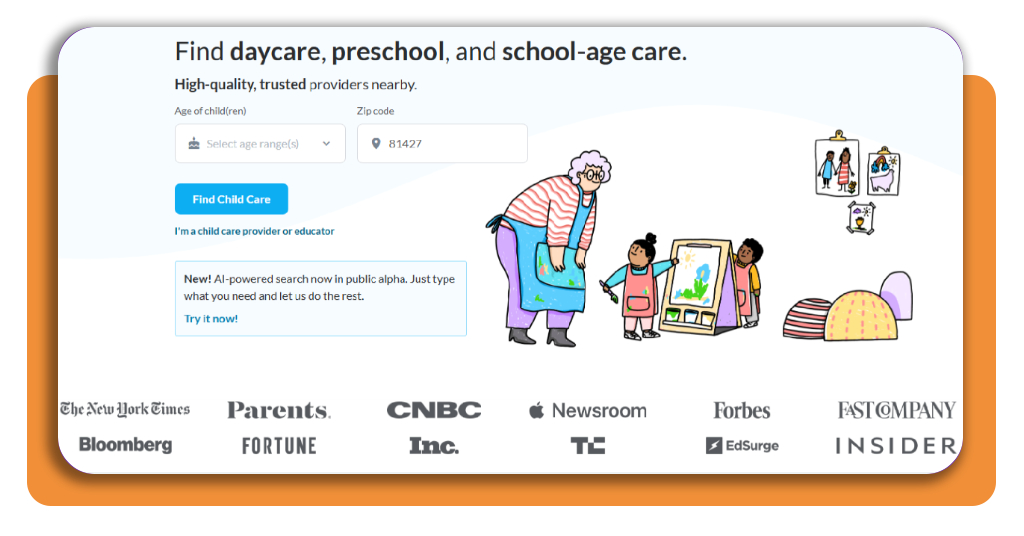
After that, enter your location and your child’s age to see nearby child care programs.
Step 2: narrow down the results
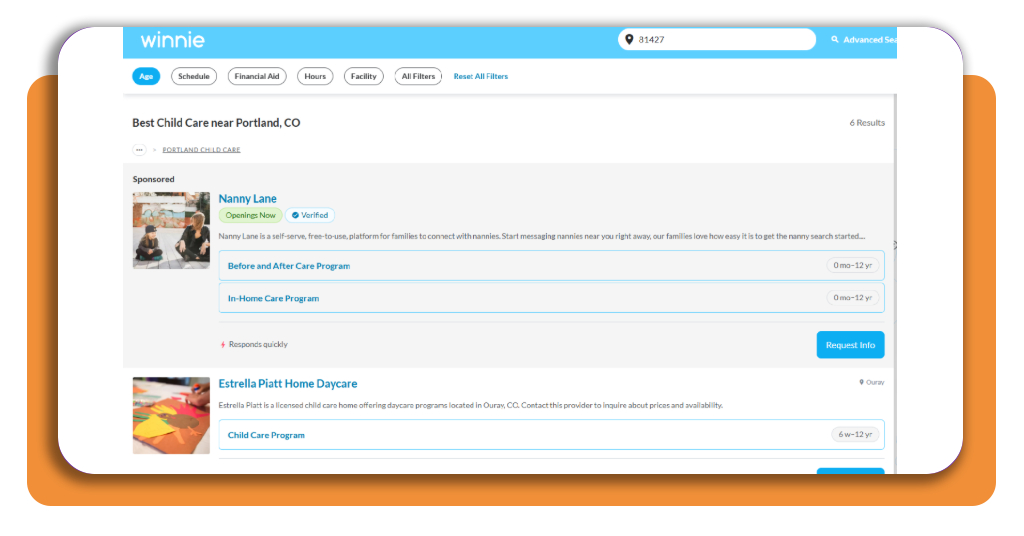
Now use the available filters and map to focus on programs that match your needs, including providers that currently have openings.
Step 3: open a provider profile
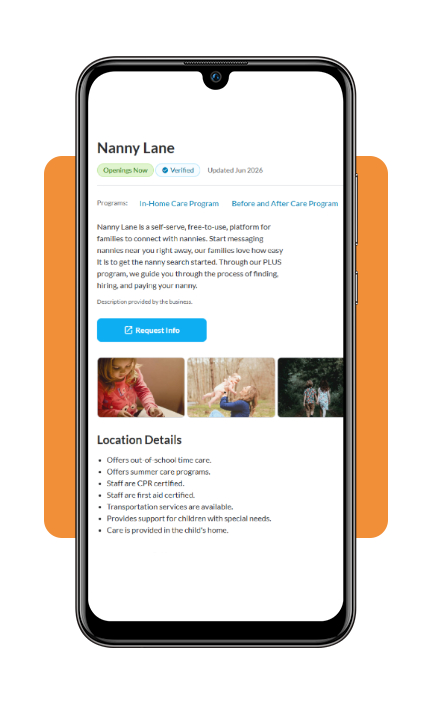
Then, choose a daycare to review all details about prices, photos, parent reviews, availability, and licensing information.
Step 4: contact the daycare
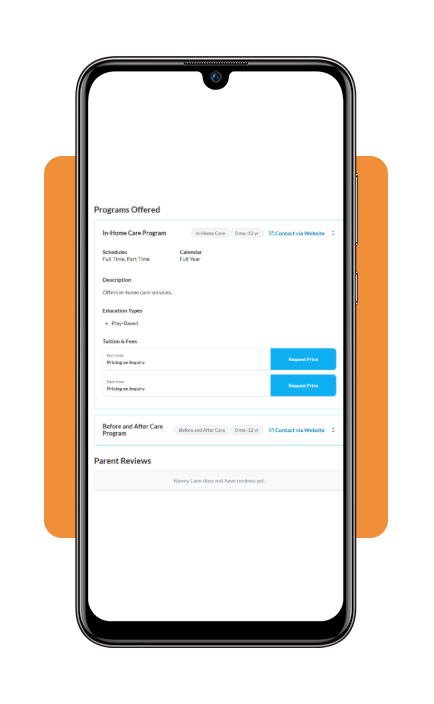
If you think the provider looks promising, contact them through Winnie to ask about current availability, tuition, visits, and any questions that were not answered on the profile.
Understanding daycare costs: average prices and financial aid options
Parents know that price can quickly narrow the list of daycare options, even after you find several providers that seem like a good fit.
In 2025, the national average annual price of child care reached $13,184, according to Child Care Aware of America, although actual costs vary based on different factors.
That difference matters when comparing providers through a daycare finder app.
Infant and toddler care, for example, is generally more expensive because younger children require more staff supervision.
Therefore, looking at the monthly cost alongside hours, meals, registration fees, and other charges gives a more realistic picture of what each option will cost.
In addition, families who need help paying for care can check their state’s child care financial assistance program.
These programs can reduce costs for eligible households. ChildCare.gov also lists other forms of support.
Some of these forms of support include Head Start and Early Head Start, the Child and Dependent Care Tax Credit, employer assistance, and programs available to military families.
However, eligibility and benefits vary, so the options should be checked according to the family’s location and circumstances.
Best financial planning tools to balance child care costs
Let’s say you finally know what daycare will cost each month after using the daycare finder app. Unfortunately, the work doesn’t stop here.
The next question is where that expense fits alongside rent, groceries, transportation, and everything else, and that’s why Insiderbits prepared this section covering a few financial planning tools.
Family Monthly Budget Template
A useful starting point is Child Care Aware of America’s Family Monthly Budget Template.
The name may sound complicated, but it is a free downloadable Excel spreadsheet that helps families review current monthly income and household expenses.
With that, parents can figure out how much they can afford to spend on child care.
Child and Dependent Care Credit
The Child and Dependent Care Credit is a program that can reduce federal income tax for families who pay for qualifying care so they can work or look for work.
For 2026, up to $3,000 of eligible expenses for one qualifying person or $6,000 for two or more can be considered when calculating the credit.
Dependent Care FSA
Lastly, the Dependent Care Flexible Spending Account (FSA) takes a different approach.
When an employer offers this benefit, employees can set aside part of their pay before taxes and use the money for eligible dependent care expenses.
And that includes child care needed while they work or look for work.
Since this benefit depends on the employer’s plan, it is worth checking with HR to see if it is available and which expenses qualify.
These benefits can reduce child care costs in different ways, so families should compare their tax situation and workplace options when deciding how each one fits into the budget.
4.6/5
Make child care easier to plan
Now you know Winnie (iOS), the daycare finder app that searches for local providers by bringing location, availability, pricing, reviews, and licensing details.
From there, parents can compare options and focus on the centers that best match their child’s needs and routine.
Still, cost keeps playing a major role in the final decision, which is why financial assistance and tax benefits deserve attention alongside the quality of care itself.
Looking at all of these factors together makes the search less overwhelming and helps families choose a daycare with a clearer sense of what they can realistically afford.
Enjoyed this article? Save Insiderbits to your favorites and discover the most useful tech tips.