
An app to learn to read in 30 days can provide a clear practice for adults who want to strengthen reading skills privately and at their own pace.
Learning Upgrade (iOS/Android) includes lessons in phonics, decoding, vocabulary, writing, listening, and other literacy areas, with activities built around songs, videos, games, and exercises.

3.2/5
Which is the best app to learn to read in 30 days?
Learning Upgrade (iOS/Android) is our recommendation as an app to learn to read in 30 days, being perfect for adults who want to build a daily reading routine from their phone.
Instead of promising complete literacy in a fixed period, the app provides lessons that can be used consistently over a monthly starting plan.
Its English courses cover phonics, decoding, vocabulary, grammar, writing, and listening.
The app begins with a placement test, which gives learners a clearer starting point before moving through the available lessons.
Learning Upgrade (iOS/Android) also uses songs, videos, games, and practice exercises throughout the curriculum.
Lessons can be repeated when a topic needs more work, and the platform provides immediate feedback during practice.
In addition, the app is available on Android, iPhone, and iPad. It is free to download, although additional access is offered through in-app purchases.
Key features within Learning Upgrade
The platform has more than 1,000 lessons across English, math, GED and HiSET preparation, digital literacy, financial literacy, workplace skills, and other subjects.
For someone who’s looking for an app to learn to read in 30 days, the English Upgrade courses are the most relevant place to begin.
Then, phonics and decoding lessons focus on the connection between written letters and spoken sounds.
Meanwhile, vocabulary and grammar activities expand the skills needed to understand complete sentences and passages.
Learners also receive practice exercises with immediate feedback and multimedia support. If a lesson remains difficult, it can be repeated until the material feels more familiar.
Learning Upgrade (iOS/Android) reports more than 3 million enrolled students and is also used by schools and organizations supporting learners with reading difficulties.
Step-by-step: how to start learning to read and practice daily lessons
Learning Upgrade (iOS/Android) is an app to learn to read in 30 days that offers adult learners a place to begin with reading practice.
The app uses a placement test and guided English lessons, so you do not need to choose a starting level on your own. Follow these steps to create a simple daily routine:
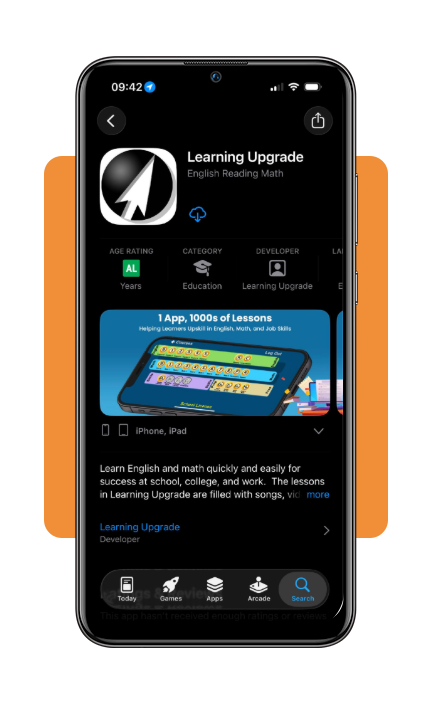
Step 1: download Learning Upgrade
Install Learning Upgrade (iOS/Android) on your phone or tablet and create a learner account.
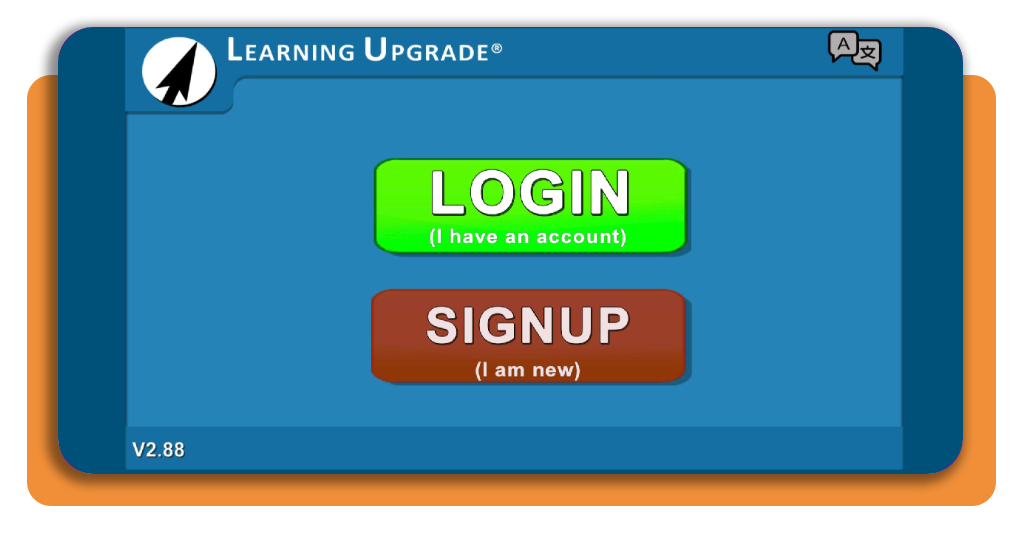
Step 2: create your account
On the first page, you will need to login or signup to the app.
Step 3: open the English Upgrade course
Choose the English course and begin with the lessons assigned to your level.
The activities cover areas such as phonics, decoding, vocabulary, grammar, writing, and listening.
Step 4: complete a few lessons each day
Set aside a short period every day and work through a manageable number of activities.
Over a 30-day period, regular practice matters more than trying to complete many lessons in one sitting.
If you want additional literacy resources beyond the app, ProLiteracy also highlights digital tools for adult learners that can supplement your practice.
Top national adult education programs
Adult education in the U.S. covers several paths, from basic reading and writing support to high school equivalency and career training.
The best option depends on whether the learner needs foundational literacy, English instruction, or a formal credential. Nibble
Adult Basic Education programs
Adult Basic Education, or ABE, focuses on foundational skills: reading, writing, math, and basic computer use.
These programs are especially relevant for adults who want more structured support than an app alone provides.
Community colleges and local education providers frequently offer ABE classes, sometimes at low cost or free. Schedules and enrollment requirements vary by location.
GED and HiSET preparation
Adults who did not complete high school may also consider GED or HiSET preparation.
These programs prepare learners for high school equivalency exams and usually cover reading, writing, math, science, and social studies.
This route is more formal than daily literacy practice because the goal is an academic credential rather than reading improvement alone.
ESL and English language programs
For adults who are learning English as another language, ESL or ESOL programs provide language and literacy instruction together.
Community colleges are a common source of these courses, along with adult education centers that offer English language acquisition and basic skills classes.
If you want to compare additional routes, this Insiderbits guide to adult literacy programs explores more options for adults looking to strengthen reading and writing skills.
Best options for building daily study habits
A reading app to learn to read in 30 days works better if practice becomes part of a regular routine.
The goal is to make study predictable enough that it fits into the day without turning into a long or exhausting session.
One simple way to do it is to choose a fixed time each day to study and repeat the same study window.
That reduces the need to decide when to practice and makes the routine easier to maintain.
Each session should also have one focus. You might work on phonics one day, vocabulary on another, or spend a short period reading and answering comprehension questions.
Additionally, reading aloud, repeating difficult lessons, answering questions, and checking mistakes gives more important feedback than simply reviewing the same material again.
At the end of each session, note which words, sounds, or activities still feel difficult.
Then, returning to those areas during the next lesson creates continuity and keeps weak points from being ignored.
3.2/5
Keep the first 30 days focused on progress
An app to learn to read in 30 days gives adult learners a clear starting structure, but steady practice matters more than trying to reach a fixed result by a deadline.
Learning Upgrade (iOS/Android) is an app that works best as part of a routine that offers short lessons and regular review of difficult skills.
Meanwhile, some of the adult education programs we listed above add more support when independent study is not enough.
The first month of studying is important for building habits, identifying weak areas, creating a study plan, and achieving the first goals. After that, all you need is to keep this pace.
Enjoyed this article? Save Insiderbits to your favorites and discover the most useful tech tips.