Coursera (iOS/Android) helps adults turn broad technology gaps into specific skills they can practice one at a time by working as a digital skills coach.
Discover some beginner-friendly courses covering computer basics, office productivity software, internet use, IT fundamentals, and other skills that increasingly appear in modern workplaces.

4.8/5
Which is the digital skills coach app for adults to master modern technology?
Coursera (iOS/Android) is a good fit for adults who want an organized way to improve their digital skills, even without being literally a digital skills coach.
The platform offers beginner-friendly courses in computer basics, file management, spreadsheets, presentations, email, internet use, cybersecurity, IT, and general technologies.
Our recommendation for a starting point is Coursera’s Digital Literacy: Introduction to Using Computers.
This course covers how a computer works, organizing files, creating documents and spreadsheets, browsing the web, managing email, and staying safe online.
The course is designed for people who are new to computers or want to build more confidence using them.
The advantage of Coursera (iOS/Android) is that learners begin with basic digital literacy and then move into specialized areas.
That makes it suitable for adults who need both foundational skills and a longer path toward more technical training.
Coursera: Grow your career
Key features within the Coursera mobile platform
The Coursera app (iOS/Android) supports flexible, on-demand learning across thousands of courses, certificate programs, hands-on projects, and degree programs.
Also, course progress, quizzes, tests, and projects remain synchronized between desktop and mobile devices, so learners are not limited to studying in one place.
For mobile study, the app also supports downloadable videos for offline viewing, audio-only content in supported courses, mobile-friendly lessons, and subtitles in multiple languages.
These features make it really practical for adults fitting study around work or family responsibilities.
Coursera (iOS/Android) also includes Professional Certificates and Specializations for learners who want to progress from basic digital literacy into job-focused skills.
Lastly, we need to mention that availability, pricing, certificates, and access conditions vary by course, so you should review the enrollment options for the specific program you choose.
Step-by-step: how to assess your tech level and build modern digital skills
Coursera can be used to identify weak areas and build a study path around the digital skills you actually need.
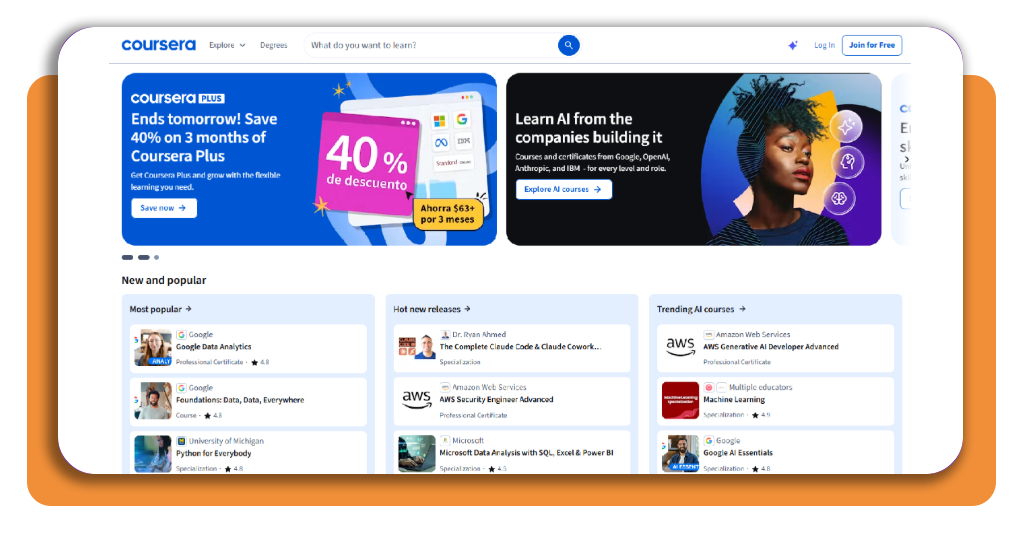
Step 1: access Coursera
Firstly, you need to download Coursera (iOS/Android) for your phone or access its official website. Once there, you can create your account or sign up if you already have one.
Step 2: choose the right course
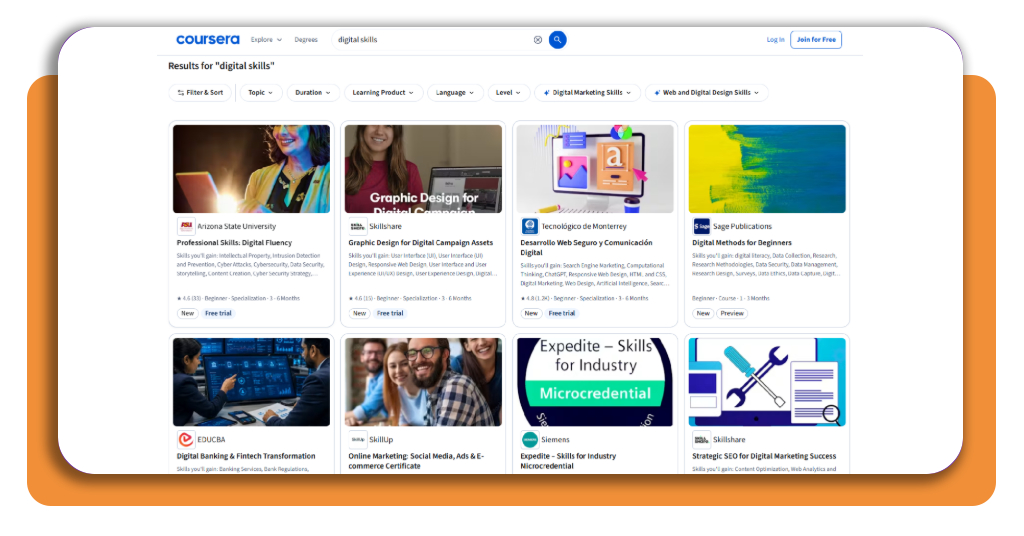
Search on Coursera for digital skills. Then, among the options, check the course level, modules, and recommended experience.
Step 3: complete the exercises
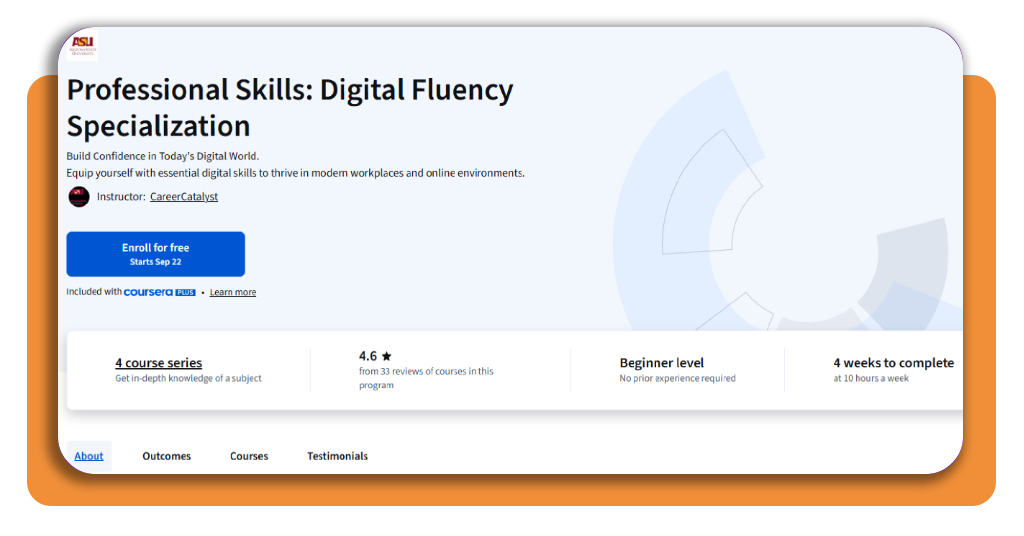
Once you choose one, you can click on ‘Enroll for free’. Don’t forget to read all the details and reviews. After that, use quizzes and assignments to find the topics that are still difficult.
Step 4: move into job-focused skills
Once the basics are comfortable, you can continue with courses in areas such as spreadsheets, IT support, cybersecurity, data analysis, or digital communication.
Top professional tech bootcamps
Some bootcamps can make sense once basic digital literacy is no longer the main problem and the goal shifts toward a specific tech career.
Course Report’s 2026 guide includes established programs, but Springboard and TripleTen stand out as two options for adults who want online training.
Springboard
Springboard offers Career Tracks in software engineering, data analytics, data science, cybersecurity, UX/UI design, and tech sales.
Its programs are online and join organized coursework with mentor support, projects, and career-focused training.
Some tracks have prerequisites or admission assessments, so it is better suited to learners who already have at least a basic level of digital confidence.
For someone who started with Coursera as a digital skills coach, Springboard can represent a later step toward more specialized professional training.
TripleTen
Meanwhile, TripleTen offers part-time programs in AI Software Engineering, Cybersecurity, Data Analytics, Quality Assurance, and AI Automation.
Current entry-level programs generally run for about four to seven months and are designed to fit around other responsibilities.
The platform is relevant for career changers because several entry-level tracks are designed for people without prior tech experience.
The curriculum then moves beyond basic computer use into practical, job-oriented technical skills.
Best productivity devices for digital learners
Productivity tools can help adult learners organize study time and keep course materials easier to manage.
CareScribe highlights several apps designed for those tasks. Check two of them:
Todoist
Todoist is useful for learners who need a simple system for managing study tasks.
It supports projects, due dates, labels, subtasks, and recurring tasks, so a learner can break a Coursera course into smaller weekly goals.
For someone using Coursera (iOS/Android) as a digital skills coach, Todoist supports regular practice by separating assignments and real-world exercises into clear tasks.
Notion
Notion is an AI better suited to learners who want one place for notes, study plans, project tracking, and saved resources.
It can be better used once learning becomes more complex, since course notes, practice projects, deadlines, and career goals can all be organized inside the same workspace.
4.8/5
Keep building your digital confidence
Using Coursera (iOS/Android) as a digital skills coach turns broad technology gaps into a learning path, starting with computer skills and progressing toward specialized areas.
Free community-based training is also available outside major learning platforms.
In Arizona, for example, the Institute for Digital Inclusion Acceleration offers free digital-skills and workforce training with pathways ranging from basic digitals to IT and data analytics.
If you want to continue expanding your skills, read this Insiderbits’ guide to fast-track courses for learning new skills that can help you explore additional training options.
Enjoyed this article? Save Insiderbits to your favorites and discover the most useful tech tips.