
Remote customer service jobs can include some roles that can be performed from home, and ZipRecruiter (iOS/Android) gives job seekers a way to search for these openings.
This guide explains how to search for remote customer service roles, check if the schedule and location requirements fit your situation, and prepare a resume for online applications.

4.9/5
Which is the best app to find flexible customer service jobs from home?
ZipRecruiter (iOS/Android) is our recommendation for finding remote customer service jobs.
This app integrates a large job database with mobile search, personalized recommendations, alerts, and quick applications.
Then, job seekers can search through terms like ‘remote customer service,’ ‘work from home customer support,’ or ‘flex schedule customer service.’
After that, all they would need is review each listing for location and schedule requirements.
ZipRecruiter (iOS/Android) lists remote customer service positions with different arrangements, including full-time, part-time, contract, and flexible-schedule roles.
However, the term “remote” does not necessarily mean that employees choose their own hours, so the schedule section of each job posting should be checked carefully.
Key features within the ZipRecruiter mobile platform
As we mentioned, the main aspect of ZipRecruiter (iOS/Android) is that it lets users search more than 100 job boards.
Besides that, it is also possible to save jobs and searches, upload a resume, and receive daily recommendations based on their preferred titles and locations.
Job alerts is another main feature, and they help to notify users when new openings match their search criteria.
For supported listings, a one-tap apply lets candidates submit applications directly from their phone.
And lastly, ZipRecruit (iOS/Android) notifies users when an employer views their application, making it easier to keep track of active opportunities without checking each listing all the time.
Step-by-step: how to find and apply for remote customer service roles
ZipRecruiter can be used to search specifically for remote customer service jobs and apply directly from your phone.
The key is to narrow the search carefully so you do not confuse remote work with flexible scheduling. Check how to do it:
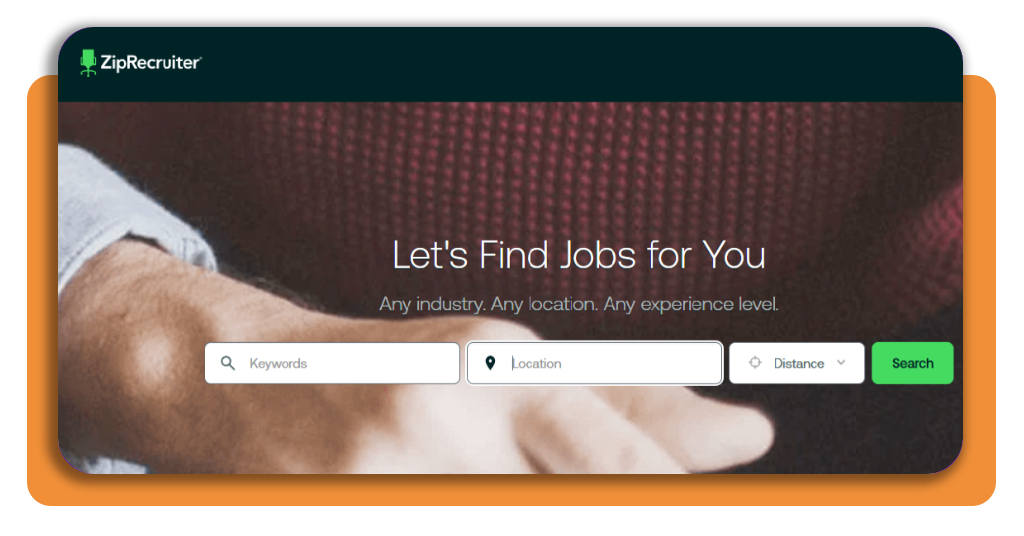
Step 1: access ZipRecruiter
To begin the whole process, you need to download ZipRecruiter (iOS/Android) or access its official website.
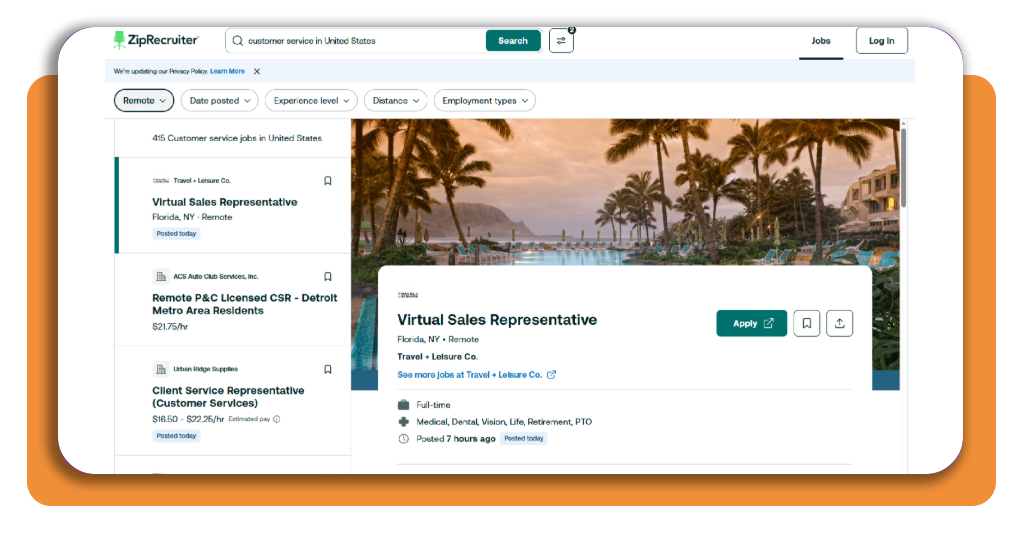
Step 2: search for the right job title
Now, you can search for “customer service” as a keyword, set your location, and filter the remote opportunities.
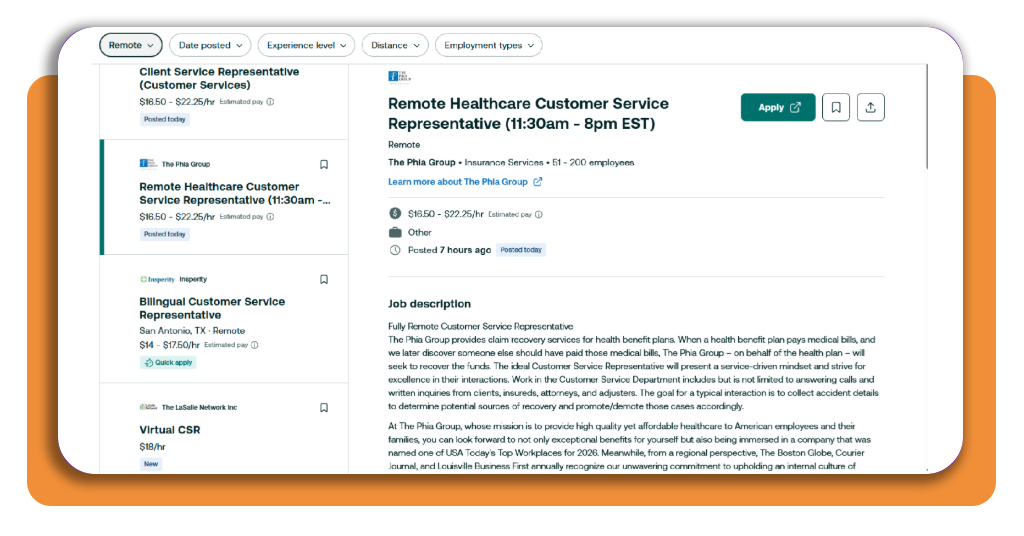
Step 3: check the schedule and location rules
Choose a job opening to read the job description and confirm if the role is fully remote, restricted to certain states, full-time, part-time, or tied to specific shifts.
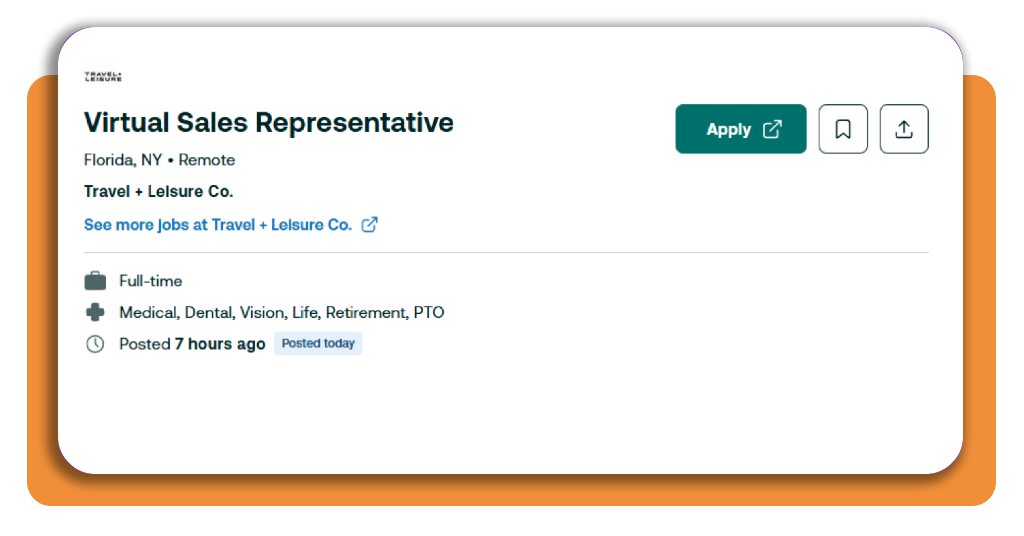
Step 4: apply from your phone
Click on “Apply” to start your application. Sometimes you will need to go to the job official website instead of completing the process from ZipRecruiter.
Step 5: track your applications
Use ZipRecruiter (iOS/Android) to review jobs you have applied to and watch for notifications when an employer views your application.
Best online customer support certifications
Online certifications are a good way to reinforce the skills employers look for in customer service jobs.
A good tip is paying attention to communication, problem-solving, conflict resolution, CRM use, and call center support certifications.
CVS Health Call Center Customer Service Professional Certificate
The CVS Health Call Center Customer Service Professional Certificate is designed for people preparing specifically for call-center and customer support roles.
It is a four-course, beginner-level program that covers positive customer interactions, conflict de-escalation, problem-solving, and the day-to-day responsibilities of call center work.
Coursera, for example, estimates about two months of study at 10 hours per week, and no previous experience is required.
That makes it a good choice for someone applying to entry-level remote support positions and wanting structured training before interviews.
Microsoft Customer Service (with AI) Professional Certificate
The Microsoft Customer Service (with AI) Professional Certificate on Coursera takes a more technology-focused approach.
Its seven-course program covers customer relationship management, complaint resolution, service operations, Power BI, AI-assisted customer engagement, and the use of data to improve support decisions.
The program is beginner level and currently estimates about four weeks of study at 10 hours per week.
It also includes applied projects and a capstone, so it may be relevant for people targeting modern support teams that use CRM systems, analytics, automation, and AI tools.
Best resume-building tools
A resume builder is important for remote customer service jobs since employers scan applications for communication skills, support experience, software knowledge, and measurable results.
Check these two options below that approach resume preparation in different ways:
Kickresume
Kickresume combines ready-made resume templates with AI writing tools, pre-written phrases, resume examples, and an ATS Resume Checker.
WIth that, users can build a resume from scratch, import an existing one, or generate content based on the job title they are targeting.
Its free plan makes available four basic resume templates, unlimited downloads using free customization options, and access to thousands of pre-written phrases and examples.
Nevertheless, the premium version adds more templates, AI tools, resume tailoring, and additional optimization features.
For a customer support applicant, the best feature is the ability to tailor descriptions around skills instead of sending the same generic resume to every employer.
Teal
Teal combines resume building with job-search organization.
Its tools include a job application tracker, a Chrome extension that can save job openings, resume scoring, and features for tailoring resume content to specific positions.
The free version supports unlimited resumes and downloads, while some keyword-matching and AI writing features have usage limits unless the user upgrades.
4.9/5
Turn your search into a realistic remote-work plan
Finding remote customer service jobs is easier if you narrow results by schedule, location, and experience, and ZipRecruiter (iOS/Android) handles that search and application process from a phone.
Besides using the app, it can also help to compare openings across more specialized remote-work boards.
Remote.co’s customer service listings regularly feature support roles with different schedules, employers, and location requirements.
Then, if you are still building your U.S. job search strategy, this Insiderbits’ guide to jobs for immigrants covers additional resources for finding employment opportunities.
Enjoyed this article? Save Insiderbits to your favorites and discover the most useful tech tips.