If you don’t know, a privacy app reduces how much information advertising and analytics companies collect while you browse the web.
DuckDuckGo (iOS/Android) blocks most known third-party trackers before they load and adds protections against tracking cookies and other common forms of monitoring. Let’s explore it below.

4.8/5
Which is the best free privacy app to stop sites from tracking you?
Today, we will explore DuckDuckGo (iOS/Android), a privacy app that works as a free option for people who want more privacy without configuring several separate tools.
Its browser blocks third-party trackers before they load and adds protection against tracking cookies, fingerprinting, link tracking, and other techniques used to follow activity across websites.
If you’re interested, the browser itself is available for both iPhone and Android, and we will explain in detail how to use the app below.
Still, DuckDuckGo (iOS/Android) doesn’t make users anonymous online, and there’s no browser that can eliminate every form of tracking.
Its value as a privacy app comes from reducing the amount of third-party tracking that happens all the time while you browse.
Key features within the DuckDuckGo Private Browser
The main feature is the 3rd-Party Tracker Loading Protection that blocks trackers before they load, limiting the information those companies receive from the browsing request.
The privacy app also includes Cookie Protection, Fingerprinting Protection, Link Tracking Protection, and Global Privacy Control.
All of these address different ways companies can identify users or follow activity between sites.
For Android users, they get an additional feature called App Tracking Protection.
This aspect, when enabled, blocks tracking requests made by other apps on the phone.
That happens even when those apps are not actively being used. It works locally on the device and is not the same as a traditional VPN.
These protections make DuckDuckGo (iOS/Android) valuable for users who want stronger privacy with relatively little setup while still keeping normal web browsing familiar.
Step-by-step: how to block web trackers and protect your browsing privacy on your phone
Check these steps below to protect your browsing privacy with DuckDuckGo (iOS/Android):
Step 1: open DuckDuckGo Private Browser
To begin with, download DuckDuckGo (iOS/Android) and launch the app. After installing, you will need to follow a few prompts to use it instead of your regular browser.
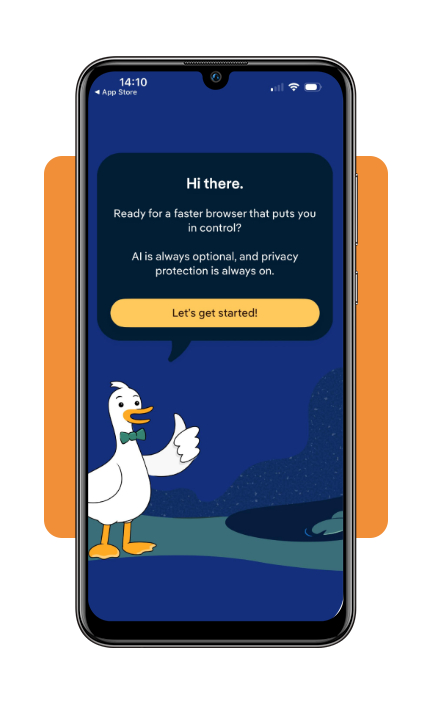
Step 2: choose your browser
After opening the app, you click on ‘Let’s get started’, and then you will see some of the protections and choose your browser.
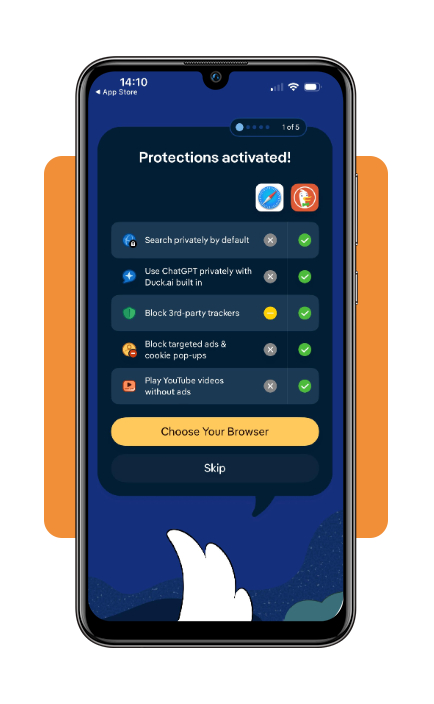
Step 3: browse normally
After answering a few questions, the privacy app will show you how the browser works.
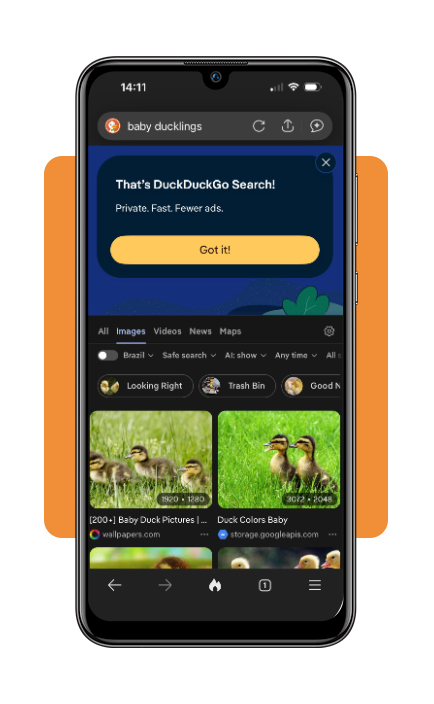
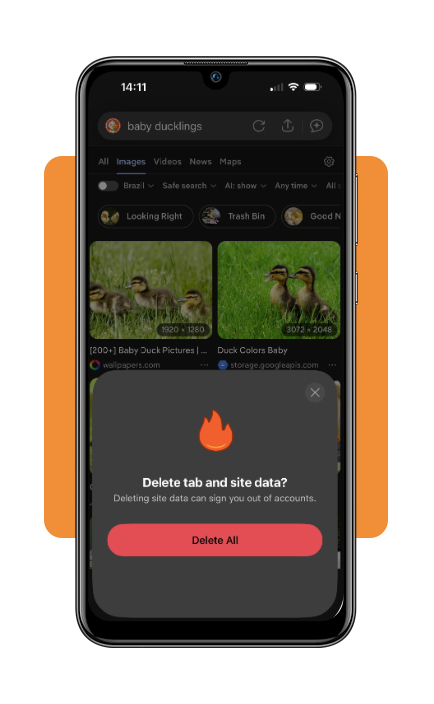
Step 4: clear browsing data with the Fire Button
Tap the ‘Fire’ button when you want to remove browsing data. On mobile, you can delete data from the current tab or from all open tabs.
Top secure VPN services and private web browsers
As you probably know, VPNs and private browsers can work together, but they address different parts of online privacy.
A VPN encrypts internet traffic and masks the device’s public IP address, while a privacy-focused browser concentrates on reducing different forms of web profiling.
Proton VPN
Firstly, Proton VPN is a platform that offers a free plan with no data limits, no ads, and a no-logs policy.
It encrypts the device’s connection and masks the public IP address, adding protection that a browser-based privacy app alone does not provide.
The free plan supports one device at a time and connects users to available free servers.
On the other hand, the paid plans add a wider server selection, support for more devices, and additional privacy features.
Brave Browser
The second option we list is Brave, a privacy-focused browser with built-in Shields. This browser is known for blocking many ads and trackers without requiring separate extensions.
It also has fingerprinting defenses, HTTPS upgrades, and controls for site permissions.
CloudSEK highlights Brave for its default protections and availability across Windows, macOS, Linux, Android, and iOS.
Brave can be a good alternative for users who want stronger browser privacy while keeping a familiar experience.
Best identity theft protection tools
The privacy app will reduce online tracking, but identity theft protection goes further by monitoring personal information and will signal if someone is using your identity.
Security.org’s current 2026 comparison highlights several dedicated services for this broader type of protection.
LifeLock
LifeLock monitors identity, credit, financial accounts, and dark web activity, with higher-tier plans also covering all three credit bureaus and investment accounts.
Its top plan includes up to $3 million in total identity theft insurance coverage across stolen funds, personal expenses, and legal fees.
LifeLock also integrates with Norton 360 on eligible plans, adding device-security features alongside identity monitoring.
This makes it more comprehensive than a browser-based privacy tool, although the exact protections depend on the subscription selected.
Aura
Aura combines identity and credit monitoring with several cybersecurity tools.
Its plans include monitoring across all three major credit bureaus, while additional features include antivirus, a VPN, password management, data-broker removal, and fraud support.
Aura is really relevant for users who want identity monitoring and everyday digital security tools under the same subscription.
As with LifeLock, it is a paid service, so users should compare the plan features and pricing with the risks they actually want covered.
4.8/5
Take control of what follows you online
Using a privacy app like DuckDuckGo (iOS/Android) will reduce tracking without requiring complicated settings.
Its browser protections cover third-party trackers, cookies, and fingerprinting techniques, while VPNs and identity monitoring services address different privacy risks.
For an extra layer of browser protection, the Electronic Frontier Foundation’s Privacy Badger blocks trackers through a browser extension.
Privacy also depends on how securely accounts are protected, and this Insiderbits’ article about choosing a secure password manager explains another way to strengthen account security.
Enjoyed this article? Save Insiderbits to your favorites and discover the most useful tech tips.