
Reading and writing can positively affect work opportunities, and the fast literacy practice through a mobile app makes learning more accessible with short lessons that fit into routine.
Read and Count brings activities for reading, writing, phonics, numbers, and basic learning skills on a phone, so read this article by Insiderbits to learn how to use the app.

4.8/5
Read and Count: app for fast literacy to learn to read and write
The first stages of literacy depend on repeated contact with letters, sounds, syllables, and simple words.
That’s why we highlight Read and Count (iOS/Android). This app brings these basics in a mobile format, making it useful for fast literacy practice at home or alongside other learning activities.
Since we’re talking about literacy, the app is primarily designed for children beginning preschool learning.
It covers the complete alphabet, vowels and consonants, syllables, numbers, and more than 200 words, with activities that ask learners to recognize, read, write, and organize letters and words.
What makes Read and Count (iOS/Android) fun for children is that the app mixes literacy with numbers, shapes, colors, animals, and other familiar subjects.
App features that help you learn to read and write
When it comes to the alphabet section, this learning combines illustrated letters with pronunciation and writing activities.
All while separate exercises introduce uppercase and lowercase letters, vowels, consonants, and syllables.
Also, learners can use the word section to practice reading and writing individual words and complete short identification quizzes.
There are random activities that add another way to revisit the material without always following the same order as well.
And then, if used consistently, these features support regular literacy practice, although progress will depend on the learner’s starting level and how often the app is used.
Step-by-step: how to download and use the literacy app
Read and Count organizes its activities into simple learning categories, so you can start with letters and words and then move through different exercises at your own pace.
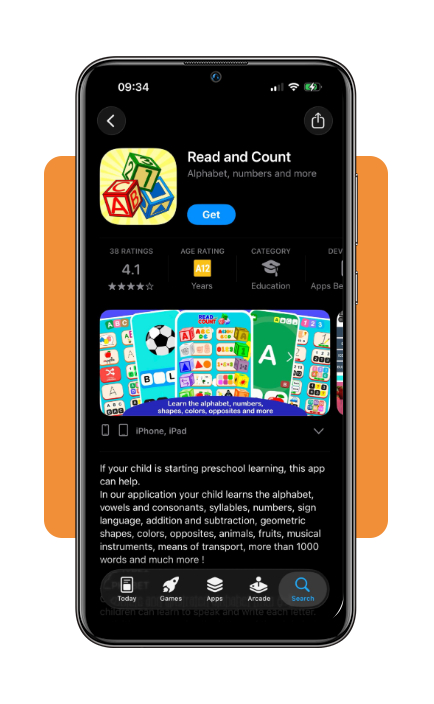
Step 1: download Read and Count
Download Read and Count on the App Store or Google Play, and install the app on your phone.
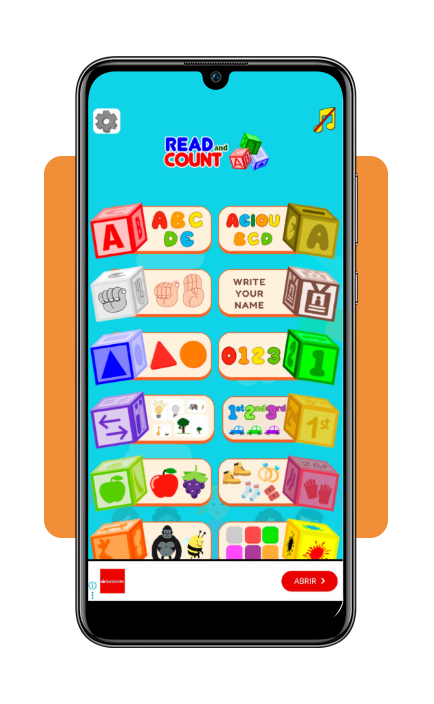
Step 2: choose a learning category
Now, open the app and select a section among learning the alphabet, writing your name, geography shapes, animal names, fruit names, flags, and more.
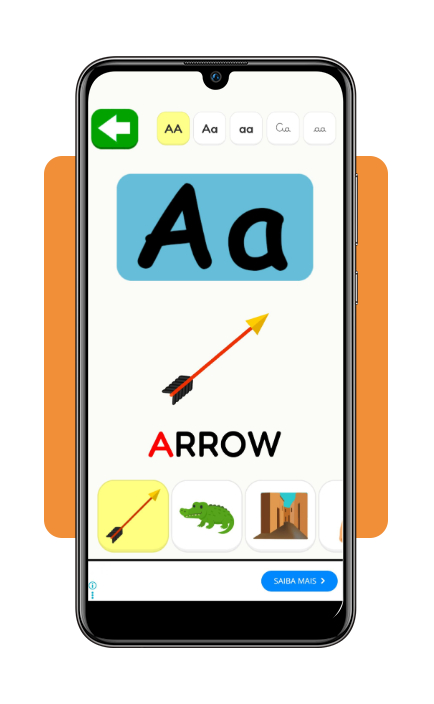
Step 3: start a reading or writing activity
Choose an exercise and follow the prompts to recognize letters, write them, form syllables, or read simple words.
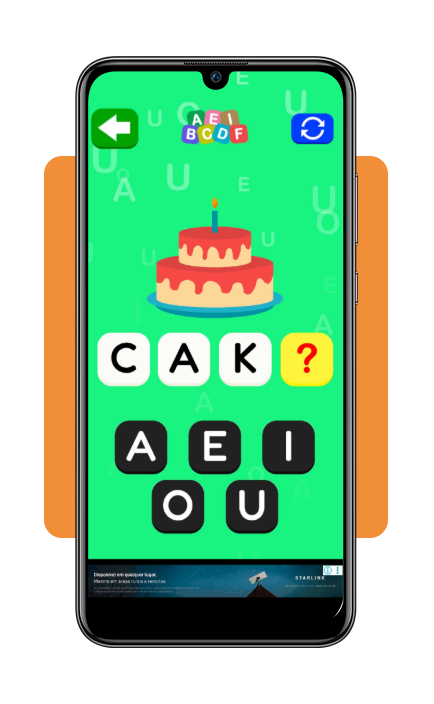
Step 4: try the word exercises
Open the words section to practice reading and writing vocabulary or complete the short word quiz.
Mobile lessons for reading, writing, and phonics
Read and Count (iOS/Android) divides fast literacy practice into small activities. With that, the learner can move from recognizing letters and their sounds to syllables and simple words.
Then, reading activities introduce vocabulary through illustrated words and letter recognition, while writing exercises encourage learners to reproduce letters and words on the screen.
Phonics practice reinforces the relationship between letters, sounds, vowels, consonants, and syllables, connecting what the learner sees with what they hear.
The app also mixes these lessons with quizzes and other activities, so the same concepts appear in different formats rather than through repetition alone.
Estimated 30-day course duration and skill progress
Thirty days can work as a timeframe for building a consistent fast literacy routine.
Literacy challenges remain common in the U.S., which makes some apps for regular reading and writing practice really relevant.
However, Read and Count (iOS/Android) doesn’t present itself as a fixed 30-day course or guarantee that a learner will master reading and writing within that period.
It is worth noting that progress depends on the starting level and frequency of practice.
A simple progression could dedicate the first days to the alphabet and letter recognition, then move into vowels, consonants, and syllables.
As these concepts get more familiar, the learner can spend more time on the app’s word activities.
By the end of the month, the goal should be noticeable improvement by reading or writing familiar words.
Those are useful signs that the daily practice is working and can guide what to study next.
Tips to practice 15 minutes daily on your phone
Sometimes a short daily session can be more useful than an occasional long lesson for fast literacy.
In some cases, just fifteen minutes is enough time to focus on one skill and return the next day without making practice feel overwhelming.
The important thing is not trying to cover everything at once; choose one focus for each session.
If the exercises are easy, you move on, while difficult activities are worth repeating.
Alongside this, reading words aloud can reinforce the connection between what the learner sees and hears.
Keeping the same study time each day can also make fast literacy practice easier to maintain.
Every few days, return to older activities and compare what feels easier now. The goal is to build a steady routine that makes progress easier to notice.
Is it possible to get a loan without knowing how to read and write?
Limited reading or writing skills don’t automatically prevent someone from applying for a loan.
Usually, lenders will evaluate income, debt, credit history, and the applicant’s ability to meet the terms of the credit.
If a person doesn’t know how to read and write, the challenge is understanding the agreement before accepting it.
That’s because loan documents contain important information about interest, payments, fees, and other conditions.
Therefore, an applicant who has difficulty reading should ask the lender for assistance and avoid signing anything that is not clear.
Nevertheless, support from the lender or a trusted person can make the process easier, but the borrower should still understand the financial commitment being made.
If reading financial forms is difficult, a free reading test can also identify which literacy skills need more practice before handling these documents independently.
4.8/5
What matters most after 30 days?
As you can see, a fast literacy routine can make reading and writing practice easier to fit into everyday life.
With the app Read and Count (iOS/Android) , users get short activities for letters, phonics, syllables, and words, while a routine of 15-minute schedules can help reinforce those skills.
A 30-day timeframe should be viewed as a starting period rather than a guaranteed finish line.
That’s because progress varies, but with regular practice and concrete goals, you can create a stronger foundation for reading, writing, and handling tasks with more confidence.
Enjoyed this article? Save Insiderbits to your favorites and discover the most useful tech tips.