
Losing important paperwork during a sudden move or an urgent background check can leave you scrambling for a copy of a birth certificate at the worst possible moment.
VitalChek offers a secure path to that document, and this Insiderbits guide covers the requirements, ordering steps, and ways to protect your identity long after delivery. Read on!
Related: 10 Places for Having Birthday Free Meals
Where to request an official copy of a birth certificate online?
Employers ask for original documents, passport offices demand certified copies, and schools require proof of birth before you expect any of these requests to land on your desk.
VitalChek turns that struggle into an actual process, linking your request to the government agency responsible for issuing a copy of a birth certificate tied to your name.
That connection keeps your personal information inside a system built for vital records, so it never passes through random processors who have no accountability to any government body.
Secure government-authorized ordering via VitalChek
This service holds authorization from vital records offices nationwide, so your request travels through routes those offices already trust instead of unfamiliar companies.
Every order runs through identity verification steps built into the platform, and those checks apply the same way whether you’re requesting your own record or someone else’s certificate.
Transparent pricing with no hidden fees
Pricing breaks down into three separate parts covering the agency fee, the processing fee, and your shipping costs, giving you a full picture of exactly what you owe.
You’ll see the total price for your copy of a birth certificate before you submit anything, and that number stays fixed once processing and shipping steps get underway.
Nationwide coverage across hundreds of agencies
VitalChek partners with hundreds of agencies spanning all fifty states along with several territories, matching your request to the correct office no matter where your birth took place.
That reach means you can request a record tied to a birth that happened in a different state from where you live now, without contacting multiple offices yourself.
Step-by-step: how to safely order your certified copy online
Sitting down to request vital records without any real guidance can leave you feeling unsure which page actually starts your application and which fields matter most for approval.
VitalChek breaks that confusion by walking you through a fixed sequence of screens, so requesting a copy of a birth certificate follows one path from start to finish.
Each screen handles one specific task, covering your identity, your payment details, and your delivery preferences before your request reaches the government agency for review.
Step 1: access the VitalChek website
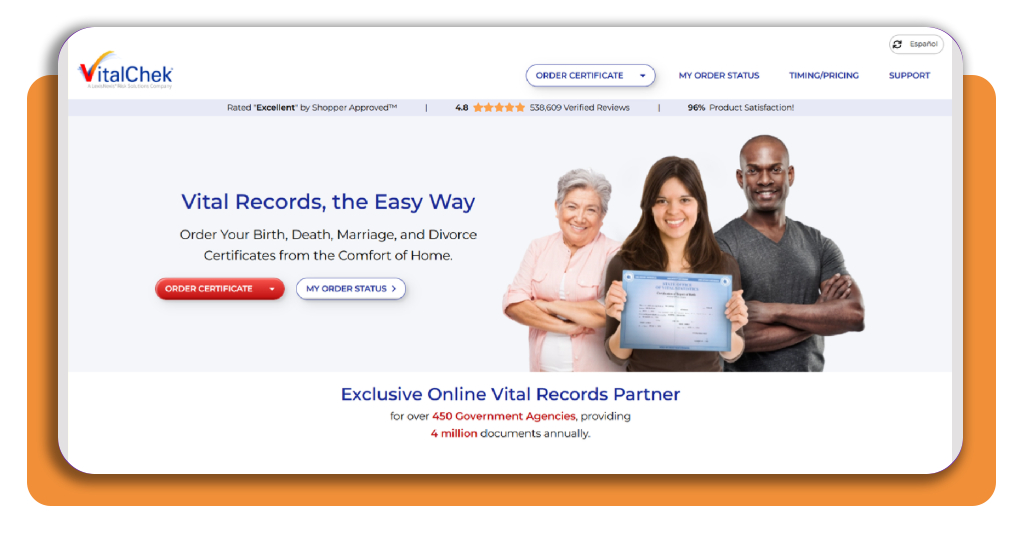
Open the VitalChek homepage on your browser and look for the ‘Order certificate’ red button next to ‘my order status’ at the center of your screen.
Click that button and select ‘Birth certificates’, and you land on a page introducing the ordering process, including what you need before starting the process.
Step 2: complete your application
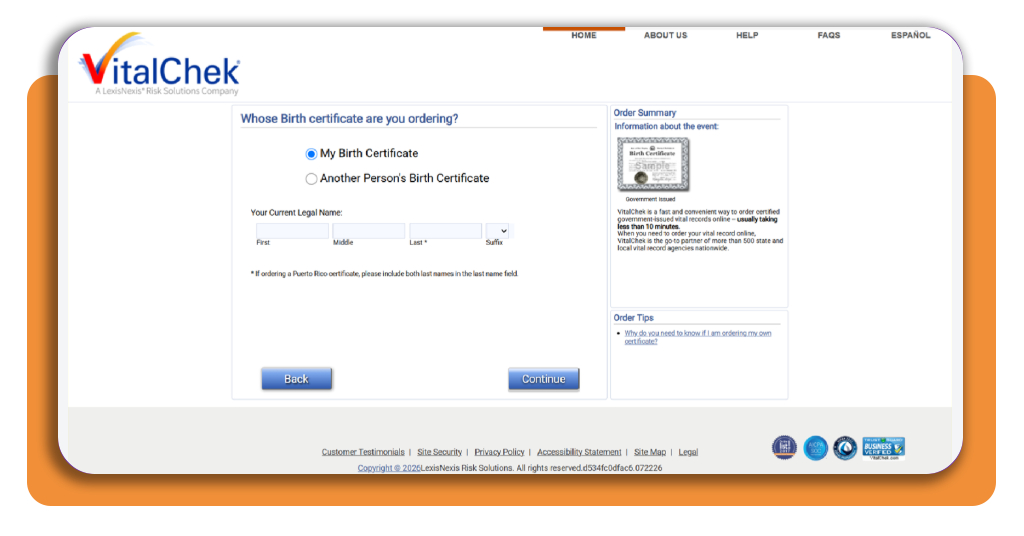
Start by selecting whether this order covers you personally or someone else, then enter your current legal name exactly the way official records already show it right now.
Some states ask extra questions about your relationship to the person named on the certificate, since that document involves confidential details tied to that individual’s protected identity.
Step 3: submit payment and verify your identity
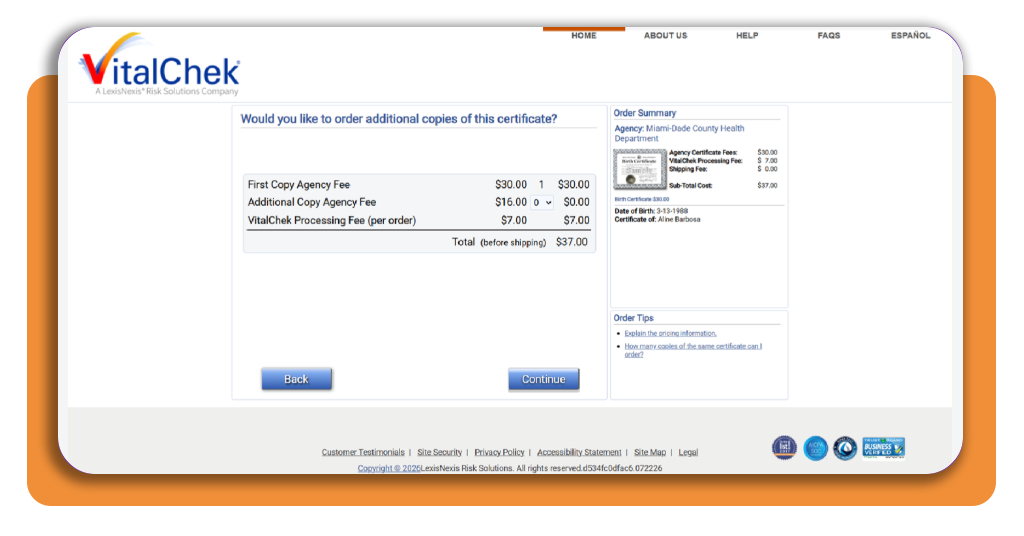
Before payment, review your order summary showing the agency certificate fee, the processing fee, and the shipping cost broken into separate line items for total transparency on final pricing.
Enter your card details and complete the identity verification prompts, confirming your request for a copy of a birth certificate through questions tied to your history or uploaded identification.
Step 4: track your order until delivery arrives
Once you submit payment, VitalChek emails you an order number and PIN combination, giving you the exact credentials needed to check your status whenever you feel like it.
Choose expedited shipping during checkout if your timeline feels tight, and use tracking numbers from the carrier to watch your certificate move toward your mailbox in real time.
Related: How to get a marriage certificate copy 2024
Required documents and identity proofs for vital records
A rejected application over one missing signature line or an expired license sends your entire request back to square one, adding weeks onto an already tight timeline.
VitalChek lists exact identification requirements based on your specific situation, whether you’re requesting your own record or handling paperwork tied to a family member’s certificate.
Agencies apply tighter scrutiny when a request touches someone else’s details, so confirming your paperwork matches their standards protects your access to a copy of a birth certificate.
Acceptable forms of government-issued ID
A valid driver’s license, state identification card, or passport covers most identity verification requirements, as long as the name on that document matches your current legal name.
Some agencies accept military identification or a permanent resident card as well, though confirming accepted formats through your state prevents rejections during the review process.
Extra proof required for third-party requests
Ordering on behalf of a parent, child, or spouse means providing documentation proving that relationship. Agencies won’t release a copy of a birth certificate without clear authorization.
You might need a notarized statement, a court order, or proof of legal guardianship, depending on how closely your connection ties to the person named on the record.
Passport orders need additional identity documents
Requesting a certificate for passport purposes triggers stricter identity standards, since federal passport offices require documentation matching their own verification process.
Bring your current government-issued photo ID along with proof of your Social Security number, and check whether your passport agency requires original documents instead of copies.
Best background check apps to verify historical records
Digging through old family records often turns up mismatched names, altered spellings, or missing birth dates that leave you unsure which version of history matches your family’s story.
Background check apps pull data from public records, court files, and historical databases, giving you a faster way to confirm details before submitting paperwork tied to your family.
Cross-referencing that information against a copy of a birth certificate helps you catch errors early, long before an agency flags inconsistencies during its review process for approval.
TruthFinder
TruthFinder (Android | iOS) compiles arrest records, address histories, and social media profiles into one report, pulling information from federal, state, and local government databases.
Type in a name, a phone number, or an email address, and the app sorts matching results by relevance, letting you spot the right relative among similar names quickly.
BeenVerified
BeenVerified (Android | iOS) handles phone numbers, email addresses, and property records, connecting public details that would otherwise take hours to track down manually yourself.
Reverse phone lookups help you confirm whether contact numbers listed on old family documents still belong to relatives or if that information changed hands over recent years.
Instant Checkmate
Instant Checkmate (Android | iOS) specializes in criminal and traffic records, giving you access to case numbers, offense descriptions, and court outcomes tied to the names you search.
Pairing those criminal record results with a copy of a birth certificate gives you a fuller timeline when tracing relatives across different states or decades of family history.
Related: CamScanner – The Best App to create your Documents Digital Version
Top secure document scanners to digitize your family files
Paper certificates fade, tear, and get misplaced during moves, leaving you looking through boxes whenever a school, bank, or government office asks for proof on short notice.
Scanning apps turn your phone into a portable document station, capturing sharp digital copies of fragile paperwork you’d rather not carry around or expose to accidental damage.
Storing a scanned copy of a birth certificate alongside other family documents gives you quick access whenever an application, background check, or emergency calls for proof.
Adobe Scan
Adobe Scan (Android | iOS) detects document edges automatically and adjusts lighting on the spot, turning a shaky photo into a crisp file ready for printing or digital submission anywhere.
Built-in text recognition converts scanned pages into searchable, editable text, letting you copy names, dates, and numbers straight from an old certificate without retyping anything manually.
Genius Scan
Genius Scan (Android | iOS) processes every scan on your device instead of routing files through outside servers, keeping sensitive paperwork away from cloud storage exposure.
Folder organization and password protection let you group scanned files by family member or document type, locking access behind a passcode only you can unlock.
iScanner
iScanner (Android | iOS) includes a dedicated mode built specifically for identification documents, adjusting focus and contrast to handle small text and fine print.
Signing, blurring sensitive sections, or merging multiple pages into one file becomes simple within the app, giving your scanned copy of a birth certificate a polished, professional finish.
Identity theft protection services to secure personal data
Sharing your Social Security number, address, and full legal name across multiple applications creates dozens of digital footprints that fraudsters can piece together into a convincing profile.
Identity protection services watch for suspicious activity tied to your name, alerting you the moment something unusual pops up on your credit report or bank statements.
That kind of monitoring is important when you submit sensitive documents online, since ordering a copy of a birth certificate means your personal details pass through an online system.
LifeLock
LifeLock tracks your credit accounts, checking and savings balances, and investment activity, flagging unusual charges or new account openings before they spiral into a larger problem.
Its restoration specialists step in directly if fraud hits your accounts, handling paperwork and phone calls on your behalf while you focus on your daily routine.
Aura
Aura scrubs your personal information from data broker sites and people search platforms, cutting down the number of places your name and address show up online.
Every plan includes a million-dollar insurance policy covering losses tied to identity theft, giving you financial backup if a stolen copy of a birth certificate leads to fraud.
IdentityForce
IdentityForce monitors all three major credit bureaus and scans the dark web for your personal details, sending alerts the moment your information surfaces somewhere it shouldn’t be.
Families can add children to their plan, protecting young identities that often go unchecked for years until a fraudulent account surfaces during a future loan application.
Related: Check how exposed your personal info really is and avoid identity theft risk
Peace of mind from request to delivery
VitalChek turns a lengthy process into something you can actually handle from your couch, connecting your request straight to the right government office.
This guide by Insiderbits explained how to request a copy of a birth certificate, gather the right identification, and keep your personal information locked down.
Stay with Insiderbits and learn more ways to access official documents online, keeping your family’s paperwork organized, protected, and ready whenever life asks for proof.