Sharing your personal number online can expose more information than necessary, but a second line app gives you another number to use while keeping your primary one separate.
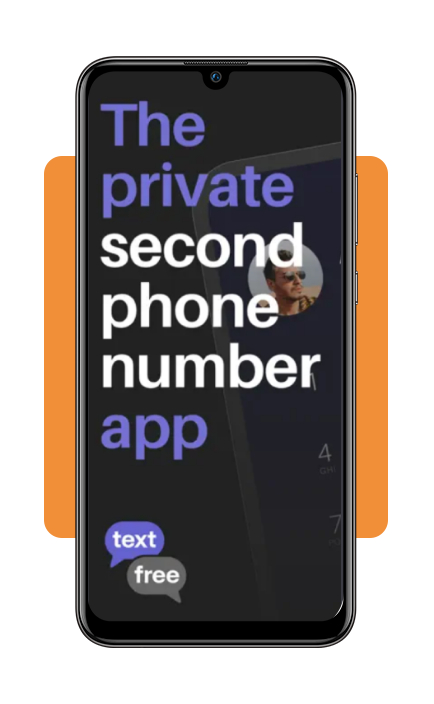
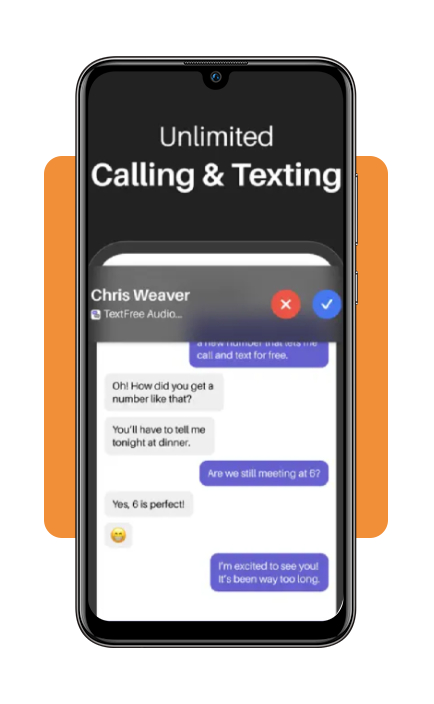
TextFree (iOS/Android) is built for people who often deal with new contacts, letting you call and text through a dedicated number from your phone.

4.7/5
Which is the best second line app for protection?
If your main goal is to keep your personal number separate from public or temporary contacts, TextFree (iOS/Android) is our recommendation.
This second line app gives exactly that: a second U.S. phone number for calls and texts without requiring a separate device.
That setup works well for situations such as marketplace listings, dating apps, gig work, or short-term conversations where sharing your primary number feels unnecessary.
Also, since calls and messages stay inside the app, you can keep those interactions separate from your usual phone activity.
In the end, this creates a clearer boundary between personal contacts and people you may only speak with once or twice.
The key benefit is better control over which number you share, keeping your personal line private while the second number handles conversations you prefer to keep separate.
For more context on why people use an additional line, WorldSIM’s guide to second mobile numbers covers situations where separating personal and secondary contacts are important.
Text Free: Second Phone Number
Key features within TextFree
As we highlighted, TextFree (iOS/Android) gives a separate U.S. phone number that you can use for calls and texts from the app.
Also, the app supports both messaging and calling, so the second line can work for everyday conversations instead of being limited to text-only contact.
That setup is particularly practical for marketplace listings, gig work, dating apps, or other situations where you would rather not share your personal number immediately.
One of its best features is that since the number runs through the app, you don’t need a second physical phone to keep the two lines separate.
TextFree (iOS/Android) is available on both iPhone and Android, which makes it accessible for most people.
The main privacy benefit comes from separation: your real number stays private while the secondary line handles contacts you prefer to keep outside your personal communication.
Step-by-step: how to choose a second phone number
Choosing a second line app is mostly about deciding how separate you want that line to be from your personal phone activity.
In TextFree, the setup is designed around creating an additional number inside the app.
Step 1: download TextFree
Install TextFree from the App Store or Google Play, then open the app and begin the account setup.
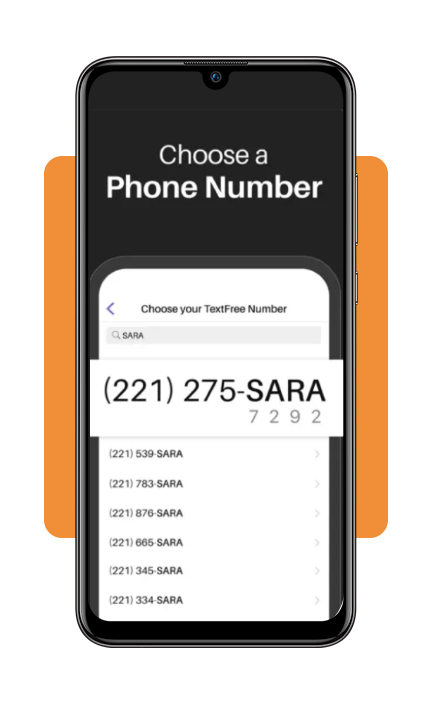
Step 2: enter your preferred area code
During setup, choose your number, with the area code you want associated with the second number.
A local area code can make the number feel more familiar if you plan to use it for work or contacts in a specific region.
Step 3: start calling or chatting
After that, you can start calling and chatting from your second line.
Top digital privacy services
A second line app protects one part of your personal information, but privacy involves much more than calls and texts.
Data removal services, for example, focus on reducing how much personal information is exposed across people-search sites and data broker databases.
These services search for records tied to details such as your name, address, phone number, or email, then submit removal requests where supported.
Additionally, some services also keep checking for information that reappears later, which matters because data brokers can collect and republish records.
That broader approach complements a second line app.
TextFree (iOS/Android) limits where you share your primary number, while a privacy service deals with information that may already be circulating online.
Best options for protecting personal contacts
Protecting personal contacts starts with limiting how often your main phone number, email, or other identifying details are shared outside trusted conversations.
Even though a second line app is one practical layer, it works best as part of a broader privacy routine.
For calls and texts, using a secondary number keeps marketplace buyers, gig contacts, and unfamiliar people away from your primary line. This reduces how widely your personal number circulates.
Separate email addresses can serve the same purpose for sign-ups, online purchases, or temporary accounts when you do not want those activities tied directly to your main inbox.
Also, some privacy services can reduce exposure by checking where personal information appears online and helping with removal requests when supported.
If you are concerned that your information has already been exposed, our Insiderbits’ data leak scanner guide explains another way to check for possible exposure.
The best setup is always a layered one: keep your main number private, separate temporary contacts, and regularly review where your personal information is being shared.
4.7/5
Keep your personal number for the people who actually need it
A second line app gives you a way to separate public interactions from your personal phone number, which is valuable for marketplaces, gig work, dating apps, or short-term contacts.
TextFree (iOS/Android) covers that need by giving you another number for calls and texts without requiring a second device.
That same idea can extend beyond phone calls. Separate email addresses and more selective sharing habits can reduce how widely your personal information circulates online.
Used together, those layers give you more control over your contact information and make it easier to keep temporary conversations separate from the number you rely on every day.
Enjoyed this article? Save Insiderbits to your favorites and discover the most useful tech tips.