It seems like a primitive task to look for a working printer right now, especially since a PDF signer app can handle the whole process. Adobe Acrobat Reader has become a powerful tool for getting things done. You can now sign contracts, school forms, and legal waivers right from your phone.
Professionals who value speed and security over old-fashioned, manual signing methods now follow the global standard of going paperless in the office. This app uses military-grade encryption and cloud-first technology to keep your digital identity safe while your documents travel around the world. Read this and more on Insiderbits.

4.7/5
Most reliable PDF signer app
While the digital landscape is saturated with “free” web tools that often compromise your privacy or leave unprofessional watermarks on your files, Adobe Acrobat Reader remains the industry leader.
Adobe practically invented the PDF format, and their mobile version is arguably the most robust PDF signer app available for both iOS and Android.
The application is trusted by over 50 million users because it bridges the gap between simple mobile convenience and enterprise-level compliance.
In case you are dealing with a property lease or a high-stakes corporate agreement, this PDF signer app ensures that your documents are legally binding and tamper-evident.
Furthermore, the 2026 update has introduced a native AI Assistant, which can summarize long contracts before you sign them, ensuring you never miss a hidden clause again.
Features available in the Adobe Acrobat Reader app
- Fill and sign: easily type text into PDF forms and use your finger or a stylus to create a custom signature
- Cloud integration: connect to Google Drive, Dropbox, or OneDrive to pull and save documents instantly
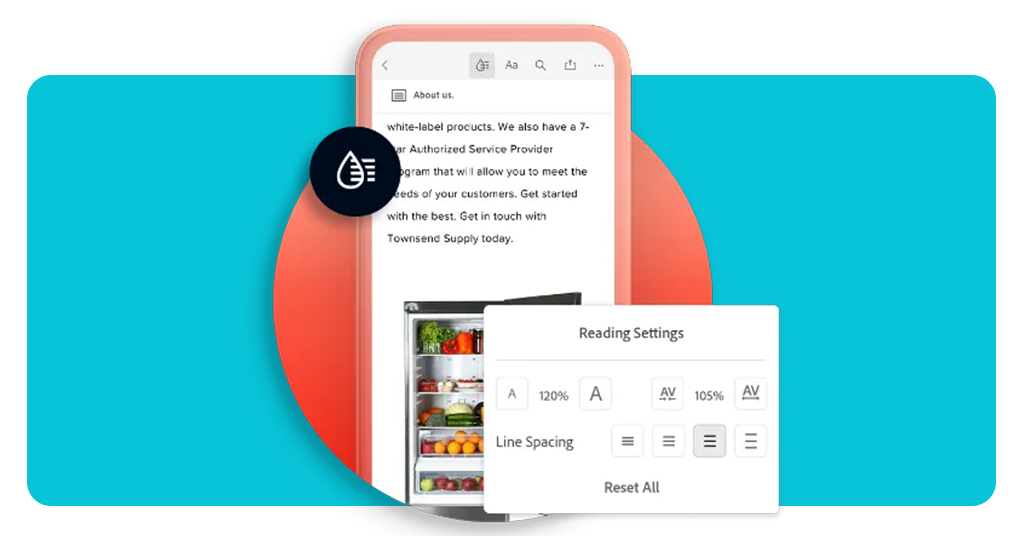
- Liquid mode: a game-changer for mobile users, this feature reflows text so you can actually read the fine print on a small screen without constant zooming
- PDF conversion: convert images or Microsoft Office files into PDFs directly within the app
- Annotation tools: highlighting, sticky notes, and drawing tools allow you to provide feedback before you sign
- Security and encryption: Adobe uses industry-leading protocols to ensure that your digitally signed documents are tamper-evident
Step-by-step: how to sign any document using Adobe Acrobat Reader
Setting up your digital signature is a “one-and-done” process. Once it’s saved in the PDF signer app, signing future documents takes just two taps.
Step 1: open the document
After you download it to your iOS or Android, or even open the website, tap the PDF file you received in your email or cloud storage. Select Adobe Acrobat to open it.
Step 2: access the “Fill & Sign” tool
Look for the blue floating action button or the “Edit” menu and select “Fill & Sign”.
Step 3: create your signature
Tap the “Sign” icon (it looks like a fountain pen). If it’s your first time, tap “Create Signature” and draw your name on the screen. Tap “Done”.
Step 4: place and resize
Tap anywhere on the document where the signature needs to go. You can drag it into the perfect position and use the handles to make it larger or smaller.
Step 5: save and send
Tap the checkmark to finish. You can now share the signed file directly back to the recipient via email, Slack, or WhatsApp.
Pricing and tiers
Adobe Acrobat Reader offers a significant amount of power for free, but for users with high-volume needs or those requiring advanced editing, the Pro tiers offer immense value.
Note: Pricing reflects annual commitment rates. Users can often find student and teacher discounts of up to 60%.
Types of digitally signed documents
Not all signatures are created equal. When using a PDF signer app, it’s helpful to know what you’re sending:
Electronic signatures (e-signatures): these are the most common. They are essentially a digital “mark” (like your drawn name) placed on a document. They are legally binding for most everyday contracts in over 180 countries;
Digital signatures: these are a more secure subset of e-signatures. They use a certificate-based digital ID to “lock” the document. If someone tries to change the text after you’ve signed it, the signature will show as “Invalid”;
Fillable forms: these are PDFs specifically designed with text boxes and checkboxes. A high-quality PDF signer app recognizes these fields automatically, allowing you to tap and type without the “alignment” struggle.
Compatibility and safety tips for your files
When it comes to digital documents, security is everything.
If you are dealing with a sensitive file that was sent to you with a password, you might need to remove the PDF password before you can easily edit or sign it on your mobile device.
Check the source: only sign documents that come from verified email addresses. Phishing scams sometimes use “fake” contracts to get you to download malicious files;
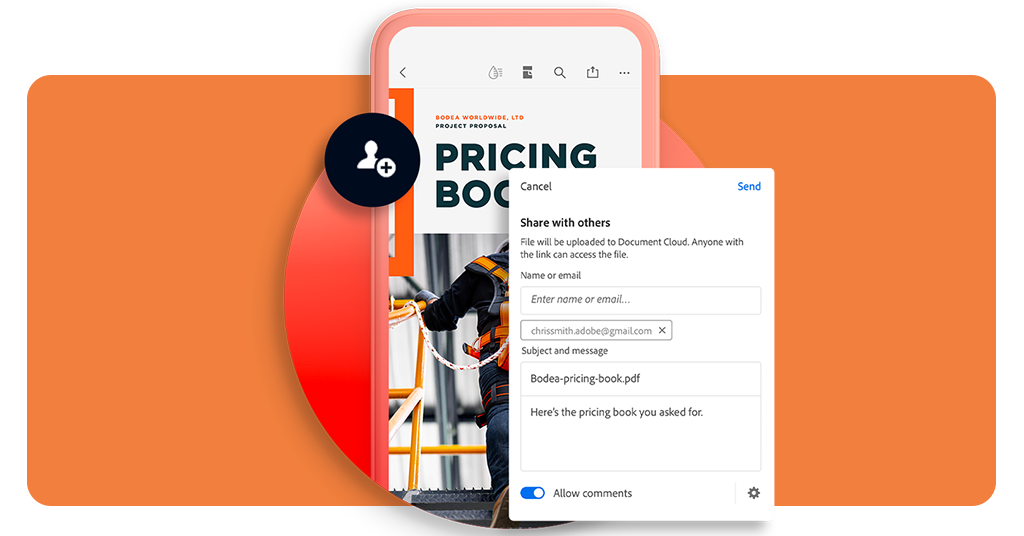
Device sync: if you start a signature on your iPhone, you can finish it on your laptop using the same Adobe account. This cross-platform compatibility is why Adobe is the preferred PDF signer app for businesses;
Storage safety: once a document is signed, move it to a secure cloud folder rather than leaving it in your “Downloads” folder. This ensures that even if you lose your phone, your sensitive contracts are protected.
4.7/5
Productivity without borders
Being “tethered to a desk” is a choice, not a requirement. Utilizing a PDF signer app is a simple but powerful way to reclaim your mobility.
At Insiderbits, we specialize in the tools that bridge the gap between “to-do” and “done”. Give it a try—download the app today and never look for a printer again.