
An old arrest record, a forgotten address, or a mismatched job title can surface when hiring managers start digging, and a background check app flags surprises before your next interview.
BeenVerified pulls together public records, criminal history, and social profiles into a single report, and this guide from Insiderbits walks you through running your own search with ease.

4.6/5
Which is the best background check app?
BeenVerified (Android | iOS) pulls data from public records and turns it into one detailed report covering criminal history, past addresses, and employment details on the person you search.
Pricing runs monthly or quarterly, landing between $23.00 and $37.00. Once you sign up, this background check app unlocks unlimited searches across its full record database for you.
Search results load inside a simple dashboard on your phone, sorted by category, letting you jump straight to the section that worries you most before an important interview.
Public record searches in the BeenVerified mobile app
Open the app on your phone and tap into court records, arrest logs, and property filings, all pulled straight from county and state databases you rarely search yourself.
The app taps into GPS features, showing registered offenders near your current location on an interactive map you can scroll through during a slow commute or lunch break.
Track someone’s digital footprint instantly
A username, email address, or phone number is often enough to pull up someone’s Facebook, Instagram, LinkedIn, and Twitter accounts side by side in one long scrollable list.
Reddit, Pinterest, YouTube, and Skype profiles show up in that same scan, and this background check app links each account straight back to the name you searched for.
Uncover vehicle and property records
Enter a license plate or VIN and pull up full ownership history, accident records, and title status before you buy a used car from a private seller nearby.
Property records reveal who currently owns a home, its estimated market value, and any liens attached, giving you a fuller picture before you commit to a new address.
Step-by-step: how to check your own background record on your phone
Running your own report through BeenVerified (Android | iOS) takes a few minutes and walks you through the exact information hiring managers might dig up before they ever call you back.
Grab your phone or sit down at a computer, since this background check app works either way, and follow along as each screen asks for a small piece of information.
The entire process moves fast, and most people finish their first search within 10 minutes, landing on a full report broken down by category once everything loads.
Step 1: download the app or use the website
Access the App Store or Google Play on your phone and search for ‘BeenVerified’, or skip the download altogether and pull up the website from any browser on your phone or laptop.
Either option lands you on the same search screen, so pick whichever feels more comfortable and stick with it through the rest of your search from here.
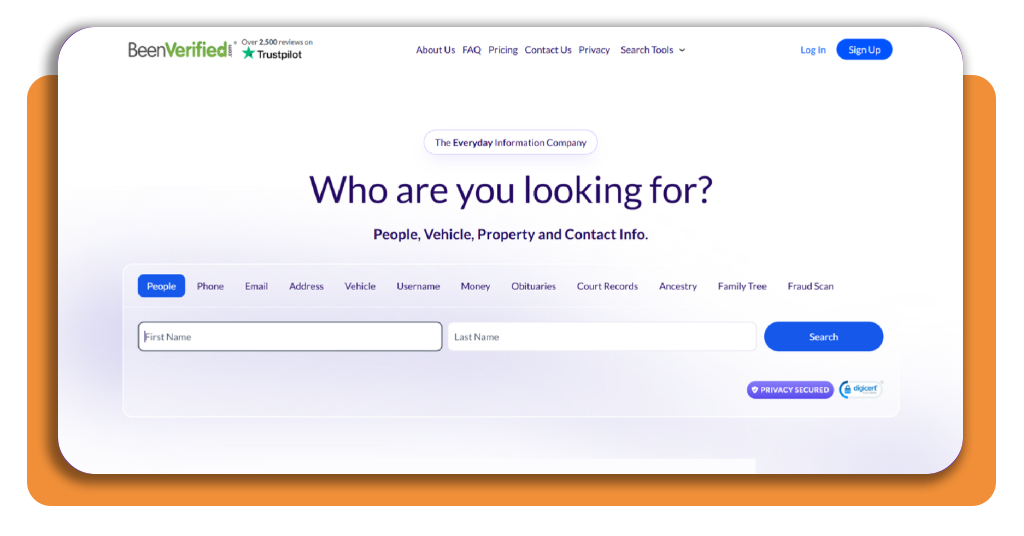
Step 2: search using your full name
Type your first and last name into the two fields on the homepage, and double-check the spelling before you hit ‘Search’, since typos throw off the results.
Nicknames and shortened names sometimes pull up fewer matches, so stick with your full legal name exactly as it appears on your driver’s license or passport.
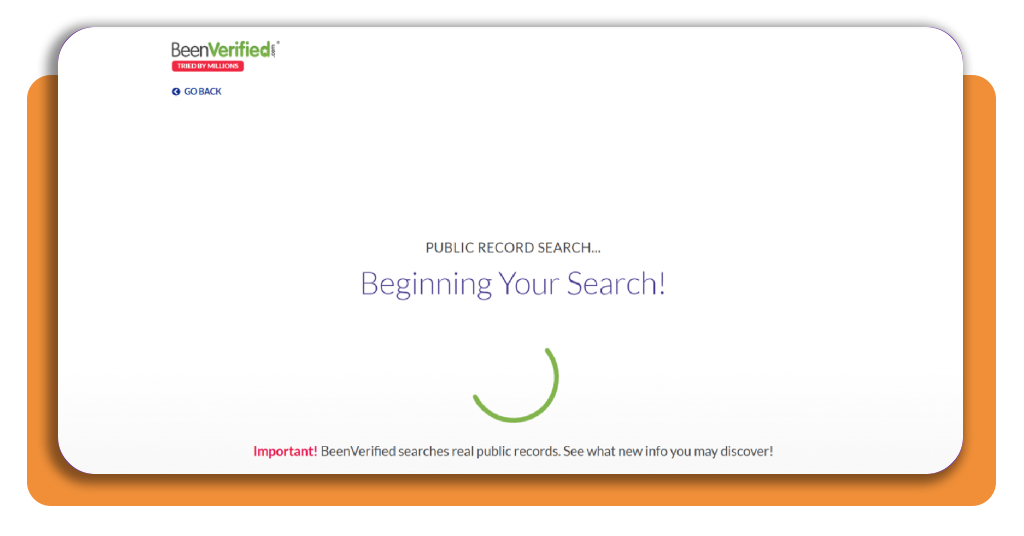
Step 3: enter your city and state
Once your name search finishes loading in this background check app, a new screen asks where you currently live, and narrowing by city and state cuts down a long list of matches.
Punch in your city and pick your state from the dropdown menu, or tap ‘I’m not sure’ if you’ve moved around and can’t recall a former address.
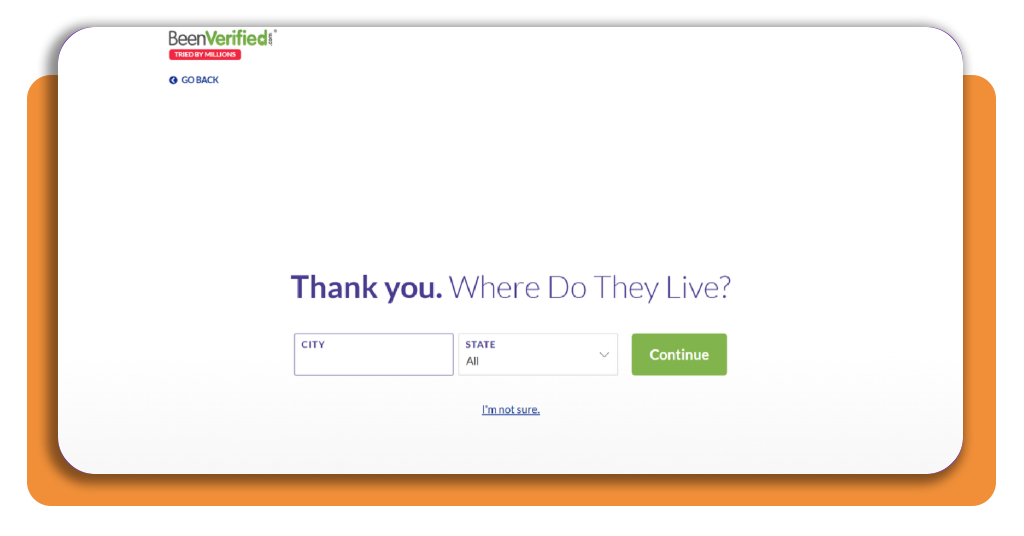
Step 4: narrow the search with age details
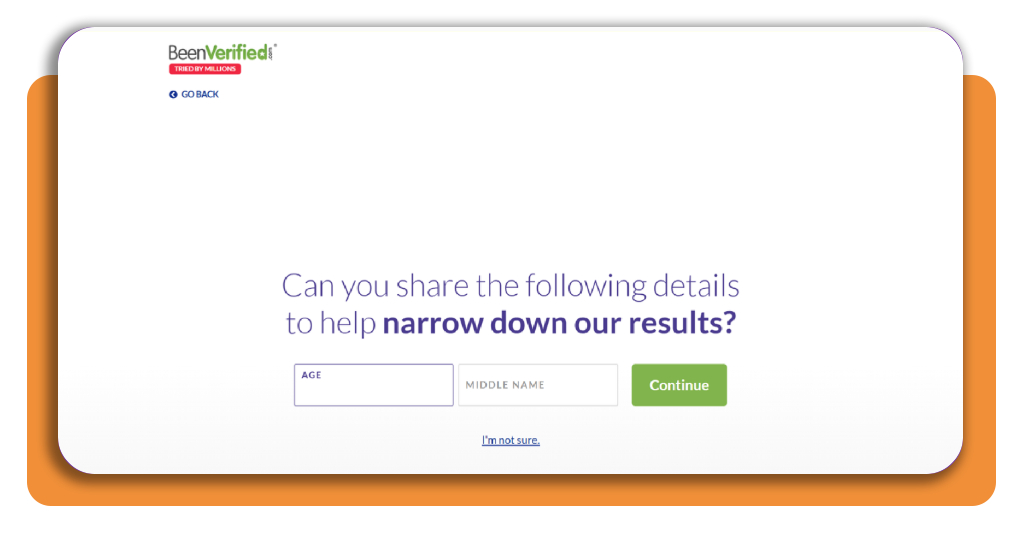
The next screen asks for your age and middle name, and filling in both fields helps the algorithm match you against the correct record in its database.
Multiple people share common names, so these extra details keep the report pointed at your history instead of pulling up a stranger’s criminal record or address by mistake.
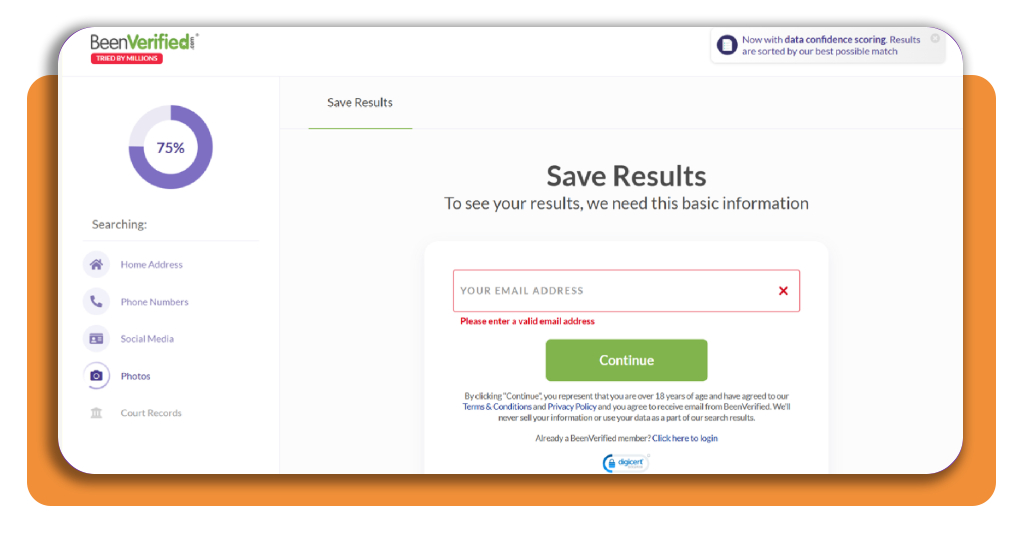
Step 5: confirm your email to view results
Your results sit behind one last screen, and entering a valid email address unlocks the full report along with access to save it for later reference.
Double-check your inbox once you submit, since a confirmation link usually lands within a minute, and clicking it opens your complete background report immediately.
Top interview preparation platforms
Knowing your record clears one hurdle, but walking into the room and actually answering tough questions confidently takes a different kind of prep entirely separate from research.
A handful of AI tools now generate role-specific questions and even whisper answers during a live call, working alongside the report from the background check app you already ran.
Each platform takes a slightly different approach, so matching the right tool to your interview style makes a real difference in how prepared you feel walking in.
Final Round AI answers questions live
Final Round AI runs as a desktop app that listens during your actual interview and streams a private suggested answer to your screen within seconds of each question.
Stealth mode keeps those floating windows hidden from screen shares and recordings on Zoom, Meet, or Teams, so nothing shows up if you’re interviewing over video.
interviewsby.ai turns job posts into practice
Paste a job description into interviewsby.ai, and it generates realistic behavioral and technical questions built around that exact role, ready for you to rehearse out loud.
Free accounts get 3 questions a month, and upgrading to Pro unlocks unlimited questions plus resume uploads if you want more practice before a big interview.
AI Interview Agents runs full voice interviews
AI Interview Agents runs two-way voice conversations that feel closer to a real interview than a typed quiz, complete with follow-up questions based on your answers.
Every session ends with a breakdown of your strengths and weak spots, plus a transcript you can revisit later to sharpen your responses before the real thing.
4.6/5
Best identity theft protection
Running a search on yourself hands over plenty of personal details, and knowing where that information travels afterward matters just as much as the search itself.
Public records, social profiles, and contact info from the background check app sit right alongside everything data brokers already collect, so locking down your identity closes that loop.
A few services now handle credit monitoring, dark web scans, and data removal together, giving you one place to watch for trouble instead of juggling separate accounts.
Aura removes your data from brokers
Aura scans over 425 data broker sites and people search platforms, then submits removal requests on your behalf, so your personal details stop circulating online.
Plans start at $ 12,00 a month and bundle in credit monitoring, financial account alerts, and a password manager, all managed through one straightforward mobile dashboard.
LifeLock guarantees full identity restoration
LifeLock backs every plan with a restoration guarantee, meaning a specialist fixes the problem at no extra cost if your identity gets stolen while you’re covered.
Their Core plan starts at $ 12,49 a month, while pricier tiers add investment account alerts and home title monitoring for people juggling more than the background check app covers.
Coveron bundles VPN with identity coverage
Coveron pairs identity monitoring with a NordVPN subscription, giving you encrypted browsing alongside dark web scans and credit alerts under one monthly subscription price.
Coverage reaches up to $ 2,000,000 for recovery expenses, and a 30-day money-back guarantee lets you try the service before committing to a longer plan.
Checked, rehearsed, and locked down
BeenVerified (Android | iOS) clears up what’s actually sitting in your record, giving you a real answer instead of a nervous guess before you ever step into that interview room.
In this guide, Insiderbits showed you how running your own report through this background check app uncovers what hiring managers might find, so nothing catches you off guard later.
Explore other Insiderbits articles for more tips on nailing tough interview questions, building confidence before a big call, and protecting your personal information once you land the job.