
Downloading a reliable pregnancy tracking app bridges the gap between monthly OB-GYN checkups and daily curiosity, giving you a front-row seat to your baby’s development.
From the very moment you see those two positive lines, an incredible journey begins. Discover this and more tips on Insiderbits.

4.9/5
Which is the app to track a baby’s progress during pregnancy?
For expecting parents, wondering what is happening inside the womb is an everyday obsession: how big is the baby right now? When will the heartbeat start? When will those first tiny kicks happen?
Yes, navigating the nine months of gestation involves physical transformations, shifting medical guidelines, and emotional preparation.
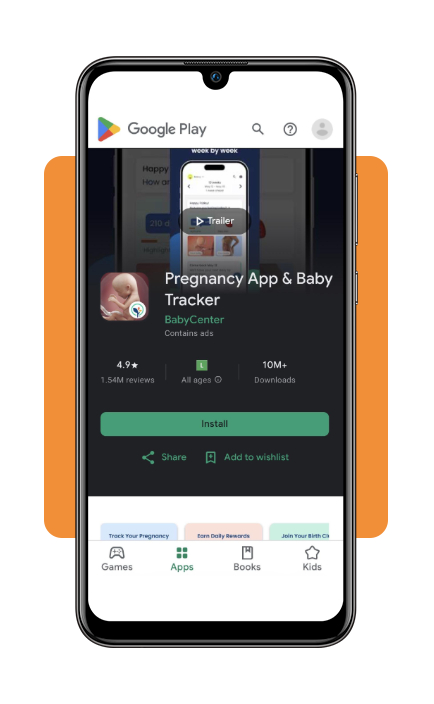
And while there are dozens of digital tools on the market, BabyCenter Pregnancy Tracker (iOS | Android) remains the undisputed gold standard for expectant families worldwide.
Combining decades of clinical expertise, this pregnancy tracking app delivers personalized daily articles, medical insights, and interactive development graphics tailored precisely to your estimated due date.
You can download it directly on the iOS App Store or via the Google Play Store.
If you are at the very beginning of your journey or verifying early symptoms, check out our free online pregnancy test guide to get oriented.
Key features within Babycenter
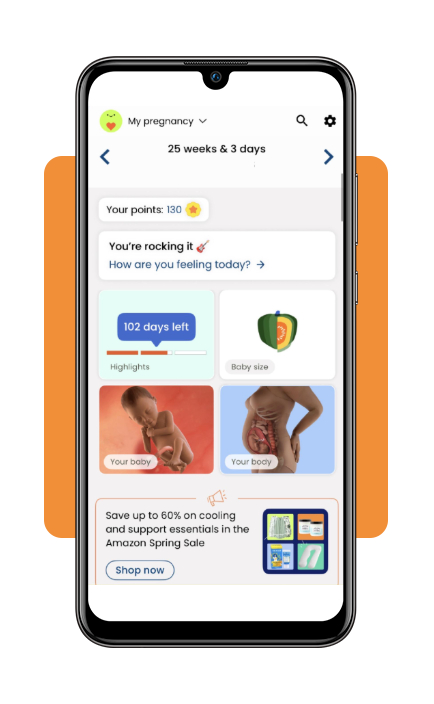
- Interactive 3D fetal renderings: explore realistic, anatomically accurate 3D models that show how organs, bones, and features develop week by week;
- Fruit and object size benchmarks: compare your baby’s current length and weight to familiar items—from a poppy seed in early weeks to a heavy watermelon near full term;
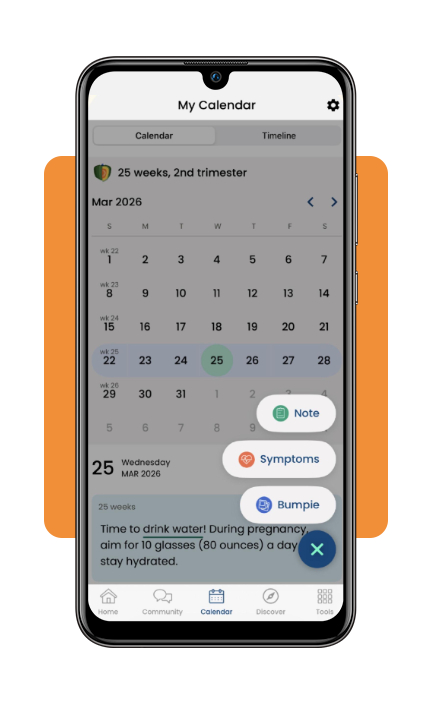
- Bumpie photo journal: capture weekly belly photos to create a memorable time-lapse gallery of your body’s physical transformation;
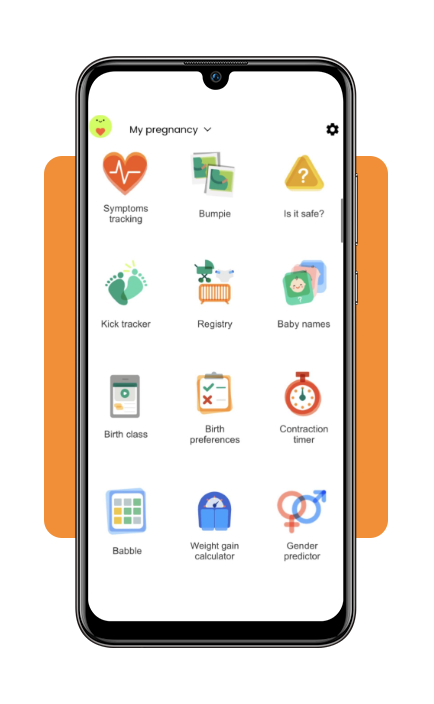
- Kick counter and contraction timer: monitor fetal movement patterns during the third trimester and time labor contractions accurately before heading to the hospital;
- Vibrant parent community: connect with active birth-month birth clubs to ask questions, share stories, and seek advice from parents on the exact same timeline.
Step-by-step: how to follow weekly pregnancy milestones
Maximizing the benefits of your pregnancy tracking app requires setting up accurate parameters from day one. Follow this simple guide to track your baby’s growth:
Step 1: calculate and enter your estimated due date
Input the first day of your last menstrual period (LMP) or your conception date to calibrate your app’s (iOS | Android) weekly notifications and development calendar.
Step 2: review weekly growth and anatomical updates
Open your pregnancy tracking app every week to review anatomical milestones. For deeper research into physical changes, explore the Parents.com baby development week-by-week guide.
Step 3: log daily symptoms and medical questions
Record morning sickness patterns, blood pressure readings, and physical discomforts directly in the app so you can review them with your doctor during prenatal visits.
Step 4: utilize fetal movement and labor timers
As you approach 28 weeks, activate the kick counter tool to track movement patterns, and switch to the contraction timer when early labor signals begin.
How digital tracking helps improve follow-up and continuity throughout pregnancy
Digital prenatal care tools are changing how healthcare providers stay connected with pregnant patients between appointments.
Evidence from telehealth-enhanced prenatal care programs points to benefits.
In the Mayo Clinic’s randomized OB Nest trial, participants received a combination of home monitoring devices, virtual nursing support, and fewer in-person appointments.
Compared with traditional prenatal care, patients reported higher satisfaction and lower pregnancy-related stress, while adherence to recommended prenatal services and maternal-fetal outcomes remained comparable.
While digital tracking can improve access and support ongoing follow-up, experts emphasize that it is designed to complement rather than replace traditional prenatal care.
Virtual visits and remote monitoring are most effective when integrated with regular clinical assessments, allowing healthcare providers to combine real-time patient data with in-person evaluations when needed.
Current evidence suggests that this hybrid approach can enhance convenience, maintain care quality, and support a more connected prenatal care experience.
Essential apps for parents
As your pregnancy progresses toward delivery, expanding your digital toolkit to include newborn preparation apps helps ensure a smooth transition into parenthood.
Pairing your primary pregnancy tracking app with post-birth tools relieves stress during the initial weeks at home:
- Huckleberry: renowned for its predictive ‘SweetSpot’ nap algorithm, this app helps parents track newborn sleep schedules, feeding sessions, and diaper changes to establish healthy routines early;
- Baby Daybook: a highly customizable logging app that syncs seamlessly across multiple caregivers, making it ideal for sharing feeding and sleep records between partners or night nurses;
- Nara Baby: a clean, completely ad-free logging tool that provides simple tracking for nursing, pumping, and growth trends without overwhelming clutter.
Best doctor apps for babies
Once your baby arrives, having direct access to medical guidance provides invaluable reassurance during late-night health scares.
Transitioning from a pregnancy tracking app to specialized pediatric telehealth platforms connects you with healthcare professionals in seconds:
- KidzDocNow: offers 24/7 on-demand access to board-certified pediatricians via video calls, allowing parents to diagnose rashes, fevers, and feeding issues without visiting an urgent care clinic;
- PM Pediatric Telemedicine: connects families directly with specialized pediatric urgent care clinicians who can diagnose conditions, recommend treatments, and send prescriptions to local pharmacies;
- MyChart: the essential patient portal app used by major hospital networks, letting you manage your baby’s vaccination schedules, view lab results, and message your pediatrician directly.
4.9/5
Staying informed throughout pregnancy
A pregnancy tracking app can make it easier to follow each stage of pregnancy without feeling overwhelmed by information.
From weekly development updates to symptom logs and appointment reminders, these tools help keep important details organized in one place.
While no app replaces professional medical care, the right platform can help you stay informed, track changes over time, and prepare for key milestones throughout your pregnancy journey.