
Tax credits you overlooked on a return from a few years back can become a refund check while the filing window hasn’t closed, and this free platform can lead you through claiming them.
In this Insiderbits guide, you’ll learn how to use TurboTax, from snapping photos of your tax documents to getting live advice, and how to bring forgotten money back into your account.

4.8/5
Which is the best platform to discover unclaimed tax credits?
TurboTax (Android | iOS) is Intuit’s tax prep platform, and it works like a chat where you answer questions about your job, home, and family while reliable software fills in the forms.
Behind those questions, the software compares your responses with tax credits and deductions you might qualify for, then applies the ones that fit your situation to the return you’re building.
The platform prepares returns for situations that range from a salaried job to freelance income, rental property, and stock sales, then transmits them to the IRS after you approve them.
Key features within TurboTax
- Instant form capture: photograph a form, upload a file, or pull records from your employer or bank, and the app copies those numbers into your return;
- Saved return history: returns you filed with TurboTax stay in your account for up to seven years, and you can open them to compare old numbers;
- Refund estimate tracking: TaxCaster calculator previews what you might get back or owe before you begin, and the tracker shows where your return stands after filing;
- Filing guarantee coverage: Intuit pays IRS penalties from its calculation errors, and refunds your purchase price if another preparer’s amended return finds extra money.
Let an expert hunt for missed tax breaks
Expert Assist includes a review of your 2024 return, where a tax pro hunts for breaks you missed, and you pay nothing extra if you didn’t use TurboTax (Android | iOS) for it.
While you work, you can ask a pro questions on demand and get a review before you file or upload your documents and let an expert prepare and sign them.
Start free and pay only at filing
You can begin a return without entering payment details, and the full price comes due when you submit, print, or mail it, with state returns on paid tiers billed separately.
If your simple return holds wage income, student loan interest, and tax credits for earned income or children, Free Edition may cover it with nothing due for federal or state.
Step-by-step: how to check for missed tax credit and file prior-year returns
Checking old returns for missed money works like a checkup you run on yourself, where you line up what you claimed against what the rules allowed for that tax year.
Pull out the returns you filed and the forms behind them, then look for overlooked gaps such as a dependent you left off or a deduction you forgot to enter.
A gap you find can turn into a refund when tax credits you qualified for never made it onto the return, and TurboTax (Android | iOS) rebuilds that year with the matching forms.
Step 1: download the app or use the website
Search for ‘TurboTax’ in the App Store on your iPhone or Google Play on your Android phone, or open the website in a browser on your Windows or Mac computer.
If you prefer Spanish, switch the language toggle in the app or on the website before you answer your first question, and every screen that follows will match your choice.

Step 2: create your Intuit account
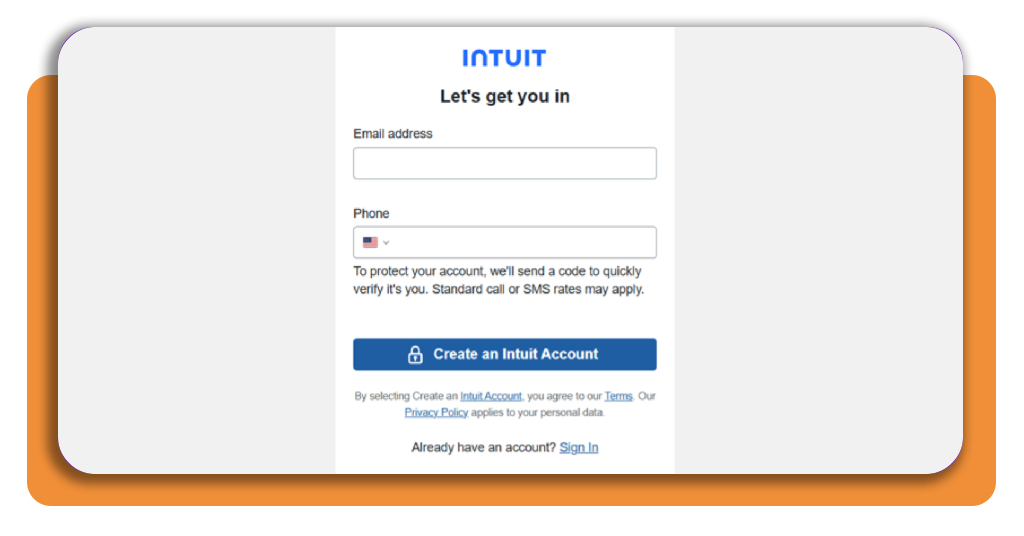
Choose ‘Sign up’ on the top menu, enter your email address and a password you haven’t used elsewhere, and complete any verification prompt Intuit sends to confirm your identity.
Should you have filed with TurboTax (Android | iOS) before, sign in with that login rather than creating a new one, and you’ll keep your filing history for every year under one account.
Step 3: pick your past year option and file
Select the year you want to fix and download the matching desktop software for 2022, 2023, or 2024, with prices running from $80 for ‘Deluxe’ to $190 for ‘Business’.
Answer the interview questions using the documents from that year, and the platform applies tax credits you qualify for before it walks you through filing the finished return with the IRS.
Top national tax software platforms
Other national platforms prepare returns for situations that range from simple wage filings to self-employed income, and three of them deserve a close look before choosing where to file.
When TurboTax’s price or style of support doesn’t fit your budget, these platforms give you several other routes to the same goal of recovering the money your returns left behind.
Whichever platform you choose, it matches your answers against tax credits you qualify for and applies them before you file, and your budget and appetite for help narrow the field.
H&R Block adds a pro check to DIY filing
With H&R Block, you build the return and can add ‘Tax Pro Review’, where a tax pro looks it over before you file, and paid plans include unlimited expert help.
Its ‘Second Look Review’ checks your past returns for money you left behind, and paid plans run from $65 for Deluxe to $130 for freelancers, with state returns costing $49.
TaxAct backs your refund with a guarantee
TaxAct puts a $100,000 accuracy guarantee behind your return. Its Deluxe plan costs $59.99, while Premier costs $99.99, with state returns adding extra charges on top of those prices.
In case you want a professional to prepare the return for you, Xpert Full Service starts at $99, and the price climbs with the complexity of your filing and state returns.
FreeTaxUSA keeps every federal return free
FreeTaxUSA prepares your federal return for $0 in every filing situation, from simple wages to freelance work, and it checks over 350 tax credits and deductions you might qualify for.
State returns cost $15.99 for the current year, and prior years from 2018 through 2024 are available, with prior-year state returns at $17.99 and the federal side at $0.
Best options for amending past tax returns
Amending a return means telling the IRS what changed after you filed, and it works for mistakes that cost you money as well as for ones that left you owing.
A forgotten dependent, a wrong filing status, income you left off, or a deduction you never claimed can be corrected with an amendment, and you report the lines that changed.
When a return you already filed left out tax credits you earned, an amendment collects the refund, and the IRS reviews your corrected return as a claim for the difference.
Check the IRS time limit for refunds
File your refund claim within three years of the date you filed the original return or two years of the date you paid the federal tax, whichever deadline falls later.
Returns you filed early count as filed on the due date, and that rule closed most 2022 refund claims in April 2026 while keeping 2023 claims open until April 2027.
File your amended return through the IRS
Fill out the IRS form for amended returns for the year you are fixing, then send it electronically through tax software or mail a paper copy for 2021 and earlier.
Direct deposit works for refunds on 2021 and later returns, a payment voucher goes with the form if you owe money, and your state tax agency needs its own amendment.
Track your amended return with the IRS
The ‘Where’s My Amended Return‘ tool on the IRS website shows whether your correction has arrived, and you sign in with your Social Security number, birth date, and ZIP code.
Status updates read ‘Received’, ‘Adjusted’, or ‘Completed’ as the review moves along. A completed status for missed tax credits means the IRS finished processing your correction.
4.8/5
Claim what your past self left behind
TurboTax (Android | iOS) gives you a place to revisit returns you filed in the past, ask a pro questions along the way, and learn whether money is waiting for you.
In this guide, we at Insiderbits showed you how to spot missed tax credits, compare the filing platforms, and amend a return with the IRS to bring your refund home.
Stay exploring Insiderbits for articles that explain how filing taxes works, from forms and deadlines to refunds, and you’ll catch savings and sidestep mistakes that cost you money.