
Somewhere in your bank statement, a trial offer you forgot about is collecting $12 a month from your card, and a subscription management tool can track it down before the next renewal date.
In this guide, Insiderbits explores Rocket Money, an app that finds recurring bills across your accounts, helps you cancel the ones you’ve outgrown, and leaves more money in your pocket.

4.5/5
Which is the best subscription management app?
Rocket Money (Android | iOS) is a personal finance app from the Rocket family, and it aims to show you where every paycheck goes without needing a spreadsheet or a calculator.
The app treats subscription management as its main tool, then adds a concierge service that negotiates with your providers and hunts for savings on the monthly bills draining your budget.
Whether you want to cut a high rate, stretch a thin budget, or track down a mystery charge, this comprehensive platform gives you a ready tool built to handle the problem.
Key features within Rocket Money
- Credit score alerts: the app displays your complete credit report and history on a dedicated screen, then notifies you about changes that could affect your score;
- Spending limit warnings: set a custom cap for any category, and the app warns you as your total creeps toward it, leaving room to pull back;
- Bank-level encryption: the platform protects your account with 256-bit encryption, covering your balances and full transaction history while the app reads them;
- Autopilot savings: with Premium, you can switch on autopilot, and the app studies your habits and sets aside small amounts while helping you dodge overdraft fees.
Free tools versus Premium upgrades
The free plan links your checking, savings, credit card, and investment accounts, sends an alert whenever your checking dips toward an unsafe level, and charts your spending by category.
Premium hands subscription management to people who cancel services on your behalf, and it adds net worth tracking, shared accounts, and unlimited budgets that split household expenses.
Spot forgotten recurring charges automatically
An algorithm combs through transactions in your linked accounts for payments that repeat, then lists cloud storage plans, meal kits, news sites, and app add-ons you may have stopped using.
Every entry shows its price and next billing date, and the recurring list comes with the free plan, giving you a ready checklist of services you can keep or cancel.
Step-by-step: how to link your accounts and turn on billing alerts
Billing alerts give you advance notice and time to cancel before a renewal hits your card, turning a surprise charge into a choice that you make on your own terms.
Connect from a private network rather than public Wi-Fi, and you’ll want your bank’s verification method nearby in case it asks you to confirm your identity while linking each account.
Note the cards that pay for your services before you begin, as subscription management only covers charges Rocket Money (Android | iOS) can see in the accounts you link.
Step 1: download the app or use the website
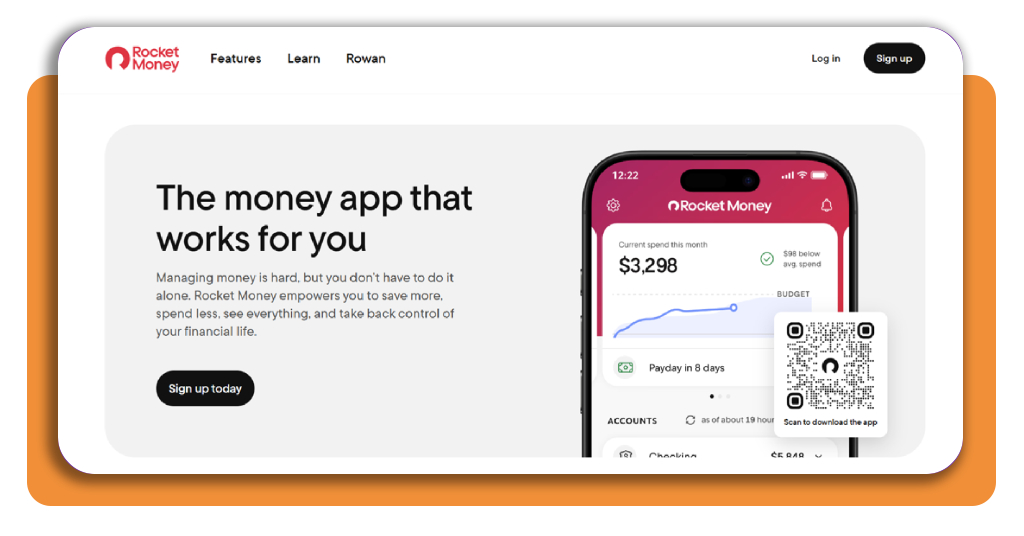
Rocket Money works on the web, Android, and iOS, and you can start on the website by clicking the ‘Sign up’ button in the top right corner of the homepage.
If you’d rather use the app, scan the QR code on the homepage with your camera or search ‘Rocket Money’ in Google Play or the App Store, then install it.
Step 2: create your free Rocket Account
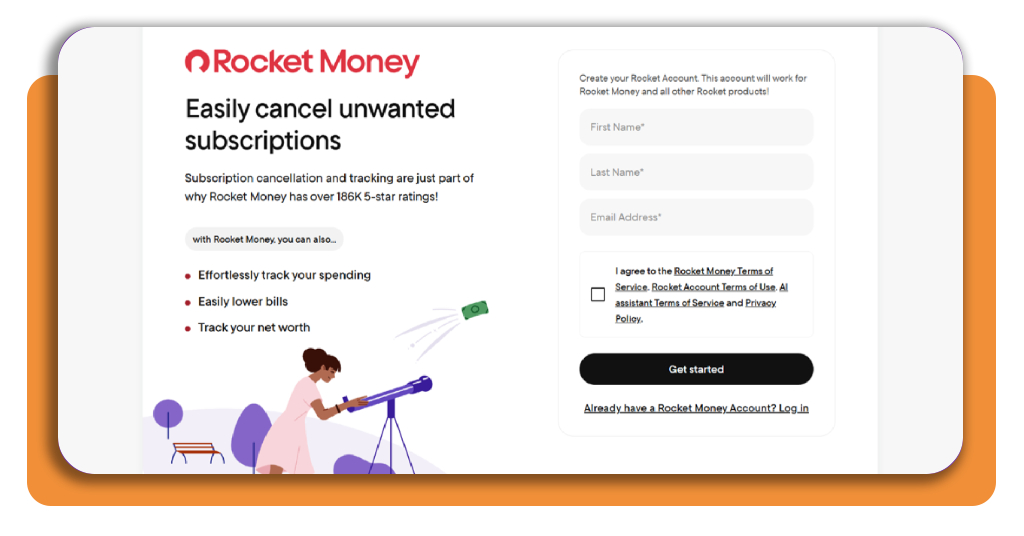
Type your full name and email into the form to open a free account and have access to subscription management. Then, check the box to accept the terms, and press ‘Get started’.
Your Rocket Account covers Rocket Money (Android | iOS) and every other Rocket product, so if you own an existing account from another Rocket service, press the ‘Log in’ button.
Step 3: choose your goals with the platform
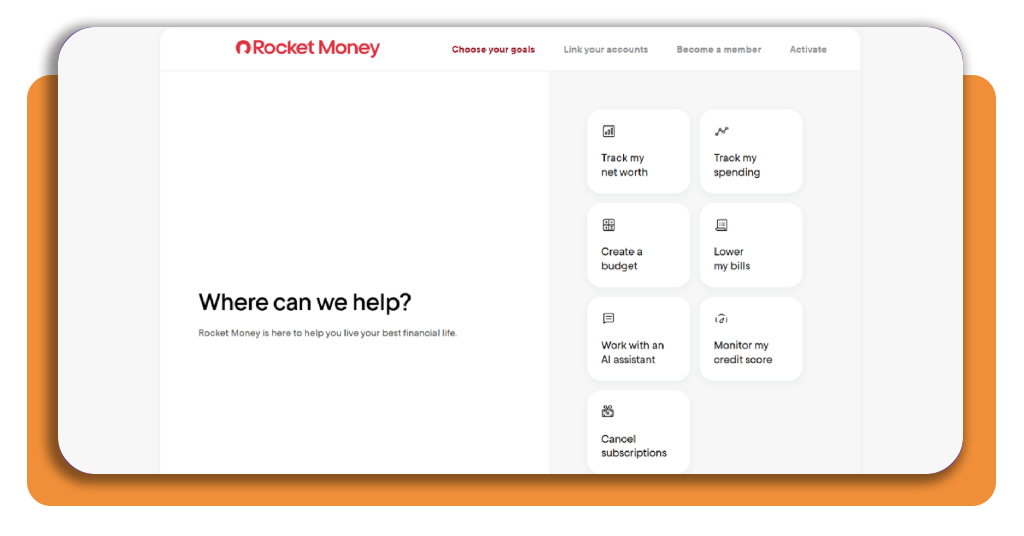
Scroll to the bottom of the goals list and select ‘Cancel subscriptions’, the option that points the platform toward the recurring charges you want to track down and shut off.
Rocket Money (Android | iOS) uses your selection to decide what appears first on your dashboard, and you’ll find your recurring charges at the top once the accounts are synced.
Step 4: link your accounts to detect subscriptions
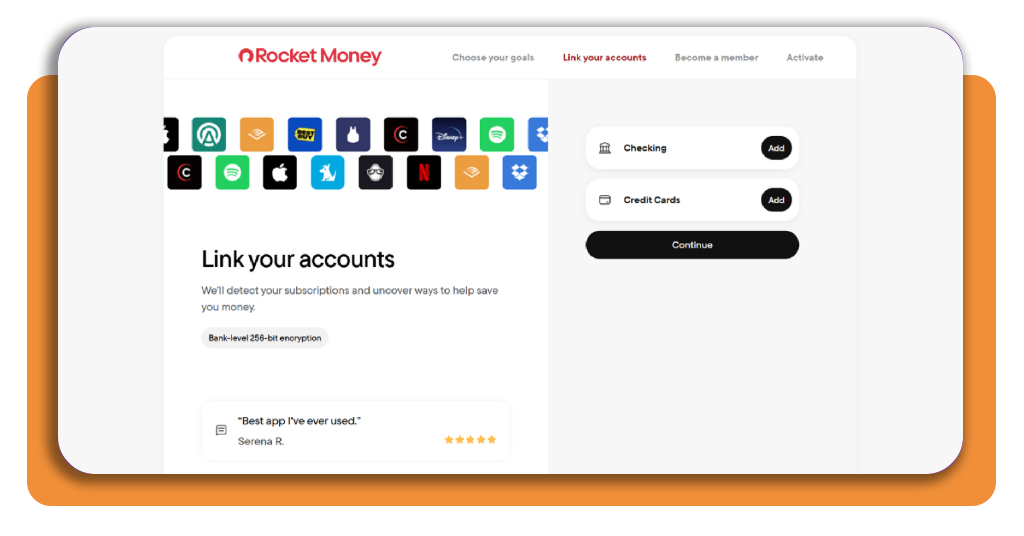
Click on ‘Add’ next to ‘Checking’, pick your bank, and sign in with your online banking login to approve the connection, then repeat the process with ‘Add’ next to ‘Credit Cards’.
Press ‘Continue’ after you finish linking accounts, and the platform starts reading your recent transactions for recurring payments, giving your billing alerts the data they need to start working.
Top personal budgeting apps
A budgeting app turns your income into a plan you can follow, and the style you pick decides whether tracking money feels like a routine you look forward to keeping.
Your habits, your household, and your comfort with manual entry point you toward the right match, and a plan that fits your routine keeps paying off through busy weeks.
Alongside spending categories and savings goals, budgeting apps now include subscription management, giving you a place to track what renews next to the rest of your spending plan.
YNAB gives every dollar a job
YNAB (Android | iOS), short for ‘You Need A Budget’, uses zero-based budgeting, and you assign every dollar of income to a bill, a goal, or a savings fund before you spend it.
Its ‘Loan Planner’ maps a payoff schedule for your debts, a shared plan welcomes up to six people, and a 30-day free trial gives you time to test the method.
Monarch keeps partners on the same page
Monarch (Android | iOS) lets you and your partner see the same accounts, budgets, and goals in one dashboard, and a financial advisor can join your household at no extra cost.
Pick ‘Flex’ or ‘Category’ budgeting to match how you plan your month, and watch your upcoming bills appear in a calendar or list with payment notifications inside an ad-free app.
Quicken forecasts your cash flow ahead of time
Quicken (Android | iOS) builds a spending plan for the income and bills you already expect, then projects your cash flow and warns you about a tight week long before it arrives.
It also adds subscription management on top of the forecast, flagging recurring charges, sending alerts for your bills and spending limits, and offering watchlists for different categories.
Best options for canceling unwanted services
Canceling a service you stopped using frees money for plans you care about, and a routine turns the process into a quick win you can repeat after any free trial.
A subscription skips the sting you feel at a physical checkout counter, and with your card on file the monthly charge renews without any action, reminder, or decision from you.
Proper subscription management starts with a list of every app, gym, and streaming service you pay for and shows what deserves a spot in your monthly budget.
Cancel through the platform you signed up with
Open your statement and check who bills you, as Apple, Google, and the company’s own site keep separate records and honor a cancellation request only from the platform you joined.
On an iPhone, open ‘Settings’, tap your name, and select ‘Subscriptions’. On Android, open Google Play, tap your profile picture, and choose ‘Payments and subscriptions’ to end a plan.
Pause a membership if you feel unsure
Some services let you pause billing from the account settings page, freezing payments for a set period while your saved history, preferences, and progress stay in place for your return.
Mark the end date of the pause in your calendar and your subscription management app, then decide whether to resume, extend, or cancel the plan based on your recent usage.
Say no to tempting retention discounts
Companies answer your cancellation request with offers like several months at half price, and a discount on a service you don’t use adds a new line to your monthly spending.
Decline the offer with a polite ‘no’, then check that the final screen or a follow-up email shows your end date and a confirmation number before you close the page.
4.5/5
Spend on what you actually use
Rocket Money (Android | iOS) does the digging for you by listing your recurring charges in one tidy place, and you decide what stays and what goes after a quick look.
In this guide, Insiderbits explained how subscription management, a budgeting app, and a polite cancellation can work together to keep your paycheck and savings where they belong.
Keep reading Insiderbits for smart money management articles full of simple habits that trim your family’s bills, grow your savings, and show you where all your dollars go.