
There’s always that moment when an idea hits and nothing around you does it justice. A notes app feels too simple, a blank document too cold, and a physical sketchbook too easy to lose. Ideas deserve a space that moves with them, one that lets you scribble, rethink, and rework without starting over. That’s the kind of freedom a good sketching app is supposed to offer, and Concepts delivers it in a way that really changes how creative work feels.
The app runs on an infinite vector canvas, meaning every stroke stays editable and every design stays flexible long after you’ve put it down. This Insiderbits guide walks through what Concepts offers, how to set it up, and all the creative ways it can fit into your routine. Keep reading, because the way this app handles your ideas might just shift how you think about the creative process altogether.
Related: Animate Drawings Software: Learn How to Create Stunning Animations with Sketch

What’s the best sketching app?
Concepts (Android and iOS) is a creative workspace built for people who think visually and need a tool that keeps up with every idea they throw at it.
It runs on a vector-based system, so everything you draw stays editable. Resize, recolor, or reposition any stroke without losing quality or starting over from scratch.
This sketching app works across Android, iOS, ChromeOS, and Windows, keeping your creative work accessible wherever your best ideas tend to show up unexpectedly.
Features available in the app
- Realistic drawing tools: pencils, pens and brushes all respond to tilt and velocity, giving every stroke a natural, hand-drawn feel that digital tools rarely nail;
- Infinite layering system: stack as many layers as your design needs, adjust opacity on each one and keep every element of your work neatly organized;
- Flexible color system: pick from HSL, RGB, and COPIC color wheels to find combinations that work together and bring real depth to your sketches;
- Precision drawing tools: shape guides, live snap, and measurement features help you create clean, accurate lines without sacrificing the freedom of freehand sketching.
A creative tool trusted by top designers
This sketching app has earned its place in the workflows of designers at Disney, PlayStation, Apple, and Google, which says a lot about what it delivers.
These aren’t people experimenting on weekends. They are professionals building real products, characters, and campaigns, and they keep coming back to Concepts for a reason.
The app holds up under the kind of creative demand that exposes every weakness in a tool, and it consistently delivers without getting in the way.
Draw without limits or boundaries
The canvas in Concepts doesn’t end. You scroll, zoom, and expand in any direction, giving every project the kind of room it needs to fully take shape.
Working on this sketching app feels like thinking out loud on paper, except nothing gets erased by accident and every idea stays exactly where you left it.
That kind of creative freedom changes how you approach a project. You stop holding back and start putting everything down, knowing the canvas will always have room.
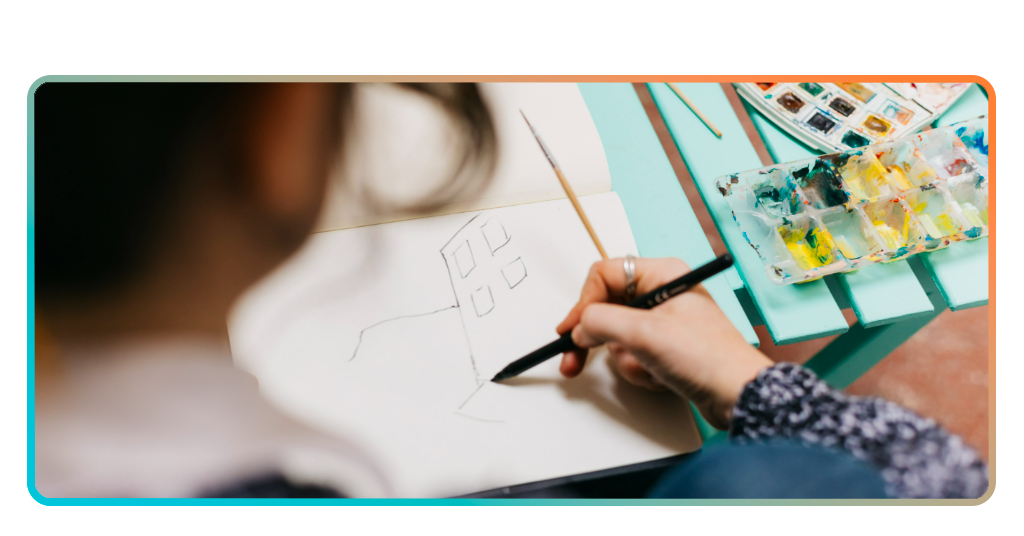
Step-by-step: how to sketch ideas using Concepts
The setup process is laid out in a way that makes sense, even if you’ve never used a drawing app before. Concepts (Android and iOS) keeps it that simple from the start
The app puts you in the drawing seat almost immediately. Pick up a tool, open a canvas, and your first sketch is already taking shape without any friction holding you back.
Once you’re in, this sketching app hands you the controls and lets you move at your own pace, building out ideas as freely as you need to.
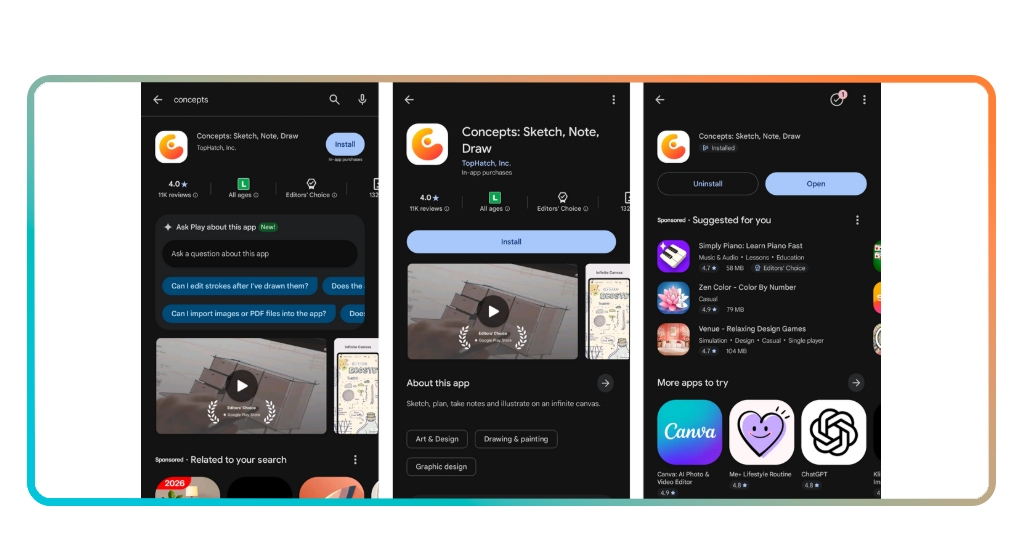
Step 1: download the Concepts app
Search for Concepts on the App Store or Google Play and tap ‘Install’ or ‘Get’. It’s free to download, doesn’t take a lot of storage, and lands on your device within seconds.
Once it’s on your phone or tablet, open it up and you’re in. No account creation, no lengthy onboarding, just a clean interface ready for you to explore straight away.
From there, you’ll land on the main gallery screen where all your drawings live. Take a moment to look around before jumping into your first canvas.
Step 2: set up your canvas and tools
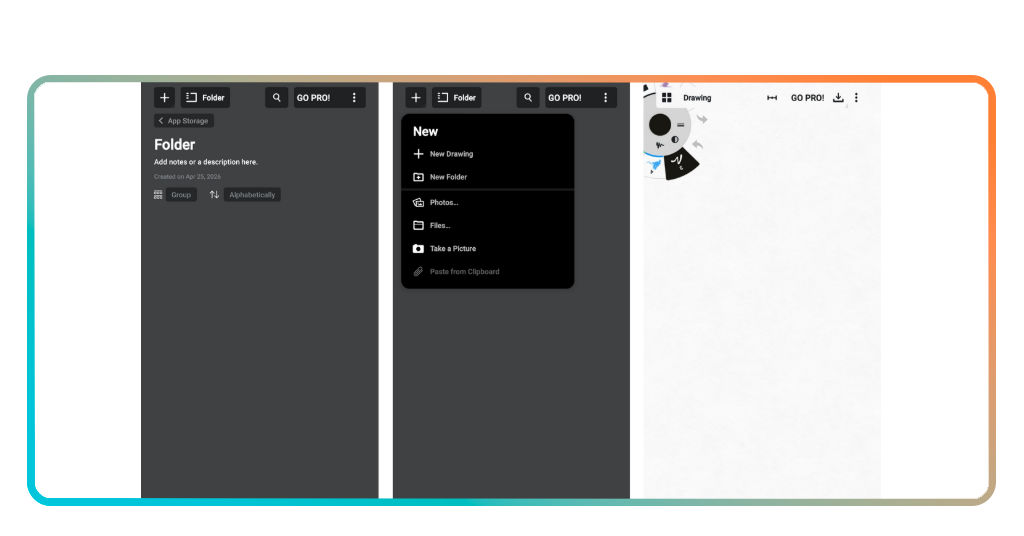
Tap the ‘+’ icon to open a new canvas and pick a paper type that suits what you’re working on, whether that’s a blank sheet, a grid, or a custom layout.
On this sketching app, the tool wheel sits right at the top left corner. Swap between pencils, pens, and brushes, then adjust size and color to match what you have in mind.
If you’re planning something detailed, turn on shape guides or live snap from the settings. These keep your lines clean without locking you into a stiff drawing style.
Step 3: start sketching and refine your work
Start putting ideas down without overthinking it. The canvas has room for everything, so draw as you’d like and let the composition develop as you go along.
When something needs adjusting, use the ‘Select’ or ‘Slice’ tools to grab individual strokes and move them around. This sketching app makes editing feel like part of the creative process.
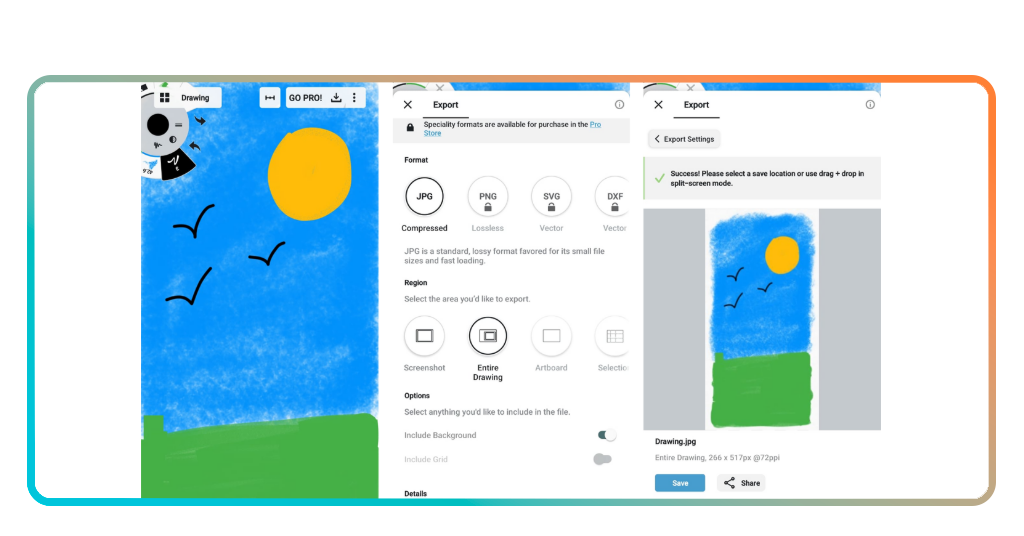
Once you’re happy with the result, export your work as a JPG, PNG, SVG, or PDF straight from the canvas and share it wherever it needs to go.
Related: Create Comics Without Drawing: Meet The Comic Book Creator App
Different and fun ways to use the app
Not every creative tool bends to fit the way you work. Concepts (Android and iOS) are different in that sense, adapting to whatever project you have without making you adjust your approach.
You don’t need a specific skill level to get value out of it either. Artists, designers, students and hobbyists all find their own way of using it without feeling boxed in.
What keeps people coming back to this sketching app is how naturally it fits into different routines and workflows, without forcing you to change how you already think creatively.
Build detailed storyboards and product sketches
The app gives you the kind of canvas that storyboarding actually needs. You can lay out scenes side by side, adjust proportions, and rework panels without losing your original composition.
For product sketches, the precision tools make a real difference. You can draw accurate shapes, add measurements, and iterate on details without everything falling apart mid-process.
The layer system keeps every element of your work separate and easy to manage. Move things around, hide sections, or compare versions without touching anything you want to keep.
Brainstorm and map out your ideas visually
Dropping ideas onto a canvas as they come is one of the most natural ways to think through a problem, and Concepts gives you all the room you need for that.
You can use this sketching app to build mindmaps, connect related thoughts with lines, and group ideas by color or layer until a clear direction starts emerging from the chaos.
There’s no pressure to keep things neat during a brainstorm. Sketch loosely, write notes, draw arrows, and let the canvas absorb everything until the picture starts making sense.
Collaborate and share your creative work instantly
When a sketch is ready to leave the canvas, Concepts makes it simple to get it in front of whoever needs to see it without jumping through hoops.
Export your work as a JPG, PNG, SVG, or PDF and share it directly with clients, teammates, or friends through the built-in export tools in this sketching app.
The vector format means your files arrive looking sharp at any size. There’s no pixelation or quality loss, just clean visuals that hold up no matter where they end up being displayed.
Related: Create Beautiful Pencil Art with Simply Draw
Bring your boldest ideas to life
Concepts (Android | iOS) turns the act of drawing into something that feels naturally good, giving every idea you have a place to live, grow, and develop into something worth sharing.
In this Insiderbits guide, you saw how this sketching app frees up your creative process, making it easier to think visually, iterate on ideas, and produce work you’re proud of.
Keep browsing Insiderbits to find more articles about creativity apps that fit your lifestyle and help you get more out of every spark of inspiration that comes your way.