

Finding plus-size pieces that fit well can be tiring, and buying something only to find it doesn’t work is frustrating when every dollar counts. A program inside a popular shopping app offers another way to try new clothes before spending anything.
This guide from Insiderbits explains how the SHEIN Free Trial Center works, how to apply with your own size, and how to make good use of your three weekly chances. Read ahead.
Related: How to change clothes in your photos instantly

4.7/5
Where to find plus-size clothes to try for free
The SHEIN app (Android and iOS) has a Free Trial Center, a section that lists clothing items customers can apply to receive at home and review.
When you apply, you choose your own size. If your application is selected, the item ships to your address, and the shipping cost is covered by the store.
The list of items changes every week, so the pieces available in your size may vary. Checking the center regularly helps you spot new options as they appear.
Who the program is for
Any active account can apply, as long as you are 18 or older and live where the program is allowed by law. Your delivery address must match the country of the store you’re using, so US shoppers need a US address.
Why your review matters to other shoppers
Selected participants are asked to describe fit, fabric and quality. For anyone shopping for bigger sizes, a review with real photos says a lot more than a size chart.
Step-by-step: pick your size and send the application
The whole process happens inside the app and takes just a few minutes. The details you enter here can’t be edited later, so go slowly on the size and address fields.
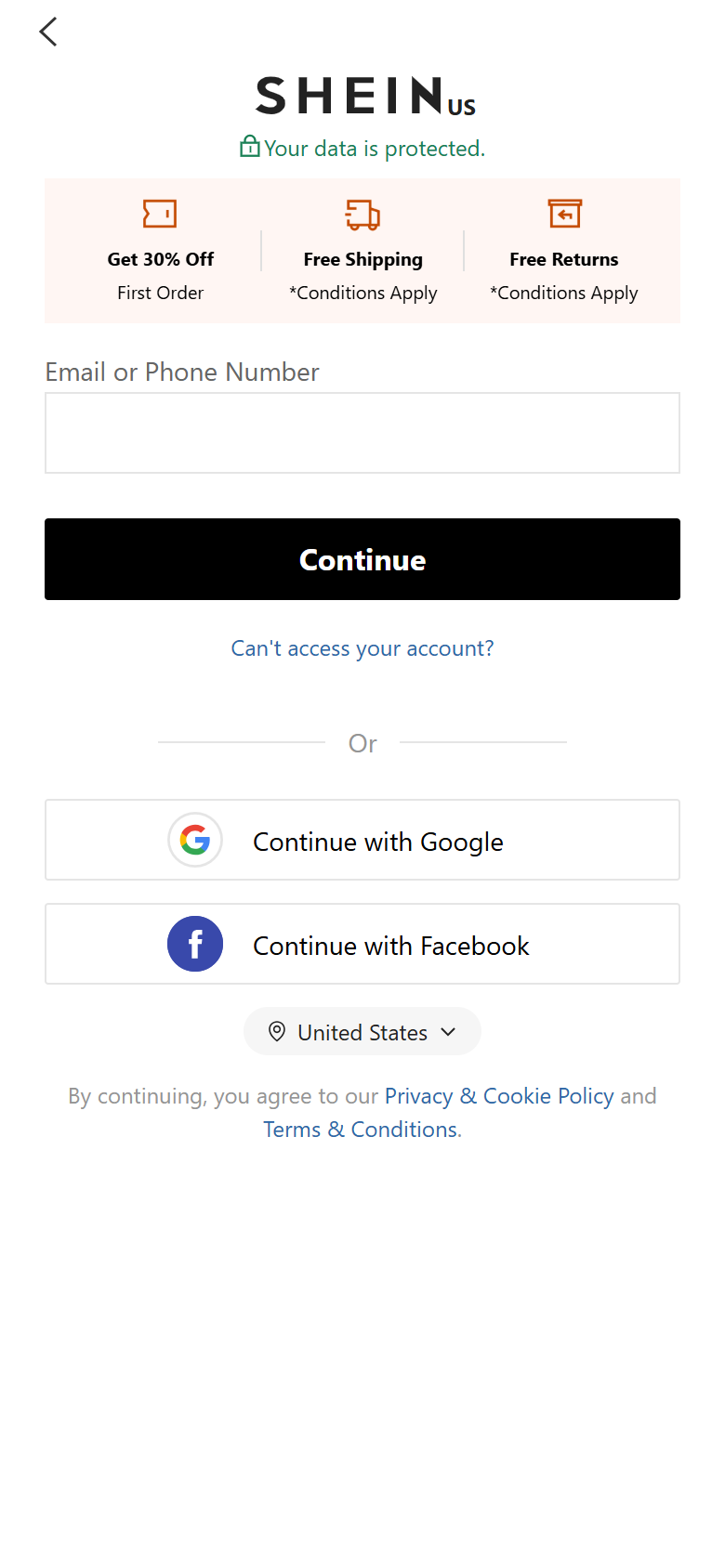
Step 1: install the app and log in
Download it from the App Store or Google Play, then sign in or create a new account.
Step 2: find the Free Trial Center
Open your Personal Center, tap ‘More Services’, then ‘Other Services’, and select ‘Free Trial Center’.
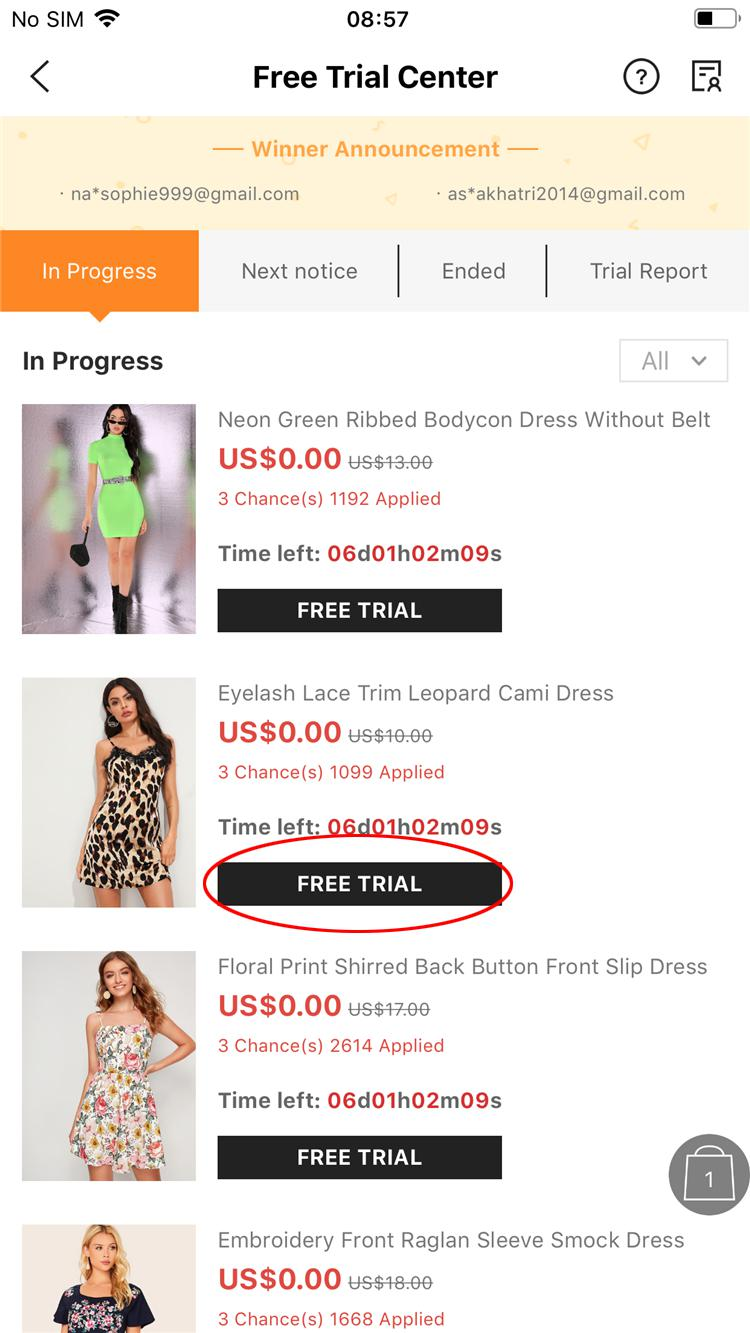
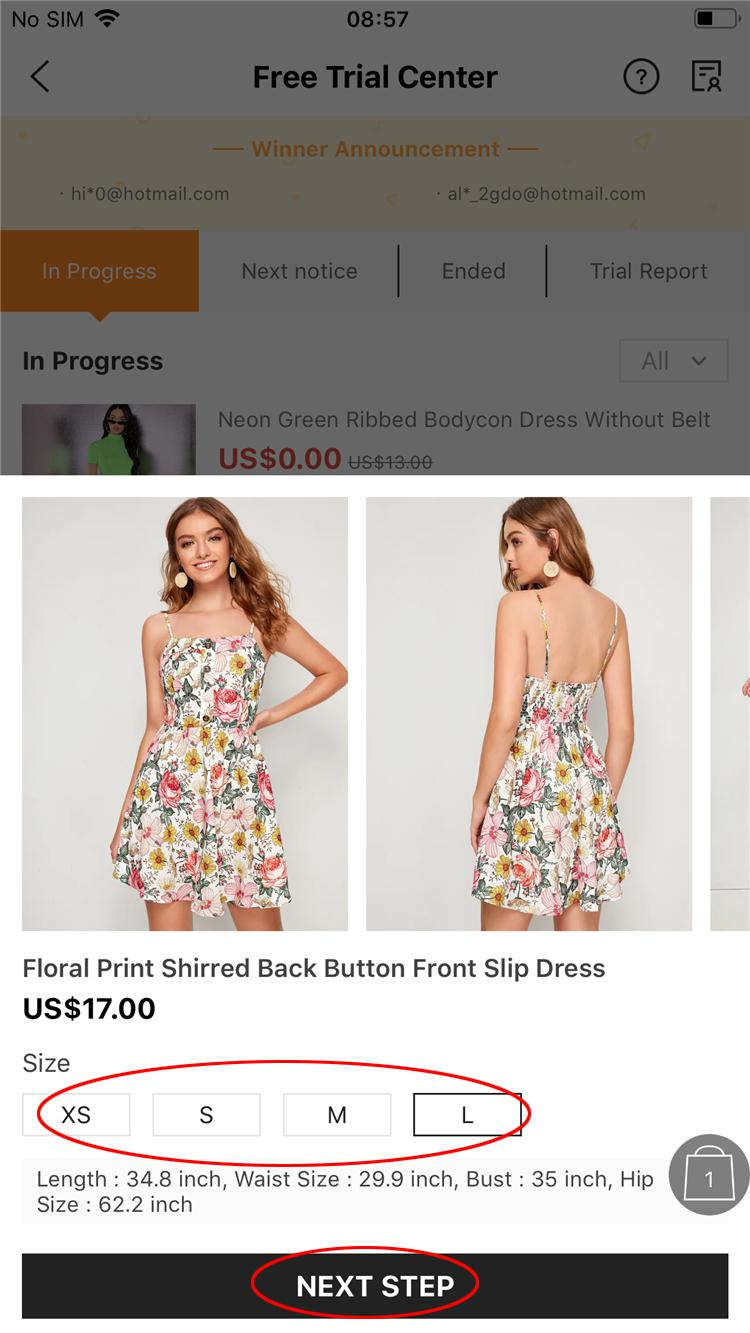
Step 3: choose a piece and the size you wear
Browse the items, tap ‘Free Trial’ on the one you like, and pick the size you actually wear. Confirm the Trial Delivery shipping address and tap ‘Submit’.
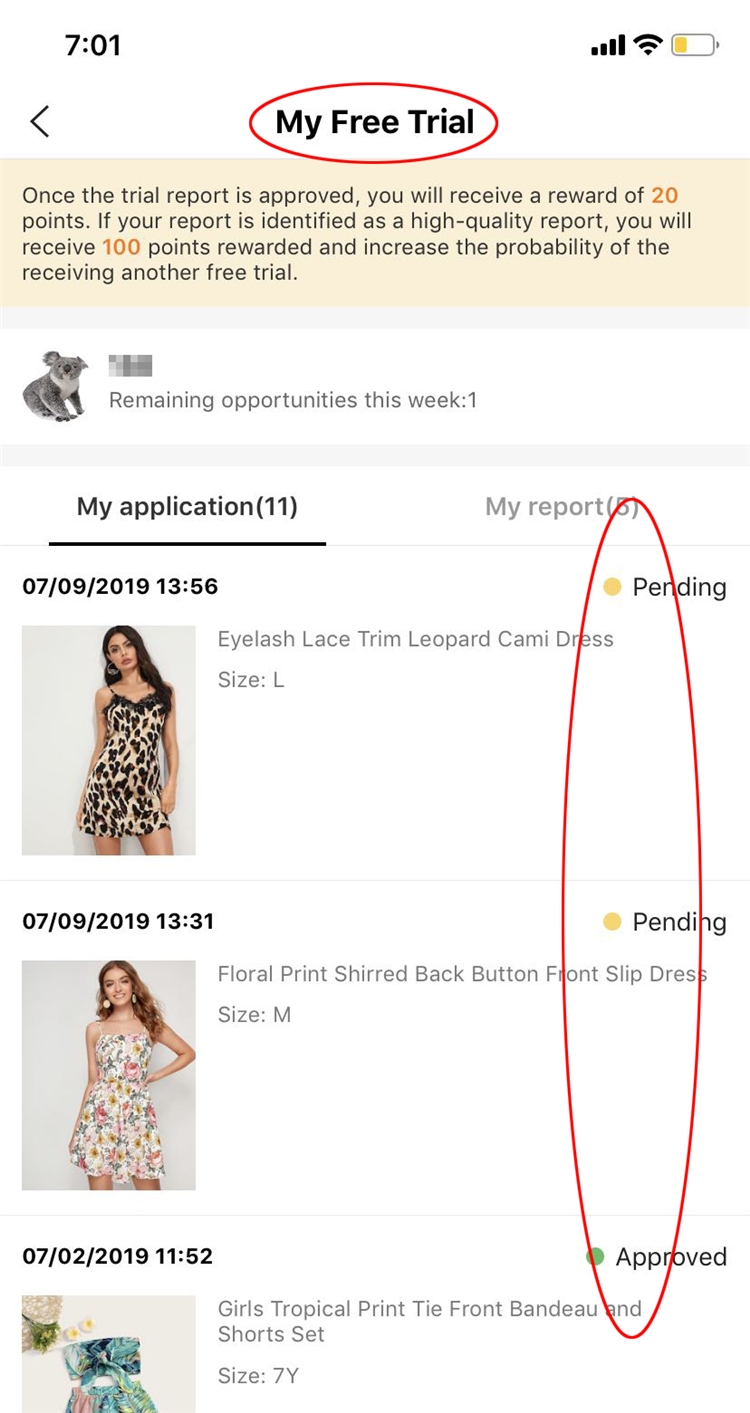
Step 4: follow the status
Go to ‘My Free Trial’ and then ‘My Applications’. Your request shows as ‘Pending’ until it changes to ‘Approved’ or ‘Failed’, which takes about one week.
How the 3 weekly chances work
Each account can apply for up to 3 items per week. Those chances don’t add up: if you skip a week, you can’t use six the following week.
Participants are chosen at random by an automated system. The odds depend on how many people applied for that same item, so popular pieces tend to be more competitive.
Making each chance count
Before you submit, compare a few items in your size. Pieces with fewer applicants may give you a better shot, and spreading your three chances across different items can help too.
What you can’t do
Using fake or extra accounts to get more trials is against the rules. Those accounts have their trials canceled and can be banned from the program.
What the review asks for after delivery
When you’re selected, the order is generated and shipped automatically. After it arrives, try the piece on and look closely at fit, fabric, construction and overall quality.
You’re asked to post a detailed and honest review, ideally within 10 days of receiving the item, with a full-body shot and two detailed photos.
A review that follows the rules earns 20 SHEIN Points, and one rated as a ‘Quality Review’ earns 100 more. If your first review doesn’t meet the requirements, you may get one more chance to fix it.
Simple habits that help your application
Keep your size and address up to date, since they can’t be changed once the order is generated. Use your own photos only, because stolen or fake images can get a review removed.
Send your reviews on time. Missing one may affect your chances of being picked for future trials.
Also remember that shipping is covered by the store, but customs duty may apply in some cases and is the participant’s responsibility. If an item hasn’t arrived after 30 days, contact customer service.
4.7/5
Try before you buy, in your own size
Shopping for clothes that fit well doesn’t have to start with spending money. A few minutes a week is enough to apply for plus-size clothes to try at home and share your honest opinion.
In this Insiderbits guide, we covered where to find the Free Trial Center, how to apply with your size, and what the review asks for.
Be sure to read other Insiderbits articles for more apps that help you save and make the most of every dollar.