Crime mapping has changed the way people keep tabs on their neighborhoods. Instead of relying on word-of-mouth, social media speculation, or yesterday’s news, residents can now see local crime trends and incidents on an interactive map. It’s a more direct way to understand what’s happening nearby and spot patterns that might otherwise go unnoticed.
Crime mapping means a quick look can reveal trends around your commute, a potential new home, or even the area around your child’s school. While no map tells the whole story of a neighborhood, it offers a clearer picture than rumors alone and helps people make more informed decisions about where they live, work, and travel. Ready to see how it can work out for you? Read ahead on Insiderbits.
What is the crime mapping tool and how does it work?
Crime mapping works by pulling local public safety data into one place, so you do not have to dig through police websites or file records requests just to see what is happening nearby.
Platforms like the CrimeMapping Portal gather incident reports from participating agencies and place them on an interactive map, making it easier to follow patterns without getting lost in bureaucratic weeds.
What makes it useful is the way it turns raw reports into something people can actually read at a glance.
Incidents are grouped into clear icons and filters, so you can focus on the kinds of issues that matter most to your street, commute, or search for a new neighborhood.
In other words, crime mapping turns a pile of public data into something much closer to a neighborhood early-warning system.
Types of alerts available on CrimeMapping
CrimeMapping makes it easier to sort public safety data into categories. Instead of showing every report in one big stream, the platform lets you focus on the kinds of incidents most relevant to your neighborhood.
- Property crimes: track burglary, theft, and car break-ins to see whether homes, parking areas, or alleyways are seeing more activity;
- Disturbance reports: follow vandalism, drug-related incidents, and public disruptions to get a better read on day-to-day neighborhood conditions;
- Violent crime alerts: monitor assault, robbery, and weapons-related reports for a clearer picture of higher-risk activity near your area.
Step-by-step: how to activate free crime alerts
Once alerts are set up, you’ll receive updates when new incidents are reported in the areas you care about, helping you keep an eye on local activity with minimal effort.
Step 1: visit the CrimeMapping website
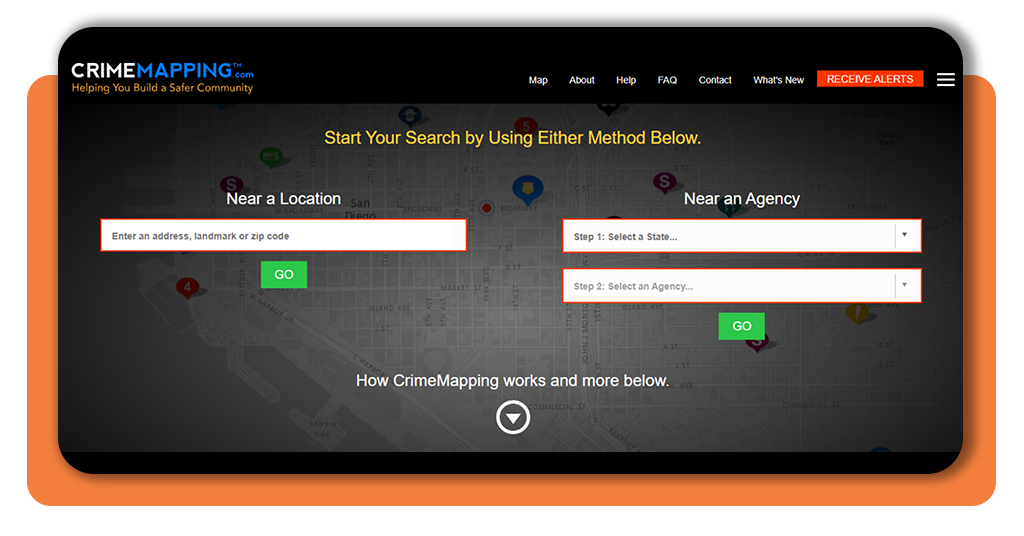
Go to https://www.crimemapping.com/ and enter your city, ZIP code, or address to view crime data in your area.
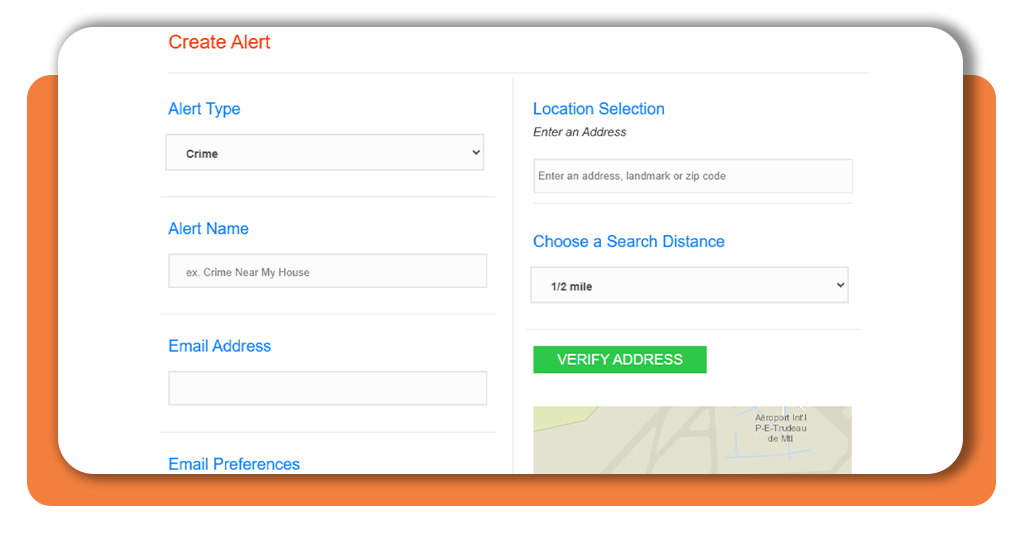
Step 2: create an alert zone
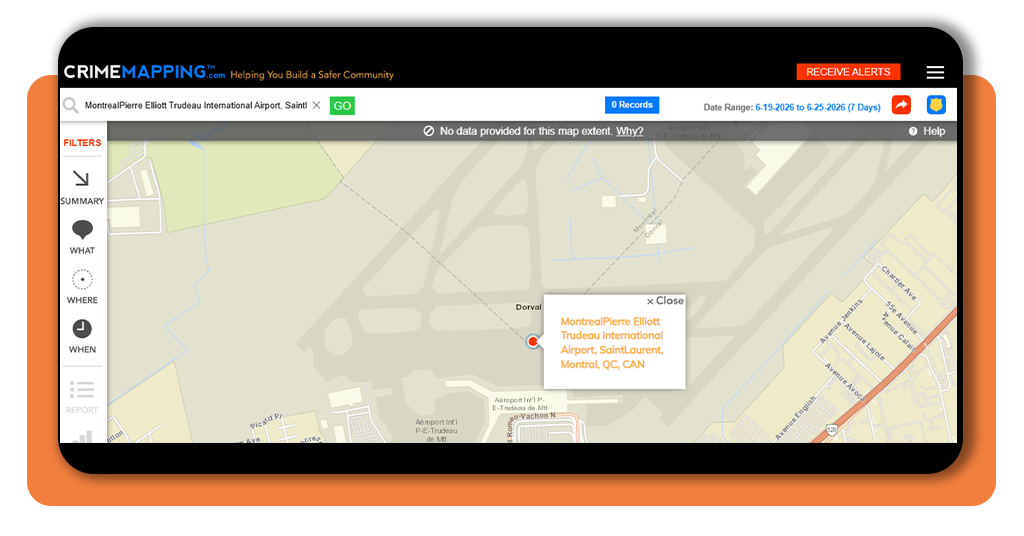
Use the map tools to select a location you want to monitor, such as your neighborhood, workplace, or your child’s school area. You can usually adjust the size of the area based on how broad or specific you want the alerts to be.
Step 3: choose the incident types
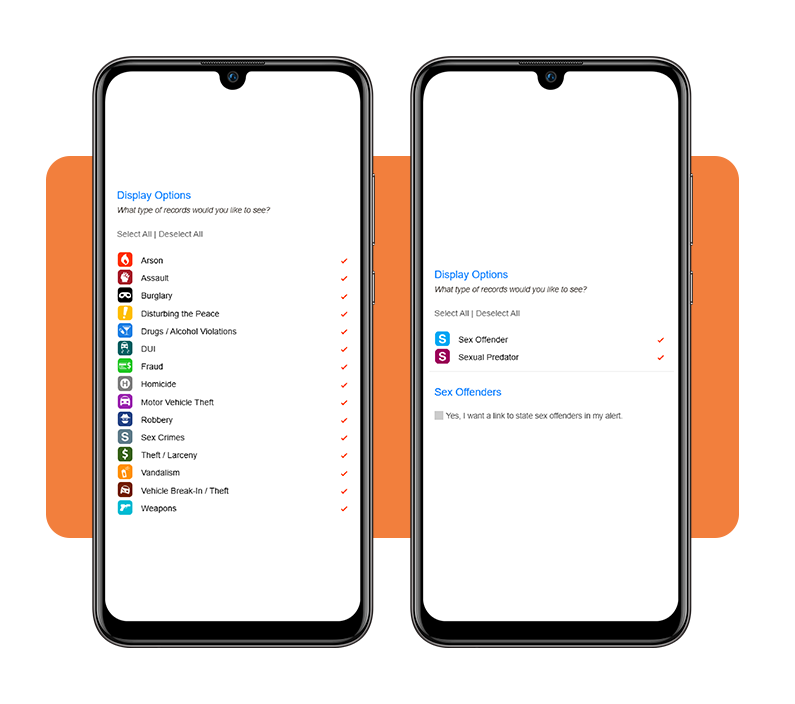
Select the categories you want to track, such as property crimes, vandalism, theft, assault, or other reported incidents. This helps keep alerts relevant to your interests.
The, sign up for notifications by providing an email address where alerts can be delivered.
Step 4: confirm and activate
Review your settings and activate the alert. From that point on, you’ll receive updates when new incidents matching your criteria are reported within your selected area.
What to do if you identify suspicious activity?
Crime mapping tools are great for spotting patterns, but they are not designed to handle emergencies in real time.
If you witness a crime in progress, see suspicious activity that poses an immediate threat, or believe someone is in danger, contact local emergency services right away rather than relying on a map or alert platform.
For less urgent situations; vandalism discovered after the fact, suspicious behavior that isn’t an immediate threat, or neighborhood concerns you want documented, it’s best to contact your local police department’s non-emergency line.
Crime mapping works best as an awareness tool, helping you understand what’s happening around you and make informed decisions about your daily routine.
If you’re interested in following incidents as they unfold, many people also combine crime mapping with police scanner apps and public safety feeds for additional context.
And if you’re curious about how reports appear on the map or how often data is updated, the CrimeMapping FAQ offers a helpful overview of the platform’s data-sharing process.
Security electronics to protect your home
If your crime mapping dashboard starts showing more package thefts or car break-ins nearby, that is usually a good time to tighten up the home front.
Digital alerts are useful for spotting patterns, but the real payoff comes when you pair that information with a few practical upgrades around the house.
- Smart video doorbells: let you see who is at the door, check deliveries, and talk to visitors from your phone;
- Outdoor floodlight cameras: light up dark areas fast and record what happens, which is often enough to make unwanted visitors think twice;
- Window contact sensors: trigger an alarm when a ground-floor window opens unexpectedly;
- Smart deadbolts: replace spare-key hiding spots with keypad access and a clearer record of who came and went.
Using crime mapping to stay informed
At its best, crime mapping is about replacing guesswork with information.
Instead of relying on neighborhood rumors, social media speculation, or that one neighbor who seems to know everything, you can use local data to get a clearer picture of what’s happening around you.
By setting up alerts, following local trends, and pairing that knowledge with practical home security measures, you can make more informed decisions about your family’s safety.
No app can predict every situation, but crime mapping can help you stay aware, spot patterns, and feel a little more confident about the place you call home.
Frequently Asked Questions
What is crime mapping?
Crime mapping is a tool that pulls local public safety data into an interactive map, allowing residents to see reported incidents — such as theft, vandalism, and assault — in their area without having to dig through police websites or file records requests.
Is CrimeMapping free to use?
Yes. CrimeMapping offers free crime alert subscriptions. You can visit https://www.crimemapping.com/Alerts and set up notifications for your area at no cost.
How often is the crime data updated on CrimeMapping?
Data update frequency varies by participating agency. For specific details on how often reports are refreshed, the CrimeMapping FAQ at https://www.crimemapping.com/FAQ provides an overview of the platform’s data-sharing process.
What types of crimes can I track with CrimeMapping?
You can track property crimes (burglary, theft, car break-ins), disturbance reports (vandalism, drug-related incidents, public disruptions), and violent crime alerts (assault, robbery, weapons-related reports).
What should I do if I see a crime happening in real time?
Crime mapping tools are not designed for real-time emergencies. If you witness a crime in progress or believe someone is in danger, contact local emergency services immediately rather than relying on a map or alert platform.