
A credit report app can help you understand why your applications for credit cards, auto loans, mortgages, or personal lines of credit keep getting rejected.
Lenders may decline applications for several reasons, including late payments, high credit utilization, or errors in your credit reports. Read this and more on Insiderbits.

5/5
Which is the best app to check your free credit report?
While several mobile platforms offer credit score access, Experian (iOS | Android) is widely recognized as one of the best apps to check your official credit report.
Because Experian is one of the three primary consumer credit bureaus in the U.S, its app gives users direct access to their actual Experian credit file and FICO® Score, rather than an estimated educational score model.
With a credit report app, you can monitor your credit score, review account information, and check for inaccuracies that may affect your credit profile.
Identifying potential issues can help you take practical steps to correct reporting errors, manage your credit more effectively, and prepare for future applications..
Beyond Experian, other monitoring platforms can give you valuable coverage:
- Credit Karma: Offers free weekly credit reports and VantageScore 3.0 updates from both TransUnion and Equifax, making it an excellent dual-bureau tracking tool.
- MyFICO: Delivers specialized FICO® Score tracking tailored for mortgage, auto, and credit card underwriting algorithms across all three bureaus.
Downloading an official monitoring app allows you to audit your files regularly without impacting your credit scores.
Key features within Experian app
The Experian credit report app (iOS | Android) offers tools to help you review your credit profile, track changes, and identify issues that may affect your credit score.
- Free FICO® Score and Experian Credit Report: view your official FICO® Score 8 updated regularly, alongside a detailed breakdown of your Experian credit file;
- Experian Boost®: an opt-in tool that allows you to link bank accounts to get credit for on-time utility, telecom, and streaming payments, potentially raising your score instantly.
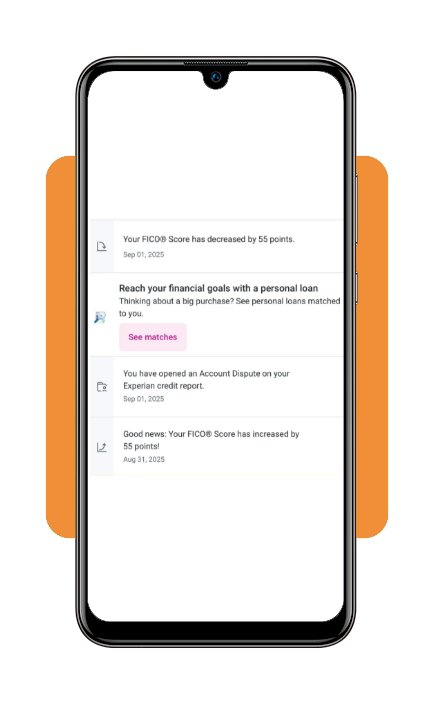
- Direct dispute center: file and track digital disputes directly within the app if you identify inaccurate late payments, unknown account balances, or fraudulent inquiries;
- Real-Time credit monitoring alerts: receive instant push notifications whenever a creditor pulls a hard inquiry, a balance changes, or a new account opens under your name.
Step-by-step: how to check your credit report and spot errors
A credit report app can make it easier to review your credit history and spot potential errors. Follow these steps to check your report, identify inaccuracies, and learn how to dispute incorrect information.
Step 1: install the app and verify your identity
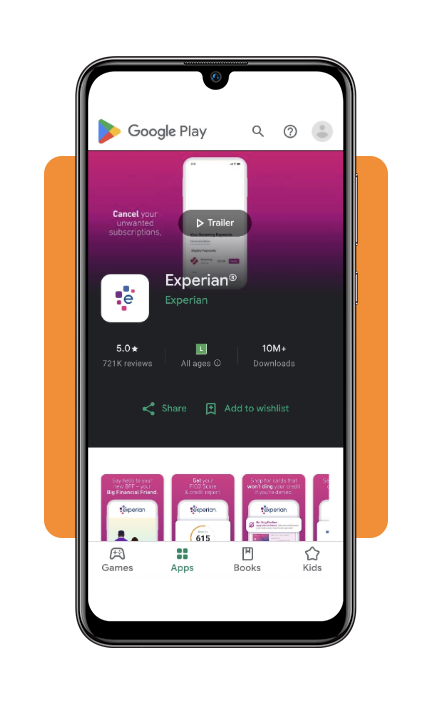
Download and launch the Experian app (iOS | Android).
Create your account by entering your legal name, address, date of birth, and Social Security Number (SSN). Complete the security verification prompts by answering identity questions based on your financial history.
Step 2: review your dashboard and credit score
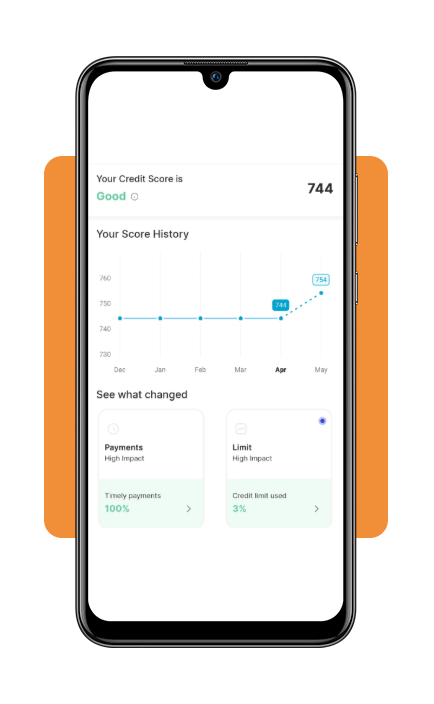
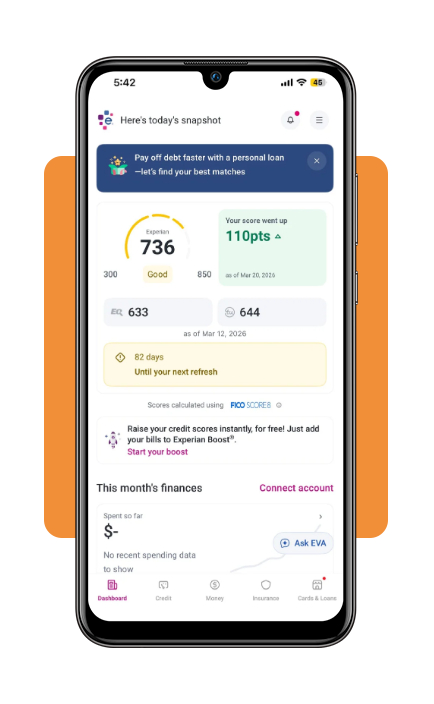
Once logged in, your primary dashboard displays your official FICO® Score 8.
Tap the score breakdown to view your rating status across five core credit factors: payment history, credit utilization, account age, total debt, and recent hard inquiries.
Navigate to the ‘Credit’ tab to view your complete Experian credit report.
Scroll through each account category—including credit cards, mortgages, auto loans, personal loans, and collection accounts—checking reported balances, payment statuses, and credit limits.
Step 3: identify and document credit errors
Look closely for common reporting mistakes:
- Payments marked as 30 or 60 days late that you paid on time;
- Accounts listed as active that were previously closed or paid in full;
- Duplicate collection listings for the same underlying debt;
- Unfamiliar accounts or unknown hard inquiries that could signal identity theft.
Step 4: file an online dispute directly with Experian
Tap any account or specific item containing inaccurate information and select ‘Dispute this item.’
Choose your dispute reason (e.g., ‘Account balance is incorrect’ or ‘Never late’), upload any supporting proof (such as bank receipts or cancellation letters), and submit.
Experian typically completes investigations within 30 days.
Main reasons for having your credit denied
Understanding why lenders decline credit applications is essential for reversing rejection trends. Underwriting algorithms flag the following primary triggers, as outlined in the Experian refused credit guide:
- High credit utilization: carrying credit card balances above 30% of your total spending limits signals financial strain to automated scoring models;
- Recent late payments or collections: a single 30-day or 60-day late payment can drop a good credit score significantly and lead to automatic declines;
- Too many recent inquiries: submitting multiple loan applications within a short timeframe creates multiple ‘hard inquiries,’ which underwriting systems flag as high risk;
- Insufficient credit history length: applicants with ‘thin’ credit files lack sufficient historical payment data for lenders to assess borrowing risk accurately.
If you face severe cash crunches while working to improve your credit, exploring short-term options like a no credit check emergency cash advance can help cover immediate expenses.
Top identity protection tools to download
Protecting your credit profile against identity theft, fraudulent applications, and data breaches requires dedicated monitoring tools:
- Experian IdentityWorks: integrated into the Experian app (iOS | Android), this service provides dark web surveillance, identity restoration support, and fraud alerts;
- LifeLock by Norton: An identity theft protection app offering credit monitoring across all three bureaus, stolen fund reimbursement, and dark web scans;
- Aura: An all-in-one digital security app combining multi-bureau credit monitoring, VPN protection, antivirus defense, and financial transaction alerts.
Best secured credit cards to apply
If you need to rebuild a damaged credit profile or establish a score after repeated rejections, secured credit cards offer approval pathways, utilizing a refundable cash deposit as collateral:
Discover it® Secured credit card
Discover it Secured Cash Back Credit Card requires a minimum $200 refundable deposit that sets your initial credit limit.
It stands out by offering 2% cash back at gas stations and restaurants (up to $1,000 in quarterly spend) alongside automatic account reviews starting at seven months to transition to an unsecured card.
Capital One Platinum Secured credit card
Platinum Secured Credit Card from Capital One offers flexible deposit requirements (such as $49, $99, or $200) to secure an initial $200 credit line for qualifying applicants.
Carry $0 annual fee and automatic credit line reviews in as little as six months without additional deposits.
OpenSky® Secured Visa® credit card
opensky Credit Cards | Visa is ideal for severe credit recovery because it requires no credit check to apply.
Your refundable cash deposit (starting at $200) establishes your credit limit, and monthly payments are reported directly to all three major credit bureaus.
5/5
Taking steps toward better credit
Using a credit report app can help you understand what’s affecting your credit score and track changes over time.
Although approval is never guaranteed, these habits can help you make more informed financial decisions.