
Getting rid of unwanted items can take time, especially when you don’t know where to find local buyers. A buy and sell app can make listing things you no longer need much easier.
At Insiderbits, we highlight practical digital tools that can simplify everyday tasks. Craigslist (Android | iOS) lets you post local listings and connect with people interested in buying used items.

4.8/5
Which is the best local buy and sell app to declutter your home?
Craigslist (Android | iOS) is a well-known platform for local buy and sell listings. You can browse items in your area or create your own listing for things you want to sell.
The platform covers many categories, including furniture, electronics, appliances, clothing, household goods, and other used items.
Because listings are organized by location, you can focus on potential buyers in your area.
Craigslist (Android | iOS) can be particularly useful when you want to clear out several items without shipping everything to buyers in other cities.
You can agree on a price and arrange a local pickup directly with the buyer.
Features available in the Craigslist app
The Craigslist mobile app (Android | iOS) provides access to local listings from your phone. You can search by location, browse categories, and create listings for items you want to sell.
The app is available for both iOS and Android, while Craigslist can also be accessed through its website. This gives sellers flexibility when creating or managing their listings.
Step-by-step: how to list and sell your used items locally using the app
Ready to turn things you no longer use into extra money? Follow these steps to create a local listing and connect with potential buyers.
If you have unused items at home, a buy and sell platform can help you turn clutter into extra cash while connecting with people nearby.
Step 1: open Craigslist
Open the Craigslist app (Android | iOS) or visit the Craigslist website.
Choose the location closest to you so your listing can reach people in your local area.
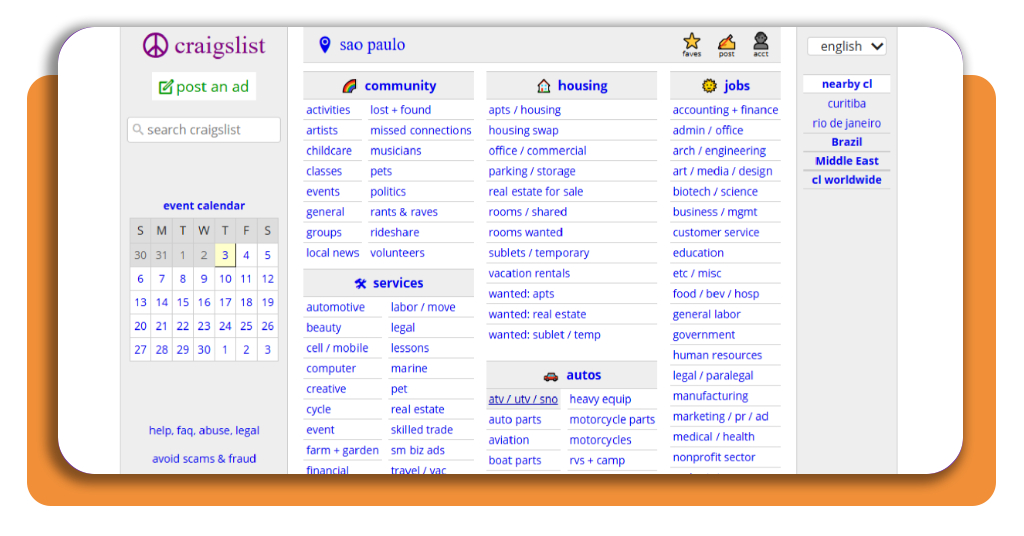
Step 2: create a new listing and post an ad
Select the option to create a new post and follow the instructions displayed on the platform.
Choose the appropriate category for the item you’re selling. Selecting the right category can help potential buyers find your listing more easily.
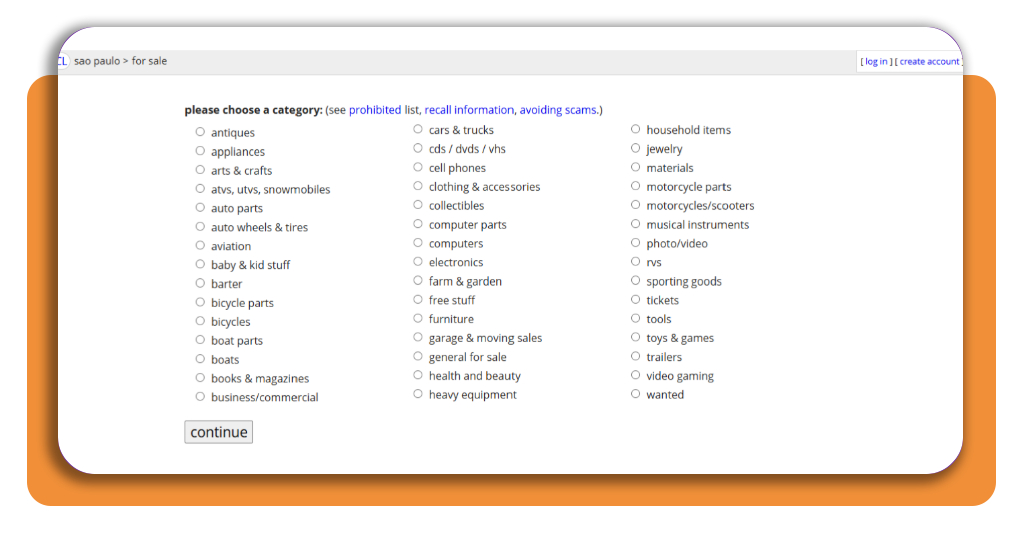
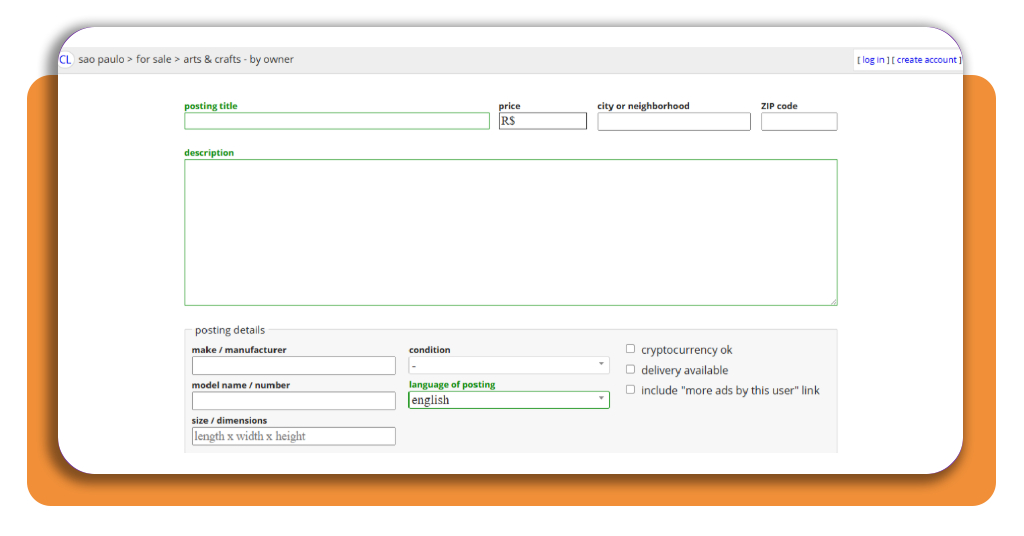
Step 3: add your item details and set your price
Write a clear title and describe the item honestly. Include important information such as its condition, dimensions, age, brand, and any visible damage.
If you’re selling multiple items, create separate listings when appropriate instead of putting everything into one generic post.
Research similar listings before choosing your asking price. Consider the item’s condition, age, brand, and local demand.
You can also leave some room for negotiation if you’re comfortable accepting a slightly lower offer.
Step 4: add photos
Take clear photos of the item from different angles. Good lighting can make it easier for potential buyers to understand what they’re considering.
Include photos of any scratches, stains, broken parts, or other imperfections. Being transparent can prevent misunderstandings later.
Step 5: publish your listing
Review the information and photos before publishing your listing. Make sure your contact details and description are accurate.
Once published, monitor messages from interested buyers and respond when you can.
Step 6: arrange the sale
Once you find a buyer, agree on the price, meeting location, and payment method before completing the transaction.
For additional decluttering ideas, check this guide on how to sell things you’ve decluttered.
Safety tips for local buyers and sellers
Meeting strangers to complete a local sale requires some basic precautions.
Whenever possible, choose a public location with other people around rather than inviting someone you don’t know into your home.
Be careful with requests involving unusual payment methods, overpayments, gift cards, or links that ask you to enter personal information.
If something about a transaction feels suspicious, consider ending the conversation.
If you’re selling a large item that requires pickup from your home, consider having another person present.
You can also move the item to an accessible area rather than allowing a buyer to enter private parts of your home.
Remember that a buy and sell platform connects buyers and sellers, but you are responsible for making sensible decisions about communication, payment, and meeting arrangements.
How to budget and manage extra income from selling things
Selling unused belongings can provide extra money, but having a plan for those earnings can make the money more useful.
Consider separating the proceeds from your regular spending so you can decide where the additional income should go.
You might use the money to cover an upcoming bill, build an emergency fund, pay down debt, or save toward a specific goal.
If you’re interested in other flexible ways to earn money, our guide to quiet side hustles for introverts offers additional ideas.
Another option is to create a simple monthly budget that includes the money you expect to earn from selling items.
Just remember that sales aren’t guaranteed, so don’t depend on occasional listings to cover essential expenses.
4.8/5
Turn unused items into extra cash
A local buy and sell platform can make it easier to clear unwanted belongings while potentially earning extra money.
Craigslist (Android | iOS) gives you a way to create listings and connect with buyers in your area.
Start with items you no longer need, take clear photos, write honest descriptions, and set realistic prices.
With a little organization and attention to safety, decluttering can become a practical way to make your home more manageable while putting some extra money in your pocket.