
Keeping track of income and business expenses are complicated when you work independently, but this tax filing guide explains how gig workers can organize those records.
We’ll look at how Stride (iOS/Android) supports expense and mileage tracking and which tax preparations are worth knowing about to make the recordkeeping side of gig work clearer.

4.8/5
Which is the tax filing and mileage tracker app for gig workers and side hustlers?
It is common for gig workers to need to keep track of several tax-related records at once when income comes from different platforms and driving is part of the job.
In this situation, a mobile tracker is responsible for organizing that information throughout the year instead of leaving everything for tax season.
Stride (iOS/Android) is the app Insiderbits highlights in this article for this topic.
The app helps as a tax filing guide by tracking business mileage through GPS and lets self-employed workers record income and expenses associated with their work.
It is designed for rideshare and delivery drivers, freelancers, contractors, and other people earning independent income.
The platform also creates mileage logs and tax reports from the information entered or tracked in the app.
Then, these records support tax preparation, although Stride (iOS/Android) itself should be viewed primarily as a tracking and organization app.
With that, you must know that the app doesn’t work as a replacement for the full tax-filing process.
For official guidance, the IRS page on taxes for gig work explains that gig income must be reported.
Besides that, you must notice that some self-employed workers would need to make estimated tax payments during the year.
Key features within the Stride mobile platform
Stride’s (iOS/Android) main feature is GPS mileage tracking, which records business trips and creates an IRS-ready mileage log.
With that, users can set reminders so work miles are less likely to go unrecorded.
Additionally, the app supports income and expense tracking, including gas, phone bills, and transportation.
This way, gig workers have one place to follow the numbers that matter during the year, particularly mileage, income, expenses, and the records needed when tax preparation begins.
Step-by-step: how to track business expenses and estimated taxes
Keeping records throughout the year makes your tax filing guide much more manageable.
Stride tracks work mileage, income, and business expenses while using that information to provide an ongoing estimate of your tax position. See how to use these tools:
Step 1: download Stride
To begin with, download the app from the App Store or Play Store, or access the Stride official website.
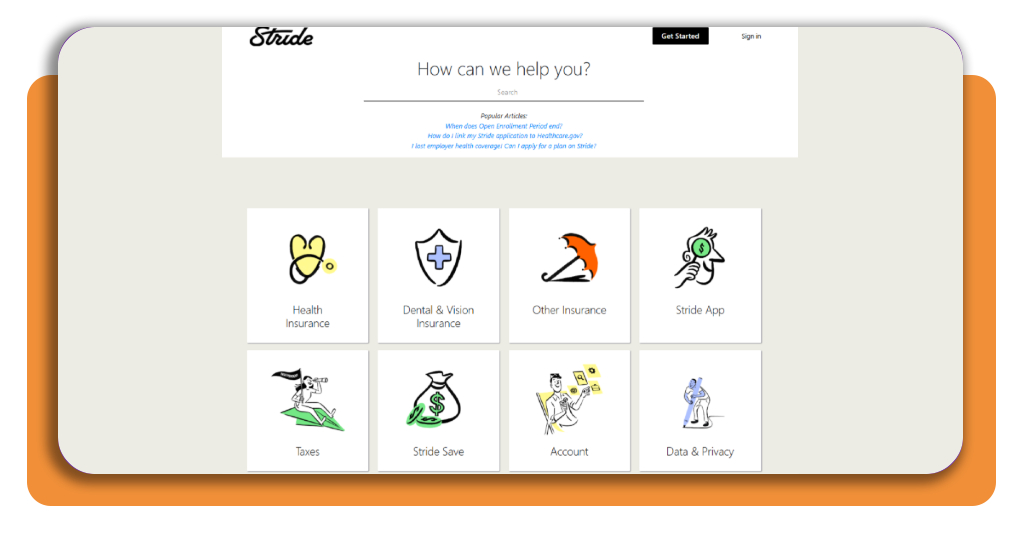
Step 2: record your business expenses
If using your computer, access the page ‘How do I file my taxes?’. Over there, you will see a guide with some steps to help you with it.
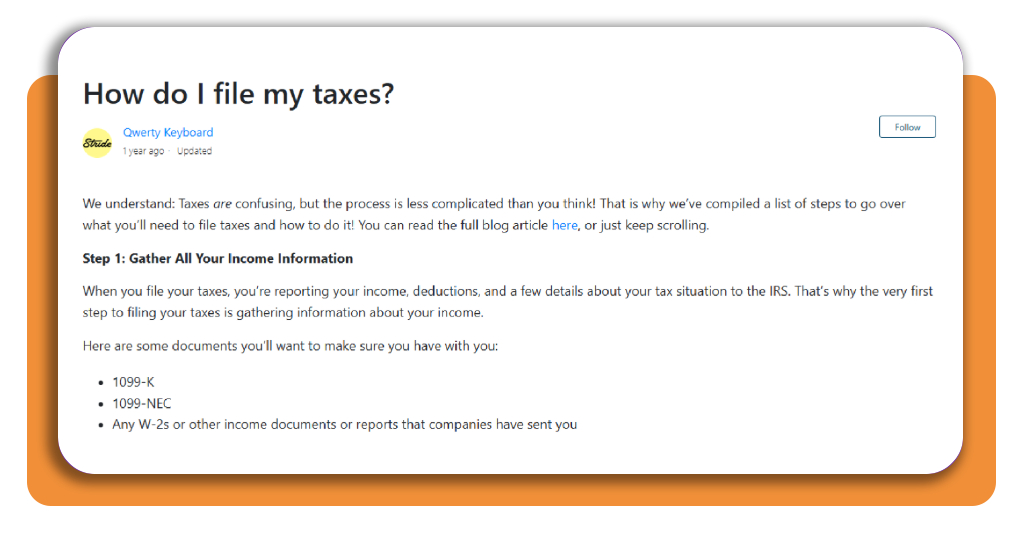
Step 3: follow the guide
Read carefully each step of this tax filing guide. By the end of it, you will be ready to file your tax with no problems.
Top tax preparation software
Once mileage and all other expenses are organized with your tax filing guide, you still need tax software that handles self-employment forms and deductions properly.
For this type of return, TurboTax and H&R Block are two recommended options because both support Schedule C filing and offer additional help if the return gets complicated. CNBC
TurboTax
TurboTax is well suited to people filing self-employment taxes for the first time.
Its interface works through the return with guided questions, helping users enter income, expenses, deductions, and other information without having to navigate tax forms on their own.
Gig workers with a complex return can choose paid options that include live assistance or have a tax professional prepare the return for them.
This can be useful when income comes from several platforms or when the filer is unsure how certain business expenses should be treated.
The main drawback is price, since CNBC notes that TurboTax’s paid tiers can become more expensive than competing software.
H&R Block
H&R Block is an alternative for side hustlers who want easier access to human support.
Its online lineup includes a Self-Employed plan, and paid tiers provide tools for business income, deductions, and Schedule C filing.
One of its main advantages is the paid online plans that have live chat with tax professionals.
All while they also operate thousands of physical offices for people who decide they would rather work with someone in person.
Best business bank accounts and credit cards
Keeping gig income and business purchases separate from personal spending simplifies recordkeeping and your tax filing guide throughout the year.
So, besides these platforms, a dedicated business account gives a clearer transaction history, while a credit card isolates work expenses that need to be reviewed at tax time.
Airwallex Business Account
Airwallex is a digital-first option that Airwallex’s current comparison recommends particularly for businesses receiving or sending money internationally.
The account supports more than 20 currencies, international transfers, accounting integrations, and physical or virtual business cards.
Moreover, there is no minimum opening deposit or minimum balance requirement, and the basic account currently starts with no monthly fee.
For freelancers working with international clients or online businesses, the multi-currency features are useful for separating business transactions from personal finances.
Chase Business Complete Banking
On the other hand, Chase Business Complete Banking is better suited to owners who want traditional branch access alongside digital banking.
The account includes online bill pay, mobile banking, invoicing, debit cards, cash deposits, and access to Chase’s nationwide branch and ATM network.
The account currently has a $15 monthly service fee, although Chase provides several ways to waive it.
That will include maintaining a qualifying $2,000 balance or meeting certain eligible deposit or business-card spending requirements.
4.8/5
Stay organized for the tax season
A good tax filing guide is because it makes the process manageable for gig workers and side hustlers dealing with mileage, income, expenses, and estimated taxes throughout the year.
Above, we learned how Stride (iOS/Android) can support that recordkeeping, while tax software and separate business accounts can help organize the next steps.
The right mix will vary depending on how complex your income is and the assistance you need.
If you need resources related to finances and government support, this guide to a social benefits app can help you explore additional benefit information from your phone.
Enjoyed this article? Save Insiderbits to your favorites and discover the most useful tech tips.