
Not sure which glasses match your face? A glasses filter app lets you virtually try on different frames before choosing your next pair.
With Warby Parker, you can explore frames, use Virtual Try-On, and get personalized recommendations. Insiderbits shows how to use these tools to make choosing glasses easier.

4.9/5
Which is the best glasses filter app?
Warby Parker (Android | iOS) is an online eyewear retailer with an app that lets users browse glasses, sunglasses, contacts, and other vision-care services.
Its Virtual Try-On tool allows you to see frames on your face in lifelike detail before purchasing.
The company also offers Advisor, an AI-powered feature that scans your face, captures measurements and style preferences, and recommends frames.
This makes the platform useful if you’re unsure which frame shape, size, or style works best for you.
Features available in the Warby Parker AR eyewear platform
Warby Parker (Android | iOS) combines several digital tools to make online eyewear shopping easier.
Its Virtual Try-On lets you see glasses and sunglasses on your face before buying them. The company describes the experience as a lifelike virtual fitting tool.
The Advisor feature goes further by using AI to scan your face, capture measurements and style preferences, and recommend frames based on the information collected.
You can also use the platform’s style quiz to answer questions about your preferred colors, shapes, and styles before receiving frame recommendations.
Step-by-step: how to find the perfect frame shape for your face type using AI
A glasses filter app can make choosing frames more visual because you can see different styles on your own face.
Warby Parker’s Advisor (Android | iOS) can also use facial measurements and style preferences to provide personalized frame recommendations.
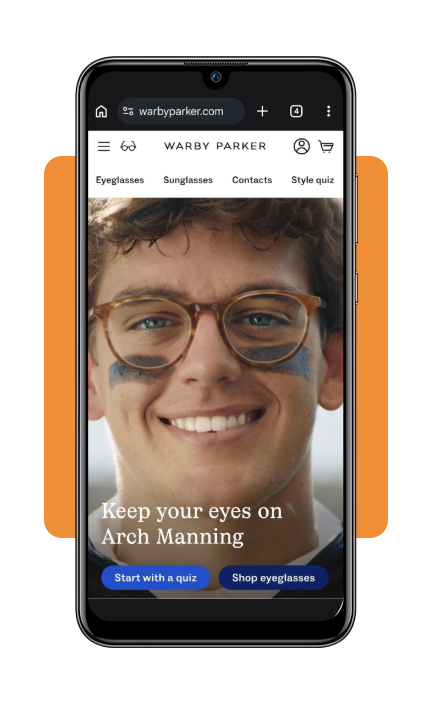
Step 1: open the Warby Parker website
Go to the Warby Parker website or download the app (Android | iOS) and select ‘Shop eyeglasses’ to browse the available frames.
The website displays different frame styles, colors, and prices, allowing you to choose a pair to try virtually.
Step 2: choose a frame
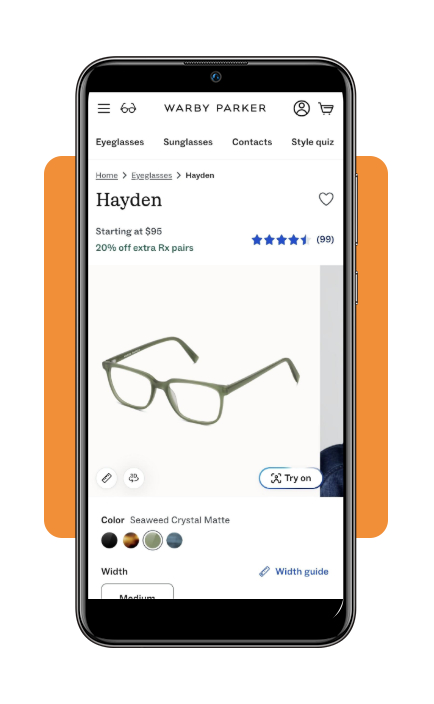
Browse the available glasses and select a frame that you would like to try.
On eligible product pages, look for the ‘Try on’ option. Warby Parker (Android | iOS) says its website Virtual Try-On works with a computer, tablet, or phone.
Step 3: allow camera access
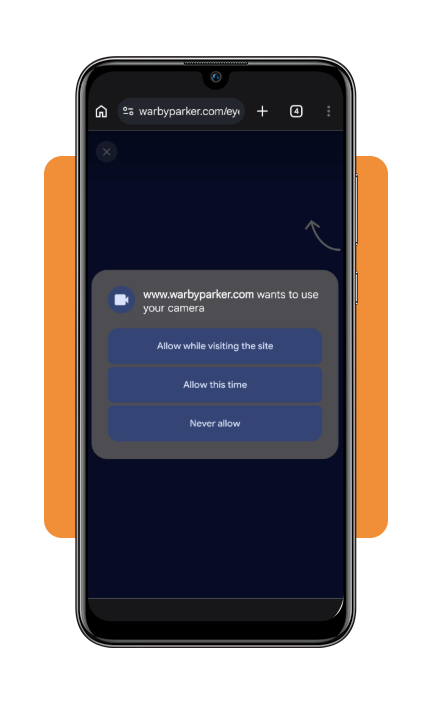
Select ‘Try on’ to launch the virtual fitting experience.
If your browser asks for permission to use your camera, allow access so the tool can display the frame on your face.
Step 4: try on and compare different frames
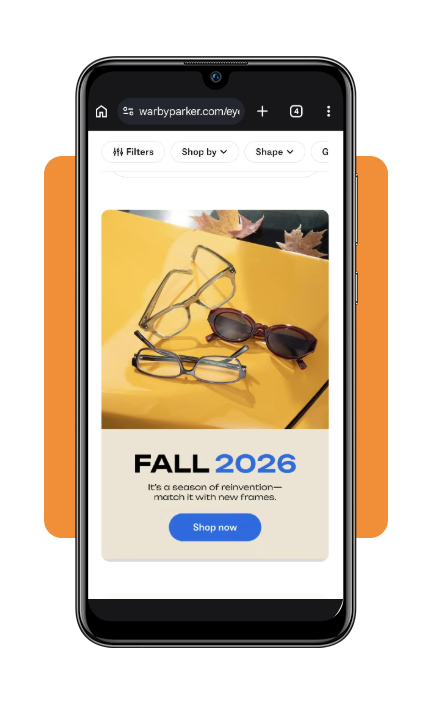
Follow the on-screen instructions to position your face and see how the selected frame looks.
Warby Parker (Android | iOS) describes its website Virtual Try-On as a way to see how its frames look and fit using your computer, tablet, or phone.
Trying several options with a glasses filter app can help you compare frame shapes, colors, and styles before deciding which pair you prefer.
Tip
A glasses filter app can make it easier to visualize different styles, but the virtual preview shouldn’t be the only factor you consider. Check the frame measurements and prescription requirements before purchasing.
Top affordable online glasses retailers
Buying glasses online can give consumers more options when comparing frame styles and prices.
Warby Parker is one option, but it’s worth comparing several retailers before purchasing. Look at the total price rather than only the advertised frame cost.
Check whether lenses are included, how much prescription upgrades cost, and whether the retailer offers free shipping or returns.
You should also review the retailer’s warranty and return policies before placing an order.
Warby Parker (Android | iOS) currently lists prescription frames starting at $95, although prices and promotions can change.
What to check before buying glasses
A glasses filter app can show you how a frame looks, but appearance is only one part of choosing eyewear.
Check the measurements listed for the frame and compare them with a pair of glasses that already fits you comfortably.
You should also make sure your prescription is current and select lenses that meet your vision needs.
If you need to renew an eligible prescription, Warby Parker (Android | iOS) also offers its Virtual Vision Test for qualifying customers. Learn more about the Virtual Vision Test.
For more ways to experiment with your appearance using your phone, you can also check Insiderbits’ guide to apps that change your eye color instantly.
4.9/5
Find your next pair with less guesswork
Choosing glasses doesn’t have to mean relying only on product photos.
A glasses filter app gives you a practical way to compare frames and visualize different styles before making a purchase.
Warby Parker (Android | iOS) combines Virtual Try-On with its AI-powered Advisor to make the process more personalized.
Try several shapes, compare your favorites, and check the measurements and prescription details before making your final decision.