Struggling to communicate at work because of the language barrier? A basic English routine can help you practice useful vocabulary and everyday phrases from your phone.
Duolingo offers short lessons for reading, writing, listening, and speaking. Insiderbits shows how to start learning privately and build a daily study habit.

4.9/5
Which is the app for Spanish-speaking US workers to learn basic English?
Duolingo (Android | iOS) is a language-learning app that offers courses in more than 40 languages, including English. Its lessons use short, game-like activities to practice reading, writing, listening, and speaking.
For Spanish-speaking workers in the US, the app can be useful for building a foundation in basic English without attending a traditional classroom.
The lessons are designed to be completed in short sessions, making it easier to practice during a break, on a commute, or at home.
Duolingo (Android | iOS) is free to download and offers free language courses, although the app contains advertising and optional in-app purchases.
Key features within the Duolingo mobile platform
Duolingo (Android | iOS) uses game-like lessons to make language practice more engaging.
The platform covers speaking, reading, listening, and writing while helping users develop vocabulary and grammar.
It also includes progress tracking, rewards, daily goals, and competitive leaderboards that can encourage users to maintain a regular learning habit.
Step-by-step: how to start learning basic English for work
A consistent basic English study routine can help you build vocabulary gradually instead of trying to memorize everything at once.
The following steps show how to get started with Duolingo (Android | iOS).
Step 1: download the app
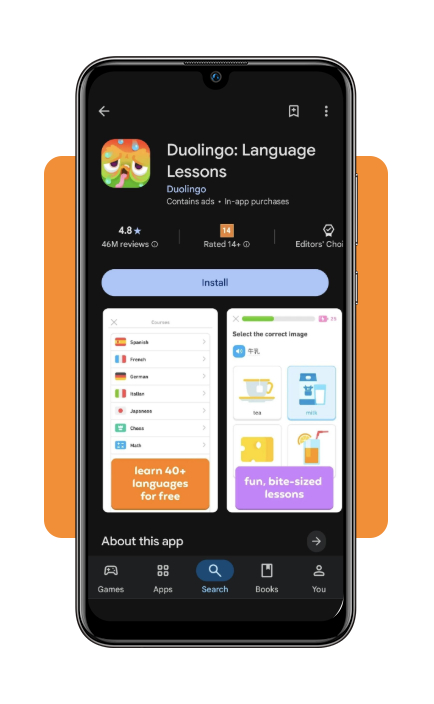
Open the App Store or Google Play and search for Duolingo (Android | iOS).
Select the official app from Duolingo (Android | iOS) and install it on your phone.
Step 2: choose English as your learning language
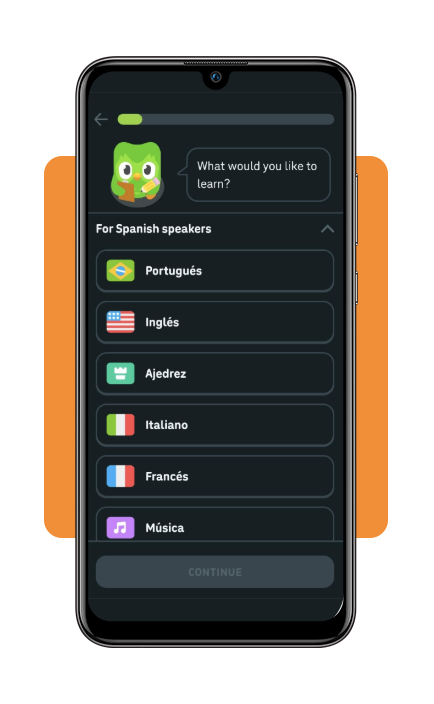
Open Duolingo (Android | iOS) and select English as the language you want to learn.
If you already speak Spanish, choose Spanish as your interface or starting language when that option is available.
Step 3: set your learning goal
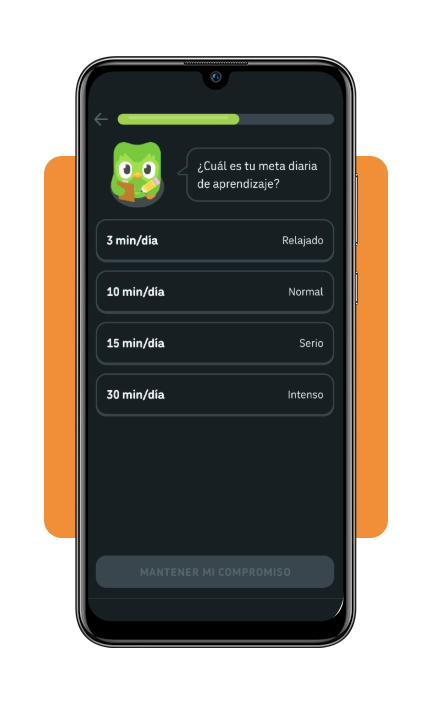
Follow the onboarding questions and select the reason you want to learn English.
Choose a daily practice goal that fits your routine so you can study consistently without making the sessions difficult to maintain.
Step 4: start your first lesson
Begin the first lesson and follow the instructions on the screen.
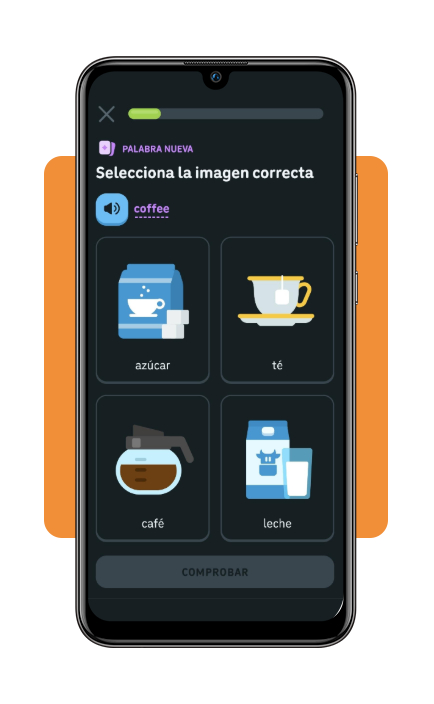
Duolingo (Android | iOS) uses short exercises that can involve translating words or phrases, listening, reading, and speaking.
Step 5: practice speaking and listening
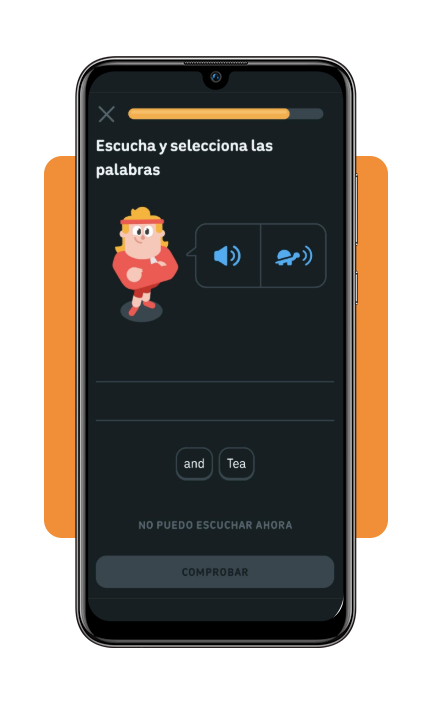
Pay attention to exercises that ask you to listen to English or speak into your phone.
These activities can help you become more familiar with how English sounds and give you opportunities to practice saying phrases aloud.
Step 6: follow your daily progress
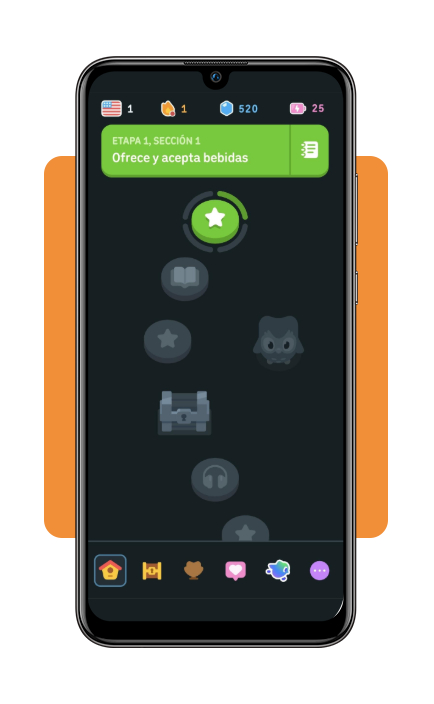
Complete your daily lessons and check your progress inside the app.
Duolingo (Android | iOS) includes goals, rewards, achievements, and streaks designed to encourage regular practice.
Step 7: use English outside the app
Once you’ve learned new words and phrases, try using them in appropriate situations at work.
For example, practice common workplace expressions before a meeting, customer interaction, or conversation with a colleague.
Remember that an app can support your learning, but real conversations are also important for developing confidence.
For additional resources, Preply’s guide to the best apps for learning English compares different options for vocabulary, speaking, pronunciation, grammar, and live tutoring.
Top online ESL courses for workers
A language app can be a convenient starting point, but some workers may prefer a more structured course.
Online ESL programs can provide lessons focused on grammar, vocabulary, pronunciation, and communication.
Look for a course that matches your current level and your professional goals.
If your main objective is workplace communication, prioritize lessons that cover practical conversations rather than only academic grammar.
Explore online English teaching resources to learn more about online English education and available learning approaches.
Best resume builder tools
Improving your English can also make it easier to prepare professional documents and communicate during a job search.
A clear resume can help employers understand your experience, skills, and qualifications, regardless of whether English is your first language.
Resume-building platforms can help you organize your experience and create a professional-looking document.
If you’re searching specifically for opportunities that allow you to use your language skills, you can also check Insiderbits‘ guide to bilingual remote jobs.
Tools such as Kickresume’s resume builder resources can also help you compare different options for creating and formatting a resume.
4.9/5
Turn daily practice into workplace confidence
Learning basic English doesn’t have to begin with a classroom or long study sessions.
Duolingo’s short, game-like lessons let you practice reading, writing, listening, and speaking while building a regular learning habit.
For Spanish-speaking workers, the key is to combine app practice with real-world communication whenever possible.
Start with a manageable daily goal, learn useful vocabulary, and gradually put those new words into practice at work and in everyday situations.
That consistency can turn basic English knowledge into greater confidence when communicating with colleagues, customers, and supervisors.