

When nighttime feeds and naps leave you exhausted, checking on your little one without entering the room becomes essential. Annie is an app that turns any spare device into a baby monitor, letting you see and hear your child from another room or across town. For parents juggling rest with constant vigilance, this app offers a practical way to stay connected.
In this guide by Idées reçues, we’ll show you what makes this monitoring solution reliable, how to set it up in minutes, and which practices keep your connection secure. Watching over your baby without buying extra equipment means knowing what your phone already does, so keep reading and discover how two devices become your personal monitoring system.
En rapport : Home fire threat? Download this free safety app now
What’s the most reliable baby monitor app?
Annie (Android | iOS) works by pairing two devices you already own, turning one into a camera near your baby and the other into a viewing screen you carry.
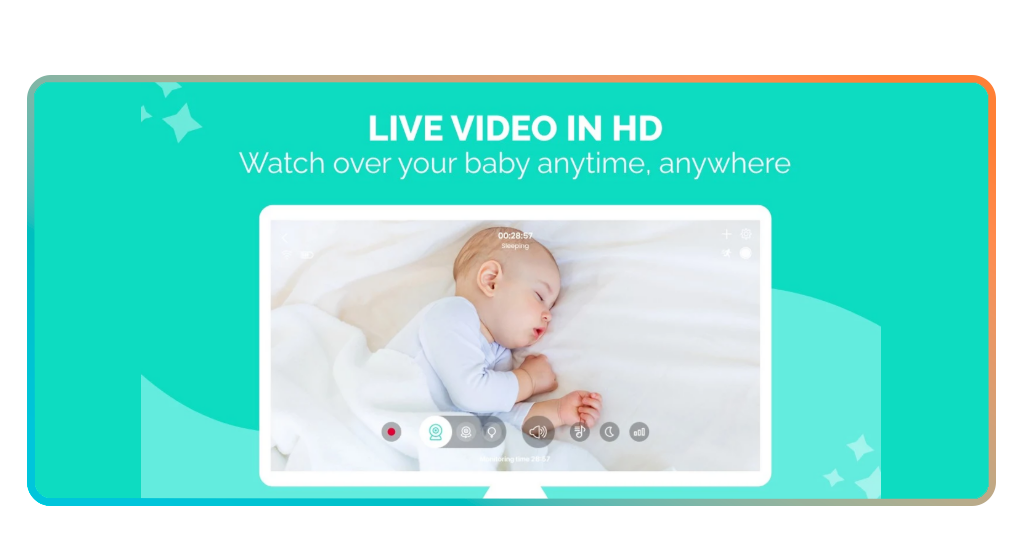
Once paired, you get live video in HD quality, two-way audio, and alerts when movement or noise gets detected. This baby monitor runs on phones, tablets, and computers.
One subscription covers every device you add, so grandparents or babysitters join monitoring sessions without extra fees. Annie records activity, plays lullabies, and tracks feeding schedules.

4.4/5
Features available in the Annie
- HD video streaming: watch your baby in crystal-clear resolution with real-time footage that updates instantly, eliminating grainy images and laggy feeds;
- Motion and sound detection: receive notifications the moment your child moves or makes noise, so you respond before small fussing turns into full crying;
- Night mode with lighting control: toggle green screen visibility and adjust brightness remotely, letting you see your baby in complete darkness without entering the room;
- Baby tracker and lullaby player: log feedings, diaper changes, and sleep patterns while playing over 15 soothing sounds to calm your child from the parent unit.
Monitor from anywhere you are
Distance stops limiting your ability to check on your child when Annie connects over Wi-Fi, 3G, 4G, 5G, or LTE networks. You leave for errands while keeping eyes on your baby monitor.
The app holds its connection across different networks, so switching from Wi-Fi to mobile data happens without dropping your feed. Location becomes irrelevant when the internet creates the link.
Family watching your child at their house are able to invite you into monitoring sessions, letting you watch remotely. You can go anywhere and still see your baby as long as there’s internet.
Comfort your baby from afar
Hearing your voice calms a fussy infant before crying escalates, and Annie lets you speak through the baby unit from another room. Two-way audio transmits your words instantly.
You activate the microphone on your device, talk gently, and hear your baby’s response through the baby monitor speaker in real time, helping settle restless moments during transitions.
Playing a lullaby from the app adds another layer of comfort when verbal soothing needs support. Your child hears familiar songs, and that encourages relaxation from wherever you are.
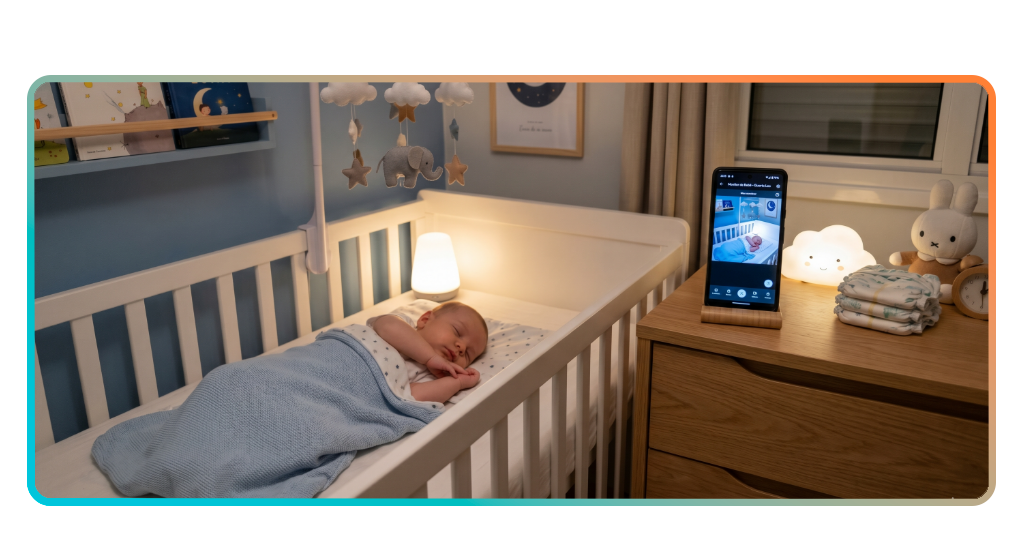
Step-by-step: how to monitor your baby in real-time using the app
Setting up Annie (Android | iOS) takes three actions: downloading the app, pairing two devices together, and positioning them where they work best for your household layout.
The entire process runs in under ten minutes, turning your existing phones or tablets into a baby monitor system without purchasing additional hardware or waiting for deliveries.
Each step builds on the previous one, creating a connection that lets you see and hear your child from anywhere with internet access available.
Étape 1 : téléchargez l'application sur votre téléphone
Open your device’s app store and search for “Annie Baby Monitor: Nanny Cam”, then tap the download button to install it on your main phone or tablet.
The app works across iOS, Android, Windows, Mac, and Linux platforms, so grab whichever device you plan to keep with you as the parent unit.
Repeat this installation on the second device that will stay near your baby, ensuring both gadgets have the app ready before moving to pairing mode.
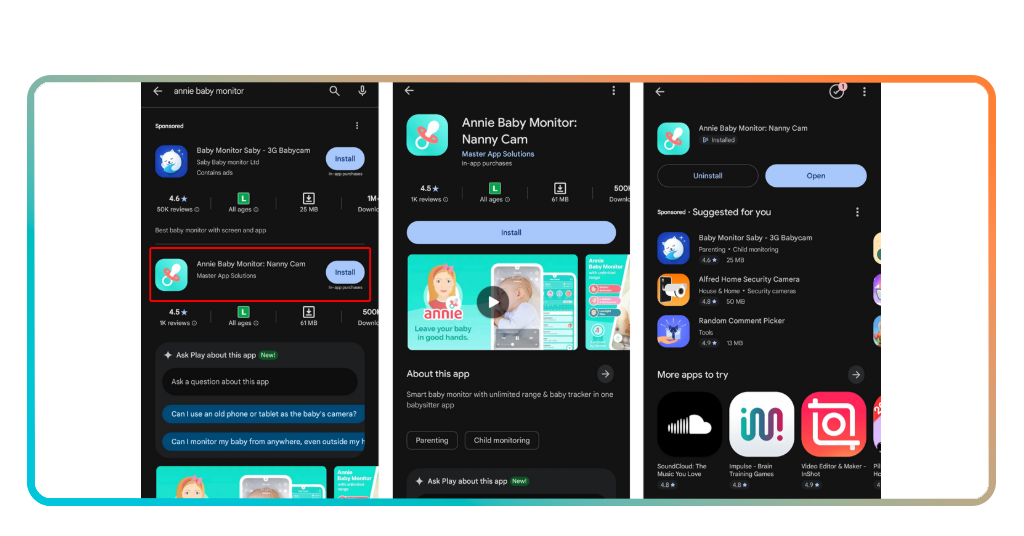
Step 2: pair your device with an extra phone
Launch Annie on both devices at the same time, then choose one as the parent unit and the other as the baby unit from the options.
The baby monitor app generates a numeric code or QR scanner on one screen that you enter or scan on the other device to establish the connection.
Once pairing completes, both screens confirm the link, and you see live video feed from the baby unit appearing on your parent device immediately after confirmation.
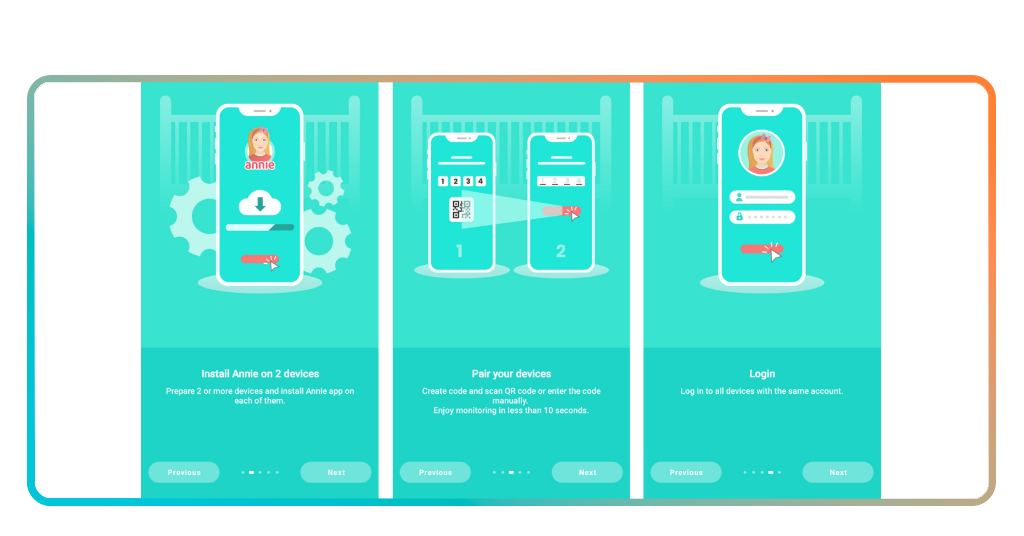
Step 3: place your device and start monitoring
Position the baby unit on a stable surface near your child’s crib or play area, angling the camera to capture the entire sleeping or activity space.
Adjust lighting settings, enable motion or noise alerts, and test the two-way audio to confirm everything transmits clearly through the baby monitor before leaving the room.
Carry the parent unit with you around the house or beyond, watching the live feed and receiving notifications whenever your child wakes, moves, or needs attention.
En rapport : Turn Your Old Phone into a Baby Monitor with These Apps
Tips for safe and secure baby monitoring
Monitoring your child involves more than just setting up devices and watching the feed. Small adjustments to placement, power, and network settings improve reliability and safety.
Following basic precautions keeps your baby monitor stable, protects your privacy, and prevents interruptions that leave you disconnected during moments when your child needs attention.
These practices take minutes to implement but create a secure monitoring environment that functions reliably throughout the day and night without technical problems or security risks.
Keep both devices fully charged
Dead batteries cut your connection instantly, leaving you without eyes or ears on your child until you plug in and restart the entire monitoring session.
Check battery levels on both the parent and baby units before bedtime, naps, or leaving the room, and connect chargers whenever levels drop below fifty percent.
Annie sends low battery alerts, but responding before the warning appears prevents sudden disconnections that interrupt your ability to see or hear what happens in the nursery.
Place the camera at a distance
Positioning the baby monitor too close creates risks of cords within reach, devices falling into the crib, or excessive screen brightness disturbing your child’s sleep environment.
Set the baby unit at least three feet away from where your child sleeps or plays, ensuring cords stay completely out of reach and the camera angle still captures everything.
Mount the device on a dresser, shelf, or wall bracket that keeps it stable and secure, preventing accidental knocks or grabs from curious toddlers exploring their surroundings.
Use a private internet connection
Public Wi-Fi networks expose your video feed to potential security breaches, letting strangers intercept the stream or access your monitoring sessions without your knowledge or permission.
Connect both devices to your home Wi-Fi or a secure mobile hotspot that requires a password, keeping your baby monitor data encrypted and visible only to you.
Avoid coffee shop networks, airport Wi-Fi, or shared connections in public spaces when monitoring, reserving those sessions for moments when private access guarantees your privacy.
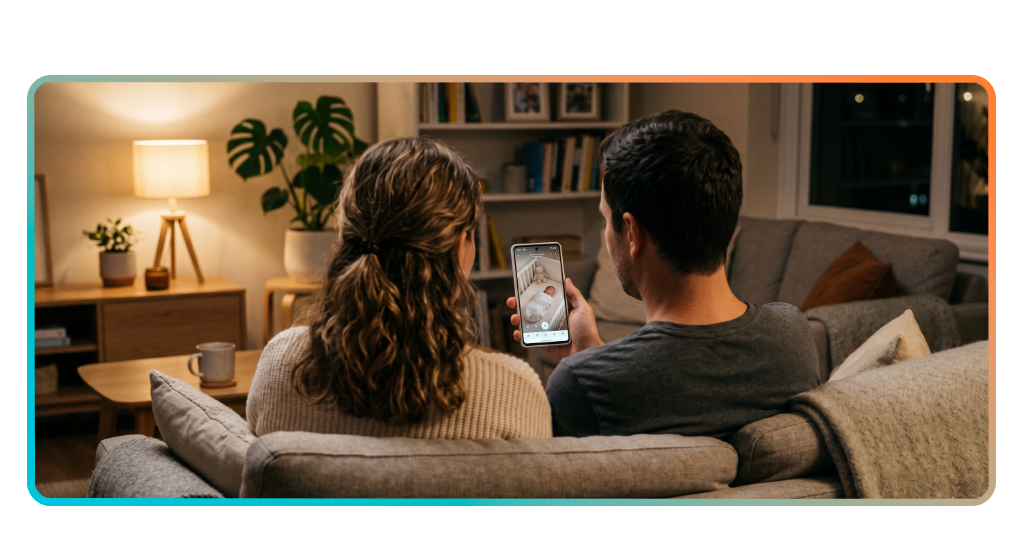
Everyday moments Annie can help with
Parenting involves constant awareness, but you also need to cook dinner, shower, work, and rest without abandoning your responsibility to watch over your child continuously.
Annie (Android | iOS) turns your devices into a baby monitor that handles these everyday situations, letting you move through your home while staying connected to what happens.
From afternoon naps to midnight feedings, the app supports moments when you need distance from the nursery but want immediate alerts if your child needs you back.
4.4/5
Nap time checks without interruptions
Opening the nursery door risks waking a sleeping baby, especially when floorboards creak or light spills in from the hallway during those precious quiet hours.
Annie lets you check if your child still sleeps without entering the room, giving you visual confirmation through silent video that preserves the calm environment you worked to create.
Motion alerts notify you the second your baby stirs, so you respond before full waking happens, catching that window when gentle soothing prevents extended crying sessions.
Extra support during house tasks
Folding laundry, preparing meals, or answering work emails pulls your attention away from the nursery, but the baby monitor keeps you informed while you handle these responsibilities.
You can complete tasks in other rooms with your parent device nearby, glancing at the screen or listening for audio cues that signal your child needs you immediately.
Two-way audio lets you speak soothing words without stopping mid-task, calming fussiness while you finish what you started and then return to pick up your baby afterward.
Peace of mind during nighttime
Sleeping parents worry about missing cries or movements that signal distress, but constant room checks disrupt rest and create exhaustion that compounds over days and weeks.
Annie monitors your child overnight, sending noise and motion alerts directly to your parent device the moment activity happens, so you wake only when truly needed.
You place the baby monitor screen on your nightstand, checking video feeds without leaving bed during those half-asleep moments when you wonder if you heard something real.
En rapport : TinyCam Monitor - Free vs Pro, lequel est le meilleur pour vous ?
A helping hand through your screen
Annie gives you eyes and ears in the nursery without requiring expensive equipment, turning devices you already own into a reliable monitoring system that follows you anywhere.
Ce guide par Idées reçues explained how to set up your baby monitor, which features protect your connection, and when the app supports everyday parenting moments that need distance.
Idées reçues has plenty of resources that help parents navigate daily challenges with practical tools and clear steps. Keep exploring our articles and discover what makes caregiving easier.




