

Your brain is a high-speed processor currently running fifty tabs of content while trying to remember where you left your keys. Every brilliant startup idea or creative breakthrough usually dies in a stained napkin or a forgotten voice note that sounds like static. To fix this mental clutter, you need a dedicated brainstorm app that actually understands how non-linear thinking works in the real world today.
It didn’t come unnoticed here at Idées reçues that the digital workspace is no longer about spreadsheets and rigid lists anymore—due to a need of visualizing the mess before it becomes a masterpiece. Most people fail because they try to force their creativity into a vertical document, killing the vibe before it starts. Using a brainstorm app like Miro allows you to throw everything at a digital wall without the fear of running out of space.
- 5 AI Tools That Feel Like Cheating (Get Viral Ideas & 1-Click Edits)
- Creative jobs that let you turn ideas into income
- Plot generator: create unique story ideas in seconds (free tool)
Miro: best brainstorm app
Yes, I know what you’re thinking, most productivity tools feel like they were designed by someone who enjoys filing taxes. Miro is different because it treats your screen like an infinite playground rather than a digital prison.
Whether you are a freelancer trying to map out a content calendar or a student piecing together a thesis, the interface is intuitive enough that you won’t need a PhD to find the “undo” button.
The app is committed to real-time collaboration (thankfully).
We live in an era where “the office” is often a kitchen table or a nomad hostel in Bali, so having a shared visual space is non-negotiable.
You can see your teammates’ cursors across the screen like caffeinated bees, adding sticky notes and shapes while you argue over which color represents “synergy”.
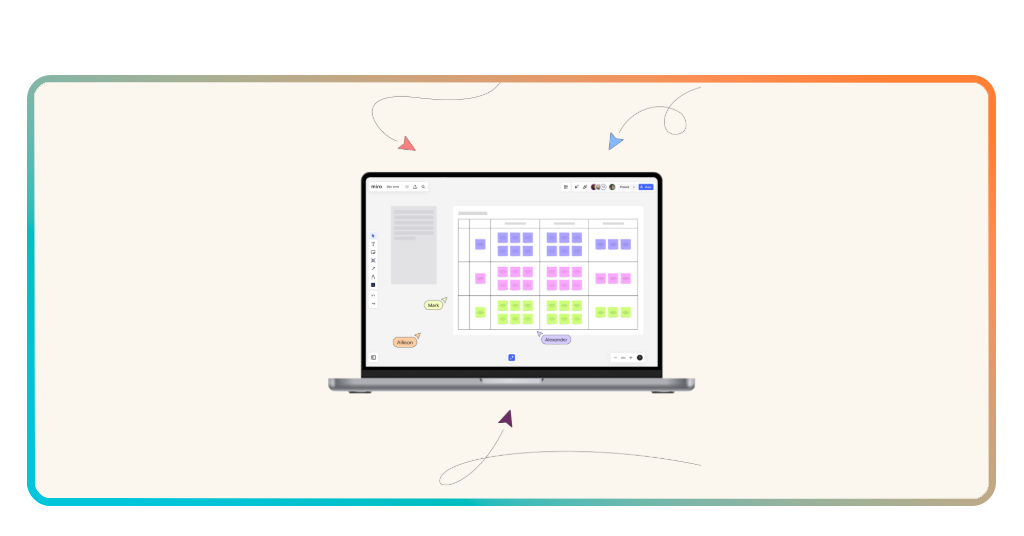
Step-by-step: how to organize ideas with Miro
Getting started doesn’t require a grand plan. First, you open a blank board and just start dumping. Don’t worry about the logic yet; just use the sticky note feature to get every fleeting thought out of your skull and onto the canvas.
This is the “purge” phase, where quantity matters significantly more than quality, and Miro’s infinite zoom ensures you never feel cramped.
Step 1: select a template
After downloading it to your Android et iOS, don’t reinvent the wheel; Miro has pre-built frameworks for mind maps, fishbone diagrams, and flowcharts.
Step 2: the sticky note dump
Rapidly click to create notes. If you’re using the brainstorm app on a tablet, you can even use a stylus for that “analog” feel.
Step 3: cluster and categorize
Drag related ideas together. The app’s “Lasso” tool makes it easy to move entire groups of thoughts around without breaking the flow.
Step 4: connect the dots
Use the smart connectors to show relationships between concepts. It turns a pile of notes into a logical sequence.
Once the board looks like a beautiful mind-map rather than a digital crime scene, you can start refining. With this brainstorm app you get to really scale with your project.
You can start with a single word and end up with a fully fleshed-out project tracker that keeps your team on the same page for months. It is about moving from “what if” to “here is how”.

4.7/5
Best ways to do a brainstorm session
A successful session is not just about having the right software; it’s about not being boring. If you sit down and say, “Okay team, let’s innovate,” you will be met with the sound of crickets and clicking pens.
The best way to use your brainstorm app is to implement structured constraints.
Set a timer for five minutes and challenge everyone to come up with the worst possible solutions to the problem. Often, the “bad” ideas contain the seeds of something genuinely disruptive.
“The best way to have a good idea is to have a lot of ideas”. — Linus Pauling
Another pro tip: use visual cues. Instead of just typing words, drop images, icons, and even YouTube videos directly onto the Miro board.
Research shows that our brains process visual information 60,000 times faster than text. When you treat your brainstorm app like a mood board, you tap into a different part of your creative engine.
If you need more technical guidance on running these sessions, Lucid’s guide offers some solid psychological foundations for group dynamics.
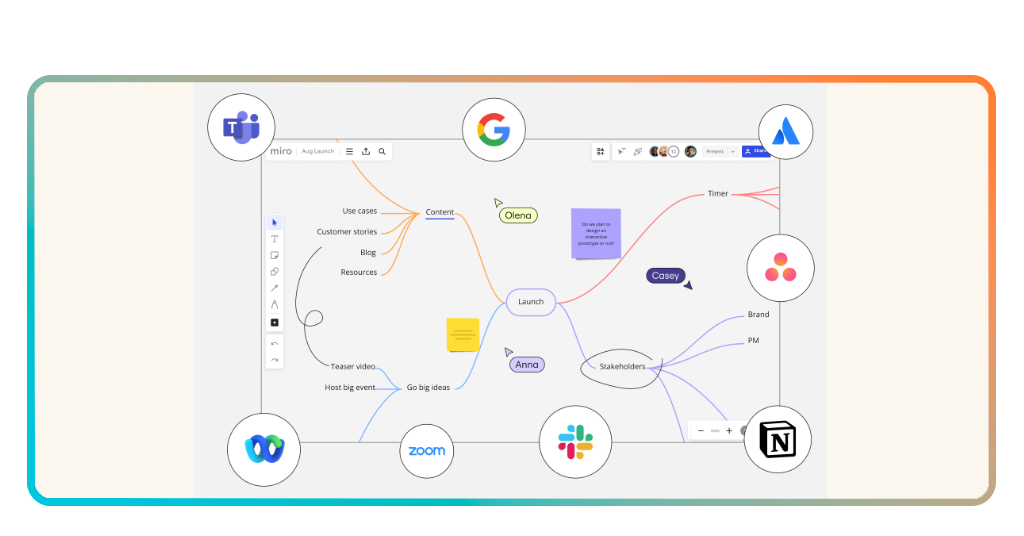
Tips for executing your ideas
An idea without execution is just a hallucination, as the old saying goes. After you’ve exhausted your creative energy in the brainstorm app, the real work begins.
The biggest mistake people make is leaving their brilliant mind maps to gather digital dust. You need to convert those sticky notes into actionable tasks immediately.
Miro allows you to export your board or integrate it with other workflow tools, ensuring that the momentum doesn’t die once you close the tab.
- Assign owners: every great idea needs a babysitter. Use the tagging system to put a name next to a task;
- Set deadlines: if a “revolutionary” thought doesn’t have a date attached to it, it’s just a wish.
- Keep it Iterative: your first board isn’t the final word. Revisit the brainstorm app once a week to see if your original logic still holds up under the cold light of reality.
We often overcomplicate productivity by looking for the “perfect” system. In reality, the best system is the one you actually use.
You may be on the subway or sitting in a coffee shop; having a brainstorm app on your phone means you can capture lightning in a bottle whenever it strikes.
It turns those “I should really do that” moments into “I am currently doing this” progress.
4.7/5
Why you need a brainstorm app
Stop pretending your brain can hold everything at once; it wasn’t built for that. By offloading the mental heavy lifting to a brainstorm app, you free up space for actual thinking.
Miro offers a perfect blend of professional power and creative freedom, making it a staple for anyone who takes their ideas seriously. You can download the app for iOS ouAndroid and see for yourself.
The world is full of people with “great ideas” who never did anything with them. Don’t be that person. Grab a brainstorm app, clear the mental fog, and start building something that actually exists outside of your imagination.
Your future self—the one who isn’t stressed and disorganized—will probably thank you.





