
All drivers know that a speeding ticket never comes at a convenient moment. On the contrary, it usually comes with that frustrating mix of bad timing, extra costs, and the feeling that it could have been avoided. If you are familiar with that, you will also probably like the road scanner app, a platform that drivers are using to stay informed while they drive.
Well, what makes this type app so appealing is the way it transforms your phone into a kind of co-pilot that keeps an eye on what’s ahead, alerting you about speed cameras, sudden hazards, and situations that might otherwise catch you off guard, turning driving into something a bit more predictable and a lot less stressful.
4.6/5
What is a road scanner app?
If you still don’t know, a road scanner app can look like that one friend who always knows what’s coming up ahead.
But as a scanner, it never forgets to warn you, giving drivers real-time alerts about speed cameras, traffic risks, and other situations that could evolve into an expensive mistake.
Radarbot (iOS/Android) uses GPS data combined with a constantly updated database of road events.
With that, instead of relying on guesswork or luck, the app shows up at the right moment, giving you time to adjust your speed or stay more attentive.
In addition, the app also blends into your usual navigation routine without forcing you to change how you drive, making it like a natural extension of your dashboard.
When using Radarbot, you create a safer and more controlled driving experience, helping you avoid surprises that usually show up at the worst possible time.
Step-by-step: how to use a road scanner using Radarbot
Getting started with Radarbot is simple, and once it’s set up, it runs in the background while you drive, stepping in only when something ahead deserves your attention.
Before anything else, you need to get the app ready so it can follow your route properly.
Step 1: install and open the app
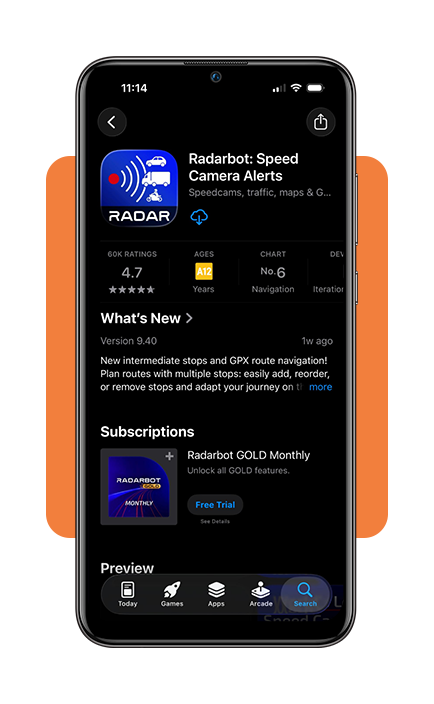
To begin with, download Radarbot on the App-Store oder Play Store.
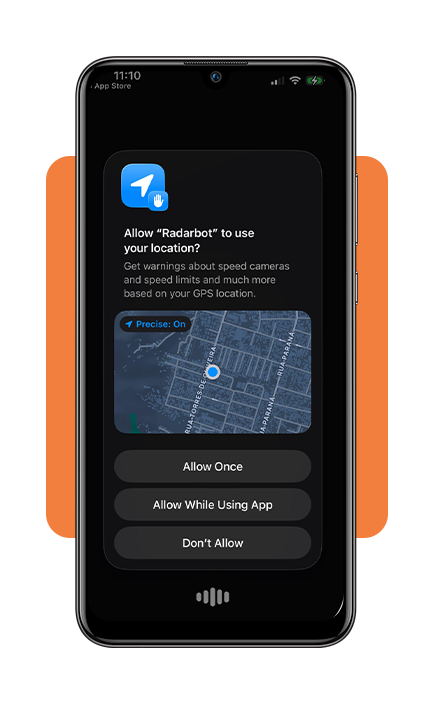
After downloading, open the road scanner app, and allow the necessary permissions so it can access your location and provide real-time alerts.
Step 2: adjust alert settings
Now set your preferred alert types, such as speed cameras or road hazards, and choose how notifications will appear while you’re driving.
With everything configured, you can start using the app during your trips without needing to interact with it constantly.
Step 3: start driving and monitor alerts
When driving, begin your route and let the app run in the background, paying attention to audio or visual alerts that warn you about upcoming situations.
After using it for a while, small adjustments can improve how the app fits into your routine.
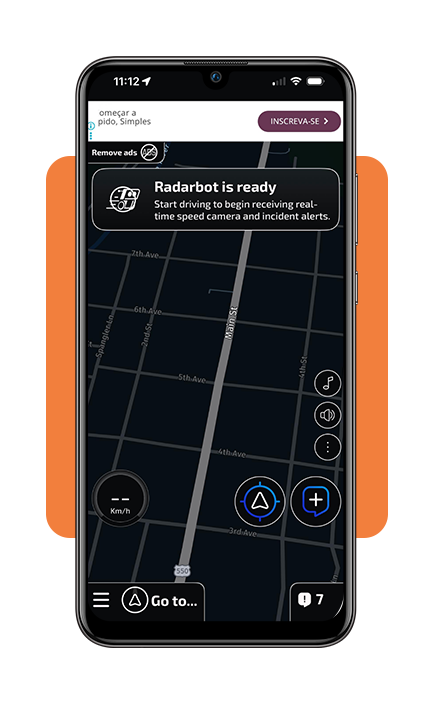
Step 4: refine settings over time
Review your experience and tweak alert sensitivity or notification style so the app matches your driving habits more naturally.
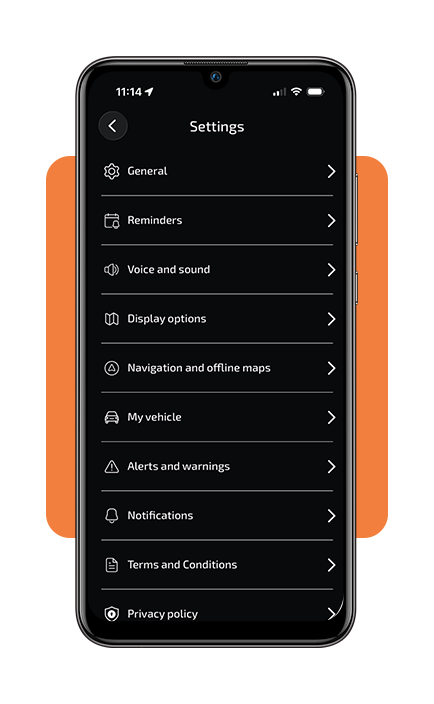
In der App verfügbare Funktionen
What makes a road scanner app truly useful is how it blends into your driving routine without demanding constant attention.
The good thing is that Radarbot (iOS/Android) manages to do this in a way that feels almost effortless after a few uses.
As we mentioned, the standout feature is real-time alerts that notify you about speed cameras and road risks just in time, giving a chance to react without last-second braking.
Another useful aspect is background operation, meaning the app keeps working even when you switch to navigation or music, so you don’t have to keep it open the entire time.
When it comes to integration, Radarbot (iOS/Android) works smoothly with GPS navigation, and it has automatic Bluetooth connection and startup.
Besides that, this road scanner app is compatible with Apple Watch.
These features are responsible for a smoother driving experience, helping drivers stay aware of what’s ahead without turning driving into something stressful.
Safety tips for road scanners
Insiderwissen is showing that by using the road scanner app, your driving skills can be more controlled.
However, any app like this should support your attention on the road rather than compete with it, so the way you use Radarbot (iOS/Android) matters just as much as the alerts it provides.
With that in mind, remember to keep the road scanner app in the background with audio alerts so you won’t need to look at your phone.
Above we mentioned how the background working feature reduces distractions and allows you to react naturally while driving.
Also, mounting your phone on the dashboard instead of holding it creates a safer setup, making it easier to glance at information quickly without losing focus on traffic conditions.
Ultimately, using the app in a balanced way turns it into a helpful companion and not something that interrupts your driving experience.
4.6/5
When driving feels a little less stressful
A road scanner app can turn unexpected moments into situations you can anticipate, making the whole experience more controlled without demanding extra effort from you.
Then, those surprise fines and last-second reactions fade into the background, replaced by a flow of small alerts that give you enough time to keep things smooth behind the wheel.
If driving has ever felt like a game of chance, Radarbot (iOS/Android) offers a simple way to bring more awareness into your routine and avoid problems before they even show up.
Verwandt:Get Fast Tow Truck Help Without Expensive Annual Memberships
Hat Ihnen dieser Artikel gefallen? Speichern Insiderwissen to your favorites and discover the most useful tech tips.