Patting down every pocket at a TSA checkpoint for an ID that’s not there is far from ideal, but you can steer clear of that kind of situation by adding a digital driver’s license to your phone.
Downloading your state’s app ends the struggle with a secure credential you carry everywhere. In this Insiderwissen guide, you’ll learn where mDLs are available and how to get yours.
How does a digital driver’s license (mDL) work?
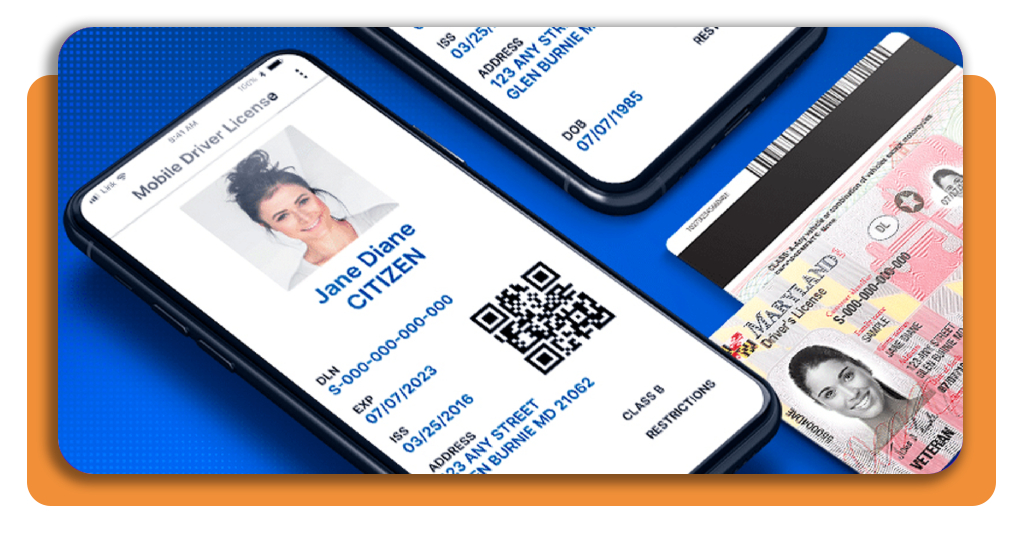
A mobile driver’s license lives inside your phone as a digital file your state issues and signs off on, carrying the same details found on your plastic card.
This credential proves your identity and age without forcing you to hand over a physical card that reveals everything printed on it, including your full home address details.
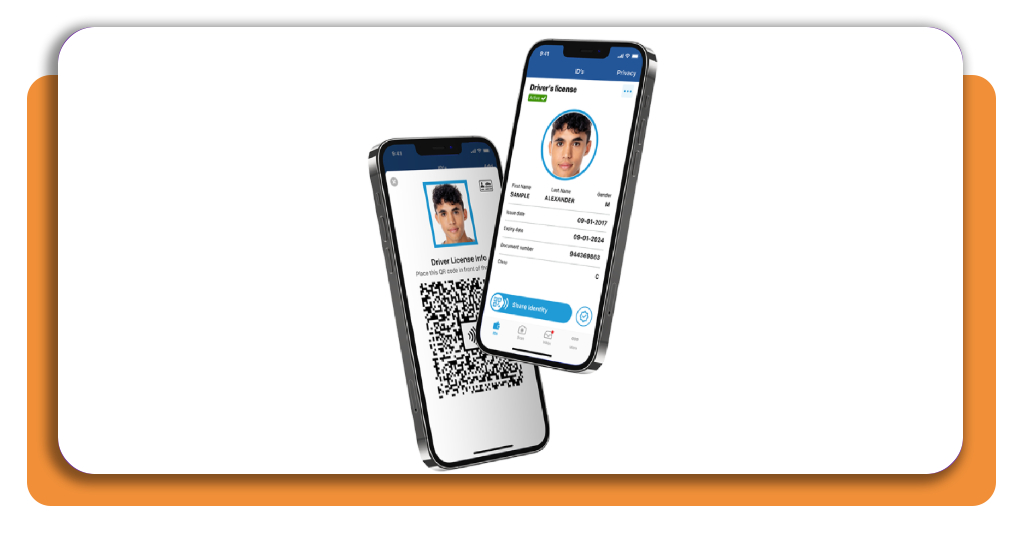
A secure connection forms between your phone and a reader device, using Bluetooth or a scanned code, letting a digital driver’s license transmit verified data without needing Wi-Fi.
The secure handshake behind the scan
Once you start the exchange, your phone sends a signed certificate that proves your license file came directly from your state and hasn’t been altered along the way.
The reader device replies with its own set of credentials; both sides confirm trust before any data moves, and a stranger’s scanner can never fake this situation.
Sharing only what verifiers need
Before any information leaves your device, a prompt lists the specific details the other party wants, giving you the chance to approve or decline every single one requested.
A bar checking your age only receives a yes or no answer, while your address, weight, and photo stay locked away unless you personally choose to share them.
List of official mDL apps by state
Every state runs its own digital driver’s license program through a different developer, and the app you need depends entirely on where you hold your current, valid license.

1.3/5

2.7/5

4.8/5

3.6/5

3.4/5

2/5

1.9/5

4.7/5

4.7/5

2.2/5
Alternatives to other US states
If your state didn’t make the list yet, your license might still work through one of the major phone wallets instead of a dedicated app, and checking takes just a minute.
- Google Wallet (Android);

4.2/5
- Samsung Wallet (Android);

3.8/5
- Apple Wallet (iOS).

Step-by-step: how to add your mDL to your smartphone
Your phone camera, your physical license, and a stable connection cover everything you need, and none of this process involves visiting a DMV office or waiting in line.
Every state sets its own minimum requirements for phone models and operating systems, and checking those specs beforehand saves you from starting a scan your device can’t finish.
Once your phone and license meet the requirements, downloading your digital driver’s license becomes a short process built around scanning documents and confirming personal identity.
Step 1: download your state’s official app
Search your phone’s app store using your state’s name plus mobile ID or MID, matching the naming pattern most transportation agencies use for their current official app listing.
Download only from the official app store link posted on your state DMV website, avoiding random search results that might lead you toward a fake or outdated version.
Step 2: scan the front and back of your license
Once you have the app, lay your license flat on a dark surface under even lighting, then let your phone’s camera capture both sides clearly enough for the app to read every character.
Scratches, glare, or a bent corner can block the barcode scan, and removing your phone case first helps the camera hold the plastic license steady during capture.
Step 3: take a verification selfie
Position your face inside the on-screen frame, remove sunglasses or hats, and hold still while the camera checks for natural movement instead of a static printed photo.
This step confirms the person applying matches state records on file, protecting your digital driver’s license from fraud and giving verifiers confidence the credential belongs to you.
Step 4: set a PIN or enable biometric lock
Choose a six-digit PIN you haven’t used elsewhere, then turn on Face ID or fingerprint recognition, adding a lock that only your face or thumb can open.
This lock sits apart from your phone’s normal screen lock, adding a second checkpoint that keeps your license safe even if someone else unlocks your device without permission.
Step 5: wait for DMV verification and activation
Your submitted photos and selfie travel securely to state records for a final comparison, a process that usually finishes within minutes rather than days.
Once approved, a notification lights up your screen, your credential unlocks in the app, and you stand ready to present it at any location that accepts the format.
TSA protocols for using digital IDs at airport checkpoints
Airport security screening changed the moment federal agencies agreed to recognize a digital driver’s license as valid proof of identity at eligible checkpoints across the country.
Officers at equipped checkpoints scan your phone the same way they’d scan a printed barcode, pulling up your details on their own screen within a few seconds.
Presenting your credential at security follows a different rhythm than handing over plastic, and knowing that rhythm beforehand keeps your walk through the checkpoint smooth and simple.
Scanning through a TSA checkpoint
As you stand at the podium, tap your phone against the reader or hold up a QR code from your app, and the machine pulls your name, photo, and expiration date onto the officer’s monitor.
No physical card changes hands during this exchange, and the officer glances between your face and the screen instead of flipping your license over to check the hologram.
Knowing if your airport supports it
Before you pack, pull up the TSA website’s list of participating airports and terminals, since coverage rolled out checkpoint by checkpoint rather than hitting every hub at once.
A digital driver’s license works only where officers have the matching reader installed, so a small regional airport might lag behind a major international terminal in the same state.
Your backup plan if the reader fails
If the scanner glitches or your app won’t load, pull your physical license from your bag or wallet and hand it to the officer exactly like you always have.
Switching to your physical license mid-line takes a few seconds, doesn’t flag you for additional screening, and keeps your boarding time untouched as long as your ID stays valid.
Validity periods, processing timelines, and digital verification
Carrying a digital driver’s license changes how you think about renewal dates, sync timing, and what happens the moment someone taps their reader against your phone.
Every state built its own backend for this technology, so the experience you get depends heavily on which agency issued your credential in the first place.
Getting comfortable with these mechanics now saves you from confusion later, especially the first time a bouncer or gate agent asks you to pull up your ID.
How long your mDL stays valid
Your credential expires the same day your physical license does, and that’s because both documents pull from one single record your state maintains behind the scenes.
Renewing your physical card at the DMV triggers an update on your phone as well, and some states ask you to open the app manually to finish that sync.
Keeping your credential automatically updated
Address changes, name updates, and restriction adjustments flow into your digital driver’s license shortly after your state processes the paperwork, without any action required from you.
A handful of states still ask you to tap a refresh button inside the app every so often, keeping your credential synced instead of relying purely on background updates.
What a verifier actually sees on scan
Rather than a photo of your card, the person scanning your credential gets a real-time status check confirming your license remains valid, unexpired, and unrestricted for use.
That status pulls straight from your state’s database during the scan, catching a suspended or revoked license instantly instead of relying on a verifier’s outdated visual inspection.
Common mistakes to avoid when applying
A blurry barcode, a five-year-old photo, or a sunglasses selfie sends your application straight back to square one, costing you another 10 minutes of scanning.
Applying for a digital driver’s license involves fewer moving parts than renewing your physical card, which makes the handful of common slipups even easier to sidestep entirely.
None of these errors involve your state’s servers or your phone’s hardware; they come down to human habits like snapping photos in dim rooms or skipping instructions.
Scanning a scratched or expired license
A license that expired last month won’t scan into any state system, regardless of image quality, since the app checks your card’s status before even reading the barcode.
Ordering a replacement card from your DMV first solves this, and jumping straight to enrollment with damaged plastic just wastes your time on an application that can’t finish.
Common selfie verification errors
Multiple failed attempts within a short window can lock your account temporarily, a detail most drivers don’t know until they’re staring at a cooldown message mid-enrollment.
Mismatched lighting between your selfie and your DMV photo sometimes causes rejections, so matching the brightness of your original license photo helps the system recognize you faster.
Forgetting your mDL isn’t a full replacement
Some drivers stop carrying their physical card entirely, assuming their phone covers every situation, only to hit a business or officer who won’t accept the digital format.
Your digital driver’s license works alongside your physical card, not instead of it, and leaving the plastic version at home creates a real problem if a coverage gap happens.
From plastic card to verified credential
Your state’s official mDL app saves you from digging through your bag for a scratched card, letting you flash a screen that verifies instantly and shares only what’s needed.
In diesem Insiderwissen guide, you saw how a digital driver’s license works, how you can safely download a dedicated app, and how it holds up at TSA checkpoints and other identity checks.
Browse more Insiderwissen and see how you can turn paperwork like passports, boarding passes, medical records, and insurance cards into digital files you can hold on your phone.