You reach for your wallet at the TSA line, and your ID is nowhere to be found. A Mobile Driver’s License means that situation never happens again, with your license living safely on your phone.
This guide from Insiderwissen shows which states let you sign up for an mDL, plus the steps to get yours at no cost. Read ahead and see how to turn that missing-card panic into a thing of the past.
Verwandt: Renew Drivers License Online: Fast and Easy
Mobile Driver’s License eligibility & how it works
Eligibility for a Mobile Driver’s License depends on where you live, and every state sets its own rules for who can sign up and qualify.
States typically require your existing physical license to already meet certain security standards before they let you load a digital version onto your phone.
Once you’re cleared to participate, your phone holds an encrypted copy of your license details, ready to share only what gets asked for at a checkpoint.
Who qualifies for a digital ID?
Anyone holding a valid driver’s license in a participating state can apply, as long as that license hasn’t expired or been suspended for any outstanding violation.
Your eligibility ties directly to your DMV record, so outdated addresses or pending renewals could delay your approval. Get your information squared away first, then move forward.
REAL ID vs standard mDL status
Not every digital license carries the same weight at a checkpoint, since federal agencies only accept versions built on top of a REAL ID-compliant card.
A standard mDL might cover everyday situations like buying a drink or renting a car, but boarding a domestic flight requires a REAL ID foundation underneath it.
The three players behind every mDL
Every digital license transaction involves three separate parties working in the background, even though you only ever interact with one of them during the actual exchange.
Your state issues and signs the license, you carry it on your device, and whoever checks your ID confirms everything matches before letting you move along.
List of eligible states and where to apply for your mDL
Not every state has caught up to digital licenses yet, so checking your own state’s status before you get excited about ditching that plastic card is the number one step.
A Mobile Driver’s License only works if your state has already built the infrastructure behind it, partnered with a wallet provider, and opened applications to residents like you.
Some states have had this running for years now, while others just started testing the waters, so where you live changes how soon you can sign up.
States already live with digital wallets
These states have full programs running right now, meaning residents can apply today and start using their license on a phone at participating locations without waiting around.
Getting your Mobile Driver’s License in one of these states means the entire setup, app included, has already been tested and approved for everyday use.
- Arkansas;
- Arizona;
- California;
- Colorado;
- Georgia;
- Hawaii;
- Iowa;
- Louisiana;
- Maryland;
- New Mexico;
- New York;
- Ohio;
- Puerto Rico;
- Utah;
- Virginia;
- West Virginia.
Apps and wallets each state uses
Each state picked its own setup for storing your Mobile Driver’s License, so the app or wallet you’ll use depends on where your card was originally issued.
Before downloading anything, confirm which platform your state actually supports. Choosing the wrong app may leave you without a valid digital license on your phone.
- Arizona: Apple Wallet, Google Wallet, Samsung Wallet;
- California: California DMV Wallet app (Android | iOS), Apple Wallet, Google Wallet;
- Colorado: Apple Wallet, Google Wallet, Samsung Wallet;
- Georgia: Apple Wallet, Google Wallet, Samsung Wallet;
- Hawaii: Apple Wallet;
- Iowa: Iowa Mobile ID app (Android | iOS), Apple Wallet, Google Wallet, Samsung Wallet;
- Louisiana: LA Wallet;
- Maryland: Apple Wallet, Google Wallet, Samsung Wallet;
- New Mexico: Apple Wallet, Google Wallet;
- New York: NY MiD app (Android | iOS);
- Ohio: Apple Wallet;
- Puerto Rico: Apple Wallet;
- Utah: GET Mobile app (Android | iOS);
- Virginia: VA MiD app (Android | iOS);
- West Virginia: WV MiD app (Android | iOS), Samsung Wallet;
- Arkansas: Arkansas Mobile ID (Android | iOS).
More States are piloting mDLs right now
A growing number of states are testing programs behind closed doors, working through partnerships and trial runs before opening registration up to the general public statewide.
If your state hasn’t launched yet, watch for announcements from your local DMV. These pilot phases tend to move into full rollout pretty quickly once approved.
Verwandt: Schritt-für-Schritt-Anleitung für den Erhalt Ihres Führerscheins in Kalifornien
Step-by-step: how to apply for your free mDL
Getting your license loaded onto your phone takes less work than you’d imagine, and that’s because most states have streamlined the entire process into a handful of online actions.
A Mobile Driver’s License application starts and ends on your own device, meaning you can knock out the whole thing from your couch in one sitting.
Grab your physical license and your phone, set aside a few minutes, and you’ll have everything lined up before you even open the first app or website.
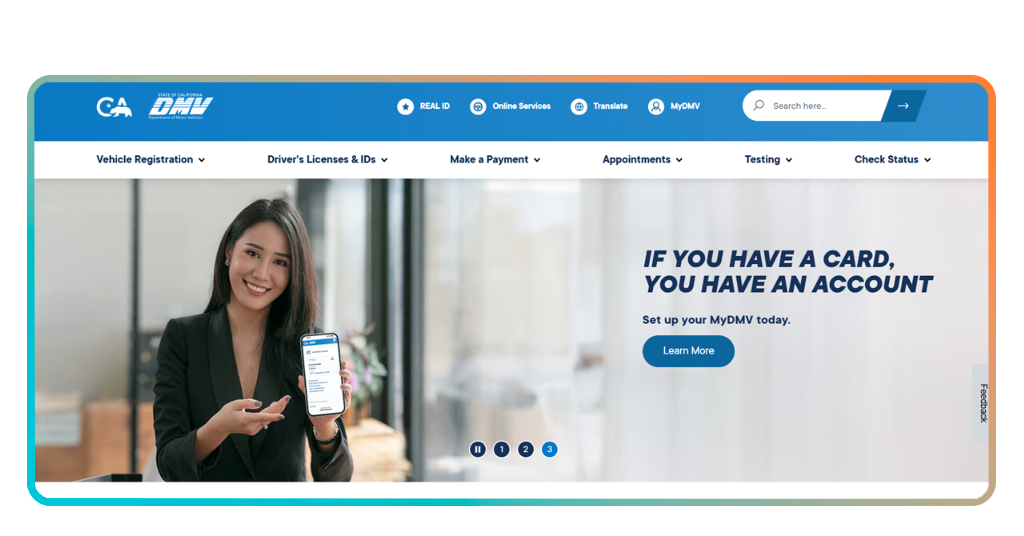
Step 1: visit your state DMV site
Open your state DMV’s website first, since that’s where the application begins and where you’ll find the specific app or wallet your state actually supports. For this example, we’ll use California’s.
Look for a section labeled ‘digital ID’ or ‘Driver’s Licenses & IDs’. You may have to check some menus or use the search bar on some DMV websites.
Step 2: verify your identity online
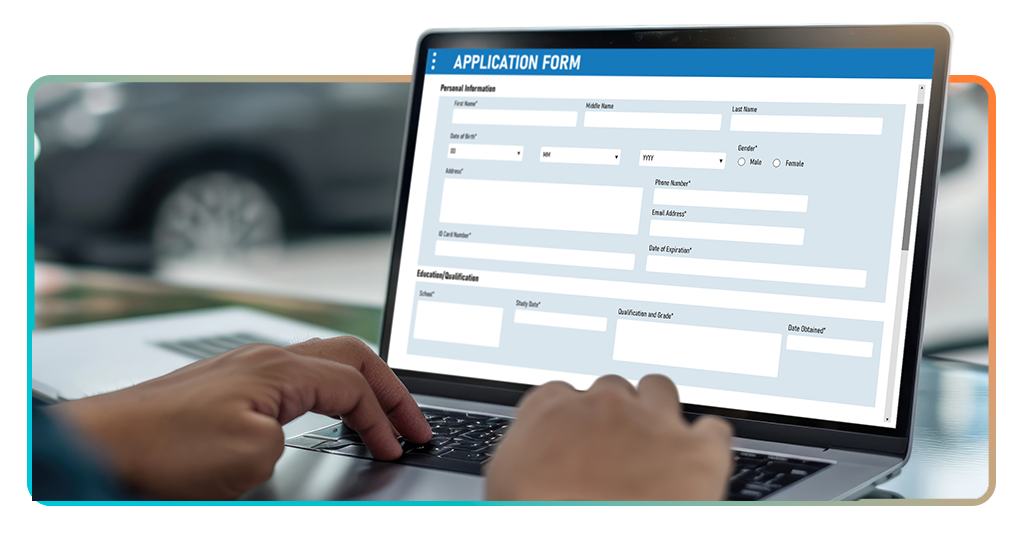
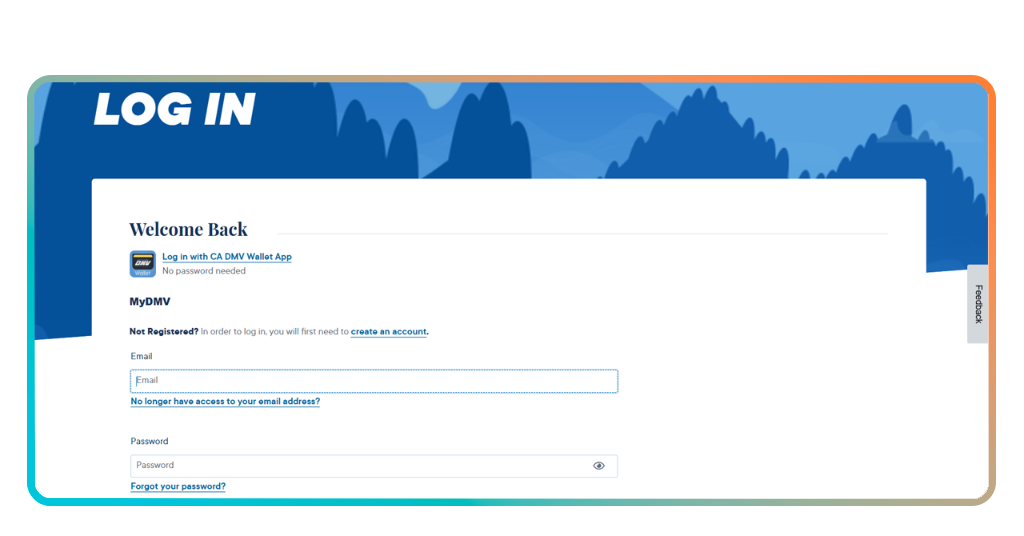
Once you’re in the right place, log in to your account. Then, you’ll need to confirm who you are using personal details that match your existing DMV record exactly, down to spelling and dates.
Getting your Mobile Driver’s License approved at this stage depends on accuracy, so double-check your address and name before submitting anything to avoid a rejected application.
Step 3: scan your physical license
Your phone’s camera plays a part here, capturing both sides of your current license so the system can pull your photo and details directly into the new format.
Hold your license flat under decent lighting and avoid glare. A blurry scan often gets rejected and sends you right back to square one.
Step 4: add the mDL to your wallet
After your scan clears review, your phone prompts you to add the finished license straight into your digital wallet, the same way you’d add a payment card.
Once it’s sitting in your wallet, your license stays ready to pull up anytime someone asks to see it, no extra steps or logins required.
How much does it cost to renew the mDL?
Your digital license doesn’t carry a separate price tag of its own, and it simply mirrors whatever license record your state already has on file for you.
A Mobile Driver’s License updates itself the moment your physical renewal goes through, so you’re never paying twice for the same piece of identification.
That said, your regular state renewal fee still applies as usual, and that number swings quite a bit depending on which state happens to issue your card.
Mobile Driver’s License availability and timelines
Rollout speed depends heavily on your state’s relationship with wallet providers. Some partnerships took years to finalize, while others launched within a single budget cycle.
States that joined early, like Arizona and Maryland, have had their systems running for a while now, giving residents a smoother track record to lean on already.
Renewal fees by participating state
Standard renewal costs vary across the states that already offer an mDL, with Arizona charging $ 10,00, Georgia sitting at $ 32,00, and Maryland coming in at $ 64,00.
California currently lists its renewal fee at $ 46,00, which covers both a standard card and a REAL ID upgrade, so you won’t pay anything extra on top.
Free updates without a new card
Once your mDL sits on your phone, any changes to your address or renewal status sync on their own, sparing you a trip to request a brand new card.
Getting a Mobile Driver’s License means your information stays current without printing costs or mailing delays, and everything updates right through your existing wallet app instead.
Verwandt: How To Put Your Driver’s License On The Phone
Important ways your mDL can save time
Every minute you spend digging through your bag for a license is a minute you could’ve spent doing literally anything else with your day.
A Mobile Driver’s License hands that time right back to you, letting your phone do the work your wallet used to handle on its own.
From airport lines to age checks, the small daily moments that used to slow you down start moving a whole lot faster once your ID lives on your screen.
Skip the line at airport checkpoints
TSA lanes built for digital IDs move travelers through faster, letting your phone confirm your identity while you walk straight past the usual paperwork shuffle.
Tapping your device against a reader takes seconds, and you’ll watch other travelers still patting down their pockets while you’re already heading toward your gate.
Prove your age without handing over plastic
Bars, liquor stores, and other age-restricted spots can pull up just your birthdate, leaving every other detail on your license tucked safely out of view.
Getting a Mobile Driver’s License means you stop handing your full card to a stranger behind a counter, who only ever needed one single fact from it.
Replace a lost license without leaving home
Losing a physical card used to mean a DMV trip, a long wait, and an awkward stretch of days without any valid ID on you at all.
Your digital version stays backed up to your account, so a lost phone or a swapped device won’t leave you stranded without a way to prove who you are.
The license that travels light
Your license now lives somewhere safer than the bottom of your bag, ready the moment you actually need it for a flight, a drink, or a quick errand.
In diesem Leitfaden, Insiderwissen walked you through how a Mobile Driver’s License saves you from lost cards, slow lines, and handing your full information to strangers at every counter.
Weiter stöbern Insiderwissen to find other convenient apps built to make your daily routine easier, from travel planning to managing your identity on the go.