
Ever started panicking by realizing you are deep in the woods with zero bars and a paper map that you definitely don’t know how to read? Picture this: you set out to find that iconic vista in one of the many US national parks, but now you are just lost in a very beautiful, very silent green void. The dream of the great American road trip quickly turns into a stressful episode of survivalist reality TV when you lack the right digital tools.
Thankfully, the official NPS tool solves the ‘lost in the wild’ trope by letting you download everything you need before you even leave your driveway. Navigating US national parks is no longer a game of guessing which dirt road leads to the visitor center and which leads to a dead end. Ready to have a literal park ranger in your pocket to guide you through the most remote corners of the country?

0/5
How does the National Park Service app work?
Think of this as the ultimate digital Swiss Army knife for anyone obsessed with the outdoors.
Available for iOS and Android, the app is a centralized hub for every single site managed by the NPS, which means you aren’t just limited to the big names like Yellowstone or Yosemite.
It treats every one of the US national parks like a curated gallery, providing real-time data on trail conditions, weather alerts, and those crucial ‘is this road closed?’ updates that can save your entire weekend.
Features available in the app
The coolest part about using this for your tour of US national parks is the offline functionality.
Because nature famously hates your data plan, you can download specific park content to your device to access GPS-enabled maps and walking tours while completely off the grid.
You get access to professional audio tours, accessibility information, and even ‘postcard’ features to share your views—assuming you eventually find a signal to hit send.
Steps to use the app to explore US national parks
Getting your digital gear ready is the easiest part of the whole trip. Once you’ve downloaded the app, you simply search for the specific US national parks on your bucket list.
Don’t wait until you’re at the park entrance to start exploring; the interface allows you to create ‘lists’ of your must-see spots so you can plan a logical route that doesn’t involve driving in circles for four hours.
Step 1: search the system
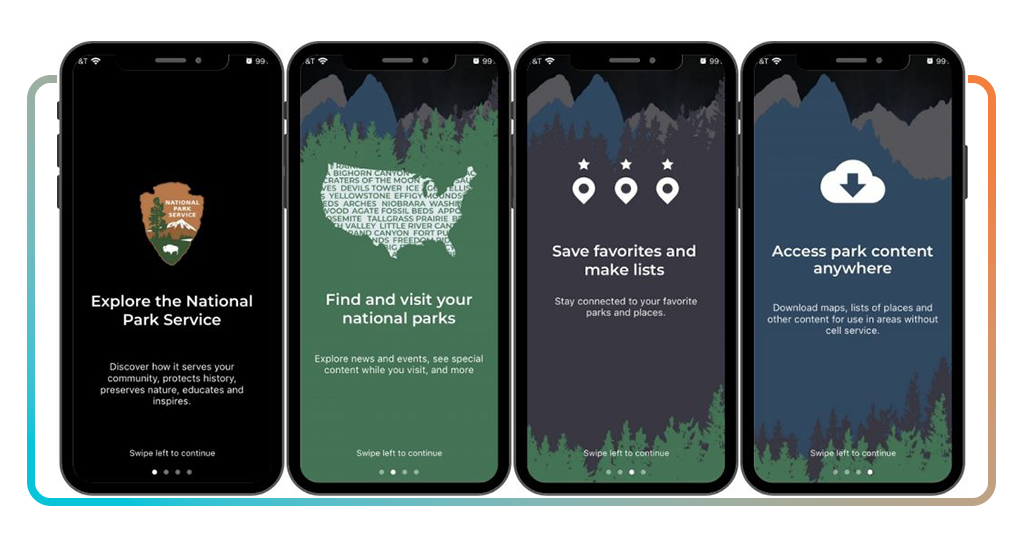
After downloading it to your iOS or Android, open the app and find any of the 420+ sites, from massive US national parks to historic battlefields and monuments.
Step 2: enable offline mode
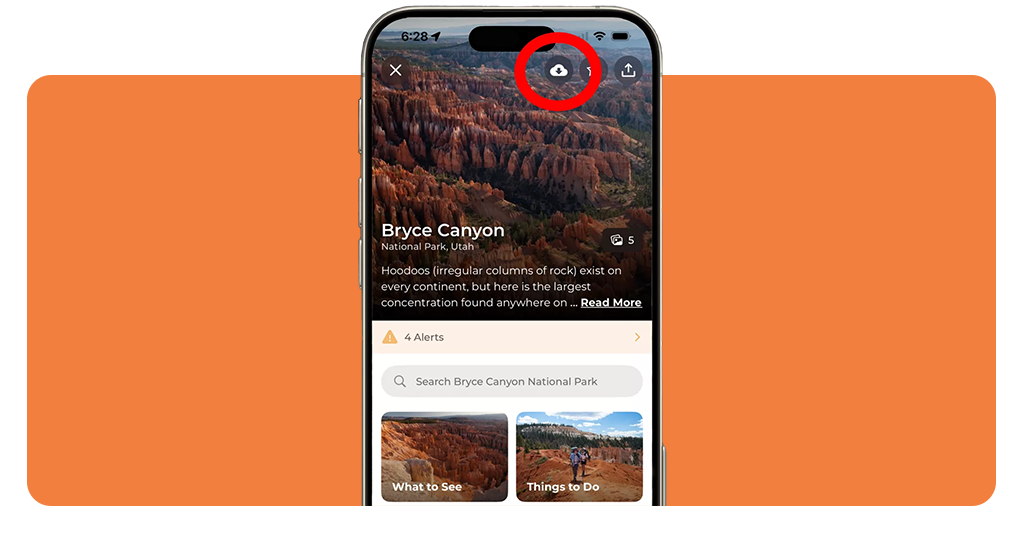
This is the big one—hit the ‘Save for offline use’ toggle at the top of the park’s home screen while you still have Wi-Fi.
Step 3: pick your path
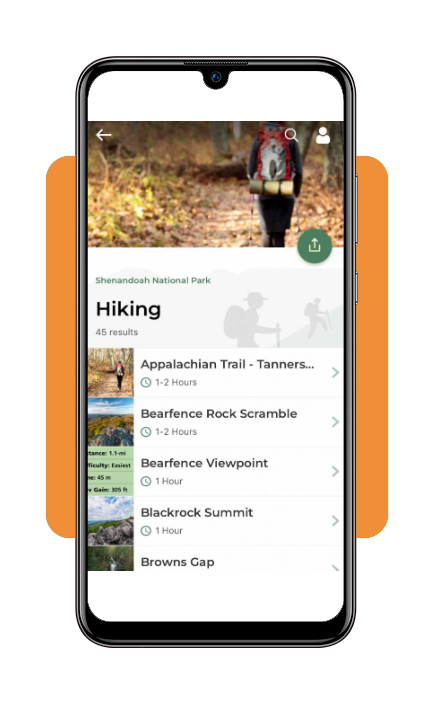
Browse the ‘Things to Do’, ‘Guided Tours’ or even ‘Self-Guided Tours’ sections to build an itinerary that fits your fitness level and interests.
Step 4: log your progress
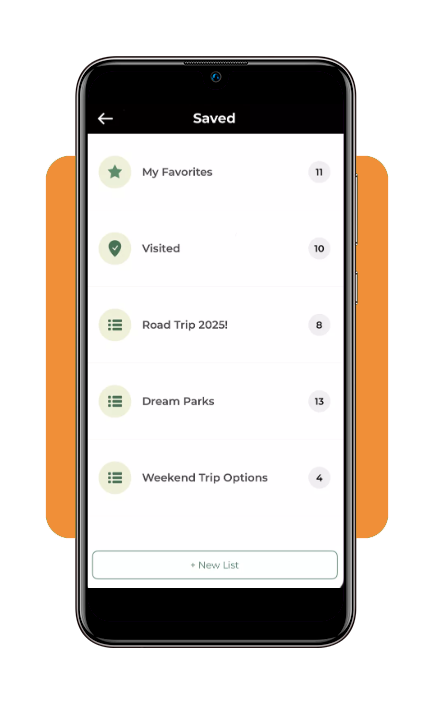
Use the ‘Visited’ feature to track your journey across the country and collect digital passport stamps as you go.
Whether you are hitting the classics or exploring hidden gems, having this level of detail for US national parks makes you feel like a pro even if it’s your first time in a tent.
And if you’re traveling with the whole crew, you might also want to check out national parks for families for specific kid-friendly trail recommendations.
Best parks to visit
With over 400 sites to choose from, the ‘where do I go?’ doubt is very real.
If you want the quintessential US national parks experience, you can’t ignore the jagged peaks of Glacier National Park or the alien landscapes of Joshua Tree.
Every park has its own personality—some are for the hardcore hikers who want to disappear for a week, while others are perfect for a casual sunset drive and a quick photo op.
If you’re looking for something slightly more underrated, consider the Great Smoky Mountains or the breathtaking canyons of Zion.
The app makes it easy to compare the vibe of different US national parks so you don’t end up at a high-intensity climbing spot when you actually wanted a chill walk by a lake.
It’s all about matching the terrain to your actual energy levels.
Tips for a safe and smooth trip
Safety in the wilderness is mostly about not being a disaster at planning. While you’re busy mapping out your US national parks adventure, remember that your phone is a tool, not a shield.
Always pack a physical backup power bank because GPS drains batteries faster than you’d think, especially in cold weather.
Also, keep your ‘digital footprint’ small; don’t go off-trail just to get a better angle for a video—it ruins the ecosystem and is a great way to get stuck.
- Download early: seriously, do the offline download while you have home Wi-Fi
- Leave no trace: if you pack it in, pack it out; the parks aren’t your personal trash can
- Check the ‘Selfie Safety’: the app often includes warnings about dangerous cliffs—believe them
- Secure your home: while you’re off the grid, make sure your house is locked down with a free home security app so you can worry about bears instead of burglars
Planning shouldn’t be the part of the trip that makes you want to stay home.
By using the official NPS app to navigate the US national parks, you get to be prepared enough to actually afford to be a little spontaneous once you arrive at the trailhead.
0/5
See the wild without the stress
Look, at Insiderbits, we’re fully aware that your connection to nature is basically your mental health reset at this point.
Don’t wander into the woods hoping for the best; get the data, stay on the path, and for the love of everything, stop settling for blurry screenshots of maps you found on a random blog.
You can grab the app for iOS or Android and start your journey through the US national parks today. Nature is waiting, and now you actually know how to find it.