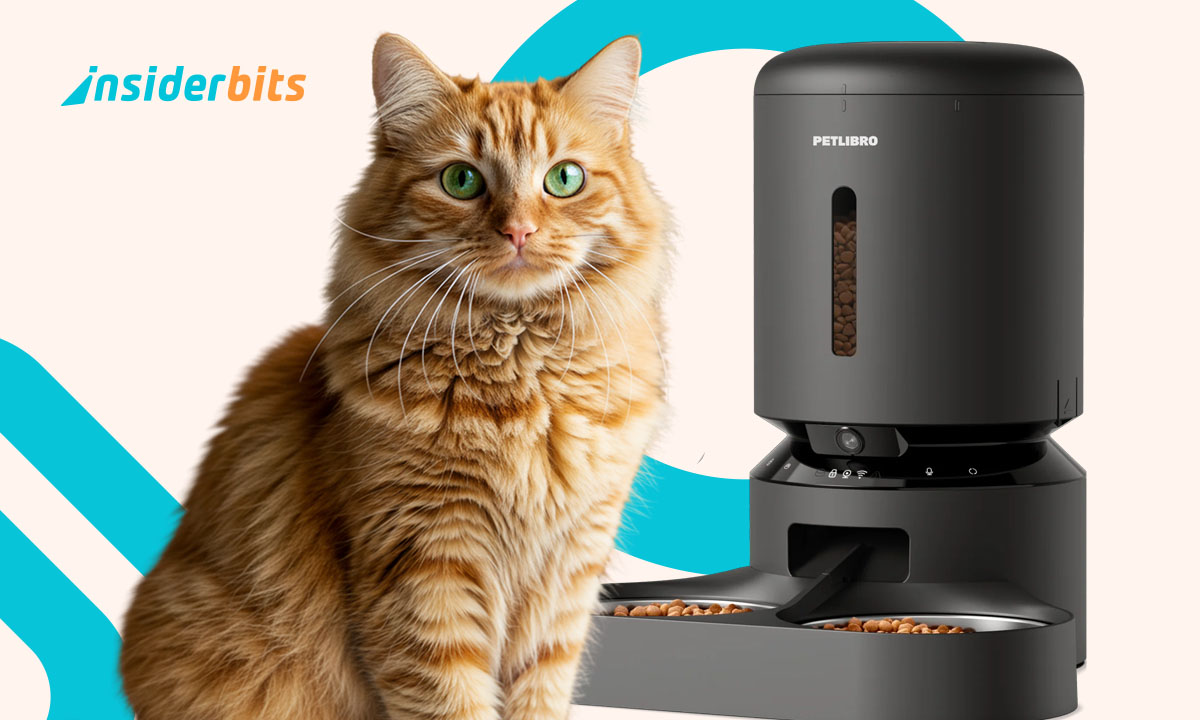
Rushed mornings or late meetings shouldn’t mess with your pet’s routine. An automatic pet feeder helps keep things steady, making daily care simpler no matter where the day takes you.
With the Petlibro feeder, just tap your phone to feed, adjust portions, or check the camera. It’s pet care that fits your schedule without missing a single meal.
This guide by Insiderbits shows how to simplify daily care while giving your furry friend what they need. Read on and learn how to keep your pet healthy with automatic feeding.
Related: Become a Dog Walker and Work on Your Own Terms
Automatic pet feeder: how it works
Feeding schedules can get messy when daily life takes over. That’s where technology like the Petlibro feeder steps in to keep things consistent without interrupting your routine or plans.
This feeder uses smart tech to handle portion sizes, feeding times, and even lets you peek in while your pet eats. It’s an upgrade that brings peace of mind fast.
With the Petlibro automatic pet feeder, your cat or dog gets the right meal at the right time. You just schedule, monitor, and relax, with no more guessing or forgotten feedings.

4.7/5
Smart feeder meets smart app integration
The Petlibro app connects to WiFi and gives full control over feedings. Change settings, view logs, and check food levels all from the same simple and intuitive mobile screen.
Meal plans are customizable for every kind of routine. Whether you’re traveling or home late, you can still serve your pet’s meal exactly when they need it most.
Voice recordings bring warmth to every mealtime. Schedule messages that your pet hears before eating, turning their daily routine into something comforting even while you’re away.
How the camera and sensors operate
The built-in camera has 1080p resolution with a wide angle that lets you see your pet eating clearly. It even works in the dark thanks to night vision support.
This automatic pet feeder doesn’t just follow commands. It records motion, monitors interruptions, and stores footage so you can check how things went even after you’re back.
Sensors detect blocked food paths, bowl overflow, or mechanical pauses. If anything unusual happens, you’ll receive an alert so you never miss something important during feeding time.
What makes this feeder different from basic models
Most feeders simply drop food with no checks. This one watches, records, and protects each feeding moment, with features that anticipate issues before they become real problems.
The Petlibro automatic pet feeder is designed to keep food fresh and secure. It uses a sealing ring, twist-lock lid, and desiccant to protect kibble between feedings.
Removable parts like the stainless steel bowl and tank base are easy to clean. This keeps everything hygienic while preventing chin acne and other skin issues over time.
Features that keep pets healthy and owners stress-free
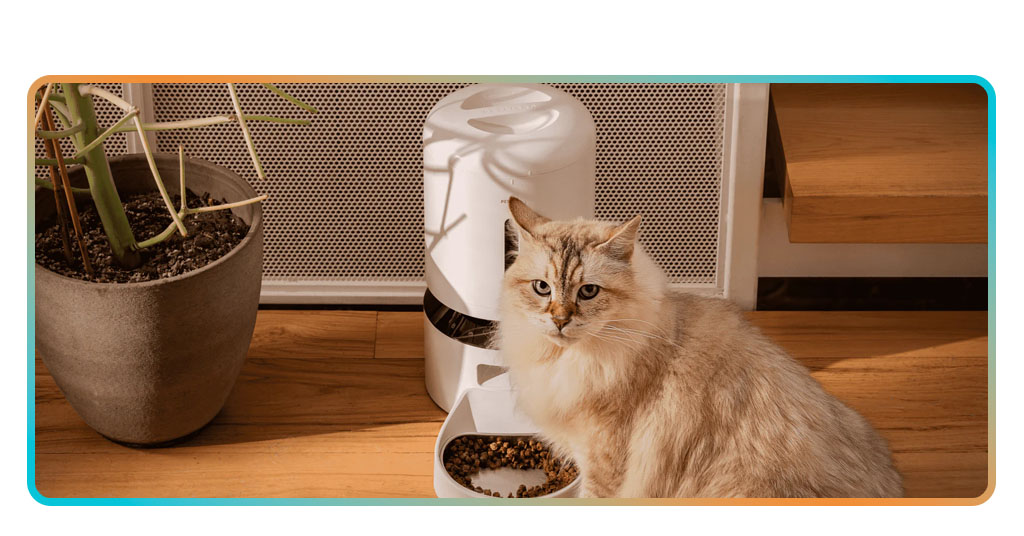
A reliable routine is key to pet well-being. When meals are on time and portions are consistent, pets eat better, stay active, and develop habits that keep them feeling good.
Petlibro feeders take guesswork out. Built-in tools handle timing, freshness, and portion sizes, while the app lets owners adjust things instantly whenever the routine needs a tweak.
Alerts, monitoring, and easy cleaning add peace of mind. You’ll know exactly what’s happening with each feeding, and your pet gets the meal they need without stress or extra effort.
HD video, night vision, and two-way audio
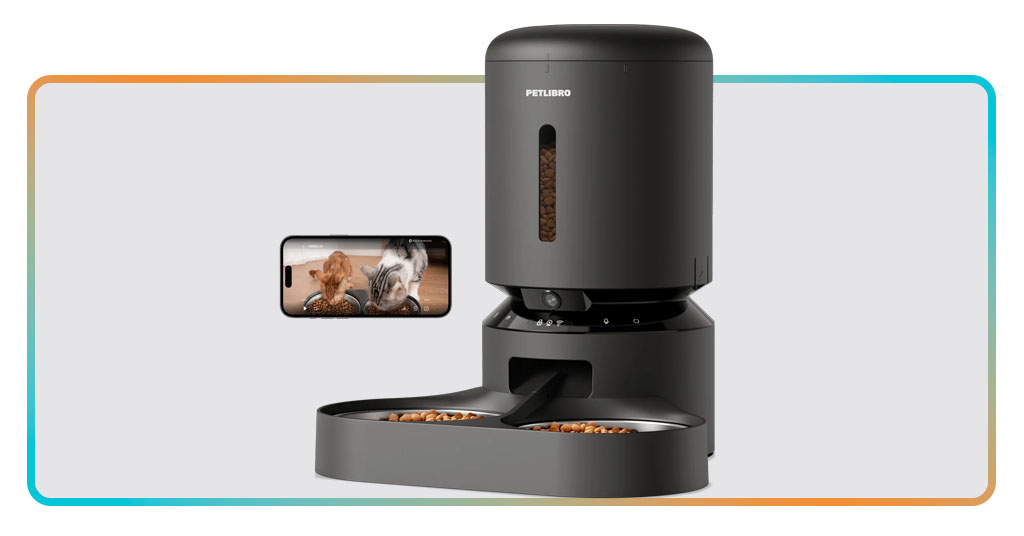
Petlibro’s automatic pet feeder includes a camera that records in HD, capturing each mealtime clearly. You can see your pet from anywhere and know they’re eating comfortably and calmly.
The 145-degree viewing angle covers everything, even in low light. Infrared night vision ensures late-night meals are visible, which helps when routines shift or you’re traveling away from home.
Two-way audio lets you speak to your pet. Whether it’s a quick hello or a custom feeding call, your voice adds something familiar and calming to each mealtime check-in.
Get instant alerts for clogs or low food
With the Petlibro automatic pet feeder, you get alerts whenever something interrupts feeding. The system tracks food flow and keeps you informed about everything that’s happening.
Notifications let you act quickly if something goes wrong. You’ll know when to refill the tank, clear a clog, or reconnect the feeder before it affects your pet’s next meal.
This alert system transforms feeding into a reliable routine. Problems are caught early, ensuring that your pet never misses a meal or deals with unexpected feeding delays.
Keep every kibble fresh and safe
Petlibro focuses on freshness from the first serving to the last. Each detail of its design helps food stay crisp, dry, and ready for every scheduled meal.
Inside the automatic pet feeder, a silicone sealing ring, twist-lock lid, and desiccant bag work together to block humidity and protect each kibble from air and unwanted moisture.
Removable components make cleaning effortless. A stainless steel bowl ensures hygiene, while the feeding tank’s design prevents residue buildup that could spoil food or cause irritation.
Related: Pawsitive Vibes: The Best Pet Care Apps for Busy Tutors in 2025
Step-by-step: set feeding times and portions
Feeding pets on a schedule supports their digestion and mood. The Petlibro app helps owners stick to routines without stress, giving pets the steady rhythm they depend on daily.
With this app, every step is simple. Choose how many meals your pet gets each day, adjust portion sizes, and view the schedule at a glance in real time.
It’s more than a timer. These settings help prevent underfeeding and overfeeding. Your pet eats better, you gain control, and everything stays consistent no matter what life throws your way.
Control feedings anytime through the Petlibro app
Using the Petlibro automatic pet feeder, you can tap your screen and serve meals instantly or adjust upcoming feedings while away. It’s feeding made flexible, no matter your schedule.
The app works on both WiFi networks and mobile data. Whether you’re on the couch or out shopping, your pet’s feeding routine is always within easy reach.
You can even access the feeder from multiple phones. Family members or roommates can share control so everyone helps maintain a stable feeding plan without extra setup.
Set precise meal times and portion sizes
Feeding times are entered by the clock, not a vague estimate. You decide exactly when meals drop, down to the minute, giving your pet a more stable daily rhythm.
Inside the automatic pet feeder, you can schedule up to ten meals daily. Portions range from small snacks to full servings, making it perfect for cats and dogs alike.
Setting portions based on your pet’s size or diet plan helps avoid weight problems. Adjusting serving amounts supports better nutrition without needing manual scooping or extra equipment.
Adjust settings for multiple pets or routines
Feeding two pets with different needs is no longer a challenge. The Petlibro app helps you create a setup that matches their habits while avoiding food fights or confusion.
Each feeding plan can be edited quickly. Whether your routine changes weekly or seasonally, you can adapt meals without starting over or resetting the entire schedule manually.
That’s why even with multiple animals, the automatic pet feeder works. It’s flexible enough to support different diets while keeping everything simple through one clean, easy-to-use app.
Where to find the best smart feeders
Not every pet feeder gives the same experience. Finding one that fits your pet’s needs and your daily life makes feeding easier and helps maintain consistent care year-round.
Smart feeders should do more than drop food. They need to support portion control, keep meals on schedule, and offer features that help you stay connected wherever you are.
Petlibro feeders bring that balance. With models that support app control, video streaming, and portion settings, it’s easy to keep pets healthy without changing your usual schedule or routine.
Why Petlibro is a trusted choice for pet owners
Many people start with a basic bowl and end up switching to a Petlibro automatic pet feeder. It’s reliable, connected, and made to work with your lifestyle.
Petlibro has built its reputation through thoughtful details. From freshness locks to smart alerts, every feature adds something that helps you and your pet stick to better feeding habits.
Support is part of the experience. Petlibro offers guides, responsive customer service, and a product line that fits dogs, cats, and routines of every size or feeding complexity.
How to choose based on your pet’s eating habits
Meal schedules vary by breed, age, and health condition. Kittens and seniors need smaller portions more frequently while active pets may need extra servings throughout the day.
Using an automatic pet feeder is ideal when portions must be precise. Whether managing weight or medication, setting exact quantities helps you follow a plan without measuring work.
Pets that eat too fast or skip meals may need slower delivery or voice messages. Petlibro feeders offer features that support your pet’s pace and reduce food-related stress.
What to look for in a smart feeder
Features like remote access and feeding history tracking give you more control. Look for feeders that allow schedule changes without needing to reset the whole system manually.
Some pets need voice prompts, others rely on a video check-in. Choosing a model with two-way audio and camera access gives added peace between scheduled visits and quick snacks.
That’s why the best automatic pet feeder balances convenience and care. Petlibro’s models include sensors, freshness support, and app syncing without making feeding more complicated.
Related: Woofz: Practical and Comprehensive Dog Training App
A simpler way to keep your pet healthy
Petlibro makes feeding easier, smarter, and more reliable. With app control, custom portions, and real-time monitoring, your pet’s meals stay on track no matter where life takes you.
Insiderbits put this guide together to help you understand how an automatic pet feeder fits into real routines. It’s all about care that adapts to your day, not complicates it.
Want more practical tips like this? Keep browsing Insiderbits and find more ways to simplify everyday challenges with helpful tools, useful apps, and ideas that make sense.