
You’re 45 minutes into deciding on a film, the popcorn is cold, the drinks are warm, and no one in your group can agree on a title. A movie finder app can be a fun way to end the discussion.
Movie Night lets you browse through genres, ratings, and release dates, so you can choose a movie together before even turning the TV on. This Insiderbits guide explains it all, so read on!
Related: Stop Forgetting What You Watched and Start Your Personal Film Diary Today

4.5/5
Looking for a movie finder app?
Movie Night (Android | iOS) is an app built around a single job, which is helping you and your group land on a movie without arguing over five separate opinions for an hour.
Inside this movie finder app, you get genre filters, star ratings from IMDb, Metacritic, and Rotten Tomatoes, release year ranges, and streaming availability across services like Netflix and Hulu.
Swiping right or left replaces scrolling through menus, and creating a room lets your entire group vote together until a title earns everyone’s approval.
Features available in the Movie Night app
- Custom filters: narrow the library by genre, genres to avoid, age rating, and release date until films your whole group wants remain on screen;
- Streaming matches: see which titles are available on Netflix, Prime Video, Disney+, Max, Hulu, Apple TV, Peacock, and Paramount+ before picking the right service;
- Group rooms: start a lobby with a QR code or six-digit code so friends can join instantly and swipe alongside you from separate phones;
- Match screen: once your whole group swipes right on the same title, the app locks in that pick and displays it as your match.
Swipe through movies solo or together
Late night alone with nothing decided yet, you swipe through posters at your own pace, skipping past anything that doesn’t match your mood in seconds.
Bring three friends into the same session, and this movie finder app splits into a shared lobby, matching everyone’s swipes to one title nobody has to fight over.
Create a room with custom filters
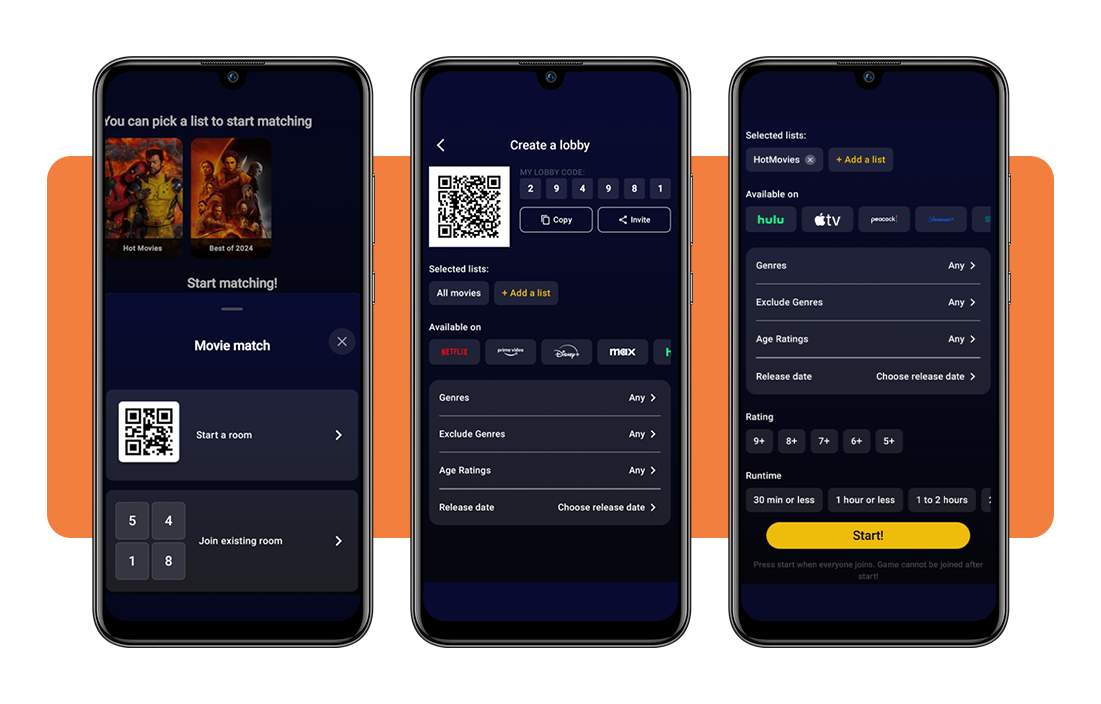
Building a room hands you a QR code and a six-digit number, letting friends scan the code or type it in manually from their own phone screen.
Locking in genres, ratings, release years, and runtime limits before your friends join means the room already reflects choices your entire group would all happily agree upon together.
Tap any card for movie details
Tapping on any poster pulls up a full synopsis, cast list, and runtime without forcing you to leave the swiping screen or open another tab.
That extra layer of information means this movie finder app doubles as a handy, quick research tool, letting your whole group settle small arguments about plot or actors.
Related: Hidden movies: how to watch movies not available in your region
Step-by-step: how to find where to watch any movie using the app
Getting from indecision to an actual title on screen with Movie Night (Android | iOS) only takes a handful of taps, starting the moment you open the app for the first time.
Downloading, setting preferences, and swiping through posters all happen in quick succession, moving everyone off separate streaming apps and onto one shared decision.
Each stage builds toward a single match that your friends agree on, and this movie finder app walks you through picking exactly what fits your night.
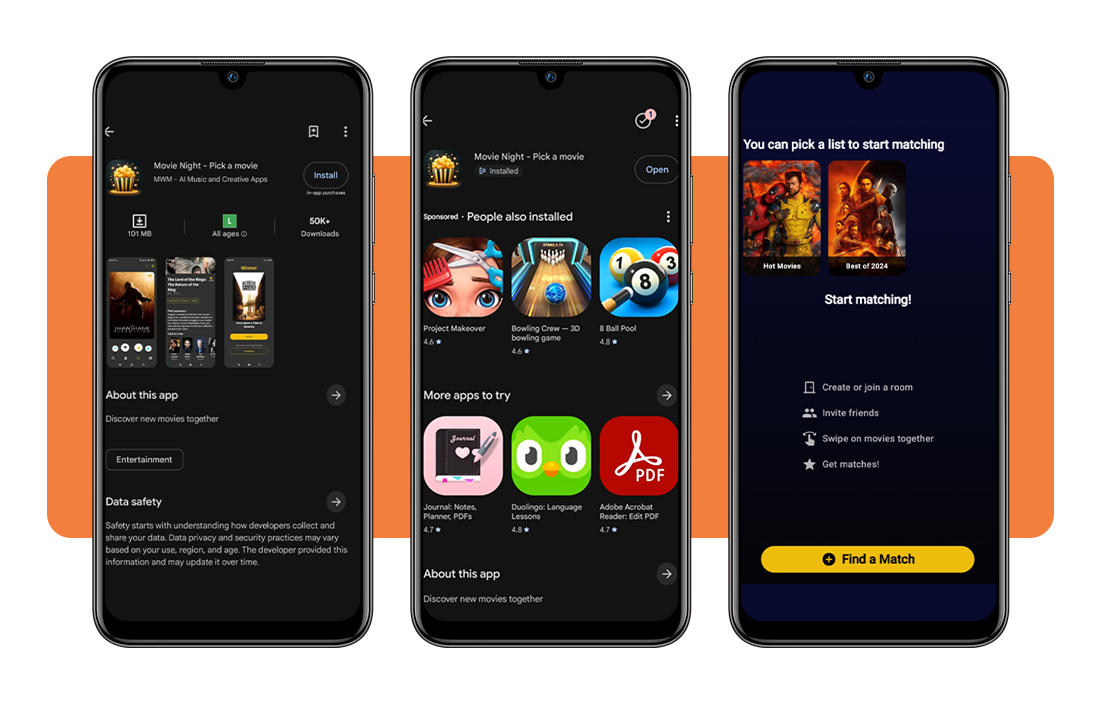
Step 1: download the app on your device
Grab the app from your phone’s store, whether that’s an iPhone or an Android device, and installation takes about as long as any other app download.
Once it finishes installing, open it up, and you land straight on the home screen, ready to either browse curated lists or jump into creating a room.
Step 2: create a room and set your preferences
Tapping on ‘Start a room’ hands you a QR code and a six-digit number, both ready for friends to scan or type in from their own phones.
Before anyone joins, this movie finder app lets you lock in genres, ratings, release years, and runtime, so the room already fits what everyone wants to watch.
Step 3: swipe movies until you find a match
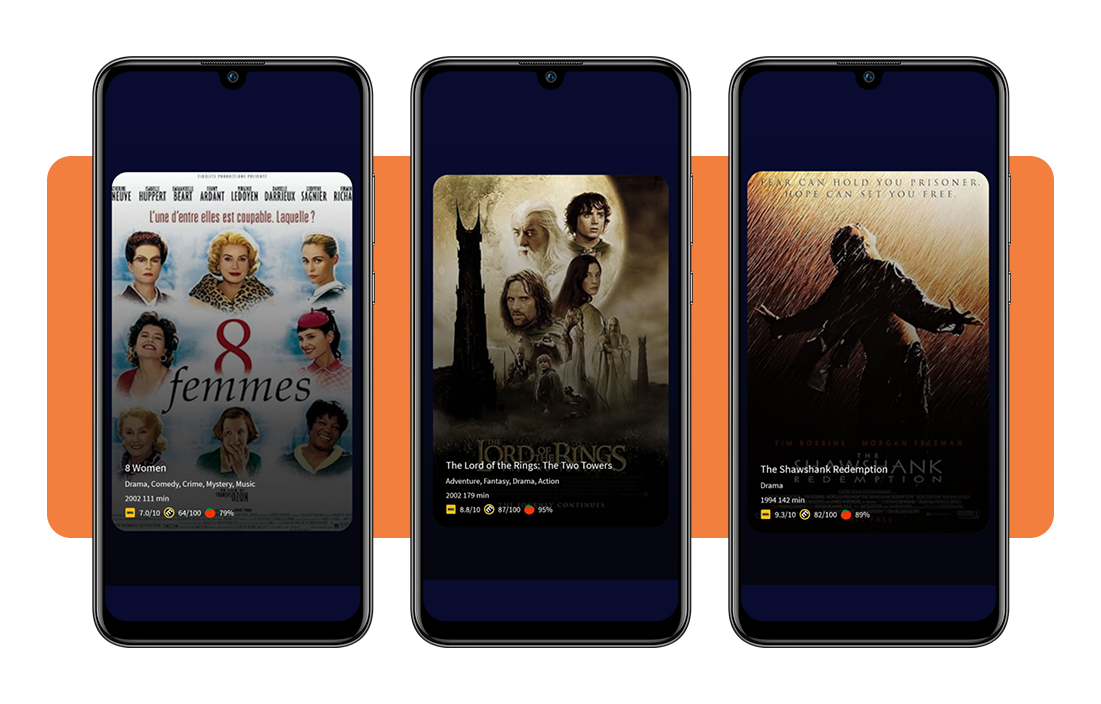
Posters start appearing one by one, and swiping right marks interest while swiping left skips past anything that doesn’t grab your attention in the moment.
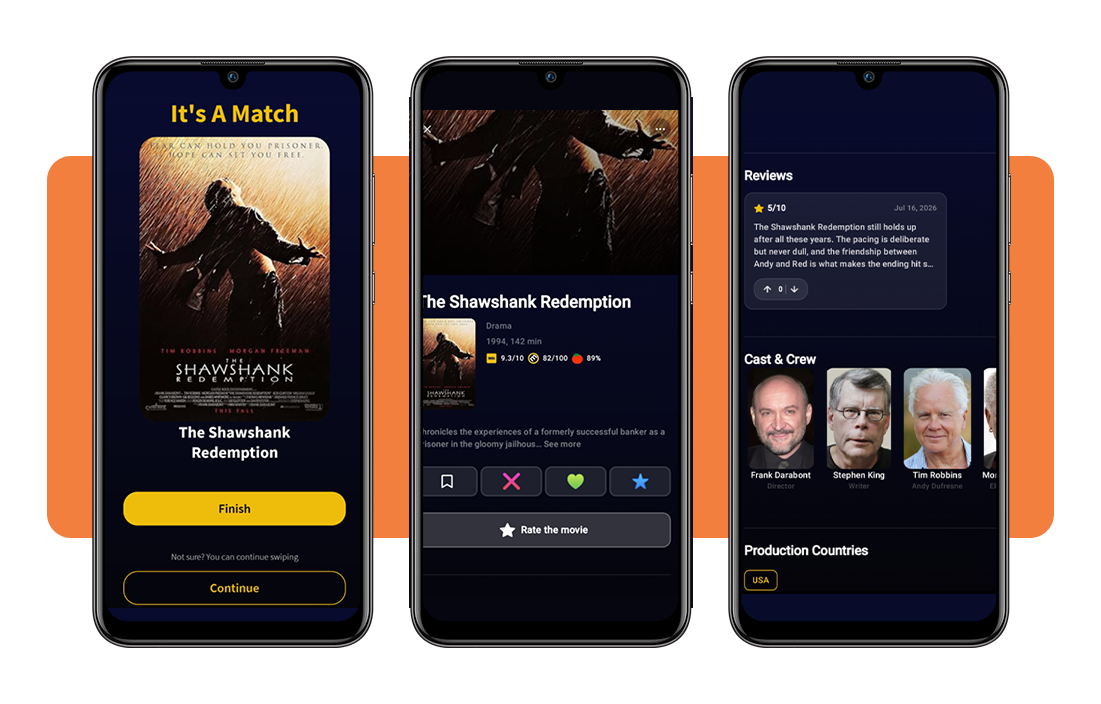
Once everyone swipes right on the same poster, that title locks in as your match, ending the back and forth before an argument even starts.
Step 4: tap the movie card to learn more details
Before swiping either way, tapping a poster shows you the full cast, a plot summary, and combined scores from IMDb, Metacritic, and Rotten Tomatoes at a glance.
Checking those numbers ahead of time keeps your final vote based, and this movie finder app makes second-guessing a pick less likely once everyone locks in their choice.
Tips for better streaming and device compatibility
Landing on a match means nothing if your phone can’t actually play the title once the swiping stops and everyone’s ready to watch.
A few small checks around subscriptions, filters, updates, and your connection keep that final moment from turning into another round of frustration.
None of these checks takes long, and running through them ahead of time means this movie finder app runs the way it should from the start.
Check your streaming subscriptions
Open each streaming service you pay for and confirm which ones are currently active, since a match only helps once you can actually press play on it.
Titles inside the app show which platform carries them, so comparing that list against your own subscriptions saves everyone from an awkward pause after swiping ends.
Adjust the app’s filters to narrow results
Wide open filters pull in a massive stack of titles, and scrolling through all of them slows down a room already restless and ready to watch something.
Narrowing genres, ratings, and release years before anyone starts swiping keeps the pool small enough to move quickly toward a title everyone can settle on.
Update the app on schedule
New features, bug fixes, and updated streaming availability all roll out through regular app updates, and skipping them for months leaves you behind on all three.
Checking your phone’s app store every so often for a pending update keeps this movie finder app running with the newest titles and the fewest hiccups possible.
Make sure you’re using a stable network
Weak signal turns swiping into a frustrating wait, with posters loading slowly and matches taking longer to register across every phone connected to your room.
Connecting to solid Wi-Fi or strong cell service before anyone starts keeps every swipe registering right away, so the session feels responsive from start to finish.
Related: Best free movies on Amazon Prime: watch without paying a dime
4.5/5
Ready to find your perfect movie match?
Movie Night takes that messy argument about what to watch and turns it into something quick, fun, and actually easy for everyone involved to enjoy.
In this guide, Insiderbits explained how this movie finder app works, from setting up a room to swiping your way toward a title everyone actually agrees on.
Browse other Insiderbits articles for more guides and reviews about apps built around movies and shows, giving you fresh ways to plan your next watch without any of the hassle.