
Learning to count is more engaging if children connect numbers with fun activities. Khan Academy Kids (iOS/Android) focuses on children ages 2 to 8 to make exercises covering foundational skills.
This guide looks at how the app works with early math, how parents can set up lessons, other learning platforms, and how to keep educational screen time under control.

4.8/5
Which is the best free app for learning to count?
Khan Academy Kids (iOS/Android) is our recommendation to people who want to help their kids learn to count.
The app introduces early math through games, stories, and interactive activities, making way better than learning to count through long and repetitive lessons.
Khan Academy (iOS/Android) is designed for children ages 2 to 8 and contains counting teaching, number recognition, shapes, simple addition, and other foundational math skills.
Its activities adjust across different learning levels, giving younger children room to progress gradually.
Another major advantage is the price.
Khan Academy Kids (iOS/Android) is completely free, with no ads or subscriptions, so parents can use the full learning library without unlocking paid lessons later.
Key features within Khan Academy Kids
To begin with, the app includes more than 5,000 educational activities covering math, reading, language, and creative learning.
Meanwhile, when it comes to learning to count, children practice early math, compare quantities, work with shapes, and begin exploring addition.
On this app, lessons are mixed with games, animated characters, and interactive exercises, which keeps the experience closer to play than a traditional worksheet.
Also, it is good for parents because they are able to access tools that show learning progress and select activities for specific skills.
This makes it easier to focus on counting or another area that needs extra practice.
Its broad age range also means children can keep using the app after they move beyond basic counting.
Step-by-step: how to set up math lessons for children
Khan Academy Kids lets parents create a simple learning routine around the child’s age and current skills.
For learning to count, the best strategy is to start with short activities and add more advanced math practice.
Follow these steps:
Step 1: download the app
To begin with, download Khan Academy Kids (iOS/Android) and install it on your smartphone.
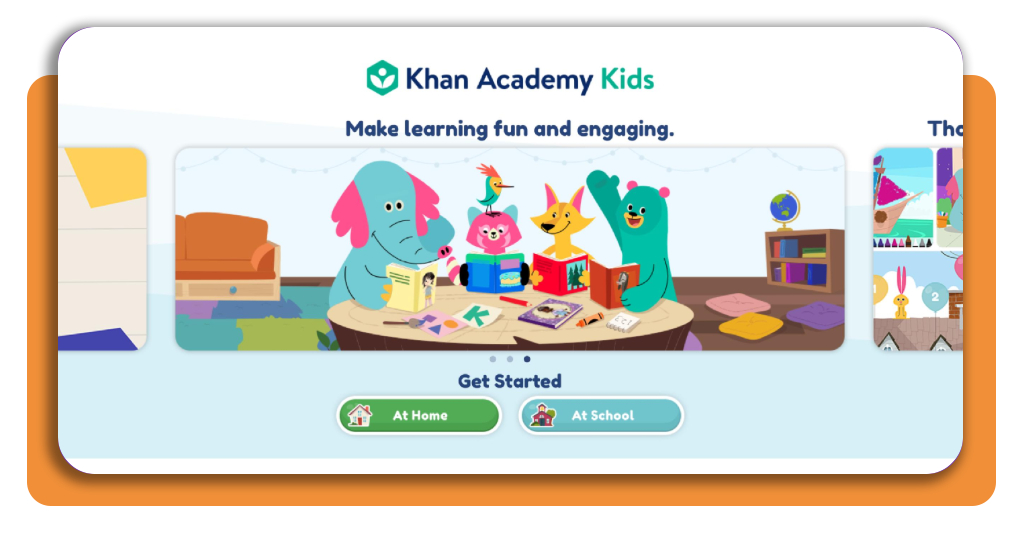
Then, open the app, and on ‘Get Started’ at the main menu screen, you will have two options for learning at school or at home.
Step 2: sign up
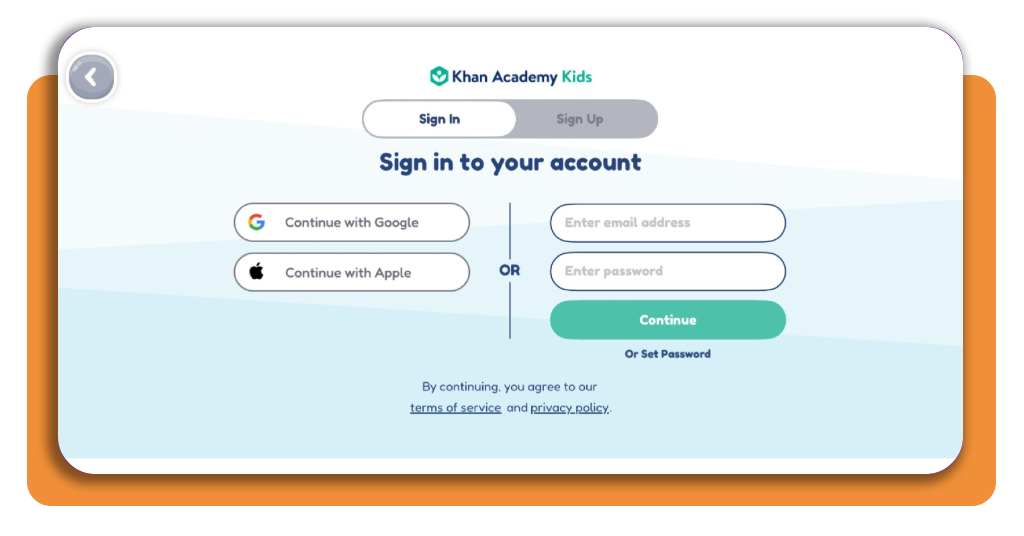
After choosing your option, create an account and add a profile for your child.
Step 3: create the child’s profile
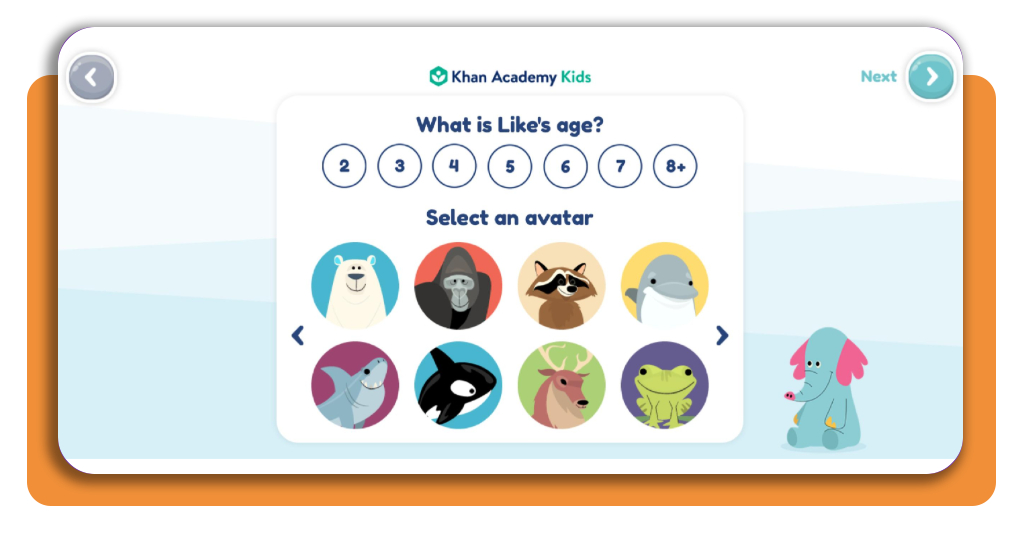
Now, choose the appropriate age or grade level so the app can present activities that match the child’s stage of learning.
Step 4: start activities
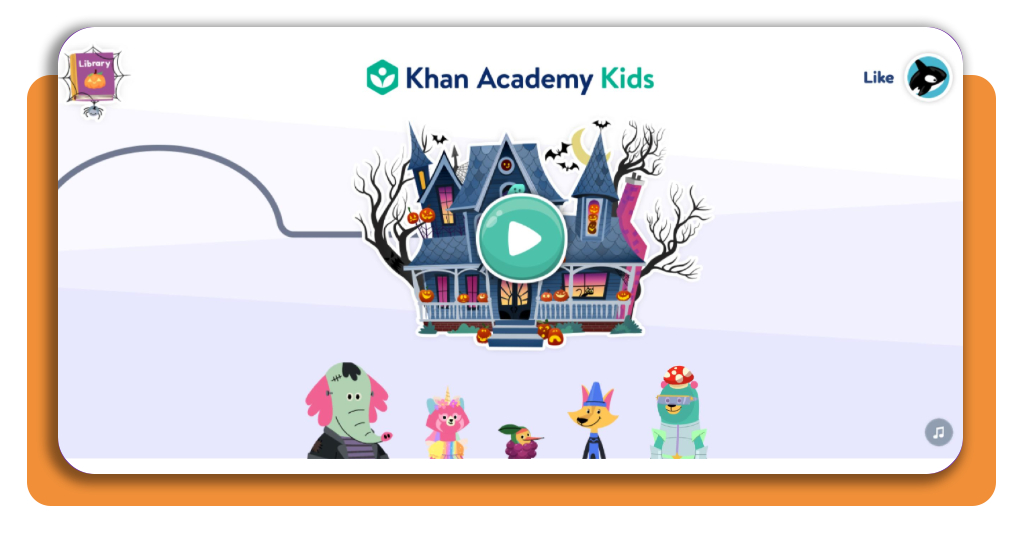
Finally, you can start activities. Once you start, Khan Academy presents all lessons in a game format, which fosters learning.
Top learning platforms for kids
Khan Academy Kids (iOS/Android) covers a wide range of early-learning skills, like learning to count, but some families could want a second platform with a different style of lessons.
ABCmouse
ABCmouse (iOS/Android) is an app also designed mainly for children ages 2 to 8, so it puts it close to the same age range as Khan Academy Kids.
Its curriculum includes math, reading, science, and art through games, books, puzzles, and guided activities.
For children who are learning to count, the structured progression gives parents a more defined sequence of lessons rather than a collection of unrelated games.
Unlike Khan Academy Kids, ABCmouse (iOS/Android) uses a paid subscription model, so families should compare the cost with how frequently the child is likely to use it.
PBS Kids
PBS Kids (iOS/Android) takes a more entertainment-based approach, with educational games and activities built around familiar characters from its shows.
Math content appears alongside reading, science, and problem-solving activities, making it useful for younger children who respond better to short games than formal lessons.
Much of the PBS Kids (iOS/Android) digital content is available without a subscription, which makes it worth exploring before paying for another learning platform.
Best options for managing screen time for kids
Educational apps that teach learning to count are important, but the amount of time children spend on a device still matters.
For that, some screen-time tools give parents a clearer way to set limits and to keep learning apps from turning into unrestricted device use.
Qustodio
Qustodio is a platform that focuses heavily on time limits and device controls.
With that, parents are capable of creating daily screen schedules, pausing internet access, blocking selected apps, and reviewing activity from a parent dashboard.
That makes it important for families using teaching apps as part of a routine.
Consequently, a parent can reserve a short period for educational activities and restrict other apps once that time is over.
Qustodio supports multiple platforms, including Android and iOS, although the exact controls available can differ by device.
Bark
Bark (iOS/Android) takes a broader safety-focused approach.
Alongside screen-time schedules, it includes content monitoring, website filtering, and alerts for potentially concerning online activity.
Its controls are more relevant for older children who use messaging, browsers, and social platforms in addition to educational apps.
For younger children who are learning to count, simple schedules and app limits may be enough.
Lastly, parents can review this guide to kids’ technology habits for practical ideas on setting boundaries around devices.
Meanwhile, this Insiderbits bedtime app for kids guide explores another part of building a healthier daily routine around screens.
4.8/5
Keep learning simple and consistent
Learning to count doesn’t need long lessons or complicated routines. A few focused activities, repeated regularly, gives children steady practice with early math concepts.
As you saw in this article, Khan Academy Kids (iOS/Android) works well as a starting point because it keeps the experience playful and free.
While other platforms add more structured lessons, and screen-time tools help parents keep device use within reasonable limits.
The best routine is one that fits the child’s age and attention span. Short sessions and regular progress checks are better than trying to cover too much at once.
Enjoyed this article? Save Insiderbits to your favorites and discover the most useful tech tips.